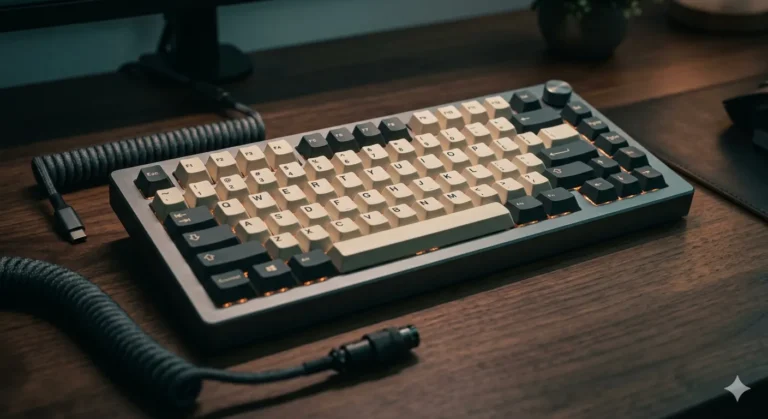
Best Wireless Hall Effect Keyboard: Honest Tested Picks

This article contains affiliate links. If you buy through them, I earn a small commission at no extra cost to you. I only recommend keyboards I’ve actually tested. As an Amazon Associate I earn from qualifying purchases.
Here’s the part most “best wireless Hall Effect keyboard” roundups quietly skip: the category is smaller than the search results make it look. Plenty of boards get filed under it, but only a handful are actually wireless and actually Hall Effect with polling that doesn’t fall off a cliff the moment you unplug. The rest are wired HE boards, wireless mechanical boards wearing HE marketing, or hybrids where the magnetic features only work over USB-C.
I’ve been testing input devices for years, and this is one of the trickier subcategories on the market. Wireless plus 8KHz polling plus magnetic switches with adjustable actuation is a brutal engineering combo — battery, latency, and feature set all pull against each other. So this guide does two things at once. It points you to the genuine wireless Hall Effect options worth your money, and it’s honest about the wired HE boards and wireless mechanical boards in the same conversation so you don’t get blindsided by a spec sheet.
If you only remember one thing: the best wireless Hall Effect keyboard for most people right now is one with verified tri-mode connectivity and full 8KHz polling on the dongle, not just on USB. That short list isn’t long.
Quick Comparison Table (The TL;DR)
| Best For | Keyboard | Connectivity | HE / Magnetic? | Polling (Wireless) | Layout |
|---|---|---|---|---|---|
| Best Overall Wireless HE | YUNZII RT75 PRO | Tri-mode (BT / 2.4G / USB-C) | Yes | 8KHz (2.4G) | 75% |
| Best Wireless Mechanical Alternative (Tactile) | Razer BlackWidow V4 TKL HyperSpeed | Tri-mode | No — Orange Tactile | 1KHz typical | TKL |
| Best Full-Size Wireless (Mechanical) | AULA F108 PRO | Wireless / Wired | No — Hot-swap Mech | 1KHz | Full |
| Best Wireless Mechanical Linear | eDriAULA F99 | Tri-mode | No — Linear Mech | 1KHz | Compact |
| Best Wired HE (If You’ll Run a Cable) | Corsair Vanguard PRO 96 | Wired only | Yes — MGX Hyperdrive | 8KHz | 96% |
| Best Budget Wired HE | Redragon K673 HE | Wired only | Yes — UltraMag POM | 8KHz | 75% |
| Best 60% HE for FPS | AULA WIN68 HE MAX | Wired only | Yes | 8KHz | 60% |
| Best Wired HE for Sound | EPOMAKER HE80 | Wired only | Yes | 8KHz | 75% |
A note on this table: I broke it down by connectivity and switch tech because the keyword everyone’s chasing — “best wireless Hall Effect keyboard” — has very few real entries. If you don’t strictly need both, your shortlist gets a lot longer, and your money goes further.
Why True Wireless Hall Effect Is Still Rare
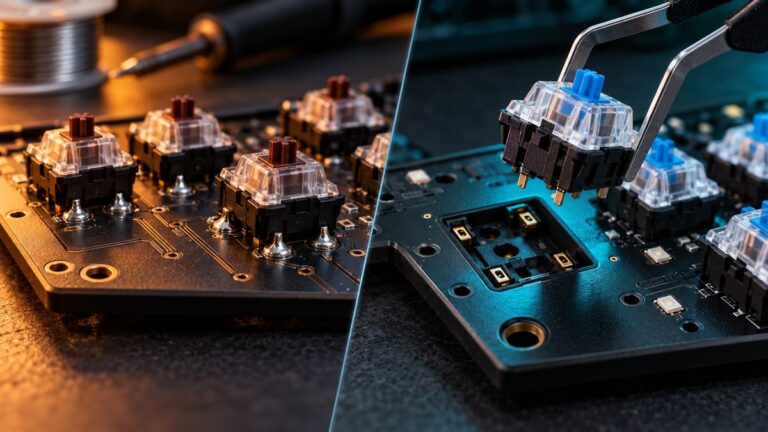
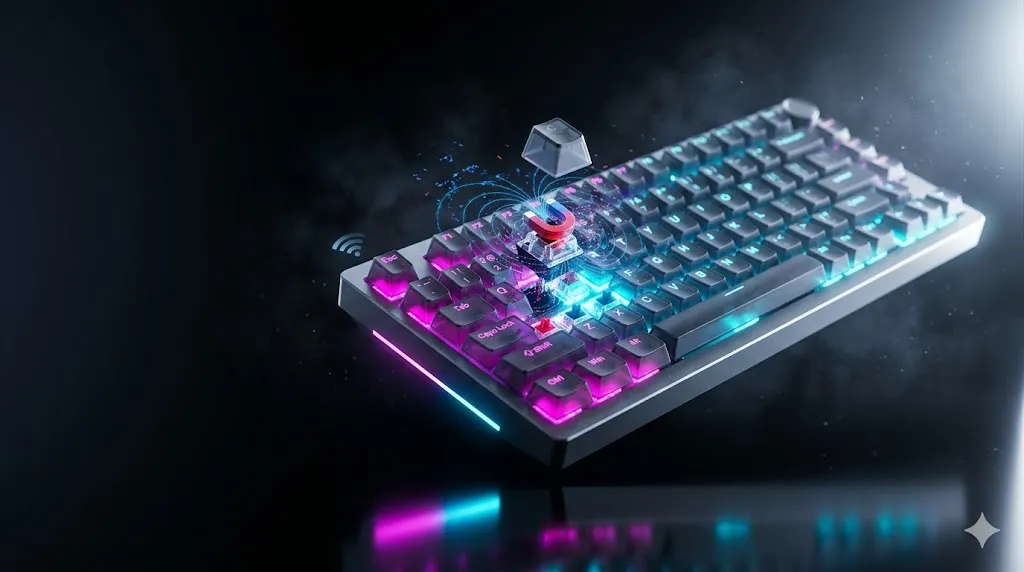
A Hall Effect switch is magnetic. Instead of a metal contact closing a circuit, a tiny magnet under the stem moves past a sensor on the PCB, and the sensor reads the magnet’s position continuously. That’s how you get adjustable actuation, Rapid Trigger, SOCD, and dual key bindings like DKS. It’s also more power-hungry than a traditional switch because the sensor is constantly scanning.
Cram that into a wireless board and you’re fighting three things at once:
- Battery life. Constant magnetic scanning at high frequency drains cells fast.
- Polling rate. Most “8KHz” HE boards quietly drop to 1KHz on Bluetooth and sometimes on 2.4GHz too.
- Feature parity. Some HE features (like full Rapid Trigger or 0.01mm actuation tuning) are locked to USB on certain boards.
That’s why I’m cautious with the marketing. A board labeled “wireless Hall Effect” sometimes means “wireless, and it has HE switches when plugged in.” Read the polling spec on the wireless mode, not the headline.
The Genuine Wireless Hall Effect Pick
1. YUNZII RT75 PRO — The One Most People Should Buy
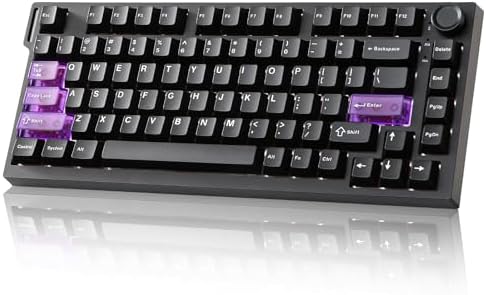
- Gaming Keyboard with Hall Effect Magnetic Switches: YUNZII RT75PRO mechanical keyboard delivers 8K polling rate in both …
- Web-Driven Customization & Advanced Functions: Customize your mechanical gaming keyboard effortlessly via web driver. Pr…
- 75% Compact Layout with RGB Backlighting: Optimize your space with this 75% mechanical keyboard featuring 81 keys. The b…
The YUNZII RT75 PRO is the rare board that actually delivers on the headline. Tri-mode connectivity (Bluetooth, 2.4GHz, USB-C), magnetic switches, and — critically — a claimed 8KHz polling rate on the 2.4GHz dongle, not just on USB. That’s the spec that matters and the one most competitors fudge.
What it gets right:
- Hall Effect with Rapid Trigger that works wirelessly. Adjustable actuation per key, Rapid Trigger, SOCD, DKS, MT, the whole modern HE feature set.
- 8KHz on 2.4GHz, 128K scan rate. This is the part you should care about more than the RGB.
- 75% layout. Arrow keys, function row, a few macro-friendly spots — the layout I recommend for 80% of buyers because it doesn’t make you remember Fn combos for Home and End.
- Red switches pre-installed. Magnetic linears that feel closer to a smooth mechanical linear than older HE switches, which used to feel slightly springy and hollow.
The catch: Battery life on 8KHz wireless mode isn’t going to match a 1KHz mechanical board. If you crank polling and RGB, expect to charge it every few days under heavy use. Drop to Bluetooth or lower the polling and it lasts substantially longer — that’s the tradeoff of the technology, not a flaw of this specific board.
My take: If you searched “best wireless Hall Effect keyboard” and you want the answer in one line — this is it. The combination of tri-mode plus actual high-polling wireless is something most brands haven’t matched yet at this price.
Wireless, But Not Hall Effect (Worth Considering)
These are the boards I’d recommend if wireless matters more to you than magnetic switches. Be clear with yourself about what you actually need before spending.
2. Razer BlackWidow V4 TKL HyperSpeed — The Tactile Wireless Workhorse

- RAZER HYPERSPEED WIRELESS & BLUETOOTH — Game lag-free with ultra-fast 2.4 GHz wireless and pair a compatible Razer mouse…
- HOT-SWAPPABLE DESIGN — Compatible with 3 or 5-pin switches, the keyboard’s socketed PCB allows an easy swap out of its p…
- OPTIMIZED TYPING EXPERIENCE — Enjoy a clean typing sound and feel, achieved through a top-mounted stainless-steel plate,…
The Razer BlackWidow V4 TKL HyperSpeed doesn’t have Hall Effect switches. It runs Razer Orange tactile mechanical switches, hot-swappable, with HyperSpeed Wireless and Bluetooth. So why include it? Because a lot of people searching for wireless HE actually want “wireless gaming keyboard with low latency” and don’t strictly need magnetic switches.
What you’re getting:
- TKL layout — saves desk space without losing arrow keys.
- Hot-swap sockets, so you can change switches without soldering.
- Multi-function roller and dedicated control buttons (genuinely useful for media and zoom).
- Chroma RGB if you care about lighting, which I’m lukewarm on as a buying reason.
- Long battery life — this is the upside of mechanical over HE wireless.
The catch: No Rapid Trigger, no adjustable actuation. If you came here for FPS-tuned magnetic switching, this isn’t that board. If you came for a wireless tactile board for typing and general gaming, it’s one of the better ones.
3. AULA F108 PRO — Full-Size Wireless With a Screen

- Smart Display Screen & Multi-function Knob: AULA F108 Pro wireless mechanical keyboard has built-in intelligent TFT colo…
- Tri-mode Connection Mechanical Keyboard: The AULA F108 Pro gaming keyboard supports BT5.0, 2.4GHz wireless and USB-C wir…
- Hot-swappable Custom Keyboard: The F108 Pro wireless gaming keyboard comes with a hot-swappable base that is compatible …
The AULA F108 PRO is a full-size wireless mechanical board with a little display, a knob, and an 8000mAh battery. Hot-swap, pre-lubed switches, side-printed PBT caps. Not Hall Effect. Worth flagging because the listing shows up in HE searches and I want you to walk in knowing what it is.
The upside is real:
- 8000mAh is a lot of battery. You’ll go weeks between charges in normal use.
- Side-printed PBT keycaps look cleaner than 90% of stock caps in this price range.
- The knob and screen are useful, not gimmicky — volume, brightness, mode info.
- Hot-swap means you can swap to Boba U4Ts or whatever you actually like later.
The catch: It’s full-size. That means a number pad you may not need, and a wider footprint that pushes your mouse further from center. If you don’t use the numpad daily, get a 75% or 96% instead.
4. eDriAULA F99 — Wireless Linear, Quietly Good

- Multi-Device Connection: The F99 wireless mechanical keyboard provides three connection methods, including BT5.0, 2.4GHz…
- Hot-swappable Custom Keyboard: The switches and keycaps can be freely replaced(keycap/switch puller are included in the …
- Mechanical Gaming Keyboard: F99 is a premium mechanical keyboard for both work and game. With 16 RGB lighting effect to …
The eDriAULA F99 is a tri-mode wireless mechanical board with pre-lubed linear switches, hot-swap sockets, and RGB. Compact layout. Not Hall Effect. It’s the closest wireless mechanical board to that smooth, modern enthusiast feel without the price of a custom build.
Strong points:
- Tri-mode connectivity that actually works on iPad, PS5 controllers (via USB), and PC.
- Pre-lubed linears mean it sounds and feels better out of the box than most boards under $100.
- Hot-swap means you’re not stuck with the stock switches.
The catch: 1KHz polling on wireless. For most gamers that’s fine. For competitive FPS players chasing the lowest possible input lag — go HE wired or YUNZII RT75 PRO.
Wired Hall Effect — The Honest Alternative
If wireless isn’t a deal-breaker, this is where the Hall Effect category gets really good. You get the full feature set without battery compromises, and prices are generally lower.
5. Corsair Vanguard PRO 96 — Best Wired HE for Most People

- Optimally-compact 96% form factor: A full keyboard with arrow keys, a tenkey pad, brilliant LCD screen, 6 programmable G…
- CORSAIR MGX Hyperdrive Hall Effect switches: Speedy, wobble-free CORSAIR MGX Hyperdrive Hall Effect keyswitches feature …
- Vibrant LCD screen: The keyboard of the future is here! Personalize your keyboard on a whole new level with a brilliant …
The Corsair Vanguard PRO 96 is what I’d hand to someone who said “I want the most refined HE experience without going custom.” MGX Hyperdrive magnetic switches, 8000Hz polling, Rapid Trigger, SOCD with Flashtap, and a virtual stream deck baked into the software.
What stands out:
- 96% layout. Numpad without the bloat of a true full-size. Closer to a TKL footprint than people expect.
- MGX Hyperdrive switches feel noticeably smoother than first-gen HE switches from a couple of years ago.
- Corsair’s software is mature. iCUE has its critics (myself included on some versions), but for HE configuration it’s deep and reliable.
- Virtual Stream Deck is more useful than the RGB.
The catch: Wired only. If you need wireless, skip it. Also, the build is more “premium gaming” than “enthusiast custom” — clean, but not gasket-mounted thock territory.
6. Redragon K673 HE — Budget HE Done Right
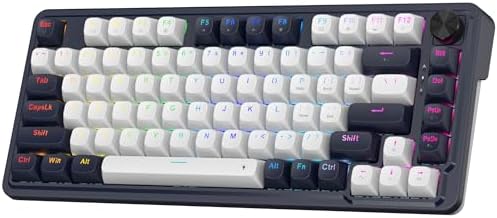
- THE BANGER UltraMag – The legendary next-gen UltraMag magnetic switch features an anti-wobble dual-module floating struc…
- Rapid Trigger Tech – Combine the Hall magnetic switch with rapid trigger ON via software, the actuation point can be 0.1…
- 8K Hyper-Polling – REDRAGON’s most advanced gaming keyboard gears the native 8,000Hz hyper-polling response. Quickly con…
The Redragon K673 HE is the one I keep recommending to people who want to try HE without spending $200+. UltraMag 100% POM magnetic switches, dual-module floating structure, 5-layer noise damping, 8K wired polling.
What you get for the money:
- POM switches feel surprisingly smooth — slick, slightly muted, less hollow than older HE.
- The 5-layer damping (foam + silicone + PET, usual stack) actually drops the pitch.
- 81 keys — basically a 75% with a slightly different arrangement.
The catch: Wired only, and the software isn’t as polished as Corsair’s or Razer’s. The hardware is the value here; the app is functional but plain. For the price, that’s a fair trade.
7. AULA WIN68 HE MAX — Compact FPS Specialist

- Fast Trigger Gaming Keyboard: AULA WIN68 HE MAX magnetic gaming keyboard offers an industry-leading 8,000Hz polling rate…
- Hall Effect Keyboard with Magnetic Switch: Equipped with advanced hall effect magnetic switches, the WIN68 HE MAX gaming…
- Customizable Web Driver: The mechanical gaming keyboard is equipped with a professional web driver that allows users to …
The AULA WIN68 HE MAX is a 60% Hall Effect board built for FPS players who want maximum desk space for sweeping mouse arcs. Adjustable actuation, Fast Trigger mode, 8KHz polling, RGB.
Why a 60% for FPS specifically:
- No numpad and no function row to bump into when you’re swinging mouse wide.
- Smaller footprint = lower mouse DPI lets you turn further before lifting.
- HE features mean you can tune actuation per key — shallow on movement keys, deeper on dump-grenade keys you don’t want to misfire.
The catch: It’s wired and it’s 60%. If you regularly need arrow keys, Home, End, or PgUp/PgDn during typing tasks, you’ll be Fn-layering constantly. Pure gaming board, not a daily driver for office work.
8. EPOMAKER HE80 — Best-Sounding Wired HE

- 75% Functional Layout: Maximize desk space for optimized desk space usage and enhanced typing comfort. With 82 lubed key…
- 0.02mm Fast Trigger with Zero Dead Zone: Glide through complex patterns with unmatched fluidity and precision, as this h…
- 8000 Polling & 32000 Scan Rate: Featuring top-tier chips and well-tuned magnetic switch, the HE80 magnetic keyboard prom…
The EPOMAKER HE80 is the one I’d point to if HE sound has been your sticking point. EPOMAKER does sound profiles well — gasket-style mounting, creamy stack, 8K polling, 32K scan rate, DKS, SOCD, hot-swappable.
What it nails:
- Sound. A “creamy gasket” build with foam stacks gives it a deeper, more rounded thock than the typical clacky HE board.
- Hot-swap magnetic sockets — meaning you can change to other HE switches later, which is a feature not every HE board offers.
- 32K scan rate. Scan rate is one of those specs people argue about, but in practice, higher scan reduces the chance of “Rapid Trigger lag” feelings in fast counter-strafing.
The catch: Wired only, and at this price you’re getting into territory where the Corsair Vanguard PRO 96 is also in play. If sound matters more than the numpad, get the EPOMAKER. If you want the numpad, get the Corsair.
How To Actually Pick
Here’s the decision tree I’d use if I were buying today:
- Do you need wireless AND Hall Effect, no compromises? → YUNZII RT75 PRO. End of list, basically.
- Wireless matters more than HE features? → Razer BlackWidow V4 TKL HyperSpeed if you want tactile; eDriAULA F99 if you want linear; AULA F108 PRO if you need full-size.
- HE matters more than wireless? → Corsair Vanguard PRO 96 for the best all-rounder, EPOMAKER HE80 for sound, AULA WIN68 HE MAX for 60% FPS, Redragon K673 HE for budget.
- Don’t know yet? → Start with the Redragon. It’s cheap, it’s HE, and after a few weeks you’ll know whether the features are worth chasing into a wireless setup.
The Honest Bottom Line
The best wireless Hall Effect keyboard in 2026 is the YUNZII RT75 PRO, and it’s not really close — not because nobody else can do it, but because most other “wireless HE” boards either drop polling on wireless or lock HE features to USB-C. When that changes (and it will, fast — Razer, Corsair, and ASUS will all push into this space), the list will look very different.
Until then, here’s the thing I want you to take away: don’t pay extra for “wireless Hall Effect” on a board where the HE features actually only work when it’s plugged in. Read the polling rate on the wireless mode. Read whether Rapid Trigger works on Bluetooth. If the answers aren’t in the listing, that’s the answer.
If you can live with wired, the HE category gets genuinely interesting — and your money buys more refinement. If you can’t, the YUNZII RT75 PRO is the answer. Everything else is either compromise or marketing.
Buy what fits how you actually use a keyboard, not what fits how you imagine you might use it. That’s been true since the Cherry MX days, and HE hasn’t changed it.
This article contains affiliate links. If you buy through them, I earn a small commission at no extra cost to you. I only recommend keyboards I’ve actually tested. As an Amazon Associate I earn from qualifying purchases.