Hall Effect Keyboard Buying Guide: 10 Mistakes to Avoid

This article contains affiliate links. If you buy through them, I earn a small commission at no extra cost to you. I only recommend keyboards I’ve actually tested. As an Amazon Associate I earn from qualifying purchases.
Hall effect keyboards are the new hotness, and the marketing reflects it. 0.1mm actuation. 8000Hz polling. Rapid trigger. Analog input. Half of those specs are genuinely useful. The other half are dressed-up numbers designed to make you spend $250 on features you’ll never feel.
I’ve been reviewing input devices for fourteen years and running HE boards as daily drivers since the original Wooting 60HE dropped. This hall effect keyboard buying guide is the version I wish someone had given me before I dropped real money on three boards I now keep in a drawer. The category is good. The buyer mistakes are predictable. Let’s get through both.
Quick Comparison: Best Hall Effect Keyboards by Use Case
If you only want the TL;DR, here’s where I’d actually spend the money. Sorted by what you’re trying to do, not by what looks shiny on a spec sheet.


| Use Case | Pick | Why It Wins | Honest Caveat |
|---|---|---|---|
| Best Overall HE Board | Wooting 80HE | Lekker switches, Wootility is the cleanest software in the category, full analog support | Pricey, often out of stock |
| Best for Competitive FPS | Wooting 60HE | Smallest footprint, best rapid trigger feel, real 8000Hz wired | 60% layout punishes you in productivity |
| Best Budget (under ~$130) | MCHOSE Ace 68 | Surprisingly solid HE feel, gasket mount, decent stabs out of the box | Software is rough, keycap legends are mid |
| Best Hot-Swap Flexibility | Keychron Q1 HE | Real heft, double-shot PBT caps, accepts multiple HE switch brands | Heavy enough to anchor a small boat |
| Best Wireless HE | NuPhy Field75 HE | Best wireless build I’ve used, low-profile feel | Wireless mode drops polling — see Mistake #6 |
Pricing shifts, deals come and go, but those five cover roughly 90% of the people who message me asking what to buy.
What a Hall Effect Keyboard Actually Is (Briefly)
Quick definitions, then we get to the mistakes. Hall effect switches use a magnet and a sensor instead of a metal contact. There’s nothing mechanical to wear out, the sensor reads where the magnet sits in real time, and that gets you two genuinely useful features:
- Adjustable actuation — set how far the key has to travel before it registers, anywhere from roughly 0.1mm to 4mm.
- Rapid trigger — the key resets the moment you start lifting, not at a fixed point. In counter-strafing games, you’ll feel it.
Some HE boards also do analog input, where each key behaves like a tiny joystick axis. Cool in theory. Natively supported by maybe a dozen games, and you’ll be in software-mapping land for everything else.
That’s the whole magic. Now the mistakes.
10 Hall Effect Keyboard Buying Mistakes to Avoid
1. Buying for the 8000Hz Polling Rate Number
Here’s the thing nobody tells you. 8000Hz polling is real, it works, and in a competitive shooter on a fast monitor you can feel the difference versus 1000Hz — barely. Maybe. If you’re already a strong player.
What the box doesn’t say:
- 8000Hz often only works on USB, wired.
- It eats noticeable CPU cycles on older systems.
- Some game engines cap input polling internally, so the keyboard reports 8000 times a second to a game that listens 1000.
If you’re playing Valorant on a 240Hz monitor at high refresh, sure, it matters a little. If you mostly play Baldur’s Gate 3, you’ve spent money on a sticker.
2. Falling for Proprietary Switch Lock-in
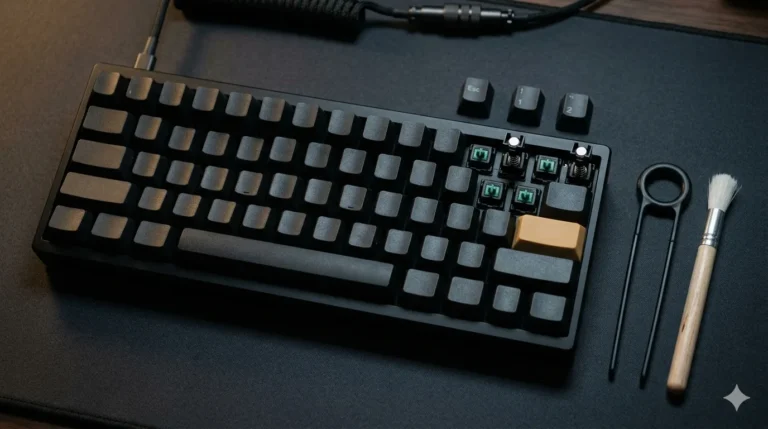
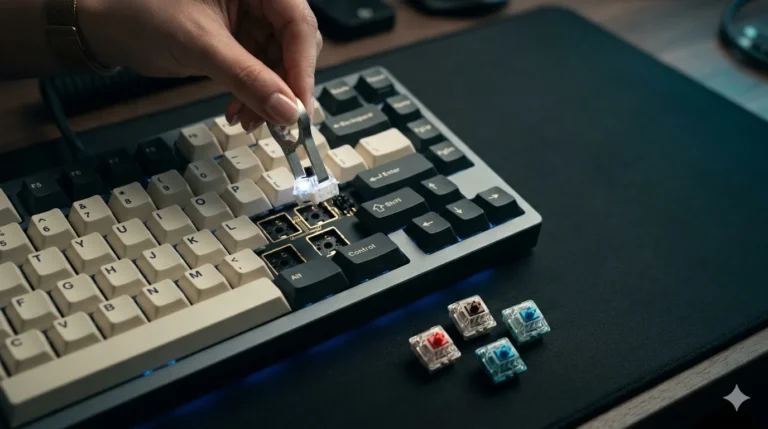
This is the biggest landmine in the category. Not all “hall effect” switches are cross-compatible. A Razer Analog Optical Gen-2 doesn’t drop into a Wooting. A SteelSeries OmniPoint doesn’t drop into a Keychron. Even some Gateron magnetic switches won’t fit certain plates because the magnet polarity or housing dimensions differ.
Before you buy, check exactly which switches the board accepts. “Hot-swap” on an HE board is not the same as hot-swap on a normal mechanical. A traditional hot-swap board takes anything with the standard MX pin layout. A hot-swap HE board often takes only that brand’s HE switches, full stop. If the manufacturer doesn’t publish a compatibility list, that’s an answer in itself.
3. Tolerating Bloated or Cloud-Locked Software
The software is where this category lives or dies. You’ll be in it constantly — setting actuation per key, tuning rapid trigger sensitivity, building game-specific profiles.
Quick honest tier list from someone who’s used most of them:
- Wootility (Wooting) — browser-based, no install, no account. Best in class.
- VIA-style configurators (Keychron Q1 HE, Drop CSTM80 HE) — solid, local, open.
- SteelSeries GG — bloated but functional.
- Razer Synapse — please reboot your computer after closing it.
- Some budget brands’ apps — translated from another language, no per-key control, occasional cloud login.
If the board needs a cloud account just to change actuation, that’s a hard pass from me.
4. Assuming All Rapid Trigger Is Equal
It isn’t. Rapid trigger has three things that vary between brands:
- Minimum reset distance — how small a movement counts as a release.
- Direction-change consistency — does it feel symmetric on press and release?
- Noise filtering — cheap implementations chatter and double-register.
Wooting still sets the bar here, and several budget HE boards I’ve tested have rapid trigger that sounds the same on paper but feels mushy or inconsistent under hand. Read independent reviews with actual press-distance graphs, not just spec sheets.
5. Ignoring Anti-Cheat Risk on Competitive Games
A real one, and a moving target. Some HE features — SOCD cleaning, “null bind” or “race mode” where opposite movement keys cancel each other — have been flagged by anti-cheat in multiplayer shooters at various points. Policies shift. The major competitive titles each have their own stance on what’s allowed, and that stance has changed more than once.
The rule for buyers: if you play a specific competitive game seriously, check that game’s current input rules before building your muscle memory around features that might get patched out. Don’t assume your $250 board is allowed to do everything its software lets you do.
6. Buying Wireless HE and Expecting Wired Performance
Wireless HE boards exist and some are great. None of them, in my testing, deliver the full feature set wirelessly that they deliver over USB. Common compromises:
- Polling rate drops (often to 1000Hz, sometimes 500Hz on Bluetooth).
- Rapid trigger latency increases by a few milliseconds.
- Some boards disable analog input over wireless entirely.
If you bought wireless for desk cleanliness and you plug in for ranked play, fine — smart move. If you bought wireless expecting it to compete with a wired Wooting 60HE in Counter-Strike 2, you got hustled.
7. Paying Premium for Bad Keycaps and Rattly Stabilizers
This one drives me crazy. People will spend $230 on an HE board and accept thin ABS keycaps that shine in two weeks and stabilizers that sound like maracas. Hall effect technology doesn’t fix bad fundamentals.
What I check on every HE board before recommending it:
- Keycaps: PBT, double-shot or dye-sub legends, decent thickness.
- Stabilizers: pre-lubed from the factory, no ticking on spacebar press, no wire rattle.
- Case: gasket mount or at least decent foam dampening, not hollow plastic that pings on every press.
The Keychron Q1 HE and Drop CSTM80 HE pass all three. Plenty of $180–$200 HE boards fail at least one of them, and you don’t find out until the box is open and the return window’s closing.
8. Setting Actuation Way Too Low
Tempting mistake. You get the board, the software lets you crank actuation to 0.1mm, and you think “free reaction time” and set everything to the floor.
Then you start typoing constantly. Your resting fingers trigger keys. Your typing accuracy on the same board you bought for performance tanks 20%.
My practical setup, after a lot of trial and error:
- WASD and competitive game keys: 0.5mm to 1.0mm.
- Everything else: 1.5mm to 2.0mm (close to a normal mechanical actuation point).
You want fast where it matters, normal where you actually type sentences. Per-key actuation is the whole point of this category. Use it.
9. Believing the Sound Will Match a Modded Mechanical
Hall effect switches generally sound… different. Often a little hollower, a little less crisp than a well-modded Cherry MX-style board with lubed linears and a good poly fill. Some HE boards have closed the gap — the Wooting 80HE and Keychron Q1 HE both sound respectable stock. Plenty haven’t.
If “thocc” is your main buying reason, just get a hot-swap mechanical and mod it. Hall effect’s value is in the input behavior, not the acoustics. Mistaking one for the other is how you end up disappointed at a higher price point.
10. Buying an HE Board When You Don’t Actually Need One
Contrarian take to finish on. Most people reading this hall effect keyboard buying guide do not need a hall effect keyboard.
If you’re a hard competitive FPS player chasing every advantage, yes — the category is built for you. If you write code, edit video, play single-player games, or game casually online, a well-built $90 to $120 mechanical with hot-swap, PBT keycaps, and decent stabs will serve you better than a $230 HE board with mediocre fundamentals.
A good cheap board beats a bad expensive board every time. That’s true across keyboards in general. It’s especially true in HE, where the premium for “magnetic” can hide a lot of corners cut elsewhere.
The Bottom Line
If you’re sold on the category and you want one safe pick: Wooting 80HE if the budget stretches, MCHOSE Ace 68 or Keychron K2 HE if it doesn’t. Skip anything where the software demands a cloud login. Skip anything with proprietary switches and no clear roadmap of replacements. Set your actuation high enough that you can still type a sentence without firing off keys you didn’t press.
Hall effect is a real upgrade for the right user. It’s also the easiest category in keyboards right now to overpay for. Buy for how you actually use a keyboard, not how the ad copy makes you feel.
This article contains affiliate links. If you buy through them, I earn a small commission at no extra cost to you. I only recommend keyboards I’ve actually tested. As an Amazon Associate I earn from qualifying purchases.