Best Compact Keyboards With PBT Keycaps 8 Tested Picks

This article contains affiliate links. If you buy through them, I earn a small commission at no extra cost to you. I only recommend keyboards I’ve actually tested. As an Amazon Associate I earn from qualifying purchases.
Here’s the thing about “PBT keycaps” as a marketing bullet — half the boards using that phrase ship keycaps thin enough you could almost read a menu through them. Real PBT sounds fuller, resists finger shine for years, and doesn’t feel like a party favor when you press it. That kind of PBT is still the exception under $150, especially in the compact-keyboard world where corners get cut to hit small footprints.
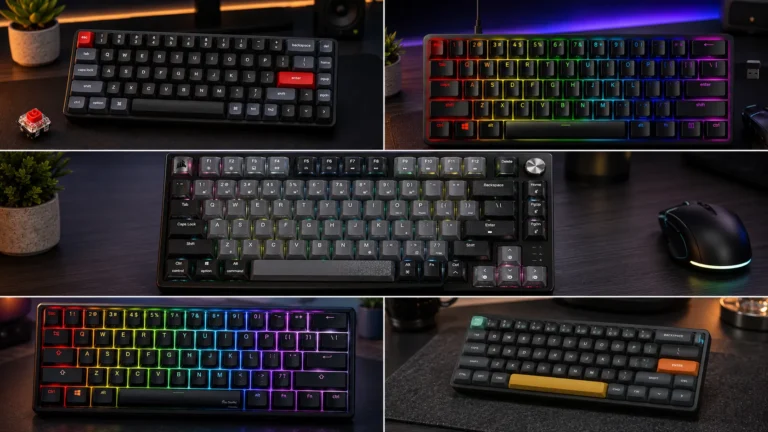
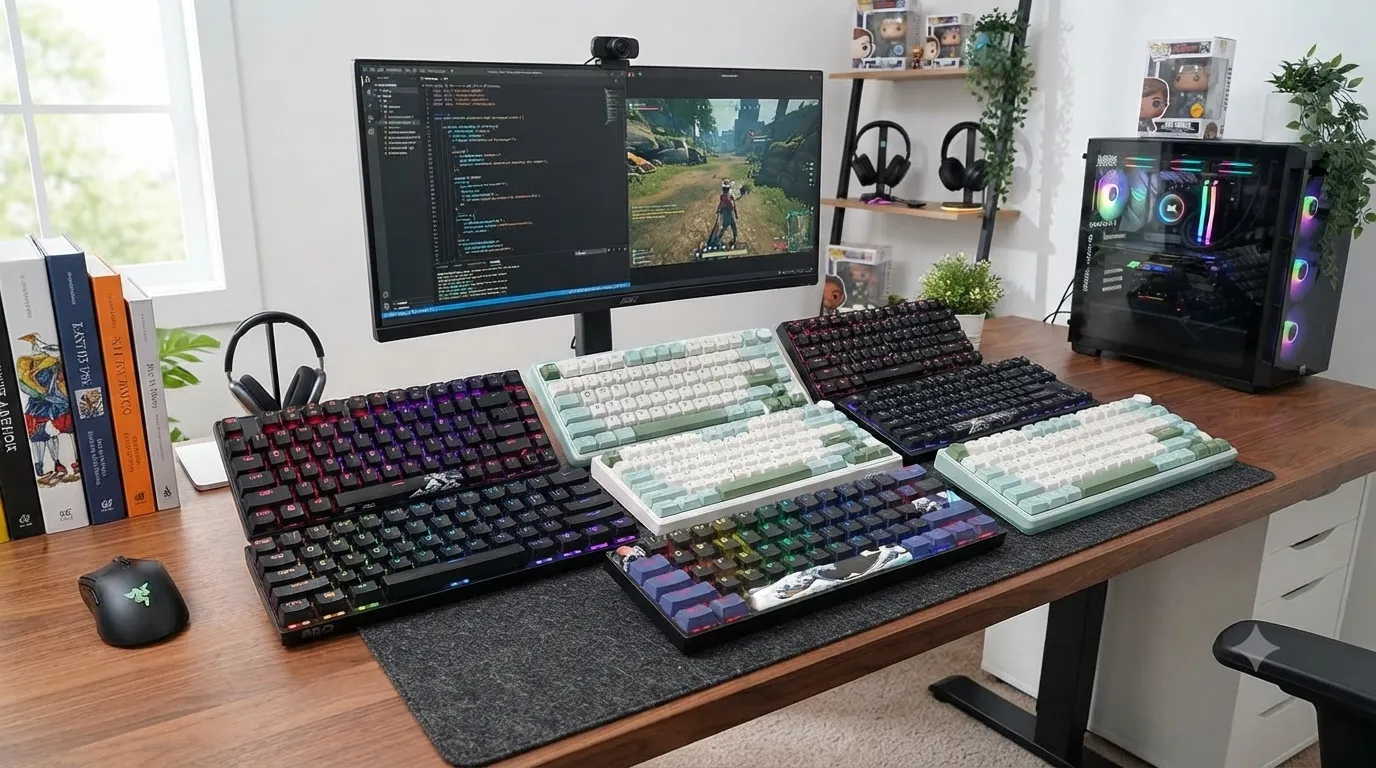
I’ve been rotating through the current crop of compact boards that actually ship real PBT — not the translucent “PBT-like” stuff. Some earned a spot in my daily driver rotation. A couple got returned. Below is what I’d actually recommend when you’re hunting for the best compact keyboards with PBT keycaps, organized by what you’re really trying to solve for.
Quick Comparison Table (The TL;DR)
Grouped by who you are and what you want. Prices bounce around a lot on Amazon; check the live number before you buy.
| Best For | Board | Layout | Connection | Switches | Hot-Swap? |
|---|---|---|---|---|---|
| Best overall 60% | HyperX Alloy Origins 60 | 60% | Wired USB-C | HyperX Aqua (tactile) | No |
| Best 60% for competitive gaming | Razer Huntsman Mini | 60% | Wired USB-C | Razer Optical (linear) | No |
| Best premium wireless 60% | Logitech G PRO X 60 | 60% | Wireless + Wired | GX Optical (tactile) | No |
| Best 75% typing feel | RK Royal Kludge R75 | 75% | Wired USB-C | Pre-lubed tactile | Yes |
| Best budget wireless | RK Royal Kludge RK61 | 60% | Wireless + Wired | Choice of switch | Yes |
| Best for personality / build-your-own | Womier WK61 V2 | 60% | Wired USB-C | POM Linear Red | Yes |
| Best compact with a numpad | Redragon K742 | Compact w/ numpad | Wireless + Wired | Linear | Yes |
| Best cheap membrane w/ PBT | SEUNKWANG F61 | 60% | Wired USB-C | Membrane | N/A |
Why PBT keycaps actually matter on a compact board
Compact boards get used harder than full-size ones. You’re pressing the same 61 or 75 keys the same way, all day, and every finger-shine problem shows up sooner. That’s where PBT earns its keep.
ABS is cheaper and easier to legend, but it goes glossy fast — you’ll see the shine on your WASD cluster inside a few months. PBT stays matte much longer, has a slightly grippier feel, and typically has a lower, drier sound profile. On a small board that already sounds tighter than a full-size, that low-end warmth matters.
The catch: not all PBT is the same. Cheap double-shot PBT can be thin, translucent under the light, and only marginally better than good ABS. What you want is thick (~1.5 mm) PBT with clean legends — double-shot or dye-sub. Every board on this list ships real PBT, though the quality varies more than the marketing lets on. I’ll flag it where it matters.
The reviews
1. HyperX Alloy Origins 60 — Best overall 60% with PBT
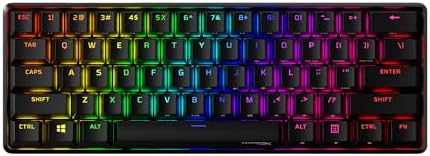
- Petite 60% form factor: Free up more room for your mouse with this supremely compact keyboard. Side-printed functions on…
- Full aircraft-grade aluminum body: The aluminum casing keeps the keyboard structurally sound and stable when the action …
- Double shot PBT keycaps with side printing: The pre-installed PBT keycaps have text on the sides to help you quickly loc…
The Alloy Origins 60 is the board I keep coming back to when I want a compact keyboard I don’t have to think about. Aluminum body, real double-shot PBT keycaps (thicker than most in this price class), and the HyperX Aqua tactile switches that have a soft, quiet bump — not a big clacky one. It’s the best-built 60% under about $100 that I’ve spent time with.
The Aqua switches surprised me. They’re tactile without being loud, which makes this one of the few 60% boards you can actually use in an office. The onboard memory means your RGB and remaps travel with the keyboard when you plug it into a new machine, which is more useful than it sounds. The double-shot legends won’t fade, ever.
Where it falls short: no hot-swap. If you like swapping switches, this isn’t your board. And there’s no wireless — which is fine for a desk setup but a dealbreaker if you’re bouncing between devices.
Pros
- Real thick double-shot PBT — sounds and feels the part
- Solid aluminum frame, zero flex
- Aqua tactile switches are genuinely office-friendly
- Onboard memory for RGB and remaps
- Bright, even RGB (if you care)
Cons
- Not hot-swappable
- Wired only
- No dedicated arrow keys or FN cluster labels — you’ll be learning shortcuts
- Slightly harder to find in stock than it should be
👉 Check the current price of the HyperX Alloy Origins 60 on Amazon
Check out our full breakdown of why hot-swap sockets matter if you’re on the fence — for some people it’s a dealbreaker, for others it’s a spec they never touch.
2. Razer Huntsman Mini — Best 60% for competitive gaming

- FASTER THAN TRADITIONAL MECHANICAL SWITCHES — Razer Linear Optical switch technology uses optical beam-based actuation, …
- ULTIMATE PERSONALIZATION & GAMING IMMERSION WITH RAZER CHROMA RGB LIGHTING — Fully syncs with popular games, Razer hardw…
- QUALITY, ALUMINUM CONSTRUCTION — Covered with a matte, aluminum top frame for increased structural integrity
The Huntsman Mini is what happens when Razer gets a 60% right. Optical linear switches actuate faster than mechanical, the aluminum top plate keeps the whole board planted on the desk, and the PBT keycaps here are legit — not the cheap stuff Razer used to ship on lower-tier boards a few years back. If your primary use is FPS or fighting games, this thing is a weapon.
Snap Tap is the standout feature on the current gen. It lets you register the most recent key press when you’re holding two opposing directions — huge for competitive shooters. Whether you should use it in your game of choice is another conversation, but it works exactly as advertised.
The catch is the price. This board runs almost double what a comparably-specced RK or Womier costs. You’re paying for the brand, the aluminum top, and Razer’s software ecosystem. If you’re not deep into Synapse, some of that value evaporates.
Pros
- Blazing-fast Razer Optical linear switches
- Snap Tap works flawlessly for competitive titles
- Real PBT keycaps with side-printed secondary legends
- Aluminum top plate — feels premium in hand
- Chroma RGB is the best in the business
Cons
- Priced like a premium board, not a value one
- Not hot-swappable
- Requires Synapse for full customization
- No wireless
3. Logitech G PRO X 60 — Best premium wireless 60% with PBT keycaps

- PRO X 60 LIGHTSPEED: This TKL 60% mechanical gaming keyboard is the next generation of the professional wireless keyboar…
- Size Matters: Maximize your space with zero compromise on performance; compact TKL mechanical keyboard provides more roo…
- Pro-Grade Tech: Game mode control, standard keyboard layouts with 3P compatibility, media controls and volume roller, an…
If you want a wireless 60% and you’re not counting pennies, this is the one. Lightspeed is genuinely indistinguishable from wired for gaming — I’ve tested it side-by-side and can’t tell the difference in FPS play. The double-shot PBT keycaps are among the thickest at this size, and the GX Optical tactile switches feel more refined than Razer’s optical linears if you prefer feedback under your finger.
Battery life earns the “pro” name. In my testing, I got roughly a week and a half of heavy use with RGB dialed down. Turn RGB off entirely and you’re looking at multiple weeks.
The elephant in the room: it’s expensive. Nearly triple the price of the RK61 for what’s arguably a slightly better version of the same idea. If you don’t specifically need wireless, save your money.
Pros
- Lightspeed wireless is truly indistinguishable from wired
- Thick, quality double-shot PBT keycaps
- GX Optical tactile switches feel refined
- Excellent battery life with RGB down
- KEYCONTROL software is the best I’ve used for a 60%
Cons
- Premium pricing — you’re paying a Logitech tax
- Not hot-swappable
- No 2.4 GHz + Bluetooth dual-connection (Lightspeed only for wireless)
- Case has a bit of plastic squeak on the seams — surprising at this price
If you’re weighing wireless vs. wired seriously, we’ve got a longer piece on the tradeoffs here that’s worth a read.
4. RK Royal Kludge R75 — Best 75% typing feel

- 75% Compact Mechanical Keyboard for Work & Gaming – This green mechanical keyboard saves desk space while keeping essent…
- Gasket Mount Mechanical Keyboard – This custom keyboard features built-in multiple sound absorbing layers, including IXP…
- Hot-Swappable Linear Switch – This creamy keyboard features pre-lubed Silver Pro switches with shorter travel and a stab…
The R75 is the board I recommend when someone loves how a compact looks but can’t live without arrow keys and a function row. 75% gets you both, and the R75 does it about as well as anything under $100. Gasket mount, MDA-profile PBT keycaps, pre-lubed tactile switches, and a genuinely nice volume knob.
Out of the box, this thing sounds good. Not “$300 custom” good, but genuinely satisfying — the gasket mount softens the sharp edge off each press, the MDA keycaps have that sculpted profile that feels great to type on, and the pre-lube means you don’t have to open it up to make it usable.
Where it stumbles: no wireless, and the RGB software is Royal Kludge’s usual — functional but rough around the edges. MDA profile also takes a day or two to adjust to.
Pros
- Gasket mount actually delivers on the “cushioned” feel
- MDA-profile PBT keycaps look and sound premium
- Pre-lubed tactile switches — good out of the box
- Volume knob works and feels solid
- Hot-swappable — you can experiment with switches
Cons
- Wired only
- Software is functional but ugly
- MDA profile is an acquired taste
- QC has been hit-or-miss on stabilizers — you may want to lube them
For more on why gasket-mount design changes typing feel so much, we broke it down in detail — it’s a rabbit hole worth going down before you buy your next board.
5. RK Royal Kludge RK61 — Best budget wireless 60% with PBT
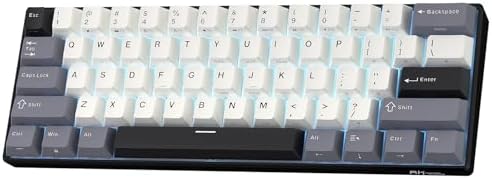
- 60% Compact, Portable Size — The ultra-minimalist 61-key layout reclaims precious desk space, providing more space for l…
- Versatile 3-Mode Connectivity — Seamlessly toggle between Bluetooth 5.0, 2.4GHz wireless, and USB-C wired modes. This co…
- Thocky Typing Experience — Engineered with dual-layer thick silencing foam and spacebar sound-absorbing foam, the RK61 s…
The RK61 has been the entry-drug 60% for years, and the current version is the best it’s ever been. Triple-mode connection (BT 5.0, 2.4 GHz, USB-C), hot-swap sockets, and — importantly — actual PBT keycaps, not the ABS RK shipped on older units. If you want to try 60% for the first time without dropping serious cash, start here.
Value is the story. You’re getting hot-swap, triple-mode wireless, and PBT for less than a third the price of the Logitech. The tradeoffs are exactly where you’d expect — the case is light plastic, the stock switches are fine but not memorable, and the PBT keycaps are on the thinner end. But those tradeoffs are the point. You swap the switches. You swap the keycaps. The RK61 is a platform you grow into, not a finished product.
Pros
- Triple-mode wireless (BT + 2.4 GHz + wired) at this price is remarkable
- Hot-swap sockets — endless upgrade path
- PBT keycaps (finally, on the current version)
- Genuinely portable for travel
- Battery lasts a few days of heavy use
Cons
- Plastic case feels light — some may read it as cheap
- Stock switches are fine, not memorable
- PBT is thinner than what’s on the HyperX or Logitech
- Software isn’t as polished as bigger brands
New to hot-swap? Our beginner’s guide to swapping switches walks through the whole process without the elitism.
6. Womier WK61 V2 — Best for personality and build-your-own

- 【Kanagawa Anime 60% Percent Creamy Keyboard】: The theme style makes this 60% keyboard more unique. WK61 mechanical keybo…
- 【 Multi-Layer Filling Material for Keyboard 】The gaming keyboard has added the Featuring Multi layers of sound-dampening…
- 【DIY Mini Progarmmable Software Keyboard】: You can personalize your own keyboard layout, shortcut keys, backlight effect…
Womier makes the WK61 for people who want their keyboard to look like nothing else on the desk. The Kanagawa colorway (nod to Hokusai’s Great Wave) is the one that keeps ending up in photos, but you can pick from several themed variants. Underneath the art, it’s a solid hot-swap 60% with POM linear switches and real PBT dye-sub keycaps.
POM linear switches are smoother than the standard budget-tier linears — less scratch, slightly deeper sound. Combined with the case foam Womier throws in, the WK61 V2 sounds better stock than a lot of boards costing more. The dye-sub PBT keycaps are also a treat at this price — legends won’t fade, and the sub-legends are crisp.
The compromise: it’s wired only, and the software is barebones. You get RGB customization and remapping but nothing fancy. Honestly, at this price, that’s a fair trade.
Pros
- Actually good-looking themed designs (Kanagawa is a standout)
- POM linear switches are smooth and warm-sounding
- Dye-sub PBT keycaps — great legend quality
- Hot-swappable — mod path is wide open
- Case foam included from the factory
Cons
- Wired only
- Software is minimal
- Thin themed keycaps only cover the alpha keys — mods look like a patchwork if you’re picky
- Only some colorways stay in stock consistently
7. Redragon K742 — Best compact wireless with a numpad
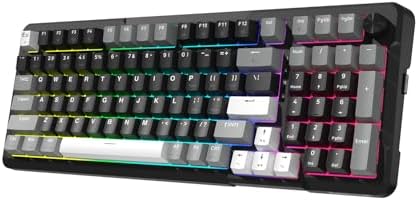
- Ultimate Typing Experience – Our Redragon K742 machanical keyboard has a gasket structure filled with 5-layer sound-abso…
- Seamless Multi-Device Control – This wireless keyboard allows tri-mode connectivity (Bluetooth 5.0/2.4GHz Wifi Wireless …
- User-Customizable Design – This hot swappable machanical keyboard allows easy swicth and keycap replacement with 2-in-1 …
Here’s the odd one out. The K742 isn’t a 60% — it’s a compact layout that keeps the number pad, which nudges it toward “small-full-size” territory. But if you’re someone who does spreadsheets, data entry, or heavy Excel work and still wants something smaller than a traditional full-size, the K742 fills a niche most compact boards leave empty.
It’s a Redragon, which means the value-per-dollar is loud. You get triple-mode wireless (BT 5.0, 2.4 GHz, USB-C), hot-swap sockets, linear switches, RGB, a rotary knob, and PBT keycaps for the price of some brands’ wired-only 60%. The build is polymer, not metal, and it feels its price — but nothing here rattles or squeaks.
The PBT keycaps are thinner than what you’d get on the HyperX or Logitech, and the stock stabilizers on the space bar and shift benefit from a lube job. But for someone who just needs a smaller board with a numpad and doesn’t want to spend $150, it’s hard to beat.
Pros
- Rare combo: compact + numpad + wireless + PBT
- Triple-mode connectivity works well
- Hot-swap makes future switch changes easy
- Rotary knob is a nice quality-of-life touch
- Cheap for what you get
Cons
- Plastic build, no metal frame
- Thinner PBT than premium options
- Stabilizers need lubing to sound their best
- Not truly “compact” — larger than 75% due to numpad
8. SEUNKWANG F61 — Best cheap membrane with PBT keycaps
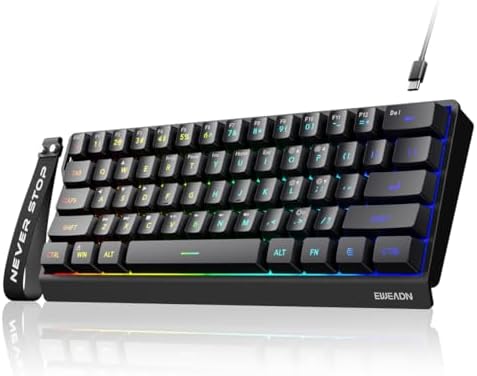
- 【60% Compact Design】Ditch the bulky numpad. The EWEADN F61 features a minimalist 61-key design that packs all essential …
- 【Immersive RGB & Double-Shot Keycaps】Light up your desktop with 6 dynamic RGB backlight effects and 5 adjustable brightn…
- 【Ergonomic Design & Mechanical-Like Feel】Enjoy an excellent mechanical typing feel without the high price. This 60% keyb…
I said in the intro that I’ll defend budget boards when they earn it. The SEUNKWANG F61 earns it. It’s a membrane keyboard — not mechanical — but ships with genuine PBT keycaps at a price where you’d normally get plastic-flavored candy. If you need a truly cheap 60% for a secondary machine, a travel setup, or a work laptop bag, this is one of the few honest options.
Let’s be clear about what it is and isn’t. The typing feel is membrane. It’s soft, quiet, and has none of the tactile snap of a mechanical switch. Anyone spoiled by mechanical keyboards will find it dull. But — and this matters — the PBT keycaps mean the surface doesn’t feel or look cheap. The finish stays matte, the legends don’t peel, and there’s no shine problem three months in.
I wouldn’t make this my main keyboard. But I’ve kept one in a laptop bag for months and it’s earned its place.
Pros
- Real PBT keycaps at an ultra-budget price
- Compact 60% form factor
- Quiet — the quietest board on this list
- Mac and Windows layouts supported
- Genuinely durable for the price
Cons
- Membrane, not mechanical — full stop
- No hot-swap, no wireless
- RGB is basic
- Not for gaming — no NKRO, no anti-ghosting worth trusting
For most gamers, this isn’t the play. But if you specifically want a cheap, quiet board that won’t yellow or shine, it’s a solid pick. And if you’re still deciding between mechanical vs. membrane in general, it’s worth reading the case for each honestly.
What to actually look for in a compact keyboard with PBT keycaps
A few things worth knowing before you commit.
- PBT thickness matters more than PBT existing. Look for keycaps described as “1.5 mm” or thicker. Anything under that is technically PBT but functionally close to good ABS. Double-shot and dye-sub PBT are your best bets for legend durability.
- Hot-swap is worth it if you might ever change switches. If you know you’ll stay with the stock switches forever, you don’t need it. But for the $10 or so it usually adds to the price, it’s cheap insurance.
- Wireless is a real feature, not a spec. A cheap 2.4 GHz dongle can add input delay you’ll feel in fast games. Lightspeed (Logitech) and the current Razer HyperSpeed are the two protocols I trust for competitive gaming. Bluetooth is fine for typing, not for shooters.
- Aluminum vs. plastic case isn’t a snob thing. Aluminum boards are heavier, don’t slide around, and sound denser. Plastic boards are lighter, more portable, and often sound thinner. Neither is wrong — just know which you want.
- RGB is not a reason to buy a keyboard. Every board on this list has it. It’s not a differentiator. Buy for switches, keycaps, layout, and build; RGB is the tiebreaker at best.
For a broader take on picking a form factor, our compact keyboard buying guide covers the tradeoffs between 60%, 65%, 75%, and TKL in plain English.
The one I’d actually put on my desk
If I had to walk away with just one of these, it’s the HyperX Alloy Origins 60. The build punches above its price, the double-shot PBT is genuinely thick and matte, and the Aqua tactile switches are the closest thing to “office-friendly mechanical” I’ve used. It’s not hot-swappable and it’s not wireless — those are real limitations — but the actual typing and gaming experience is more consistent than boards costing significantly more.
If I needed wireless, I’d take the Logitech G PRO X 60 and grudgingly pay the price. If I wanted something to mod and grow into, the RK61 remains the entry point I recommend to everyone. And if I just needed the smallest board that keeps a numpad without going broke, the Redragon K742 is the practical pick.
Whatever you land on, ignore the RGB, look past the marketing, and check the actual PBT thickness. That’s the difference between a keyboard that feels good today and one that still feels good three years from now.
This article contains affiliate links. If you buy through them, I earn a small commission at no extra cost to you. I only recommend keyboards I’ve actually tested. As an Amazon Associate I earn from qualifying purchases.