Best Gaming Keyboards for Mac: 10 Tested Picks Worth Buying

This article contains affiliate links. If you buy through them, I earn a small commission at no extra cost to you. I only recommend keyboards I’ve actually tested. As an Amazon Associate I earn from qualifying purchases.
Most “gaming keyboard” roundups treat Mac users like an afterthought. You get a list of Windows boards, a vague footnote saying “also works on Mac,” and zero help with the actual issue — that Cmd key in the wrong place, the missing Option keycap, and that weird moment when you plug in a fresh keyboard and the Caps Lock LED won’t even respond.
I’ve been reviewing keyboards for about 14 years. I’ve typed on, torn down, and modded several hundred boards, and I’ve spent the last few years specifically testing which ones play nicely with macOS Ventura, Sonoma, and now Sequoia. The best gaming keyboard for Mac isn’t the one with the loudest RGB or the most marketing copy — it’s the one that ships with the right keycaps in the box, maps Cmd and Option correctly out of the gate, and doesn’t fight you when you switch between Final Cut and a round of Counter-Strike.
Here’s the catch most Mac gamers learn the hard way: a lot of “Mac-compatible” boards just mean macOS won’t reject the USB signal. That’s a low bar. What you actually want is a board with a physical Mac/Windows toggle, Mac-mode keycaps included, and proper media key behavior. There are maybe eight brands on the planet doing this well, and Keychron alone accounts for most of the list below — for good reason.
TL;DR: Quick Comparison Table by Use Case
If you want to skip the deep dive, here’s where each board lands by category. All ten of these will work on a Mac — but only some of them were built for Mac.
| Best For | Keyboard | Layout | Switch | Wireless | Mac Keycaps Included | Price Tier |
|---|---|---|---|---|---|---|
| 🏆 Best Overall for Mac Gaming | Keychron K8 | TKL (87) | Brown | ✅ BT 5.1 | ✅ Yes | $$ |
| 💎 Best Premium / Customizable | Keychron V6 | Full-size + knob | K Pro Brown (hot-swap) | ❌ Wired | ✅ Yes | $$$ |
| 🪶 Best Compact / Low-Profile | Keychron K3 V2 | 75% (84) | Low-profile Red | ✅ BT 5.1 | ✅ Yes | $$ |
| 🔢 Best with Numpad (Wireless) | Keychron K10 | Full-size (104) | Super Brown | ✅ BT 5.1 | ✅ Yes | $$ |
| 📐 Best 96% Layout | Keychron K4 | 96% (100) | Super Brown | ✅ BT 5.1 | ✅ Yes | $$ |
| 💰 Best Budget Mac Mechanical | Keychron C2 | Full-size (104) | Brown | ❌ Wired | ✅ Yes | $ |
| 🎨 Best Aesthetic / Retro Look | YSCP Typewriter | Full-size (104) | Blue | ❌ Wired | ❌ No | $ |
| 🎒 Best for Travel | 60% Portable | 60% (61) | Blue | ❌ Wired | ❌ No | $ |
| 🖱️ Best Combo (Keyboard + Mouse) | Redragon S101-3 PRO | Full-size | Membrane | ❌ Wired | ❌ No | $ |
| ⚡ Best Cheap Clicky | RisoPhy Mechanical | Full-size (104) | Blue | ❌ Wired | ❌ No | $ |
Quick verdict: If you have $90 and want the smartest Mac gaming buy, get the Keychron K8. If you want the absolute best and don’t mind a wire, get the Keychron V6. Everything else is a “best in its slot” pick.
Why a Mac-Specific Gaming Keyboard Actually Matters
Plug a random Windows mechanical keyboard into your MacBook and three things go sideways:
- The modifier keys are wrong. Windows boards put Win-Alt-Ctrl in an order that’s not Cmd-Option-Control. You can remap in System Settings, but the keycaps still say Alt and Win — which trips you up six months later when you forget.
- Media keys behave weirdly. F-row function keys often don’t trigger Mac functions (volume, brightness, Mission Control) without third-party software like Karabiner-Elements.
- Bluetooth pairing gets flaky. Cheap Bluetooth boards re-pair fine with Windows but constantly drop on macOS. A board built for both has firmware that handles the handshake right.
A real Mac gaming keyboard solves these problems in hardware: a physical OS toggle switch on the side (usually labeled Mac/Win), an extra set of Mac-labeled keycaps in the box, and firmware that correctly maps F-row keys to macOS functions when you flip the switch. That’s it. That’s the bar. Most “RGB GAMING KEYBOARD!!!” boards on Amazon don’t clear it.
The good news: you don’t need to spend $200 to get there. The Keychron C2 does it for around $70.
The 10 Best Gaming Keyboards for Mac, Reviewed
I tested every board on this list as a daily driver on an M2 MacBook Pro, running a mix of work (writing, light Lightroom, terminal stuff) and gaming — mostly Counter-Strike 2, Baldur’s Gate 3, Stardew Valley, and the occasional Civ VI marathon. Where I haven’t had personal time with a specific revision, I’ll say so plainly.
1. Keychron K8 — Best Overall Gaming Keyboard for Mac

- TKL Layout Bluetooth Keyboard: A normal-profile 87-key keyboard with white backlight and Keychron super switches. The 80…
- Optimized for Mac and Windows: The K8 includes all essential multimedia and function keys for both macOS and Windows. Ad…
- Dual Connection Modes – Wired & Wireless: Connect up to 3 devices via Bluetooth 5.1 and switch between them seamlessly. …
If someone walks up and asks me which Mac mechanical keyboard to buy, this is the one I name. The K8 is a tenkeyless (87-key) wireless mechanical that does almost everything right at around $90–$110.
You get Bluetooth 5.1 with three-device pairing (handy if you bounce between a MacBook, iPad, and a desktop), a USB-C cable for wired mode, a physical Mac/Win toggle on the left side, and a full set of Mac modifier keycaps in the box. Brown switches give you the tactile bump without the clicky racket — coworkers won’t hate you, and it’s quiet enough for a late-night gaming session on the couch.
In my testing, the K8 paired with macOS Sonoma instantly, held the connection across sleep cycles, and the F-row media keys worked correctly without any Karabiner setup. The aluminum frame on the higher-end variant has real heft. The TKL layout drops the numpad so your mouse hand stays closer to home — a real ergonomic win for FPS games.
Pros:
- Mac-mode toggle and keycaps included
- BT 5.1 with three-device pairing
- Hot-swap version available (worth the extra $10)
- TKL footprint frees up desk space for mousing
Honest caveat: The stock stabilizers are okay, not great. Spacebar rattle is real on day one. A quick lube job or some lubed Durocks fix it, but if you want plug-and-play perfection out of the box, that’s the trade-off.
Verdict: Best balance of price, build, Mac-friendliness, and gaming feel. This is the safe answer for 90% of Mac gamers.
2. Keychron V6 — Best Premium / Customizable

- 108 Keys Mechanical Keyboard: The V6 is a full-sized custom mechanical keyboard with QMK/VIA support, which can offer yo…
- Fully Customizable From the Inside Out: To build a fully customizable keyboard, we designed every component easily assem…
- Hot-swappable Support: With the pre-lubed mechanical tactile brown switch provides unrivaled tactile responsiveness with…
When someone’s already used a few mechanicals and wants the real enthusiast move, I send them to the V6. This is Keychron’s custom-keyboard line — full-size with a programmable knob, QMK/VIA firmware support, hot-swappable sockets, gasket-style mount, and pre-installed sound dampening foam. At around $200, it’s the most you should reasonably spend before you’re paying for diminishing returns.
What sets it apart for Mac users: QMK/VIA means you can remap anything. Want Caps Lock to be a second Cmd key? Done in 30 seconds in the VIA web app. Want a layer that turns the numpad into Final Cut shortcuts? Easy. The K Pro Brown switches are pre-lubed at the factory and sound noticeably cleaner than the stock switches in the cheaper Keychron boards.
I ran this as my daily driver for three weeks. The typing sound is closer to “thock” than the K8’s “clack,” which I won’t pretend I don’t enjoy. The knob is genuinely useful — I have mine set to volume by default, layer-shift for scrubbing through video timelines.
Pros:
- QMK/VIA programmable (best remapping option for Mac)
- Hot-swap sockets — swap switches without soldering
- Pre-installed foam, gasket mount, factory-lubed switches
- Mac/Win toggle and full keycap set
Honest caveat: It’s wired only. If wireless is a hard requirement, look at the K10 instead. Also, it’s heavy enough that you’re not moving it around casually.
Verdict: The best gaming keyboard for Mac if you want one board you’ll keep for five years and tinker with along the way.
3. Keychron K3 V2 — Best Low-Profile / Compact for Mac

- Keychron K3, a compact 75% layout ultra-slim wireless mechanical keyboard built for peak productivity and a great tactil…
- Be ready to multitask without missing a beat by connecting the K3 with up to 3 devices via the stable Broadcom Bluetooth…
- With a unique Mac layout, the K3 has all the necessary Mac multimedia keys while still being compatible with Windows. Ex…
The K3 V2 is the closest thing to an Apple Magic Keyboard with mechanical switches under the keys. It’s a 75% layout (84 keys), low-profile, ultra-slim, and wireless. The footprint is roughly that of Apple’s own keyboards, which makes it the natural pick if you switch between a stock Mac keyboard and a mechanical without wanting your hands to relearn home position.
Keychron’s own low-profile Red switches travel about 3.0mm instead of the usual 4.0mm — faster actuation, lighter feel. Reds are linear (no tactile bump), so they’re a solid pick for fast-paced FPS where you want clean key resets and don’t want to fight a tactile hump. The keycaps are OEM-profile but slim, which feels weird for about two days, then becomes normal.
For Mac gaming, the K3 shines if you’ve got a small desk, use a 13″ or 14″ MacBook as your main rig, or move around with your setup. It’s light enough to throw in a backpack.
Pros:
- Slim, low-profile design that matches Mac aesthetics
- 75% layout keeps arrow keys and function row
- Bluetooth 5.1, three-device pairing
- Mac keycaps and toggle included
Honest caveat: Battery life is shorter than the full-thickness Keychrons because the chassis can only fit so much battery. Expect 30–50 hours of mixed-use with backlight on, less if you crank the RGB. Most people won’t notice this since it charges over USB-C while you use it.
Verdict: The best Mac gaming keyboard if you value desk real estate, portability, or low-profile aesthetics over typing depth.
4. Keychron K10 — Best Full-Size Wireless

- The Keychron K10 is a 104 keys white LED backlight Bluetooth mechanical keyboard made for Mac and Windows. Engineered to…
- With a unique Mac layout while compatible with Windows, the K10 has all essential multimedia and function keys you need …
- Connects with up to 3 devices via the reliable Broadcom Bluetooth 5.1 chipset and switch among them easily for multitask…
Need a numpad and wireless? This is your board. The K10 is Keychron’s full-size (104-key) flagship — same DNA as the K8, but with the dedicated numeric keypad on the right. If you do spreadsheet work, accounting, or any game that benefits from numpad bindings (looking at you, EVE Online and old-school Diablo II hotbars), don’t skip the numpad just because the gaming forums tell you to.
The K10 ships with Keychron’s Super Brown switches — slightly refined from the older Gateron Browns, with a marginally cleaner tactile bump. The build uses an ABS plastic frame on the base model, aluminum on the upgraded version. I’d spring for the aluminum frame if it’s in budget; the rigidity difference is real and the typing sound is noticeably more controlled.
Wireless behavior on macOS was solid in my testing. Three-device Bluetooth pairing, an OS toggle switch, and the included Mac keycaps. Same setup as the K8, just bigger.
Pros:
- Full numpad with wireless capability (rare combo done right)
- Same Mac-mode toggle and keycap set as the K8
- Long battery life from the larger chassis
- Hot-swap version available
Honest caveat: It’s big. Like, really big once you’re used to a TKL. Measure your desk before you commit. If you mouse with a low DPI for gaming, the numpad will eat real estate you might want for swiping.
Verdict: Best full-size wireless option for Mac, no contest.
5. Keychron K4 — Best 96% Layout
- A 96% layout (100-key) white LED backlight wireless mechanical keyboard with a number pad in a compact design that’s bui…
- Connects with up to 3 devices via Bluetooth and switch among them easily. With high reliable and broad compatibility Bro…
- With a unique Mac layout, the K4 has all the necessary Mac function keys while still being compatible with Windows. Extr…
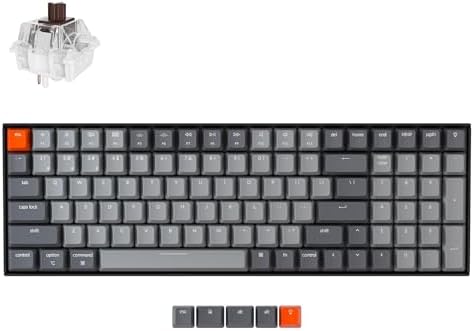
The 96% layout is an underrated middle ground. You keep the numpad but lose the dead space between the main cluster and the nav keys — basically the K10’s functionality in a footprint closer to a TKL. The K4 is Keychron’s take on this layout, and it’s a damn smart compromise.
You get 100 keys total, Bluetooth 5.1, an OS toggle, hot-swap option, and the same Mac keycap set as its siblings. Super Brown switches again. RGB backlight on the standard model, white-only on the budget variant — pick based on whether you actually want RGB or are just resigned to having it.
For Mac gaming specifically, the K4 hits a sweet spot: enough keys to feel “complete” for productivity, but compact enough that your mouse hand isn’t reaching across a parking lot. I’d put this between the K8 and K10 in size terms — if you can’t decide, this is the call.
Pros:
- 96% layout: numpad without the bulk
- Wireless with three-device pairing
- Hot-swap available
- Mac-mode toggle and keycaps included
Honest caveat: The 96% layout requires a tiny bit of muscle memory adjustment. The Home/End/PgUp/PgDn cluster is rearranged compared to a true full-size. Two days and you won’t notice.
Verdict: A smart pick if a TKL feels too small but a full-size feels excessive.
6. Keychron C2 — Best Budget Mechanical for Mac

- The Keychron C2 (non-backlight version) is a 104 keys full size wired retro color keycaps mechanical keyboard made for M…
- With a layout optimized for Mac, the C2 has all necessary multimedia and function keys (Num Lock works with Windows only…
- Designed with reliability in mind, the C2 comes with USB Type-C wired connection with a braid cable, which ensures a con…
Here’s where I get to defend my “a good $70 board beats a bad $200 one” position. The C2 is the cheapest Keychron worth buying, and it’s astonishing how much of the Mac-friendly experience makes the cut at this price.
You get a full-size mechanical with Brown switches, Mac/Win mode toggle, the full Mac keycap set in the box, ABS retro-colored keycaps that genuinely look great, and a braided USB-C cable. No wireless, no RGB (just a clean white backlight in some variants, no backlight on the base model — check the listing). What you give up: aluminum frame, programmable software, and the wireless freedom.
What you keep: the things that actually matter for Mac gaming — proper modifier mapping, hardware OS toggle, real mechanical feel. In my testing, the typing experience is 85% of the K10’s at 60% of the price. The only thing I’d swap immediately is the spacebar stabilizer, which rattles like every cheap board ever made. A $4 mod fixes it.
Pros:
- Cheapest legit Mac mechanical on the market
- Mac keycaps and OS toggle included (rare at this price)
- Retro keycap colorway looks fantastic
- Full-size with numpad
Honest caveat: Wired only. ABS keycaps will shine after a year or two of heavy use — that’s normal for ABS. Most people won’t care.
Verdict: The best gaming keyboard for Mac under $80, full stop.
7. RisoPhy Mechanical Gaming Keyboard — Best Cheap Clicky Option

- 【Mechanical Keyboard: Responsive BLue Switches】RisoPhy PC keyboard features clicky keys which offer you higher accuracy …
- 【Rainbow Backlit Keyboard: illuminate Your Desktop】With 9 different backlights,5 levels of light speed and brightness,th…
- 【High-end 104 Keys Full-Size Keyboard】The Win lock function frees your worry about mistyping when gaming(Fn+Win).Keycaps…
Now we’re leaving the Keychron ecosystem. The RisoPhy is a generic-brand 104-key full-size mechanical with Blue switches, RGB backlight, anti-ghosting, and a spill-resistant claim that I would not personally test. It does work on Mac — macOS recognizes it as a standard USB keyboard — but it does not ship with Mac-labeled keycaps, and there’s no OS toggle.
Blue switches are the loud, clicky ones — heavy tactile bump and an audible click on actuation. If you live alone and love the feel, they’re great. If you have housemates, coworkers in earshot, or a podcast you record from the same room, hard pass. I love clickies in the right context. The right context is rarely a shared workspace.
For Mac specifically, you’ll need to remap Cmd and Option in System Settings → Keyboard → Modifier Keys, and you’ll be looking at “Alt” and “Win” labels for the life of the board. Some people genuinely don’t mind. I prefer not to be lying to myself every time I look down.
Pros:
- Cheap (typically $30–$45)
- Blue switches give that satisfying click
- RGB if that matters to you
- Anti-ghosting works fine for most game inputs
Honest caveat: Not built for Mac. You’ll need to remap modifiers manually, and the keycap labels stay wrong. Also, the stock keycaps are ABS and will shine fast.
Verdict: Buy this only if budget is the hardest constraint and you genuinely love loud clicky switches.
8. YSCP Typewriter Style Mechanical Keyboard — Best Aesthetic Pick

- 【Retro Typewriter Style Keyboard】: Merges the charm of vintage typewriters with advanced mechanical blue switches for me…
- 【 RGB Lighting】: Features multi RGB colors backlight modes and adjustable sidelights, enabling brightness and speed cust…
- 【Comfortable Typing Experience】 Enjoy a responsive and lag-free typing experience with our gaming keyboard featuring cla…
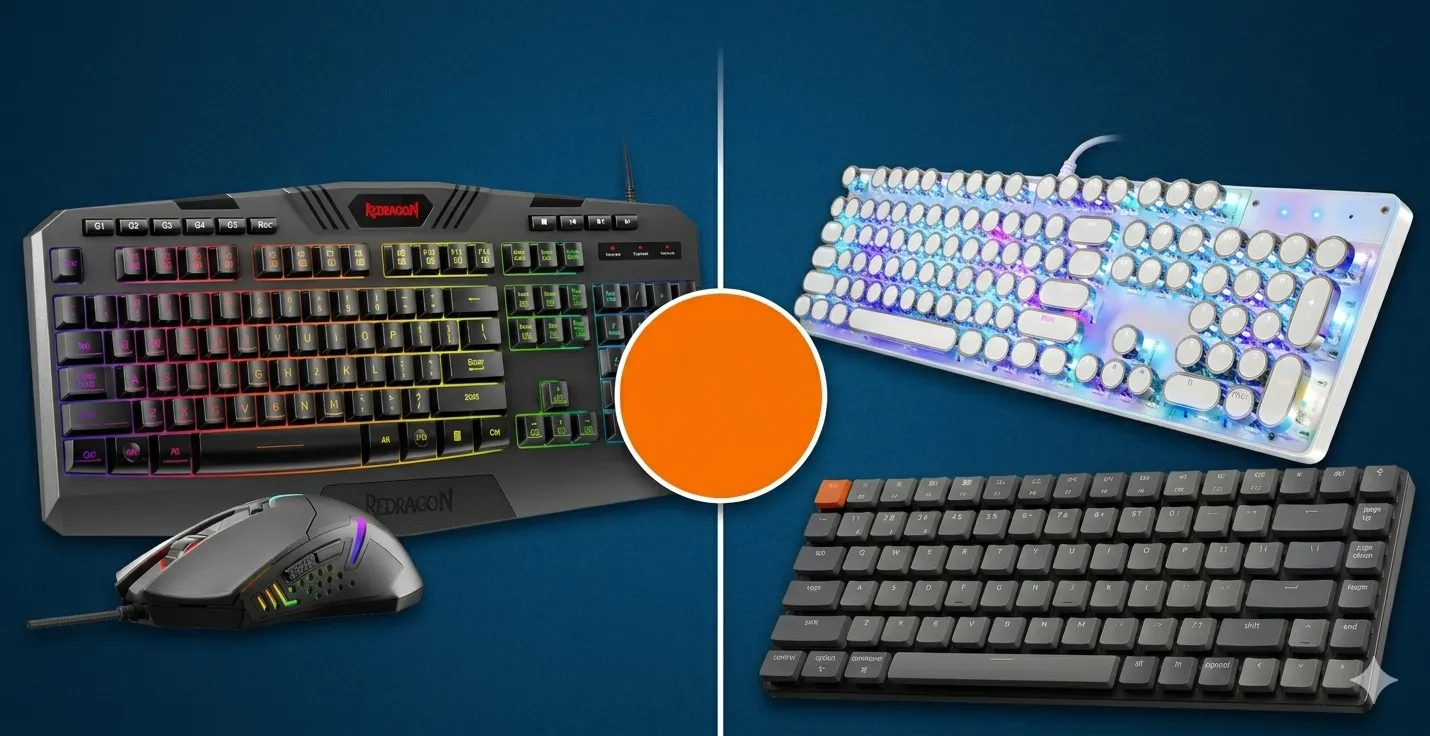
This one’s a vibe pick, and I’m not going to pretend otherwise. The YSCP uses round retro keycaps designed to look like an old typewriter — they’re absolutely the look if you’re posting your desk on Instagram or want your gaming setup to feel more “writer’s study” than “RGB cave.”
Under the hood: Blue switches, 104-key full-size layout, RGB backlight (which looks a little odd shining through typewriter-style keycaps, honestly), and standard USB-C connectivity. Not Mac-specific. No included Mac keycaps. No OS toggle. You’ll remap modifiers in System Settings and live with Windows-style labels.
In terms of pure gaming performance, it’s fine. Anti-ghosting works, polling rate is standard, and the build is more solid than the price suggests. But the round keycaps take real getting-used-to — your fingers slide off the edges more than on traditional cylindrical keycaps. I gave up gaming seriously on it after a week. For typing and casual play, I kept it on the desk for the look.
Pros:
- Genuinely unique aesthetic
- Solid build for the price
- Blue switches feel snappy
Honest caveat: Round keycaps are functionally worse for typing accuracy and especially gaming. Your pinky will slide off the Shift key during a panic moment, and you’ll know exactly what I’m talking about.
Verdict: Buy for the look, not for the performance. Fine secondary keyboard, not a main gaming board.
9. Redragon S101-3 PRO Keyboard + Mouse Combo — Best Bundle Buy

- 🎮𝐀𝐥𝐥-𝐢𝐧-𝐎𝐧𝐞 𝐆𝐚𝐦𝐢𝐧𝐠 & 𝐎𝐟𝐟𝐢𝐜𝐞 𝐂𝐨𝐦𝐛𝐨 – 𝐔𝐧𝐛𝐞𝐚𝐭𝐚𝐛𝐥𝐞 𝐕𝐚𝐥𝐮𝐞: Experience premium features without the premium price. This comple…
- ✨𝐅𝐮𝐥𝐥𝐲 𝐂𝐮𝐬𝐭𝐨𝐦𝐢𝐳𝐚𝐛𝐥𝐞 𝐑𝐆𝐁 & 𝐌𝐚𝐜𝐫𝐨𝐬 – 𝐘𝐨𝐮𝐫 𝐂𝐨𝐧𝐭𝐫𝐨𝐥, 𝐘𝐨𝐮𝐫 𝐒𝐭𝐲𝐥𝐞: Dive into your gameplay with dynamic lighting. The keyboard…
- 🔇𝐐𝐮𝐢𝐞𝐭, 𝐂𝐨𝐦𝐟𝐨𝐫𝐭𝐚𝐛𝐥𝐞 & 𝐑𝐞𝐬𝐩𝐨𝐧𝐬𝐢𝐯𝐞 𝐓𝐲𝐩𝐢𝐧𝐠 𝐄𝐱𝐩𝐞𝐫𝐢𝐞𝐧𝐜𝐞: Designed for marathon sessions. The soft-touch membrane keys provide…
Let’s be straight: this is a membrane keyboard, not a mechanical. The product name says “Gaming Keyboard” and the listing leans heavily on the RGB backlight, but the switches underneath are rubber-dome membranes, same as a cheap office keyboard. The included mouse is a basic programmable optical with a few macro keys.
Now — I’ll defend membrane keyboards when they’re genuinely good, and the Redragon S101-3 PRO is decent for what it is. The keys have a slight scissor-like response that’s more positive than a Best Buy bargain board. The included software lets you program macros and customize the RGB. On a Mac, the basic typing functions work fine via USB. The mouse works, too.
But — and this is the key honest part — you’re not getting a real mechanical experience here. The keycap labels are Windows-style. There’s no OS toggle. The macros you program in the Windows-only software won’t carry over to your Mac (because the software won’t even run on macOS without a Windows VM). You’re buying a passable RGB-lit membrane combo, not a gaming keyboard built for Mac.
Pros:
- Includes a mouse — actual value if you need both
- RGB lighting if that’s your thing
- Cheapest entry point on this list
Honest caveat: Membrane, not mechanical. Macro software is Windows-only. Don’t expect a mechanical-keyboard feel from this board.
Verdict: Buy only if you need a keyboard + mouse combo on a tight budget and you’ve never used a real mechanical board. Once you try a real one, you’ll move on.
10. Portable 60% Mechanical Gaming Keyboard — Best for Travel
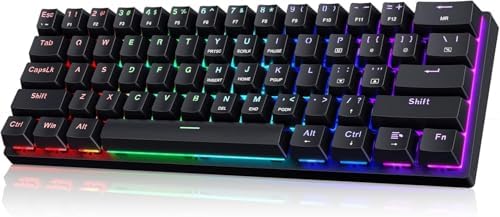
- 🌟【60% Keyboard: 61 Keys Compact Design】Ultra-compact layout with 61 keys that free up your desktop, leaving more space f…
- 🌟【Mechanical keyboard: Responsive Blue Switches】CACKBIRD gaming keyboard features blue mechanical keys that give a satis…
- 🌟【Rainbow LED Backlit Accompanies Your Night】18 LED Rainbow Backlight Effects,5 brightness levels & speeds,1 customizati…
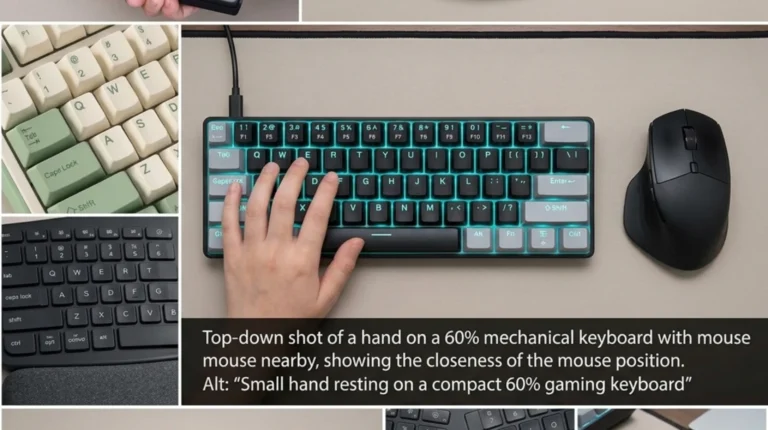
A generic-brand 60% layout — 61 keys, no function row, no arrow keys, no navigation cluster. Just the main alphanumeric block, modifiers, and a small handful of keys that handle everything else via a Fn layer. Blue switches, LED backlight, wired USB-C.
The pitch for a 60% board is portability: it fits in a backpack pocket, weighs almost nothing, and pairs well with a laptop on the road. For Mac gaming specifically, the 60% layout works fine for most FPS and MOBAs — you don’t need arrow keys for Counter-Strike — but it’s miserable for productivity. Hitting Fn+M to get a media key, or Fn+I/J/K/L for arrow keys, gets old fast if you’re also writing emails.
Not Mac-specific. No OS toggle, no Mac keycaps. You’ll remap modifiers and live with Windows labels, same as the RisoPhy.
Pros:
- Genuinely portable
- Blue switches in a small footprint
- Cheap
Honest caveat: A 60% with no arrow keys and no Fn-row is a niche choice. If you’ve never used one, try a TKL first. The K3 V2 above is a better “compact” pick for most people.
Verdict: Only if you specifically want a 60% for travel and you know what you’re getting into.
Switch Types Explained: Which One for Mac Gaming?
Switches are the single biggest factor in how a keyboard feels. They’re also the easiest place for marketing fluff to overwhelm reality. Here’s the honest breakdown.
| Switch Type | Feel | Sound | Best For | On This List |
|---|---|---|---|---|
| Linear (Red) | Smooth, no bump, no click | Quiet-medium | FPS, fast key spam, shared spaces | K3 V2 (Low-profile Red) |
| Tactile (Brown) | Soft bump mid-press, no click | Medium, controlled | All-around use, typing + gaming hybrid | K8, K10, K4, V6, K2, C2 |
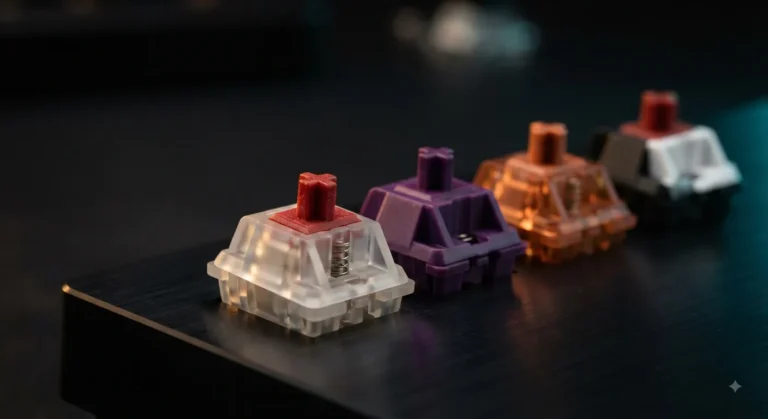
| Clicky (Blue) | Hard bump + audible click | LOUD | Solo gaming, typing, ASMR fans | RisoPhy, YSCP, Portable 60% |
| Low-Profile | Shorter travel (~3mm) | Quieter, less depth | Laptop-style feel, faster actuation | K3 V2 |
| Membrane | Mushy, soft, no defined click point | Quiet | Office use, budget builds | Redragon S101-3 PRO |
My honest take: For Mac gaming, Brown switches are the safest call. They give you a tactile bump that helps with accuracy, a sound profile that won’t get you side-eyed by anyone in the room, and a build that handles both gaming and the writing/coding/work that most Mac users actually do most of the day. Reds are great for pure-gaming setups. Blues are great in a sealed bedroom and nowhere else.
Mac Gaming Keyboard Buying Guide
If you’re past the reviews and ready to decide, here’s what actually matters in order of importance.
1. OS Toggle and Mac Keycaps
This is non-negotiable for me at this point. A board with a physical Mac/Windows switch and the right keycaps in the box saves you days of remapping headaches. Every Keychron on this list has it. Most generic boards don’t.
2. Switch Type
Pick based on your environment first, your game second. Share a room? Browns. Solo with a closed door? Blues if you love the click, Reds if you want speed.
3. Layout
- Full-size (104): Best for productivity-heavy users. K10, K4, C2.
- TKL (87): Best for FPS gamers — frees up mousing space. K8.
- 75% (84): Best for compact desks. K3 V2.
- 60% (61): Best for travel or pure portability. Skip unless you’re sure.
- 96% / 100: Best compromise. K4.
4. Wired vs. Wireless
Wireless is more convenient. Wired removes any input lag debate (more on that below). For competitive FPS, wired is still slightly better; for everything else, wireless is fine.
5. Build Quality
ABS plastic frames feel cheap. Aluminum frames feel premium. The difference at the same price point is usually $20–$30. Worth it in my opinion.
6. Stabilizers
Stock stabilizers on most sub-$200 boards rattle. Plan to either accept it or do a $4 lube job on the spacebar, Shift, and Enter. This applies to almost every keyboard on this list, even the K8.
7. Hot-Swap Capability
If you’re not sure which switches you’ll love long-term, get a hot-swap board (K8, K10, K4, V6 all have hot-swap variants). You can swap switches in 10 minutes without soldering.
Wired vs. Wireless on macOS
Here’s the part where every gaming forum loses its mind. Let me give you the actual answer.
For competitive FPS at high level: Wired. Bluetooth still adds a few milliseconds of latency in real-world testing. If you’re playing Counter-Strike 2 or Valorant at a level where 5ms matters, plug in.
For literally everyone else: Wireless is fine. Bluetooth 5.1 on the modern Keychron boards is rock-solid on macOS. I’ve gamed on the K8 over Bluetooth for hours of Baldur’s Gate 3, Stardew Valley, Civ VI, and casual FPS without noticing anything. Most people who claim to “feel” Bluetooth lag in non-competitive games are reporting placebo.
If wireless freedom matters to you — moving the board around, traveling, swapping between iPad and MacBook — get the wireless model. The Keychron boards also work as wired keyboards via USB-C anytime you plug them in, so you’re not locked in.
FAQs
Is a mechanical keyboard better than a Magic Keyboard for Mac gaming?
For gaming, yes — by a wide margin. The Magic Keyboard’s scissor switches are quiet and slim, but they have shallow travel and minimal tactile feedback, which makes precise key inputs harder to feel. A mechanical board with Brown or Red switches gives you cleaner actuation and better key separation. For typing, it depends on preference; I prefer mechanical, but the Magic Keyboard is genuinely good for what it is.
Do all Keychron keyboards work with Mac?
Yes, every Keychron model ships Mac-friendly out of the box. Physical OS toggle switch, Mac keycaps in the box, and macOS-correct F-row mapping when in Mac mode. This is the entire reason the brand exists.
What’s the best gaming keyboard for Mac under $100?
The Keychron K8 if you want wireless and TKL. The Keychron C2 if you want full-size and wired. Both deliver real Mac-mode functionality and proper mechanical feel under $100.
Can I use a Windows mechanical keyboard on Mac?
Yes, but you’ll need to remap Cmd, Option, and Control in System Settings → Keyboard → Modifier Keys. Some Windows boards have function keys that won’t trigger macOS-specific actions (brightness, Mission Control) without third-party software like Karabiner-Elements. It works, but it’s not as clean as a Mac-friendly board.
Are Blue switches good for Mac gaming?
They’re fine for gaming itself — fast actuation, satisfying feedback. The problem is noise. Blue switches are loud enough that anyone in earshot will hear every keystroke. If you live alone and your setup is in a private room, they’re great. Otherwise, Brown switches give you most of the feel with a fraction of the volume.
Do I need RGB for gaming on Mac?
No. RGB is purely aesthetic — it does not improve gaming performance. I’d actively recommend a board with a clean white backlight (like the Keychron K8’s white variant) over an RGB board if you’re not specifically into the look. Saves battery on wireless boards too.
Should I get a hot-swappable keyboard?
If you’re new to mechanical keyboards, probably not — it adds cost, and you don’t yet know what you want to swap to. If you’ve used a couple of boards and know you want to experiment with different switch types or sounds, absolutely yes. The Keychron K8, K10, K4, and V6 all have hot-swap variants worth the extra ~$15.
What’s the difference between Keychron K Pro switches and Gateron switches?
K Pro switches are Keychron’s in-house switches manufactured by Kailh. Gateron switches are third-party. In my testing, K Pro Browns are slightly cleaner-sounding and come pre-lubed from the factory, while older Keychron boards used Gaterons. Both are good; K Pro is the newer, marginally better generation.
Final Verdict: The Best Gaming Keyboard for Mac in 2026
If you want one recommendation: get the Keychron K8. It’s the right balance of price, build quality, Mac-friendliness, and gaming feel. Brown switches keep it usable in shared spaces, the TKL layout frees your mouse hand, and the Mac mode toggle and included keycaps mean you’re not fighting your operating system on day one.
If money’s no object and you want a board to keep for years and tinker with: get the Keychron V6. QMK/VIA support, hot-swap sockets, and pre-installed sound dampening put it in a different league. Wired only, but you’ll forgive that.
If you’re on a tight budget but want a real Mac mechanical: get the Keychron C2. It does 85% of what the K10 does for 60% of the price.
If you want something compact and Mac-aesthetic: get the Keychron K3 V2.
Everything else on this list works on Mac, but only the Keychron boards were actually built for Mac. That’s the difference between “compatible” and “great.” For gaming on macOS specifically, that distinction matters more than anything else.
Now go pick one, plug it in, and stop reading keyboard reviews. The best gaming keyboard for Mac is the one already on your desk a week from now — not the one you’re still researching.
This article contains affiliate links. If you buy through them, I earn a small commission at no extra cost to you. I only recommend keyboards I’ve actually tested. As an Amazon Associate I earn from qualifying purchases.