
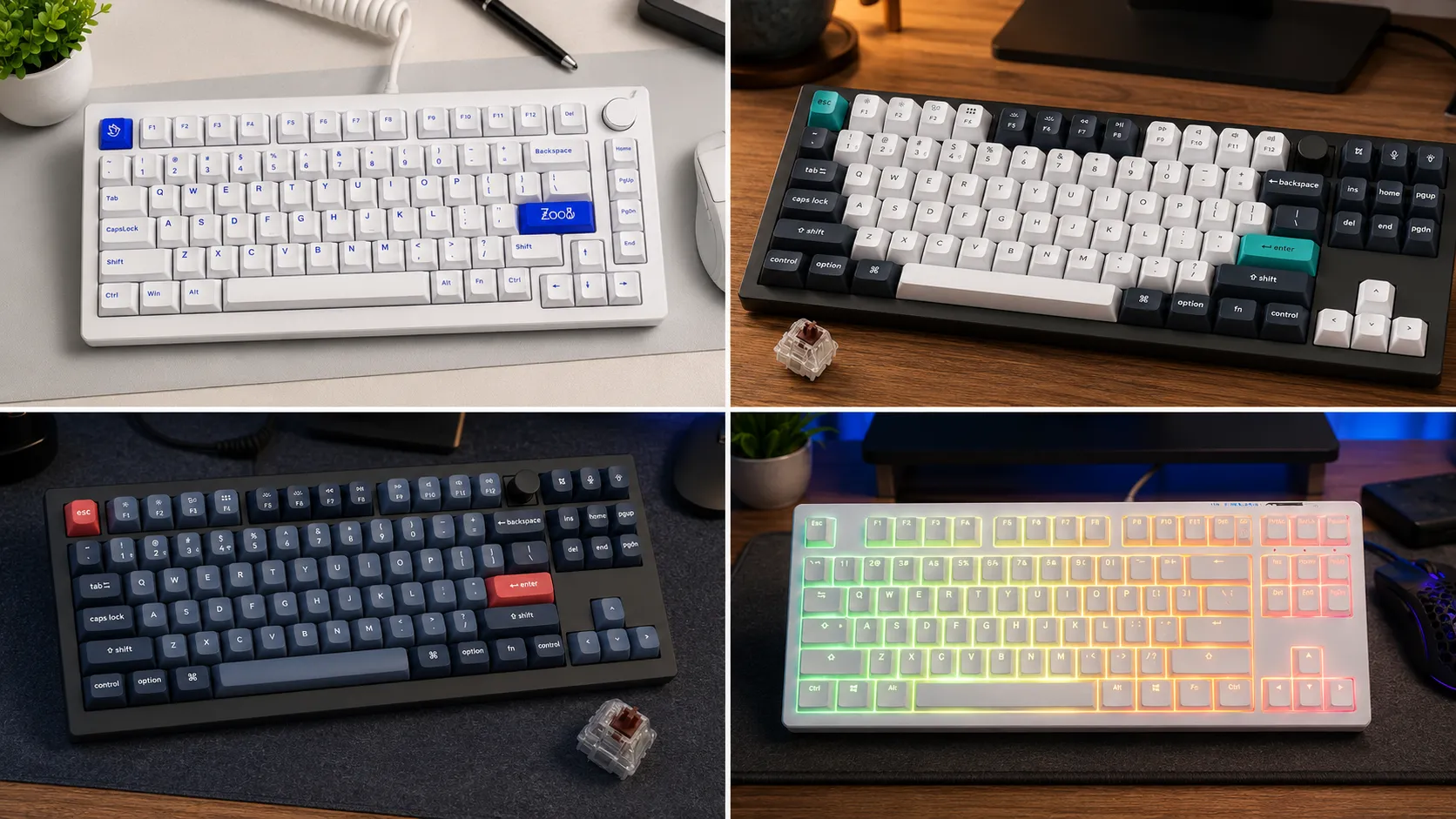
Best TKL Keyboards for Streaming: 6 Tested Stream Desk Picks

This article contains affiliate links. If you buy through them, I earn a small commission at no extra cost to you. I only recommend keyboards I’ve actually tested. As an Amazon Associate I earn from qualifying purchases.
Watch enough Twitch VODs and you’ll notice something. It’s not always the chat giving streamers grief — it’s their keyboard. Rattling stabs on the space bar. That tinny, hollow “cheep” every time they hit shift. A high-pitched clack that cuts right through their mic filter and lands in your headphones on the other side of the internet.
If you’re building a stream setup, this stuff matters more than most guides admit. A keyboard that sounds fine in a quiet room can turn into a full percussion section once your Shure SM7B or Elgato Wave is two feet away. And the tenkeyless form factor — no numpad, 87 keys — is the sweet spot for streaming. Enough room for your mouse, a footprint that fits on camera without looking like a battleship, and a look that plays well with the rest of your setup. That’s why the best TKL keyboard for streaming isn’t the loudest or the flashiest board on the shelf. It’s the one that disappears on your mic.
I’ve tested a lot of TKL boards over the years with streaming specifically in mind. Some are obvious picks. Some cost half what people expect and outperform boutique boards. And a couple of the “streamer favorite” boards you see in every setup tour are, honestly, not as clean-sounding as their marketing suggests.
Here are the six I’d actually put on a stream desk right now — ranked by the job you’re hiring the keyboard to do.
Quick Comparison Table: Best TKL Keyboards for Streaming at a Glance
| Board | Best For | Switch Options | Wireless | Stab Quality | Price |
|---|---|---|---|---|---|
| Keychron Q3 Max | Best overall for streaming | Multiple linear/tactile | Yes (2.4GHz + BT) | Excellent (pre-lubed) | $$$ |
| Wooting 80HE | Best for competitive FPS streamers | Lekker Hall Effect | No | Very good | $$$$ |
| Logitech G Pro X TKL Lightspeed | Best wireless for streamers | GX linear/tactile/clicky | Yes (Lightspeed) | Decent | $$$ |
| Ducky One 3 TKL | Best out-of-box typing sound | Cherry MX / Kailh | No | Great | $$ |
| Keychron V3 Max | Best value | Multiple | Yes | Very good | $$ |
| Akko MOD 007B v3 | Best budget pick | Akko switches | Optional | Surprisingly good | $ |
Now the reasons each one earned its spot.
1. Keychron Q3 Max — Best TKL Keyboard for Streaming Overall

The Q3 Max is what happens when the company that used to be the “budget gasket-mount option” grew up. Full-aluminum case. Gasket mount. 1000Hz polling over 2.4GHz wireless. Hot-swap sockets. And — the part that actually matters for streaming — factory-lubed stabilizers that don’t sound like a broken tambourine.
I ran mine as my daily driver for about three weeks with a Shure MV7 pointed at the desk. The space bar didn’t rattle. Neither did shift or backspace, which is where most boards fall apart. It’s not silent. No mechanical is. But the tone is a low, muted thock instead of a sharp clack, and that’s exactly what you want going through a mic.
Wireless works over 2.4GHz for anything latency-sensitive and Bluetooth for typing between streams. Battery lasts a long time with the backlight off — which you should turn off anyway if the board’s on camera. RGB doesn’t read well through a webcam. It just looks like blurry pastel smears.
Pros
- Excellent factory stabilizers, no tuning required
- Gasket mount gives a soft, muted typing feel that plays well on mic
- Hot-swap sockets, so you can change switches later
- Wireless with proper polling rate for gaming
- Feels like a $300 board at around $220
Cons
- Heavy — over four pounds — so it’s not moving off the desk
- Aluminum case can pick up desk vibration on a hollow desk
- Stock keycaps are OEM profile, which not everyone loves
2. Wooting 80HE — Best for Streamers Who Actually Compete
If your stream is Valorant, CS2, Apex, or anything where reaction time is the show, the Wooting 80HE is genuinely a different tool. It’s not a normal mechanical. It uses Lekker Hall Effect switches with rapid trigger — meaning the actuation resets based on how far you release the key, not a fixed point. Once you’ve used rapid trigger for counter-strafing, going back to a normal board feels like typing in mud.
For streaming specifically, it also sounds clean. The Lekker linears are smooth and quiet by nature, and Wooting’s stabilizers are tuned well out of the box. It’s not thocky like the Q3 Max. It’s more of a crisp, contained sound. But it doesn’t rattle, and that’s what mics catch.
Here’s the catch. These sell out constantly, and you’ll pay a real premium. If you’re curious about how Hall Effect and rapid trigger actually change your gameplay, I’ve written more about that here.
Pros
- Hall Effect + rapid trigger is a legitimate competitive edge
- Smooth, quiet typing feel that plays nicely with mics
- Adjustable actuation point per key
- Excellent build quality
Cons
- Expensive
- Hard to keep in stock
- Wired only — no wireless option
- A few pro FPS scenes still ban HE boards at LAN events, worth checking before you buy
3. Logitech G Pro X TKL Lightspeed — Best Wireless for Streamers
You’ve seen this one in every second setup tour, and yeah, there’s a reason. Wireless with Logitech’s Lightspeed protocol, so latency is essentially wired. Tenkeyless. Clean, low-profile aesthetic that looks fine on camera. Ships with GX switches in linear, tactile, or clicky — skip the clicky if you value your chat.
Honestly, the typing sound isn’t at the same tier as the Q3 Max or a well-tuned Ducky. The stabs are okay, not great. There’s a mild rattle on the space bar that a sensitive mic will pick up. But if you want plug-and-play wireless with dongle-level latency and a look that matches the rest of a G-series setup, it earns its keep.
Pros
- True low-latency wireless via Lightspeed
- Clean, streamer-friendly aesthetic
- Solid build for the price
- Hot-swap on this generation
Cons
- Stabs are audible on sensitive mics
- G Hub software is bloated
- Doesn’t feel as premium as the Keychron Q3 Max at similar money
- Battery life is fine, not amazing
4. Ducky One 3 TKL — Best Sound Straight Out of the Box

- Featuring Ducky’s QUACK Mechanics design philosophy
- Dual layer PCB w/ exclusive Kailh yellow hotswap sockets
- Low profile One 3 case design in a wide array of exclusive color options
Ducky has quietly been the pick of typing enthusiasts for years, and the One 3 TKL is the one I hand people when they say “I don’t want to mod anything, I just want it to sound good.” It ships with better factory stabilizer work than most boards twice its price. No band-aid mod, no lube session, no clipping. You take it out of the box, you plug it in, it sounds right.
For streaming, I’d pair it with Cherry MX Silent Reds or Kailh Silent Box switches if you can find that config. Otherwise, standard Cherry MX Reds are quiet enough for most mic setups. Just don’t pick Browns for a stream. They’re louder than people remember and they scratch a bit — a webcam mic will catch every keystroke.
Pros
- Best factory stabilizer tuning at this price
- Great range of Cherry MX and Kailh switch options
- Doubleshot PBT keycaps that won’t shine after a year
- Understated look that suits a stream desk
Cons
- Wired only
- No hot-swap on most SKUs, so pick your switches carefully
- Software is minimal — no full QMK/VIA support
5. Keychron V3 Max — Best Value TKL for Streaming

- Keychron V3 Max is a QMK/VIA enabled custom mechanical keyboard, offering both 2.4 GHz wireless and Bluetooth 5.1 connec…
- 2.4 GHz and Bluetooth Connection – The 2.4 GHz wireless and wired connection boasts a rapid 1000 Hz polling rate. You ca…
- Support macOS, Windows and Linux – Built with the Mac users’ experience in mind while still retaining compatibility for …
This is the Q3 Max’s little brother, and honestly? For a lot of streamers, it’s the smarter buy. Same gasket mount. Same wireless. Same factory-lubed stabs. Plastic case instead of aluminum, which drops the price by roughly a hundred bucks.
The plastic case actually helps in one specific way — it doesn’t resonate with the desk the way an aluminum body can. On a hollow IKEA desk, the V3 Max sometimes sounds cleaner on a mic than the Q3 Max does. That’s the kind of thing you don’t expect until you A/B them at the same setup.
Pros
- Roughly 90% of the Q3 Max experience at a much lower price
- Wireless with a proper polling rate
- Hot-swap sockets
- Plastic case can actually sound better on cheap desks
Cons
- Doesn’t feel as premium
- Lighter, so it slides around more if you type hard
- Stock keycaps are functional, not exciting
6. Akko MOD 007B v3 — Best Budget TKL for Streaming

- 75% BLUE ON WHITE STYLE – The ultramarine hue of blue mixed with pure white, along with the aesthetics of the exploded 7…
- MULTI-DEVICE & WIRELESS – The Akko 5075B mechanical keyboard can be connected to multiple devices through Bluetooth 5.0,…
Budget mechanical boards used to be a straight compromise. That’s not really true anymore, and the Akko MOD 007B v3 is the proof. Gasket mount. PBT keycaps. Hot-swap sockets. Factory-tuned stabs. Akko’s own switches, which are better than they have any right to be at this price.
For a first stream setup or a secondary board at a spare PC, this is what I’d point people at. It won’t beat a Q3 Max in sound. But it costs less than half as much and doesn’t embarrass itself on a mic, which is the whole test.
Pros
- Genuinely good stabs at this price
- Full aluminum plate options available on some SKUs
- Hot-swap so you can upgrade switches later
- PBT keycaps included
Cons
- Software support is basic
- Switch quality varies a bit batch to batch
- Wireless models are hit or miss — stick to wired
What Actually Matters When You’re Picking a TKL for Streaming
Everything above is my opinion after actually using these boards. If you want a framework so you can evaluate boards I haven’t covered, here’s what to prioritize — in order.
1. Stabilizer quality is the whole game
Nothing else matters if your space bar rattles. Not switches, not case material, not RGB. On a stream mic, a rattling stab is a nails-on-chalkboard sound. Look for factory pre-lubed stabilizers, and read reviews specifically for stab performance. Most modern gasket-mount boards from Keychron, Wooting, Mode, and Ducky ship with tuned stabs. A lot of gamer-brand boards do not.
2. Sound profile: muted, not sharp
You’re aiming for a lower-pitched thock, not a crisp clack. Boards sound sharp when they’ve got:
- Thin plastic cases with lots of hollow space
- ABS keycaps (they ring higher than PBT)
- Aluminum plates with no dampening foam
- Cherry MX Blues or any clicky switch (just don’t)
Boards sound muted when they’ve got:
- PBT keycaps
- Foam or silicone case dampening
- Gasket mount construction
- Silent linear switches like Cherry MX Silent Red, Gateron Silent Ink, or Kailh Silent Box
3. Switch choice for streaming
If you’re primarily gaming on stream, linears are the standard pick. Quiet, fast, out of the way. Cherry MX Red, Gateron Yellow, Gateron Milky Yellow, or one of the modern silent linears. If you type a lot during your stream — variety streamers, Just Chatting, tutorial content — a soft tactile like a Boba U4 or a Kailh Silent Brown gives you feedback without click noise.
Avoid clicky switches on stream. I don’t care how satisfying they feel to type on. MX Blues on a stream mic sound like a woodpecker with a personal vendetta.
4. Wireless: nice, not required
Wireless is convenient for on-camera cable management. If you’re gaming competitively, though, make sure the wireless mode does at least 1000Hz polling. Some cheaper boards drop to 125Hz on battery — you’ll feel it in fast games. Wired is still the safest bet if the desk doesn’t need to look immaculate.
5. Skip these when picking for stream
- RGB looks fine on camera but doesn’t affect anything meaningful. Don’t pay extra for it.
- Volume knobs and media dials are handy but shouldn’t drive the decision.
- “Gaming mode” toggles are almost always marketing. QMK and VIA give you more real control.
The Verdict
Short answer? Get the Keychron Q3 Max if the budget stretches to it, and the Keychron V3 Max if it doesn’t. Both are the best TKL keyboard for streaming for most people, and both sound clean enough on a mic that you’ll stop thinking about the keyboard and start thinking about your content — which is the whole point.
If you’re a competitive FPS streamer where reaction time is part of the show, the Wooting 80HE is worth the wait and the price. If you want the best out-of-box typing experience with zero modding, the Ducky One 3 TKL is still the one to beat. And if you’re building your first setup and every dollar counts, the Akko MOD 007B v3 will do the job without embarrassing you.
The Logitech G Pro X TKL Lightspeed sits in an interesting spot. If wireless with dongle-latency is the top requirement and you don’t want to think about it, it’s fine. But for the same money, the Q3 Max sounds and feels better, and I’d send most people there instead.
One last thing. Don’t overthink this. The best board for your stream is the one that doesn’t distract you or your chat. Quiet stabs, PBT caps, a switch you actually like typing on — get those three right and let the rest of the setup do its job.
This article contains affiliate links. If you buy through them, I earn a small commission at no extra cost to you. I only recommend keyboards I’ve actually tested. As an Amazon Associate I earn from qualifying purchases.
5 Comments