Kailh Switches Guide Box, Speed, and Choc Compared

This article contains affiliate links. If you buy through them, I earn a small commission at no extra cost to you. I only recommend keyboards I’ve actually tested. As an Amazon Associate I earn from qualifying purchases.
Kailh used to be the “budget Cherry clone” brand. That hasn’t been true for about six years, and most of the people repeating it on Reddit haven’t typed on a modern Box Jade or a Choc V2. I have. Several hundred hours’ worth. The cheap knockoff label stuck because it was earned in the early 2010s, but Kaihua spent the back half of that decade quietly out-innovating the company they were originally accused of copying.
If you’ve been shopping for kailh switches and you’re staring at Box this, Speed that, and a parallel universe of low-profile Chocs, this is the one guide that’ll sort it out. I’ll tell you which ones I’d actually buy, which ones get oversold by gaming brands, and a couple of weird ones almost no one writes about.
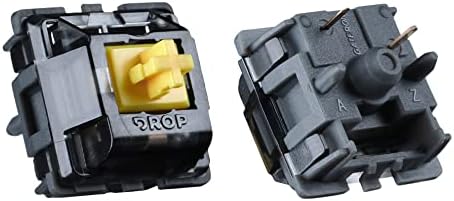
TL;DR Quick Comparison Table for Kailh Switches by Use Case
Skip ahead with this. If you only read one part of this guide, make it this table. I’ve matched each kailh switch to the kind of person who’ll actually be happy with it long-term, not just the spec sheet hype.


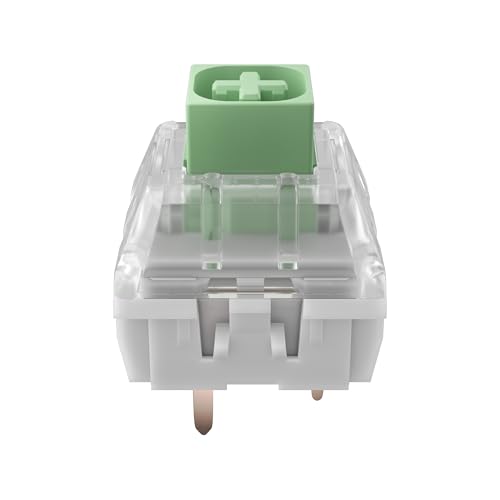


| Your Use Case | Best Kailh Switch | Why It Wins | Action |
|---|---|---|---|
| First mechanical keyboard | Kailh Box Brown | Light tactile bump, dust-resistant, forgiving for new typists | Shop Box Browns |
| Office where coworkers exist | Kailh Box Red (lubed) | Linear, quiet, smooth, won’t get you a passive-aggressive Slack DM | Shop Box Reds |
| You miss old MX Blues but want better | Kailh Box Jade | Click bar gives a cleaner, snappier click than Cherry Blues | Shop Box Jades |
| Competitive FPS and esports | Kailh Speed Silver | 1.1mm actuation, fastest mainstream linear | Shop Speed Silvers |
| Heavy typist, deep thock | Kailh Box Navy or Box Burnt Orange | Heavier spring plus sharper feedback, great for deliberate typists | Shop Heavy Box |
| Low-profile or thin board | Kailh Choc V1 Red | The de facto low-profile standard, found in Keychron K3, NuPhy Air | Shop Choc Reds |
| Best tactile thock on a budget | Kailh Box Royal | Big, deep tactile bump, wildly underrated | Shop Box Royals |
| Premium custom low-profile build | Kailh Choc V2 (Sunset, Twilight) | MX-mount stem, lubed factory, modern feel | Shop Choc V2 |
One honest tradeoff before you click anything. Box stems and Choc stems are not fully MX-compatible with every keycap set on the market. Box is closer, Choc is not close. If beautiful aftermarket keycaps are part of your dream build, that’s something you have to plan around. More on that below.
What Are Kailh Switches, Really?
Kailh is the consumer brand name for Kaihua Electronics, a Chinese switch manufacturer founded in 1990. For most of their early life they made OEM switches for other companies. Laptop keyboards, industrial gear, plenty of stuff you typed on without ever seeing the name. When Cherry’s MX patents started expiring in the 2010s, a flood of MX-style switches hit the market, and Kailh’s first wave of them caught a reputation for being a little gritty, a little inconsistent, a little cheap.
That reputation outlived its accuracy by a country mile.
Modern kailh switches are made on tighter tolerances than the early clones, and Kailh introduced two genuinely original designs (the Box switch family and the Choc low-profile family) that aren’t copies of anything Cherry makes. The Speed series is also their own concept, even if the housing borrows MX dimensions. So when people say “Kailh,” they’re really talking about three distinct product families that share a brand but solve very different problems.
Here’s the quick mental map:
- Box switches. Full-size MX-compatible, with a dust and moisture-resistant box around the stem. The flagship line.
- Speed switches. Full-size MX-compatible, but with shortened pretravel for faster actuation. Aimed at gamers.
- Choc switches. Low-profile switches with their own stem design. Used in thin keyboards like the Keychron K3 and most NuPhy boards.
There are also a bunch of newer enthusiast lines (Kailh Cream, Cocoa, Polia, Midnight Pro, Pudding) but those are smaller releases. The Box, Speed, and Choc families are what 95% of buyers are choosing between, and what this guide focuses on.
The Kailh Box Switch Lineup
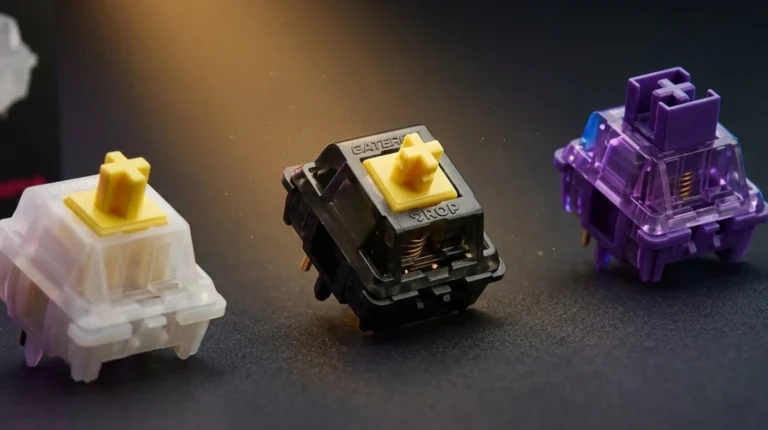
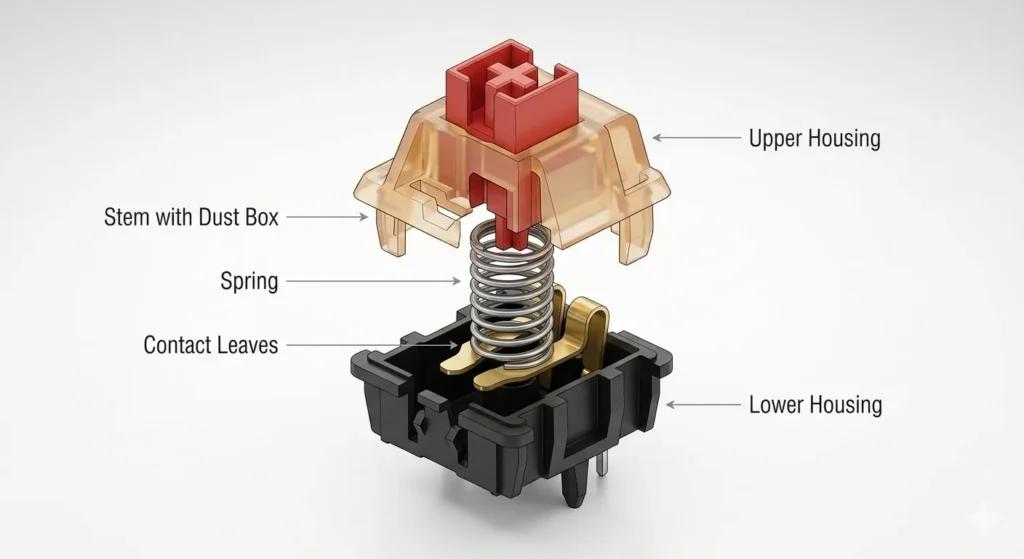
Box switches are where Kailh stopped being “the other guys” and started being a brand worth respecting. The big innovation is in the name. Each stem sits inside a small plastic box that seals it against dust, hair, crumbs, the occasional drop of cheap whiskey if you’re a writer. Cherry MX switches don’t have this. Once you’ve cleaned out a Cherry board after a year of normal life, you understand why the box matters.
The other thing the box does is change the feel. The stem rides inside the housing more snugly, so there’s less wobble. If you’ve ever pulled a keycap off an MX board and wiggled the stem, you’ve felt that little sloppy play. Box switches don’t really have that. Tighter wobble means more consistent typing, especially on tall keycaps like SA profile where wobble gets amplified.
Kailh Box Linear Switches
These are your smooth ones. No bump, no click, just a clean press from top to bottom.
- Box Red. 45g actuation force, 3.6mm total travel. Light, smooth, perfectly fine. My take: this is the Kailh equivalent of an MX Red, except a hair smoother out of the box.
- Box Black. 60g actuation. Heavier, more deliberate. Great for typists who bottom out hard and don’t want to register accidental keys.
- Box Dark Yellow. 70g. Heavy. If your hands are tired of light switches and you want something with real spring resistance, this is it.
In my testing across a few hot-swap boards, Box Reds with a light coat of Krytox 205g0 turned into one of my favorite budget linears, full stop. They beat stock Gateron Yellows for smoothness in my opinion. Smoothness in linears is mostly about manufacturing consistency, and Kailh’s gotten very good at that.
Kailh Box Tactile Switches
The bump-and-go family. Tactiles give you feedback partway through the press, so you can feel when the key registers.
- Box Brown. 60g actuation. Light tactile bump. Closer to an MX Brown than an MX Brown is to its own marketing.
- Box Royal. 75g actuation, big rounded tactile bump. This one’s a sleeper hit and almost no one talks about it.
- Box Burnt Orange. 70g, sharper, more pronounced bump. For people who want to feel every keystroke.
The Box Royal deserves a paragraph of its own. It has one of the most satisfying tactile events in any modern kailh switch, with a big front-loaded bump that’s almost into the territory of vintage MX Clears but smoother. I had a buddy who’d been on Holy Pandas for a year switch his daily driver to Box Royals after one typing session on my Tofu65 build. They’re cheaper than Pandas, they don’t need a swap-and-frankenstein build, and they’re available in hot-swap-friendly packaging.
Kailh Box Clicky Switches
This is where Box really pulled ahead of Cherry. Cherry MX Blues use a click jacket, a little plastic sleeve that produces the click. It works, but it limits how snappy the reset feels. Kailh’s clicky Box switches use a click bar design instead, where a metal bar snaps against the housing on press and release. The result is a cleaner, sharper click with a much better reset sound.
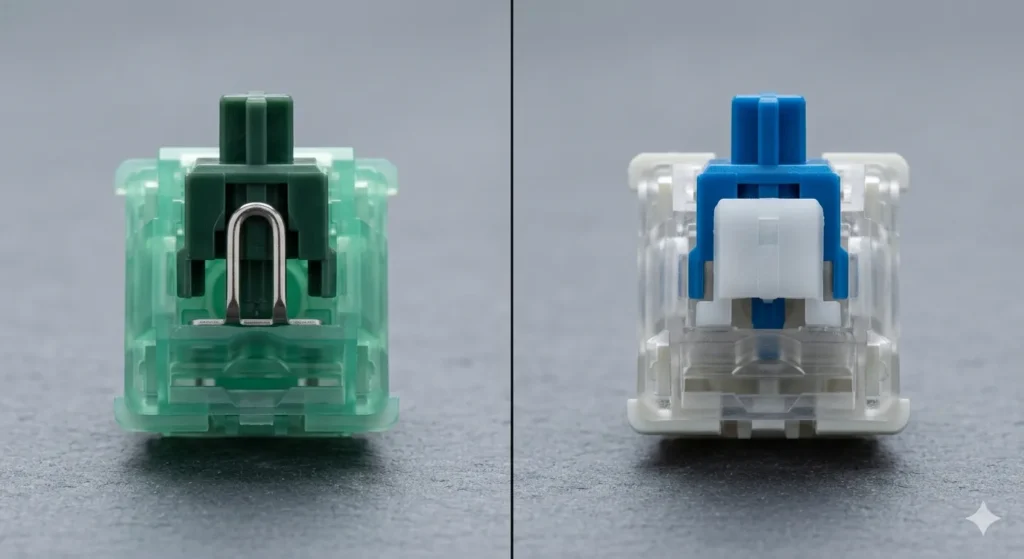
- Box White. 50g, lighter clicky. The most common one you’ll see in pre-built boards.
- Box Pink. 35 to 50g (light), clicky. Gentler than White.
- Box Jade. 50g, heavier click bar mechanism, deeper sound.
- Box Navy. 60g and up, the heaviest Box clicky. Aggressive, loud, deeply satisfying for the right person.
My contrarian take. Box Jades are the best clicky kailh switches on the market, and arguably the best mass-produced clicky switch in mechanical keyboard history. They have the snap, they have the depth, and the click bar design ages better than Cherry’s click jacket. If you used to love MX Blues but always felt they sounded a little weak, Box Jades are the answer.
Caveat I owe you. Early production runs of Box Whites had stem-cracking issues, where the legs of the stem would split after thousands of keystrokes. Kailh fixed it in later batches and the current V2 Box switches don’t have this problem, but if you’re buying loose switches off some random reseller’s old stock, double check the version. The newer ones say “Box V2” or are made post-2019.
Kailh Speed Switches: The Fast Ones
The Speed series is Kailh’s answer to “make it actuate faster.” Standard MX switches actuate at around 2.0mm of key travel. Kailh Speed switches cut that down to about 1.1 to 1.3mm depending on the variant. The marketing says you’ll react faster in games. Sometimes you will. Most of the time you won’t notice.
That said, the feel changes a lot, and that’s the real reason to consider them.
| Speed Switch | Type | Actuation | Force | Notable For |
|---|---|---|---|---|
| Speed Silver | Linear | 1.1mm | 40g | Lightest, fastest mainstream linear |
| Speed Bronze | Clicky | 1.1mm | 50g | Snappy click bar, fast reset |
| Speed Copper | Tactile | 1.1mm | 50g | Sharp tactile event up high |
| Speed Gold | Clicky | 1.4mm | 60g | Heavier click bar variant |
| Speed Pro Burgundy / Pro Sage | Linear / Tactile | about 1.3mm | varies | Newer “Pro” series, factory-lubed |
I’ve spent a lot of time on Speed Silvers. They’re the most common Speed switch and they ship in a lot of budget gaming boards like the Hexgears and earlier Drop builds. Here’s what’s true and what’s marketing:
- True. The shorter pretravel makes typing feel jumpy at first because you’re used to more space before the keypress registers. After a week you adjust, and they do feel snappier in fast-paced FPS games.
- True. Bottom-out feels weird at first because the actuation happens so high. You start mashing keys harder than you need to.
- Marketing. “X percent faster in competitive gaming.” The actual difference in reaction time at the human input level is so small that anyone telling you Speed switches won them a ranked match is selling something. I’ve tested this with my own hands across CS, Valorant, and Quake-style movement games. There’s a felt difference. There’s not a meaningful KDR difference.
Who Speed switches are genuinely good for:
- People who type lightly and keep getting fatigued by 50 to 60g switches.
- Fast-paced gamers who want to feel a difference and don’t mind the higher typo rate during the learning curve.
- Anyone whose typing style hovers, fingers resting lightly on keys without bottoming out hard.
Who should skip them:
- Heavy typists. You’ll register a lot of accidental keystrokes. Trust me, I’ve done this.
- People who code or write all day. The short actuation creates a higher typo rate that doesn’t pay off when you’re not gaming.
- Anyone who’s never used a mechanical board. Start with normal travel switches first. Get a baseline before chasing speed.
The newer Kailh Speed Pro series, with factory lubing and a slightly recalibrated 1.3mm actuation, is more refined than the original Speed line. If you want a Speed switch and you have the budget, get a Pro variant.
Kailh Choc: Low-Profile, Done Right
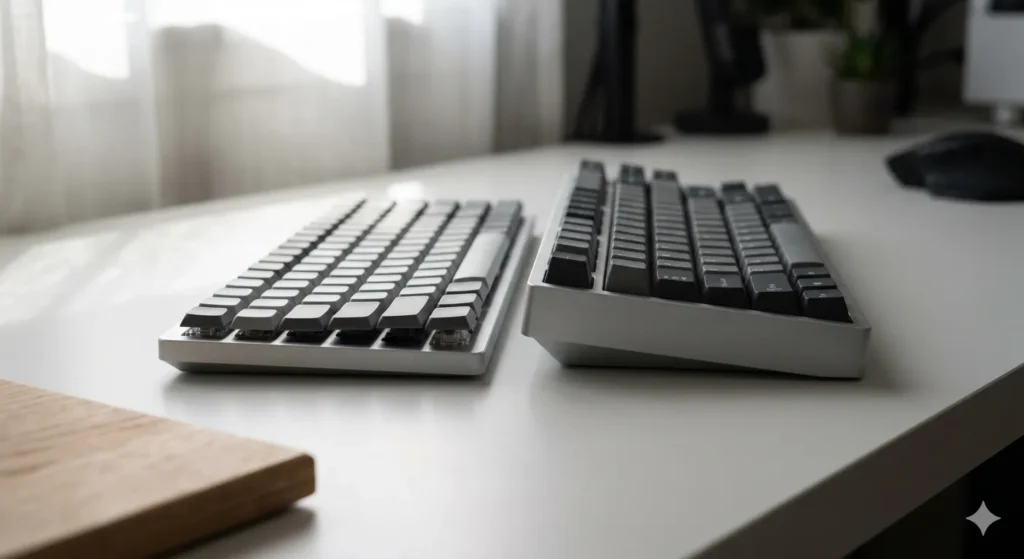
The Choc family is its own universe. These are low-profile kailh switches, meaning shorter total height, shorter travel, and a different stem design that isn’t compatible with standard MX keycaps. If you’ve used a Keychron K3, the original Drop ALT Low-Profile, a NuPhy Air60, or any thin mechanical keyboard from the last few years, there’s a real chance you’ve typed on Chocs without knowing it.
Choc V1: The Originals
These have the proprietary Choc stem (two parallel rails instead of an MX cross), so you need Choc-specific keycaps. The Choc V1 line includes:
- Choc Red. Linear, 50g, 1.5mm actuation, 3.0mm total travel.
- Choc Brown. Tactile, 50g.
- Choc White. Clicky, 55g.
- Choc Pro Red / Brown / White. Factory-lubed, smoother versions of the above.
- Choc Sunset. Tactile, 50g, deeper tactile bump than Brown.
- Choc Twilight. Linear, 43g, lighter and smoother.
- Choc Pink Lightning. Tactile, light spring, smaller bump.
In my hands, Choc Reds are the entry point. Smooth enough, light enough, and you can find them in tons of pre-built boards. Choc Sunsets are the sleeper pick for tactile fans. Better bump than Choc Brown, and they don’t cost much more.
Choc V2: The MX-Stem Update
This is where it gets interesting. Kailh released Choc V2 switches with an MX-compatible cross stem on the keycap mount. That means you can finally use regular MX keycaps on a low-profile board. The low-profile housing stays, the lower actuation stays, but the keycap world opens up enormously.
If you’re building a custom low-profile board in 2025, Choc V2 is what you want. The keycap compatibility alone changes everything. The downside is fewer boards have hot-swap sockets specifically for Choc V2 yet, so you’re more likely to be hand-wiring or buying compatible pre-builts.
Why Chocs Matter
A regular mechanical keyboard sits about 30 to 40mm tall at the back. A low-profile board with Chocs sits closer to 18 to 22mm. For laptop users, travelers, anyone with wrist strain who finds full-height boards uncomfortable, Chocs are a real ergonomic option, not just a styling choice. I’ve written entire articles on a NuPhy Air75 with Choc Reds and my wrists thanked me by the end of the week.
One honest caveat with Chocs. The keycap selection is still smaller than the MX world, especially for Choc V1. Sets exist, but you’re picking from dozens of options instead of hundreds. The PBT options are limited. If you’re a keycap collector who wants gorgeous SA or KAT or GMK sets, low-profile Chocs aren’t going to scratch that itch.
Kailh Switches Comparison Table: Box vs Speed vs Choc
Here’s how the three main kailh switch families stack up against each other on the specs that actually matter.
| Spec | Kailh Box | Kailh Speed | Kailh Choc |
|---|---|---|---|
| Form Factor | Standard MX-height | Standard MX-height | Low-profile |
| Actuation Distance | about 1.8mm | 1.1 to 1.4mm | about 1.5mm |
| Total Travel | 3.6mm | 3.5mm | 3.0mm |
| Keycap Mount | MX-compatible (mostly) | MX-compatible | Choc-specific (V1) or MX (V2) |
| Dust / Moisture Resistance | Yes (the “box”) | Standard | Standard |
| Best For | Typing and general use | Esports and fast gaming | Thin boards, travel, ergonomics |
| Hot-Swap Availability | Excellent | Good | Limited but growing |
| Aftermarket Keycap Options | Wide | Wide | Narrow |
| Average Lifespan Rating | 70 to 80 million keystrokes | 70 million | 50 to 70 million |
| Price Range (US, per switch) | $0.50 to $1.20 | $0.55 to $1.10 | $0.50 to $1.30 |
A note on those lifespan numbers. They’re manufacturer ratings, and in real life, your kailh switches will probably die from cat hair, spilled drinks, or being replaced by your next impulse purchase long before they wear out mechanically. Take the numbers as “they’re built to last” rather than literal usage guides.
Sound and Feel: What Kailh Switches Actually Type Like
Spec sheets only get you so far. Here’s how each family sounds and feels in real-world use, in my own testing.
Box Switches Sound Profile
Box linears (Red, Black, Dark Yellow) have a tighter, slightly drier sound out of the box compared to Gateron equivalents. With a coat of 205g0 they get creamy. Box clickies, especially Jade and Navy, have a deeper, thockier click than Cherry MX Blues because of the click bar mechanism. The reset click is also more pronounced, which some people love and some people hate. I’m in the love camp.
Box tactiles have a more pronounced bump than Cherry MX Browns. The Box Royal especially has a chunky, satisfying feedback that’s hard to find in any other off-the-shelf tactile.
Speed Switches Feel Profile
The shortened actuation changes the rhythm of typing more than the sound. Touch-typists report a higher initial typo rate that flattens out after a week. Bottom-out feel is a little harsher because there’s less travel between actuation and the floor. If you’re a key-floater (fingers hovering), Speed Silvers are silk. If you’re a key-masher, they’ll fight you for the first few days.
Choc Switches: A Different Animal
Chocs feel different in a way that’s hard to describe until you try them. The shorter travel means less finger movement, which feels lighter and quicker, almost laptop-like but with mechanical feedback. The sound is also higher-pitched because there’s less housing volume to resonate. Some people love this. Some people find it clacky in a thin-sounding way. Try before you buy if you can.
Common Issues and Honest Caveats About Kailh Switches
Time for the part most reviews skip. Here are the actual issues with kailh switches you should know before you spend money.
1. Early Box White Stem Cracking (Mostly Solved)
The original Box Whites had a known issue where the stem could crack after long use. Kailh updated the design and current production Box switches don’t have this problem. If you’re buying NOS (new old stock) or pulling from a thrift store keyboard, be aware.
2. Slight Stem Wobble Variation
Not all kailh switches have the tight Box-style stem fit. Choc V1 switches in particular have noticeable wobble because of the rail design. It’s not a defect, it’s the design. But if you’re used to MX feel, it’s an adjustment.
3. Keycap Compatibility With Box
Box switches use a slightly modified stem that fits most MX keycaps but not all. Cheaper double-shot ABS sets sometimes have looser tolerances and fit fine. Some premium GMK sets fit perfectly. Occasionally, a budget PBT set will sit slightly loose or refuse to seat fully. This isn’t common, but it happens. If you’re spending real money on aftermarket keycaps, check forum threads for that specific set’s Box compatibility first.
4. Choc Keycap Scarcity
Already mentioned, but worth repeating. Choc V1 keycaps are limited. Choc V2 fixes this by accepting MX stems on the keycap mount, but most low-profile boards available right now still use Choc V1.
5. Sound Differences Between Batches
I’ve ordered the same kailh switch model from the same retailer six months apart and gotten subtly different sounds. Manufacturing variance happens, especially with the cheaper bulk options. Buy enough for your build at once if sound matching matters to you.
6. “Speed” Doesn’t Mean “Better”
I’ll keep saying this. Speed switches are a niche tool. They’re not a flat upgrade over standard travel switches, and a lot of people who buy them end up regretting it once they realize they type more typos. If you’re not specifically optimizing for fast-paced gaming, get Box switches.
How to Pick the Right Kailh Switch for You
A simple decision tree, written the way I’d actually walk a friend through it at the keyboard meetup.
Step 1: Decide on Form Factor
- Want a normal-height keyboard? Look at Box or Speed.
- Want a slim, portable, or ergonomic low-profile board? Go Choc.
Step 2: Decide on Switch Behavior
- Linear (smooth, no bump): Box Red, Box Black, Speed Silver, Choc Red.
- Tactile (bump in the middle): Box Brown, Box Royal, Box Burnt Orange, Choc Sunset, Choc Brown.
- Clicky (audible click plus bump): Box White, Box Jade, Box Navy, Choc White.
Step 3: Decide on Weight
- Light (35 to 45g): Box Pink, Box Red, Speed Silver, Choc Twilight.
- Medium (50 to 60g): Most Box switches, Choc Red.
- Heavy (65g and up): Box Dark Yellow, Box Royal, Box Burnt Orange, Box Navy.
Step 4: Buy Eight and Test
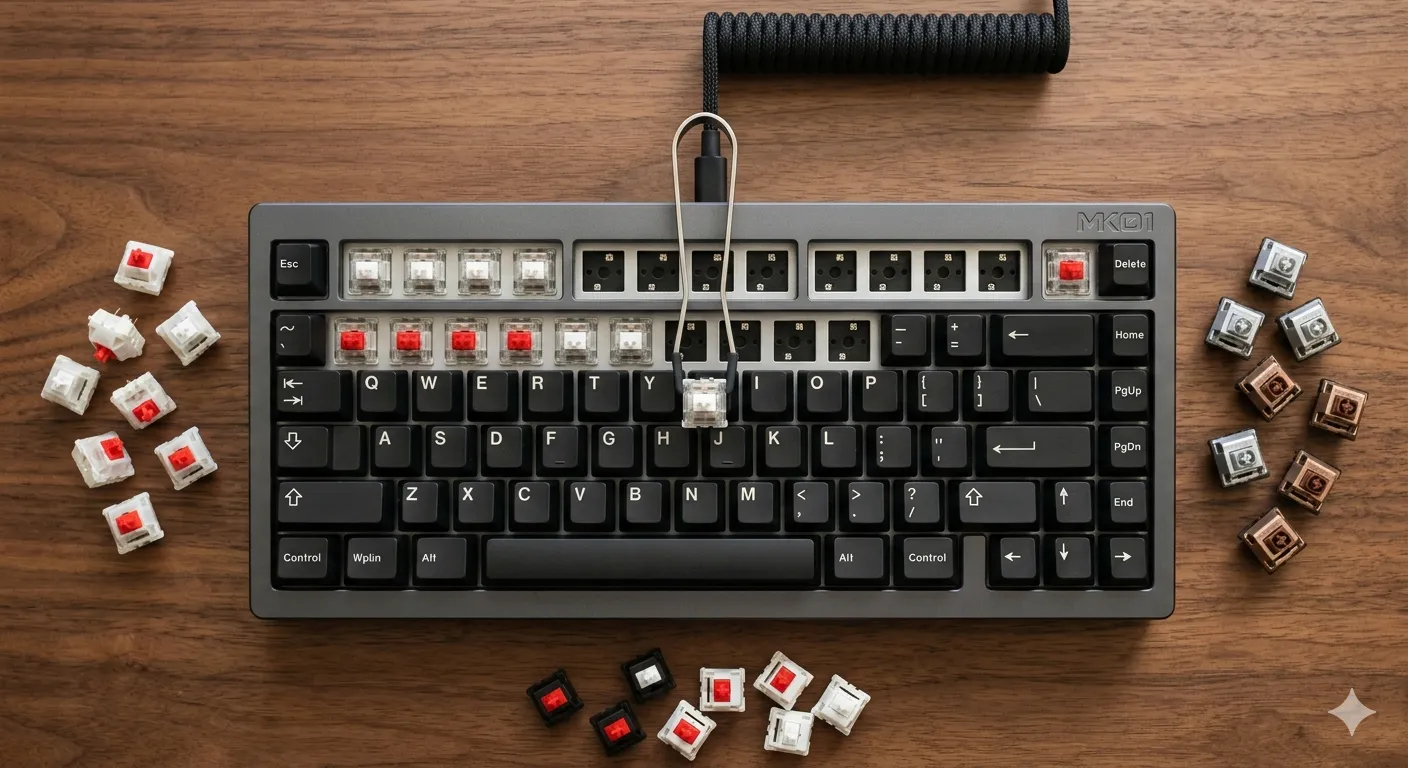
Don’t commit to a full board’s worth of any switch without trying it. Buy a switch tester pack or grab eight loose switches and pop them into a hot-swap board. Type on them for an hour. Game on them. Then decide. This is the single best $15 you’ll ever spend in this hobby, and it’ll save you from buying 70 switches you’ll resell on Reddit at a loss in three weeks.
FAQ About Kailh Switches
Are kailh switches better than Cherry MX? Depends on the switch and the use case. Modern Box switches beat Cherry MX in dust resistance, stem stability, and (for clickies) sound quality. Cherry still has a slight edge in some legacy linears for sheer smoothness if you’re picky and unlubed. Kailh wins more matchups than it loses now.
Are kailh switches good for gaming? Yes. Speed Silvers and Speed Pros are specifically designed for it. But honestly, Box Reds with light lube perform just as well for the vast majority of gamers.
Do kailh switches fit on Cherry MX keyboards? Most Box switches do fit standard MX hot-swap sockets and PCBs. Choc switches do not. They require Choc-specific PCBs and sockets. Speed switches are full MX-compatible.
What’s the difference between Kailh and Kaihua? Kaihua is the company. Kailh is the consumer brand. Same manufacturer.
Why are some Kailh Box switches called “V2”? Kailh revised the Box stem design around 2018 to 2019 to fix the stem-cracking issue on Box Whites. Current production is the V2 design. If a switch is being sold as “Box V2,” it means it’s the updated version, but virtually all new Kailh Box switches are V2 by default now.
Can I lube Kailh switches? Absolutely, and they respond very well to lube. Krytox 205g0 for linears, 3204 thinner option for tactiles. Stay off the leaves on tactile switches if you want to keep the bump sharp.
Are Kailh Choc switches the same as Cherry MX Low-Profile? No. Different companies, different designs, different stems. Choc is its own ecosystem.
Which kailh switches are quietest? Lubed Box Reds or Choc Reds with sound-dampening foam in the build. No switch is truly silent without dedicated silent variants, and Kailh’s silent options are limited compared to their linear, tactile, and clicky lineup.
Final Verdict on Kailh Switches
Here’s where I land after several hundred hours on these things.
Kailh switches in 2025 are no longer “the budget alternative.” They’re a legitimate first-tier choice, and in a few categories (clickies, low-profile, dust-resistant builds) they’re genuinely the best mainstream option you can buy. The Box family is the heart of the lineup. The Speed family is a useful specialist tool that gets oversold. The Choc family is a small revolution in low-profile typing that more people should know about.
My specific recommendations:
- For a first mechanical keyboard. Box Brown in a hot-swap 65% board. You’ll learn what you like and you’ll have switches that are easy to live with from day one.
- For a custom enthusiast build under $200. Box Reds or Box Jades, lubed, with sound-dampening foam. You’ll have a build that sounds better than 80% of the $500-plus boards on Instagram.
- For a slim travel or ergonomic board. Keychron K3 Pro with Choc V2 Sunsets. Light, portable, modern feel, MX-compatible keycaps.
- For competitive gaming. Speed Silvers on whatever hot-swap board you already own. Don’t spend extra money on a “gaming brand” board to get them.
The one I’d actively steer most people away from? Speed Silvers as a daily driver, unless you already know you love short actuation. The internet thinks they’re a flat upgrade. They’re not. They’re a tool for a specific job.
If you take one thing from this guide, go hot-swap. Buy a board with hot-swap sockets and try a few kailh switches yourself. The hobby is so much more fun when you can swap in a handful of Box Royals or Choc Sunsets without soldering, and you’ll learn what you actually like instead of what some forum told you to like.
That’s the honest take. Now go build something good.
This article contains affiliate links. If you buy through them, I earn a small commission at no extra cost to you. I only recommend keyboards I’ve actually tested. As an Amazon Associate I earn from qualifying purchases.