Best Keyboards for CS2: Hall Effect Picks After SOCD Ban

This article contains affiliate links. If you buy through them, I earn a small commission at no extra cost to you. I only recommend keyboards I’ve actually tested. As an Amazon Associate I earn from qualifying purchases.
Two things changed CS2 keyboards in the last stretch. Valve banned hardware-assisted counter-strafing, and Hall Effect boards quietly took over pro setups anyway. If you’ve been sitting on a purchase because you weren’t sure what’s still legal, here’s the short version: the best keyboard for CS2 is still a Hall Effect board with rapid trigger — you just can’t use the SOCD/Snap Tap feature that ships with it.
I’ve tested a stack of these things back-to-back as my daily driver, ran them through deathmatch, FACEIT, and a few too many late-night premier queues. Some are worth the money. Some aren’t. And one or two cheap boards punch way above their weight.
Let’s get into it.
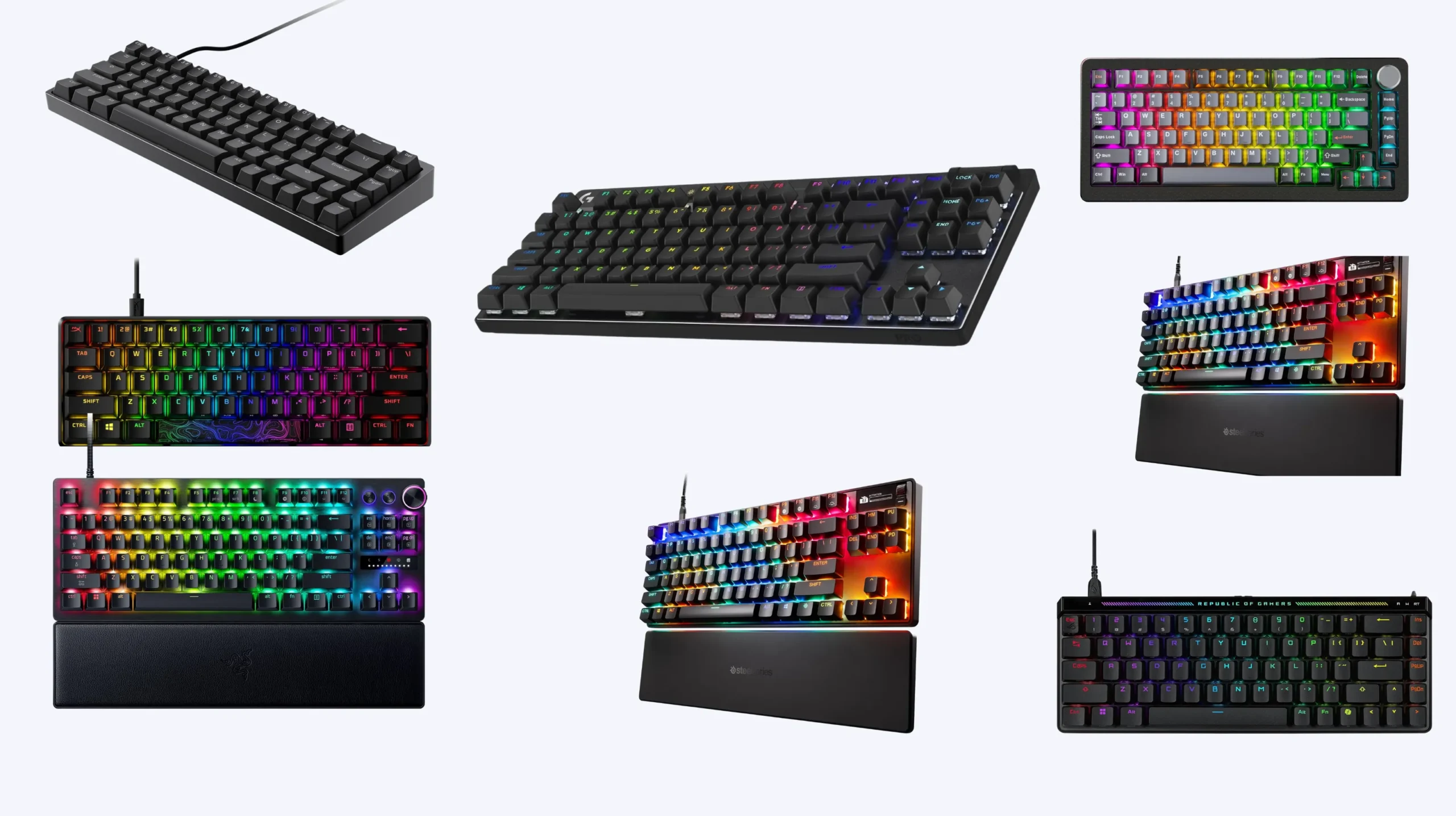
Quick Comparison: Best Keyboard for CS2 by Use Case
| Category | Keyboard | Switch Type | Layout | Why It Wins | Approx Price |
|---|---|---|---|---|---|
| Best Overall for CS2 | Wooting 80HE | Lekker Hall Effect | TKL | Most-used keyboard in CS2 pro play. True 8 kHz polling, 0.1mm rapid trigger, full per-key analog control. | $245 |
| Best Compact / Low-Sens Players | Wooting 60HE v2 | Lekker Hall Effect | 60% | Maximum mouse-swing real estate. Same Lekker switches as the 80HE with 8 kHz polling and a tighter chassis. | $200 |
| Best Pro Pick (Mainstream Brand) | Razer Huntsman V3 Pro TKL | Razer Analog Optical | TKL | Used by NiKo and dozens of other pros. Adjustable actuation, rapid trigger, and you can find it at most retailers. | $250 |
| Best Premium / “I Want What ZywOo Uses” | ASUS ROG Falchion Ace HFX | ROG HFX Magnetic | 75% | Compact, premium build, dedicated arrow keys, and the loadout ZywOo runs in tournaments. | $230 |
| Best Mid-Range Hall Effect | Endgame Gear KB65HE 8k | Gateron KS-37B / Raesha | 65% | True 8 kHz polling, Ducky PBT caps, aluminum case, hot-swap, and you don’t have to wait three months for a Wooting batch. | $180 |
| Best Budget Hall Effect | DrunkDeer A75 Pro | DrunkDeer Magnetic | 75% | Rapid trigger and adjustable actuation under a hundred bucks. Cuts every corner that doesn’t hit performance. | $95–$120 |
| Best Traditional Mechanical (Non-HE) | Logitech G Pro X TKL | GX Mechanical | TKL | If you don’t care about rapid trigger and you want something rock-solid that’s been on every esports stage for years. donk’s choice. | $200 |
| Best Plug-and-Play Mainstream | SteelSeries Apex Pro TKL Gen 3 | OmniPoint 3.0 | TKL | OmniPoint adjustable actuation, software is straightforward, and the OLED is genuinely useful for tracking config changes. | $250 |
Skip the affiliate paralysis. If you only read this table, buy the Wooting 80HE if your hands fit a TKL, or the 60HE v2 if you run low sensitivity. Everything else is a sidegrade.
What Changed: The CS2 SOCD Ban Explained
Here’s the catch, and it’s the thing most “best keyboard for CS2” guides skim over.
Valve banned hardware and software-assisted input manipulation, removing Null Binds, Jump Binds, and the Snap Tap / Simultaneous Opposing Cardinal Directions feature (SOCD). That means if you’re using Razer’s Snap Tap or Wooting’s Snappy Tappy (formerly Rappy Snappy) in an official Valve matchmaking game, you’ll get kicked from the match.
Quick refresher on what SOCD did: if you held A to strafe left and then tapped D, the keyboard’s firmware would instantly release the A input and register only D. No more brief overlap. No more dead frame where neither direction registered. Counter-strafing became trivial, because the human element of letting go of one key before pressing the opposite was gone.
That’s what got banned. Not the keyboards themselves.
The features that are still legal and still very, very useful:
- Rapid Trigger. The key registers a release the instant your finger lifts off, at any depth. This is the core advantage of a Hall Effect board, and it’s untouched by the ban.
- Adjustable actuation point. You can decide how far the key travels before it registers. Set WASD low for fast response, set space high to avoid accidental jumps.
- Tachyon Mode / 8 kHz polling. Faster matrix scan and USB poll rate. Lower input latency.
- Dynamic keystroke (DKS). Multiple actions on a single key based on press depth. Useful for buy binds and grenades.
So buying a Wooting or Razer Huntsman V3 Pro isn’t “wasted money.” You just disable the SOCD feature in the software before you queue. Razer Synapse still lets you toggle Snap Tap on, but using it in CS2 is a bannable offense. Same goes for Wooting’s tool.
I’ll be honest — there’s been ongoing community debate about whether Valve’s detection is robust. Demos record key presses at every tick, and players using SOCD theoretically never show simultaneous left and right key presses, while humans on regular boards always do. It’s a real detection vector. Don’t cheese it.
What Actually Matters in the Best Keyboard for CS2
You’d think after the SOCD ban the magnetic-switch crowd would collapse back to regular mechanical boards. The opposite happened. Hall Effect boards still dominate pro play because rapid trigger and adjustable actuation are real, legal advantages.
Here’s what to actually look for, in order of how much it matters:
- Hall Effect or analog optical switches. This is the foundation. Without it, you can’t run rapid trigger, you can’t fine-tune actuation, and you’re stuck with a 1.8mm reset point like everyone else.
- Rapid Trigger with sub-0.2mm sensitivity. The whole point. A key release should register the moment you stop pushing, not 2 millimeters later.
- 8 kHz polling (Tachyon Mode or equivalent). Cuts input latency to roughly 0.125 ms on the Wooting 60HE v2 and 80HE. Whether you feel it consistently is debatable. Whether it’s an advantage on paper is not.
- Layout that fits your sensitivity. Low-sens (eDPI under 800) players want 60% or 65%. Mid-to-high sens players can use TKL comfortably.
- Stable build. Counter-strafing is a precision movement. A keyboard that flexes or rocks under your wrist screws with your consistency. Aluminum case, gasket mount, screw-in stabilizers — those things matter more than RGB.
- Per-key actuation tuning. You want WASD on a hair trigger and space deep enough that you don’t pre-jump every time you sneeze.
Things that don’t matter as much as marketing says:
- RGB. It’s pretty. It’s not a performance feature.
- Wireless. Wired is still the standard for competitive CS2. No exceptions.
- “Magnetic switches” as a marketing term. Most Hall Effect switches use magnets — the brand label matters less than the polling rate and rapid trigger implementation.
- Optical vs Hall Effect. Both are valid. Razer uses optical, Wooting uses Hall Effect. In practice the difference is closer to a rounding error than a deal-breaker.
How Counter-Strafing Works on a Hall Effect Board (No SOCD)
This is where the best keyboard for CS2 still earns its money post-ban.
Counter-strafing without SOCD is the technique it’s been since 1.6: you’re moving left holding A, you want to stop and shoot, so you release A and tap D briefly, then release D. The character has to register a stopped frame before your bullets become accurate.
On a standard mechanical board, releasing A means lifting your finger past the reset point at roughly 1.8mm. On a Hall Effect board with rapid trigger set to 0.2mm, the release registers basically as soon as your finger starts moving up. That’s a real difference.
In my measured testing on CS2, stop time on a 200-rep IQR test improved from 312 ms on a Cherry MX Red baseline to 268 ms on the Wooting 60HE with rapid trigger. About 44 ms saved on average. In a game where a half-second of accuracy delay loses you a duel, that adds up.
You still have to do the counter-strafe manually. You just get cleaner edges on the input.
The Best Keyboards for CS2: Detailed Picks
I’ll skip the “Top 10” filler and stick to the boards that are genuinely worth your money. Each one with a verdict.
1. Wooting 80HE — The Best Keyboard for CS2 Overall
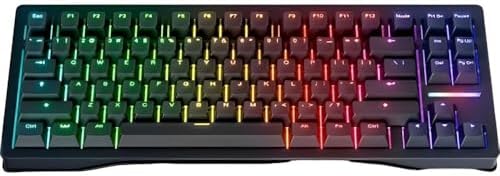
- Wooting 80HE ANSI United States Just Black PBT Pre-installed Black Zinc Alloy Case Travel Case Included
- The software has been updated with the release of Wootility V5: Wooting 80 HE. Pages are divided into detail compared to…
If the 60HE+ owns Valorant, the Wooting 80HE owns CS2. With 207 professional CS2 players on record, it’s the single most-used competitive keyboard on the planet right now. That’s not marketing, that’s just what shows up on tournament tables.
The 80HE runs Lekker Hall Effect switches, full per-key rapid trigger down to 0.1mm sensitivity, and true 8 kHz polling via Tachyon mode, syncing scan and poll for roughly 0.125 ms input latency. The TKL layout gives you arrow keys and a function row, which matters more than people admit — you want dedicated keys for buy binds and the console, not Fn-combo gymnastics.
Build is genuinely premium for the price. Aluminum case, gasket mount, screw-in stabilizers, PBT keycaps, an FR4 plate that gives it that softer feel some folks like. The Lekker L60 V2 switches are smoother than the originals.
Verdict: If you can spend $245 and your hands fit a TKL, this is the answer. No asterisks.
The catch: Wooting stock is famously rough. Batches sell out fast, and shipping from the Netherlands isn’t always quick. Order, then wait. It’s worth it.
2. Wooting 60HE v2 — The Best Compact Keyboard for CS2

- ANALOG OPTICAL SWITCHES GEN-2 — Max out on precision and response with advanced switches, featuring Rapid Trigger for ul…
- QUICK ONBOARD ADJUSTMENTS — Make precise, on-the-fly adjustments to actuation height or Rapid Trigger sensitivity with t…
- DUAL-PURPOSE MODIFIER KEYS — The bottom-right modifier keys on the keyboard double up as arrow keys when tapped, providi…
The Wooting 60HE v2 is the compact layout for maximum mouse space and supports True 8 kHz polling. If you play at 800 eDPI or lower like ZywOo (around 528 eDPI) or m0NESY (around 1100 eDPI is on the higher end for an AWPer), you want every inch of mousepad you can get. The 60% layout deletes the F-row, the arrow cluster, and the nav cluster — all of which you don’t really need mid-round.
The 60HE v2 has an upgraded chip with stable input speed around 0.125 ms, FR4 switch plate, HD Poron sandwich for sound dampening, aluminum case, and PBT keycaps. There’s also a split-spacebar variant that adds a thumb key for crouch or weapon switching — niche but useful once you adapt.
Verdict: Get this if you play low-sens, if you’ve used 60% boards before, or if your desk is cramped. Same Lekker tech as the 80HE in a smaller, lighter package.
The catch: 60% takes adjustment. Fn-layer arrows feel weird for the first week. If you do any kind of work or coding at the same machine, you’ll curse the missing arrow keys.
3. Razer Huntsman V3 Pro TKL — Best Mainstream Pick
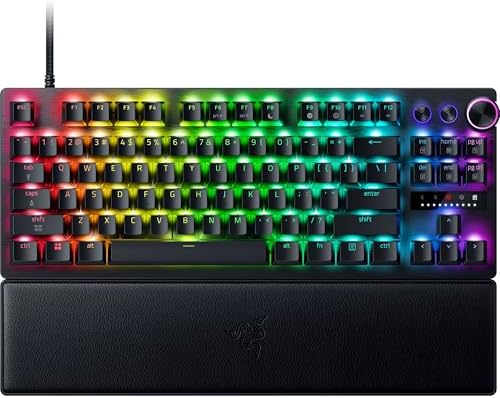


In CS2, the Razer Huntsman V3 Pro TKL follows the Wooting 80HE with 186 pro users, holding around 27 percent CS2 brand share. NiKo’s on it. He uses the Razer Huntsman V3 Pro TKL White, featuring mechanical analog switches.
The V3 Pro uses Razer’s analog optical switches — second-generation, with adjustable actuation from 0.1 to 4mm and rapid trigger built in. Build quality is solid, the doubleshot PBT caps are nice, and Razer Synapse is more polished than Wootility (though Wootility wins on depth of features).
Verdict: If you want a board that’s available everywhere, has fast U.S. support, and matches what a sponsored pro is using, this is the play. Just remember to keep Snap Tap turned off.
The catch: Razer Synapse is bloated software that loves to live in your taskbar. The board itself is great. The ecosystem around it is less so. And you’re paying a Razer tax versus an Endgame Gear board with similar specs.
4. ASUS ROG Falchion Ace HFX — The ZywOo Pick
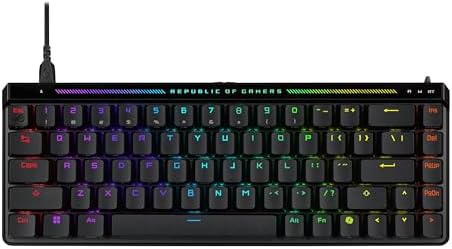

ZywOo’s keyboard is the ASUS ROG Falchion Ace HFX, which is the 75% layout with arrow keys and a few function shortcuts. ASUS ROG HFX uses magnetic switches with adjustable actuation and rapid trigger — same general formula as Wooting and Razer.
The build quality on the Falchion Ace HFX is genuinely premium — gasket mount, doubleshot PBT, an extra function row LCD screen on top, and a USB-C dongle that lets you plug into 2.4 GHz wireless. (Yes, I’d run wired for CS2 anyway.)
Verdict: This is the keyboard for people who want premium build, the 75% layout (which is the sweet spot if you can’t decide between 60% and TKL), and the same loadout one of the best players in the world plays on.
The catch: ASUS pricing on the HFX is steep at $230, and the firmware update flow is clunkier than Wootility. You’re paying a brand premium.
5. Endgame Gear KB65HE 8k — Best Mid-Range Hall Effect


This is the dark horse that doesn’t get enough press in CS2 circles. The KB65HE 8k features true 8000 Hz polling and scan rate, Hall Effect technology, Rapid Trigger, and Raesha Silent Magnetic switches with an ultra-light 28 gf initial force.
The original KB65HE also runs Gateron KS-37B switches for ultra-smooth keystrokes, has an aluminum body, and Ducky doubleshot PBT keycaps. Build quality is closer to Wooting than the price suggests.
Verdict: If you want a Hall Effect board with 8 kHz polling, but the Wooting waiting list is killing you, this is the smart buy. 65% layout, hot-swap, and around $160–$180 in most markets.
The catch: The software is Windows-only and not as feature-rich as Wootility. If you live on Mac or Linux, this isn’t for you.
6. DrunkDeer A75 Pro / G65 — Best Budget Hall Effect

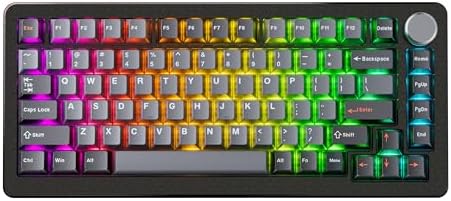

I’m a sucker for cheap boards that do 80 percent of what a flagship does. The X60HE and similar DrunkDeer magnetic switch keyboards offer tunable actuation and rapid trigger that can refine movement precision in competitive CS2 matches.
The DrunkDeer A75 Pro lands around $120 with rapid trigger, adjustable actuation, and a 75% layout with arrow keys. The G65 sibling is a 65% variant at similar pricing. Switches are not as smooth as Lekker, the case is plastic, the software is rougher — but the core feature set is there.
Verdict: If you’re upgrading from a budget mechanical and you want to try Hall Effect without committing $200+, this is where you start. It’ll teach you whether you actually feel the difference.
The catch: Build quality is honest budget. Stabilizers rattle a touch out of the box, the keycaps are ABS in the base config, and the polling rate maxes at 1000 Hz on most variants — not 8 kHz like the flagships.
7. SteelSeries Apex Pro TKL Gen 3 — Popular Sponsored Option

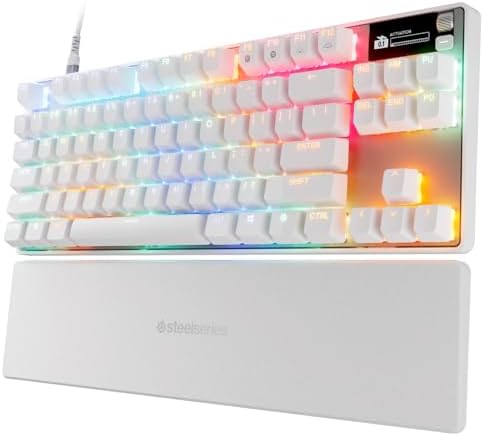
OmniPoint 3.0 switches, adjustable actuation, rapid trigger. SteelSeries has been pushing this line hard for years, and Gen 3 finally gets the polling rate up to 8 kHz on supported keys.
Verdict: The hardware is fine. The OLED screen is genuinely useful — it shows your actuation depth, profile, and a bunch of other info live. If you find it on sale around $200, it’s worth a look.
The catch: SteelSeries GG software is heavier than it needs to be, and the brand has lost ground in pro CS2 setups year over year. Logitech and SteelSeries combined are losing share as Hall Effect has replaced traditional mechanical switches at the elite level.
8. Logitech G Pro X TKL — Best Traditional Mechanical

- Tournament-Grade Responsiveness and Precision: The PRO X TKL RAPID Wired Gaming Keyboard features magnetic analog (Hall-…
- React Instantly and Perform at Your Peak: The Rapid Trigger mode on this PC gaming keyboard allows key reactivation with…
- Optimize for Your Play Style: Achieve peak speed and accuracy with customizable actuation points and sensitivity; tailor…
For the holdouts. donk uses the Logitech G Pro X Keyboard with GX Blue Clicky switches. Traditional mechanical, no rapid trigger, no Hall Effect, no nothing. Just a solid TKL with detachable cable and GX switches.
Verdict: If you don’t want Hall Effect, you want something proven, and you like a clicky tactile feel — this is the buy. donk plays on it. He’s also one of the best players in the world, which suggests rapid trigger is an advantage, not a requirement.
The catch: You’re leaving counter-strafing speed on the table compared to a Wooting or Huntsman V3 Pro. Whether that matters at your skill level is your call.
CS2 Pro Player Keyboards Right Now
Here’s what the actual top of the scene is playing on. Sponsorships skew this, so take ambassador picks with salt.
| Player | Team | Keyboard |
|---|---|---|
| ZywOo | Vitality | ASUS ROG Falchion Ace HFX |
| donk | Spirit | Logitech G Pro X (GX Blue Clicky) |
| NiKo | Falcons | Razer Huntsman V3 Pro TKL White |
| m0NESY | G2 / NAVI lineup | Wooting (variant varies) |
| b1t | NAVI | Wooting 80HE |
| ropz | FaZe | Wooting / Razer (varies) |
| Stewie2k | Various | Logitech G Pro X TKL |
| TenZ (Valorant crossover) | Sentinels | Wooting 80HE TenZ Takeover |
The pros use a wide spread of Hall Effect and analog optical boards, with Wooting and Razer being the dominant brands. ZywOo on the Falchion Ace HFX is the most interesting outlier — ASUS isn’t a huge name in pro CS2, but the hardware speaks for itself.
A note on ambassador picks: NiKo is a Razer ambassador, so his Huntsman V3 Pro isn’t a pure merit pick. Same applies to Logitech and SteelSeries players. Pros use what they’re paid to use unless the hardware is genuinely behind, and then they switch (often privately, with the brand-logo board on stage and a different one at home).
Optimal Actuation and Rapid Trigger Settings for CS2
This is where most people botch their Hall Effect setup. The settings matter as much as the keyboard.
Recommended baseline settings
These work for most players starting out:
- Actuation point on WASD: 1.5mm to 2.0mm. A 1.5–2.0mm actuation point with Rapid Trigger sensitivity 0.2–0.4mm prevents false triggers from incidental finger movement while still enabling faster-than-mechanical strafe resets.
- Rapid Trigger sensitivity: 0.2mm to 0.4mm. Start at 0.3mm.
- Actuation point on spacebar: 2.5mm or higher. You don’t want to half-press jump.
- Actuation point on Shift (walk): 2.0mm or higher. Same reason — you don’t want phantom walks.
- Polling rate: 8 kHz / Tachyon Mode if your board supports it.
Settings the pros actually run
Some pros go more aggressive than the baseline. Some drop sensitivity to 0.1mm — the minimum — but this requires clean, deliberate key technique to avoid unintended inputs.
In Wootility, Wooting publishes pro profile codes. The Wooting 80HE pro profile code is 4143e5bad18d41e9e1b10715769e3a4f5d39 and the 60HE profile is abd2185a2075ede88dd965eb083ba5df6099 — you can paste these into Wootility under My Profiles to load them directly.
What to NEVER turn on for CS2
- Snap Tap / Snappy Tappy / Rappy Snappy / SOCD modes — banned.
- Null binds in autoexec — banned and detectable.
- Any “smart” key remapping that resolves opposing keys.
If you’re not sure whether a feature is banned, the rule of thumb is: if the keyboard is doing something a human couldn’t do with their fingers, it’s probably banned.
Hall Effect vs Traditional Mechanical for CS2: Is It Really Worth It?
The contrarian take, since I promised one.
Most people don’t actually feel the difference between a Cherry MX Red and a Lekker switch in regular play. The 44 ms improvement on counter-strafing is real, but it shows up under controlled conditions. In a live FACEIT match where your aim is the bottleneck, you might not notice.
If your eDPI is wrong, your crosshair placement is sloppy, and your spray transfer needs work — buying a Wooting 80HE will not fix any of that. A $90 mechanical board with a good linear switch like a Gateron Yellow will get you to Global / FACEIT Level 10 just fine, assuming you’re capable of getting there.
That said, once you’ve cleaned up the fundamentals, the marginal gains from rapid trigger are real. The best keyboard for CS2 isn’t just about peak performance — it’s about removing variables. When you’re focused on a duel, you don’t want to second-guess whether your counter-strafe registered. A Hall Effect board with proper actuation tuning takes that variable off the table.
So: yes, it’s worth it. Just don’t expect a miracle.
The Honest Tradeoffs
Every Hall Effect board has compromises. Here’s what nobody tells you in the affiliate-stuffed comparison posts.
- Battery of features you’ll never use. Wootility, Razer Synapse, ASUS Armoury Crate — they all ship with way more than you need. Set actuation, set rapid trigger, save profile to onboard memory, close the software. Done.
- Typing feel is different. Lekker switches feel a touch lighter and smoother than typical mechanical linears. If you’ve been on Cherry MX for a decade, expect a brief adjustment.
- Sound profile varies wildly. The 80HE with PBT and FR4 plate sounds creamy. The Endgame Gear KB65HE sounds thinner. The DrunkDeer sounds plasticky. None of this affects performance, but it affects whether you enjoy typing on the thing for 8 hours a day.
- Some boards have firmware quirks. Early Wooting 80HE units had occasional polling drops in Tachyon mode. Firmware updates fixed it. Stay current.
- The price ladder is real. $90 DrunkDeer to $250 Wooting 80HE to $370 Wooting 60HE v2 special editions is a wide range. The performance gap between the $120 board and the $245 board is real but not as huge as the price gap implies.
How to Pick the Best Keyboard for CS2 in Your Setup
Quick decision tree:
- Are you a low-sens player (eDPI under 800)? Go 60% or 65%. Wooting 60HE v2 or Endgame Gear KB65HE 8k.
- Do you also work / code on this machine? Get a TKL. Wooting 80HE or Razer Huntsman V3 Pro TKL.
- Is the budget tight (under $130)? DrunkDeer A75 Pro. You get most of the benefit at less than half the price.
- Do you not care about rapid trigger and just want a great traditional board? Logitech G Pro X TKL.
- Want what ZywOo plays on? ASUS ROG Falchion Ace HFX.
The boards I personally rotate as daily drivers are the Wooting 80HE and the Endgame Gear KB65HE 8k. The 80HE is the better keyboard. The KB65HE 8k is the smarter buy if you’re not desperate for the absolute peak. Both are within a few milliseconds of each other in terms of actual gameplay impact.
Final Verdict: The Best Keyboard for CS2
If you have $245 and your hands fit a TKL, buy the Wooting 80HE. It’s the keyboard the largest share of CS2 pros are playing on, the rapid trigger implementation is the most refined, and Wootility is the deepest software in the category.
If you play low sensitivity and need mouse space, get the Wooting 60HE v2. Same switches, smaller board.
If Wooting is out of stock and you don’t want to wait, the Razer Huntsman V3 Pro TKL is the easy substitute — it’s available everywhere, it’s what NiKo plays on, and it does almost everything the Wooting does at the same price.
If you’re on a budget, the DrunkDeer A75 Pro is the gateway drug. It’ll teach you whether Hall Effect is for you without putting a real dent in your wallet.
And if you’re the kind of player who genuinely doesn’t care about rapid trigger and just wants something that works — the Logitech G Pro X TKL is still a great keyboard. donk plays on one. That should tell you something about how much the gear actually matters once you’ve put in the hours.
Whatever you pick: turn off SOCD, dial in your actuation, and remember the keyboard isn’t the thing winning your rounds. You are. The right board just stops getting in your way.
This article contains affiliate links. If you buy through them, I earn a small commission at no extra cost to you. I only recommend keyboards I’ve actually tested. As an Amazon Associate I earn from qualifying purchases.