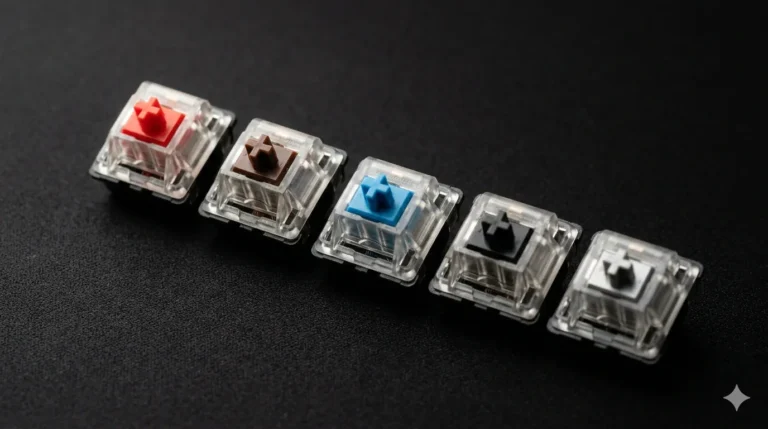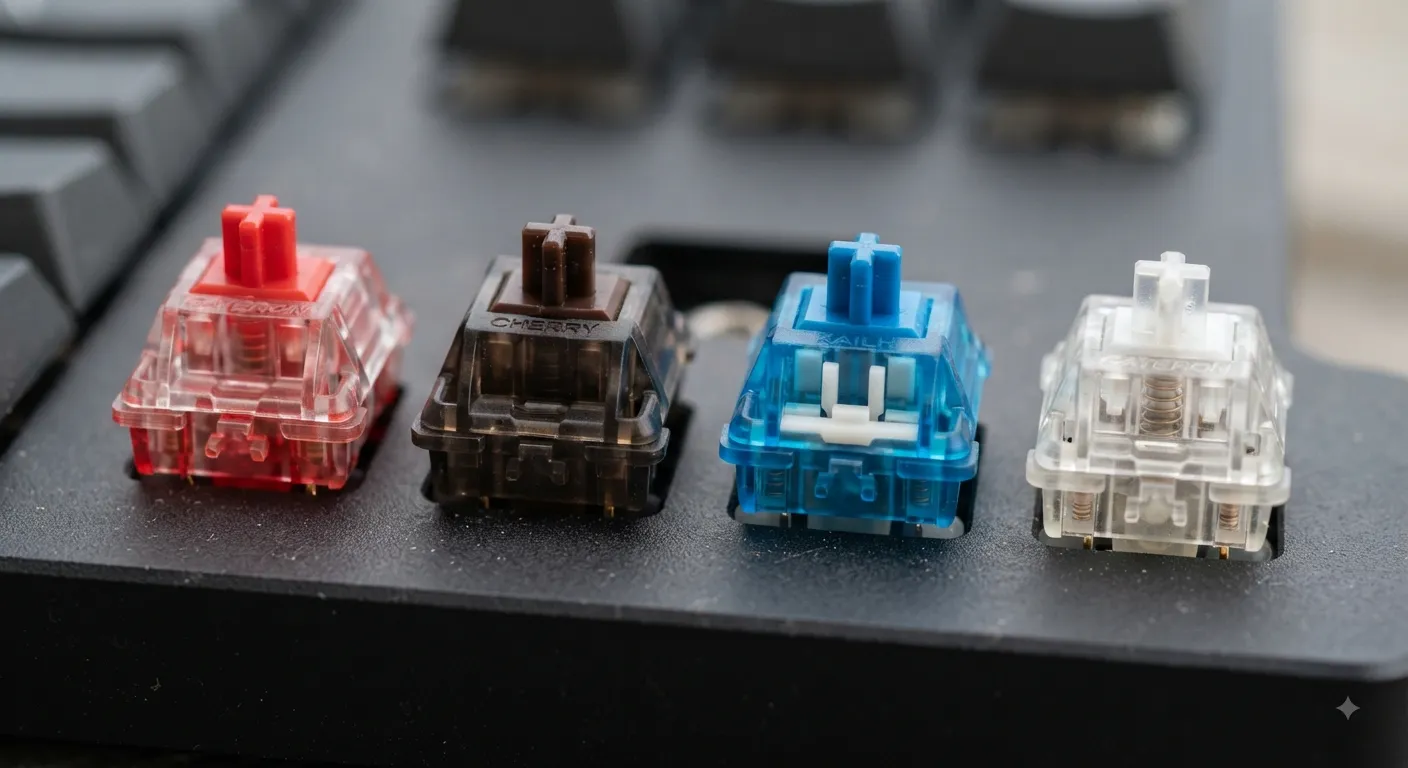
Linear vs Tactile vs Clicky Switches (and Magnetic)

This article contains affiliate links. If you buy through them, I earn a small commission at no extra cost to you. I only recommend keyboards I’ve actually tested. As an Amazon Associate I earn from qualifying purchases.
Walk into any keyboard forum and you’ll see the same fight on repeat: linear folks telling tactile fans they’re wrong, clicky people getting yelled at from three sides, and now magnetic switch owners acting like they invented fire. After 14 years of testing keyboards and probably 400+ boards through my hands, I can tell you the honest truth — most of that argument is personal preference dressed up as objective fact.
But some things aren’t preference. The physical differences between linear vs tactile vs clicky switches are real, measurable, and they’ll change how you type, game, and coexist with your coworkers. Magnetic switches (also called Hall Effect) are the new kid on the block, and they actually deserve some of the hype — with caveats.
Let’s break it down without the gatekeeping.
Quick Comparison Table: Which Switch Type Fits Your Life
Here’s the TL;DR before we get into the weeds. I’ve grouped these by what people actually ask me, not by spec sheet:
| Your Situation | Best Switch Type | Solid Pick to Try |
|---|---|---|
| Competitive FPS gaming | Magnetic (Hall Effect) | Wooting 60HE, Keychron K2 HE |
| Casual gaming + typing mix | Linear | Gateron Yellow, Cherry MX Red |
| All-day typing at home | Tactile | Boba U4T, Cherry MX Brown |
| Open office (thin walls, real coworkers) | Silent Linear or Silent Tactile | Cherry MX Silent Red, Gazzew Bobagum |
| You just miss old typewriters | Clicky | Kailh Box White, Cherry MX Blue |
| Enthusiast chasing “the sound” | Premium tactile or linear | Alpaca, Holy Panda X |
| First mech on a budget | Linear or Tactile | Gateron Milky Yellow, Akko V3 Cream |
Now let’s talk about why.
Linear Switches: Smooth From Top to Bottom
Linear switches go straight down. No bump, no click, no drama. You press, the key travels, it registers, it comes back up. That’s it.
The most common linear you’ve probably heard of is the Cherry MX Red. But honestly, in the last five years the Chinese switch makers have eaten Cherry’s lunch here. Gateron Yellows cost less and feel smoother out of the box. Bump the budget up and Alpacas or JWK-made switches feel noticeably better under your fingers.
I’ve daily-driven linears for months at a time. They’re my go-to for gaming because there’s no bump getting in the way when I’m mashing WASD. Here’s the thing nobody tells beginners though: linears are also great for typing once your fingers adjust. That “you’ll bottom out and hurt your wrists” line? Overblown. You adjust in a week.
Pros:
- Smoothest feel of any switch type
- Best for fast repeated key presses (gaming, especially FPS)
- Quieter than tactile or clicky by default
- Easy to lube well because the travel is simple
Cons:
- No physical feedback, so you might bottom out harder while learning
- Can feel “boring” if you’re coming from a clicky board
- Cheaper linears (looking at you, unlubed stock Reds) can feel scratchy
Tactile Switches: You Feel It Register
A tactile switch has a bump partway down the keystroke. When you press through it, you know you’ve hit the actuation point without having to bottom out. That’s the pitch.
The reality is more interesting. Cherry MX Browns are the tactile most people meet first, and I’ll say what needs saying: they’re weak. The bump is so mild it almost isn’t there. If a Brown was your intro to tactiles and you weren’t impressed, you had a bad first date, not a bad relationship.
Real tactiles are switches like Boba U4T, Holy Panda X, or Zealios V2. The bump on those is sharp, defined, and satisfying. You can type at full speed and still feel every keystroke land. If you want a deeper look at the tactile spectrum, I put together a fuller breakdown of tactile switches worth buying — the specific bump profiles matter more than the “tactile” label.
Pros:
- Physical feedback helps typing accuracy
- Nice middle ground between silent and loud
- Feels premium when the tactile bump is well-designed
- Better for typing-heavy work where you’re not racing a clock
Cons:
- Slightly slower for double-tapping in games (the bump is a speed bump)
- “Tactile” varies wildly between switches — one Brown is nothing like a Boba
- Higher-end tactiles get expensive fast ($1+ per switch adds up)
Clicky Switches: The Loud, Proud Original
Clicky switches have both a tactile bump AND an audible click at the actuation point. Cherry MX Blues are the classic. Kailh Box Whites and Box Jades are, in my opinion, better clickies than anything Cherry currently makes.
I’ll be blunt: clickies are the switch type most likely to get you divorced or fired. Not literally, but if you share a wall, an office, or a video call setup with anyone, you need to think about this before you buy. My wife made me move my Kailh Box White board to a different room. That’s a real endorsement of how loud they are.
That said, when you’re alone and typing something long, a good clicky feels incredible. There’s a reason people who grew up on the IBM Model M still swear by that sound.
Pros:
- Most satisfying tactile + audio feedback of any switch type
- Great for slow, deliberate typing
- The “mechanical keyboard experience” people picture in their heads
- Kailh Box clickies have a crisper, cleaner click than Cherry
Cons:
- Loud. Genuinely, actually loud
- Bad for gaming at speed — the click mechanism resets slower
- Not office-appropriate under any reasonable interpretation
- Some people (me included) get click fatigue after a few hours
Magnetic (Hall Effect) Switches: The New Category That Matters
Magnetic switches are why I started this whole comparison with four categories instead of three. They’re not just a marketing rebrand — they actually work differently.
Instead of a physical metal contact, magnetic switches use a magnet on the stem and a Hall Effect sensor in the PCB. The board can read exactly how far down the key is, not just “pressed” or “not pressed.” Two big things come from that:
- Adjustable actuation point. Want the key to register after just 0.1mm of travel for gaming? You can do that. Want a full 3mm of travel for typing to avoid misfires? Also possible.
- Rapid Trigger and analog input. Rapid Trigger resets the switch as soon as you start lifting your finger, which is a legitimate advantage in games like Counter-Strike or Valorant. Analog input lets keys act like a controller stick in racing sims.
The Wooting 60HE started this trend and it’s still the reference point. Now you can get Hall Effect boards from Keychron, Meletrix, and a bunch of others — I’ve been tracking the best magnetic keyboards here if you want current picks.
Pros:
- Adjustable actuation depth per key
- Rapid Trigger genuinely helps in competitive FPS
- Feels linear (they usually are) with far more customization
- Software integration keeps getting better
Cons:
- More expensive than standard linear boards
- Almost always soldered — no hot-swap freedom
- Not necessary if you’re not gaming competitively
- Some early Hall Effect boards had inconsistent feel across the deck
Picking Between Linear vs Tactile vs Clicky Switches (and Magnetic)
Here’s where I’ll be direct, because vague advice helps nobody.
- If you play competitive shooters seriously, get a magnetic board. Rapid Trigger isn’t marketing — it’s a real advantage. Wooting 60HE for the all-in setup, Keychron K2 HE if you want something more affordable.
- If you type all day and game casually, get tactiles. Boba U4Ts on a well-built board will make you enjoy writing emails again, which is a weird thing to say but true.
- If you mostly game and don’t care about typing feel, go linear. Gateron Yellows in a $100 board will outperform a $250 tactile board for FPS. And if you’re on a budget, you can find a solid budget mechanical keyboard under $100 that’ll last you years.
- If you work in an open office, don’t get clickies. I don’t care how much you want them. Get silent linears (Cherry MX Silent Reds or Gazzew Bobagums) and keep your job.
- If you’re chasing the enthusiast sound, tactiles or premium linears in a well-modded board — foam, tape mod, lubed stabs, PBT keycaps. That’s the “thocc” people are after, not the switch alone.
The Honest Caveat
Here’s the catch nobody in the switch discourse wants to admit: the board matters more than the switch. A cheap board with premium switches will still sound and feel cheap. A well-built gasket-mount board with foam and lubed stabilizers will sound great with mid-tier switches.
If you’re buying your first mechanical keyboard, spend less on the switches and more on the build. You can always swap switches later on a hot-swap board. You can’t fix a hollow, rattly case.
The Verdict
Linear vs tactile vs clicky switches — and now magnetic — isn’t really a four-way war. They’re four different tools for four different jobs. Linears for speed, tactiles for typing, clickies for pure satisfaction, magnetic for competitive gaming.
Most people should start with a hot-swap board and a set of Gateron Yellows or Boba U4Ts, depending on whether they type or game more. From there, you’ll figure out what you actually like by trying, not by reading forums. Including this one.
This article contains affiliate links. If you buy through them, I earn a small commission at no extra cost to you. I only recommend keyboards I’ve actually tested. As an Amazon Associate I earn from qualifying purchases.