Best Wireless Gaming Keyboard for MMO & MOBA

This article contains affiliate links. If you buy through them, I earn a small commission at no extra cost to you. I only recommend keyboards I’ve actually tested. As an Amazon Associate I earn from qualifying purchases.
Here’s the thing nobody tells you about wireless gaming keyboards: most of them are built for FPS players. Light, fast, minimal keys, fewer features in the way. That’s fine if you’re playing Valorant. It’s a problem if you’re a Resto Druid juggling 38 keybinds, or a support main who needs three different ward macros bound and ready.
MMO and MOBA players are a weirder audience. You need macros — sometimes a lot of them. You need every key to register when you’re mashing during a teamfight or a raid pull. You need switches that won’t murder your fingers across a four-hour session. And you need a wireless connection that doesn’t add input lag, because if there’s one place latency will get you killed, it’s a 2-second cast bar in a progression raid.
I’ve been running wireless boards as my daily for the better part of a year. Some I bought. Some I borrowed. A few I’d hand back without hesitation. Below is the short list that actually held up, plus what I’d skip and why. The best wireless gaming keyboard for MMO play isn’t the same board I’d hand a Dota 2 player, so I’ve broken it down by what you actually do in front of the screen.
TL;DR — Quick Comparison Table
| Your Situation | The Board | Why It Wins | Catch |
|---|---|---|---|
| Heavy MMO macro user (WoW, FFXIV, ESO) | Logitech G915 X Lightspeed | 5 dedicated G-keys, Lightspeed wireless, low-profile switches | Pricey, and you’re stuck with GL switches |
| MOBA reflex player (LoL, Dota 2, HotS) | SteelSeries Apex Pro TKL Wireless | OmniPoint adjustable actuation, fast 2.4GHz | Software is fine, not great |
| Enthusiast who also raids | Asus ROG Azoth | Gasket mount, hot-swap, OLED, real typing feel | No macro column; you’ll lean on layers |
| Best value wireless for either genre | Keychron Q3 Max | QMK/VIA, hot-swap, full aluminum, programmable everything | Heavy, and the stock switches are fine, not amazing |
| All-day comfort, low fatigue | Lemokey L3 | Gasket, hot-swap, 1000Hz wireless polling | Smaller community = fewer keycap options |
If you only read the table, you’ve got 90% of what most people need. Below is the why.
What MMO and MOBA Players Actually Need from a Wireless Keyboard
The marketing for “gaming” keyboards is mostly the same regardless of what you play. RGB, “esports-grade,” polling rate numbers nobody can feel. For our two genres specifically, the real requirements come down to four things:
- NKRO or high rollover over wireless. A lot of wireless boards drop to 6KRO over Bluetooth. That’s a problem when you’re holding strafe, jumping, blinking, and trying to fire off an interrupt at the same time. You want full N-key rollover on the 2.4GHz dongle.
- Sub-1ms wireless that doesn’t fall apart on a busy desk. Logitech’s Lightspeed and Razer’s HyperSpeed are both solid. Bluetooth is fine for chat, not for raid night.
- Macros — either dedicated keys or strong layer support. This is where MMO and MOBA needs split. MMO players benefit from physical extra keys. MOBA players usually do fine with crisp remapping on the existing keys.
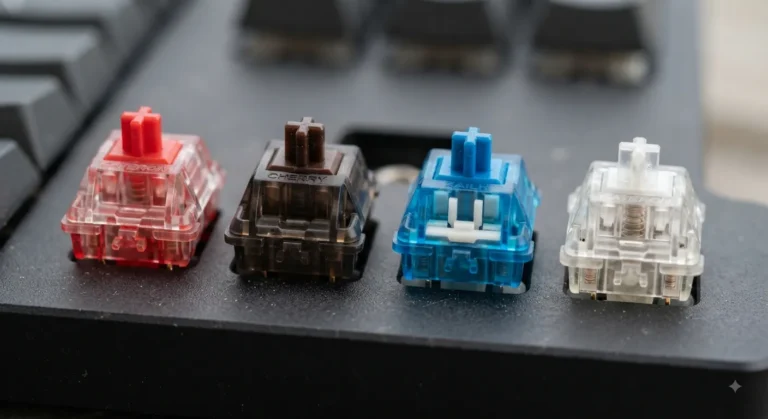
- Switches that don’t wreck your hands at hour three. Heavy clicky switches sound great in YouTube reviews and feel like garbage during a five-hour raid. Linears or light tactiles win for endurance.
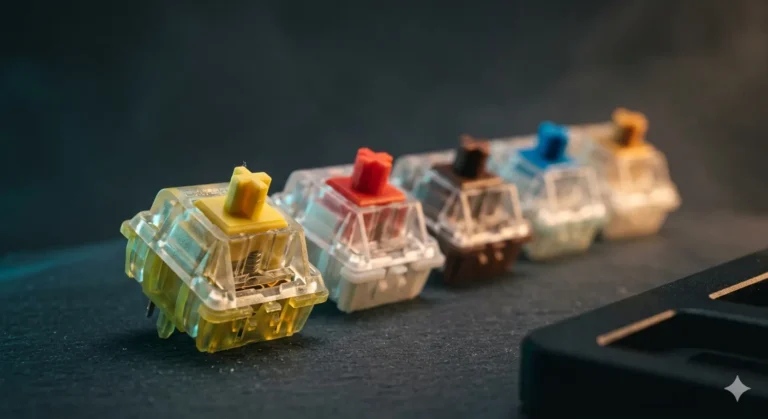
If you’re new to switches and want to figure out what your fingers actually like, this breakdown of switch types is a good starting point.
Best Wireless Gaming Keyboard for MMO: Logitech G915 X Lightspeed
If I had to pick one board for a serious MMO player, it’s still the G915 line, and the newer G915 X Lightspeed is the version to get. Five dedicated G-keys sit on the left edge — five physical buttons you can macro to whatever you want, with three profiles, so functionally you’ve got 15 macros without touching a layer.
Why it actually works for MMOs:
- Real macro hardware, not just remapped Fs. Your existing keybinds stay intact.
- Low-profile GL switches keep your fingers from getting tired across long sessions. The tactile version has a real bump; the linear is featherlight.
- Lightspeed wireless is the closest wireless gets to wired. I’ve never noticed lag, and I’ve tried to.
- Battery life is genuinely good — I get a couple of weeks if I’m aggressive with RGB, longer if I dim it.
The catch: it’s not cheap, and you can’t swap the switches. If you hate low-profile switches, you’ll hate this whole board. Try one at Micro Center before you commit if you can.
Honest aside: I used to recommend the original G915 for this slot. The X is a real refinement, not a sidegrade — better wireless stack, better keycaps. If you already own a G915 and it works, don’t upgrade just for the sake of it.
Best Wireless Pick for MOBA: SteelSeries Apex Pro TKL Wireless

- THE WORLD’S FASTEST KEYBOARD — Push the boundaries with cutting-edge OmniPoint 3.0 switches and Rapid Trigger, Protectio…
- OMNIPOINT 3.0 — More than just fast, our newly redesigned Hall Effect Switch have 20x faster actuation and 11x quicker r…
- GAME-READY PRESETS — Gain a competitive edge in your favorite game with just a few clicks using GG QuickSet’s game-ready…
MOBA players care less about macro real estate and more about how fast a key actuates. The Apex Pro TKL Wireless uses OmniPoint magnetic switches with adjustable actuation depth — you can set Q, W, E, R to fire at 0.1mm and your chat key to fire at 3.8mm so you don’t accidentally type during a teamfight.
Why this fits MOBA play:
- Adjustable actuation per key is one of the few “gaming” features that genuinely changes how you play.
- TKL form factor keeps your mouse hand closer to your body, which matters more than people admit.
- 2.4GHz quantum wireless is fast enough that I never thought about it.
The catch: SteelSeries GG software does the job but feels dated next to Logitech G HUB. And the OLED screen on top is cute but mostly useless once the novelty wears off.
If you want to read more about how actuation distance actually affects play, this piece on gaming switches goes deeper.
Best Enthusiast Wireless That Still Games: Asus ROG Azoth

- Tri-mode connectvity: Seamlessly connect to three devices via Bluetooth. Experience ultra-low latency gameplay with ROG …
- Gasket Mount & Premium Sound Tuning: A silicone gasket mount and three layers of integrated dampening foam work in harmo…
- Hot Swappable, Pre-Lubricated Mechanical Switches: Customize your keystrokes with ROG NX Snow linear switches (buttery s…
The Azoth is the rare “gaming” board that an enthusiast would actually pick up. Gasket mount, sound-damping foam, hot-swappable ROG NX switches, an OLED on the top right, and proper 2.4GHz wireless. It types better than 90% of the wired gaming boards on the market.
Why it earns a slot here:
- Gasket mount with foam gives you that softer, less pingy typing feel without sounding hollow.
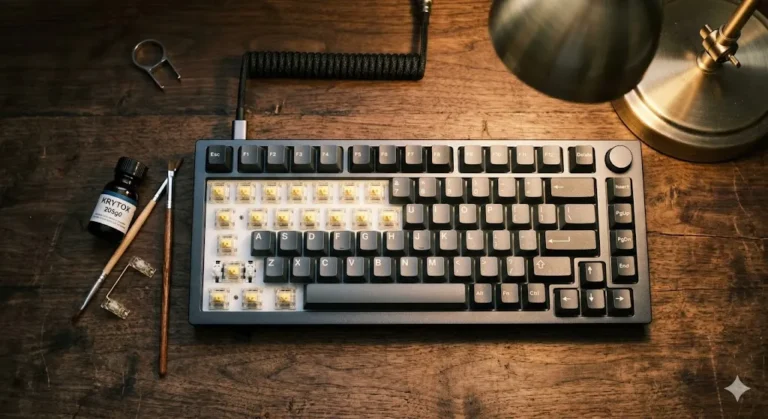
- Hot-swap means if you don’t like the stock switches, swap them. I put Akko V3 Cream Yellows in mine and never looked back.
- 75% layout keeps macros accessible via Fn-layer remapping, which is enough for most MOBA setups and a lot of MMO ones.
The catch: no dedicated macro column. If you’re a Holy Paladin with 50 binds, you’ll be living in layers, and that takes practice. Also, the included lube kit in the box is a fun touch but you can skip it.
For tips on dialing in a board you can actually mod yourself, the modding basics piece here is worth a read.
Best Value: Keychron Q3 Max

- Upgraded Wireless Full Metal Keyboard: The Q3 Max combines advanced 2.4 GHz wireless, Bluetooth, and Type-C wired connec…
- 2.4 GHz & Bluetooth: Enhanced performance with the seamless 2.4 GHz wireless connection and a rapid 1000 Hz polling rate…
- Remap with Keychron web app: Simply connect the Q3 Max to your device with a cable, open the Keychron Launcher web app, …
The Q3 Max is the wireless version of one of the most-loved aluminum boards on the market. TKL, full QMK and VIA support, hot-swap, gasket mount, double-shot PBT keycaps. Full programmability means you can macro any key, build layers, do tap-hold setups — basically anything an MMO or MOBA player could want, software-side.
What you get for the money:
- Real QMK/VIA, not a proprietary app you’ll regret in three years.
- Hot-swap PCB so you can choose your switches.
- Solid aluminum case that doesn’t slide around mid-game.
- 2.4GHz dongle plus Bluetooth, which means you can also use it as a work board on a second device.
The catch: it’s heavy. Like, really heavy. Don’t plan on traveling with this one. And the stock Jupiter switches are fine but not amazing — I’d budget for a set of Gateron Oil Kings or Akko Crystal Whites if you care about feel.
Best for All-Day Comfort: Lemokey L3
Lemokey is Keychron’s gaming-focused sub-brand, and the L3 is the one I keep coming back to for long sessions. Gasket mount, hot-swap, 1000Hz wireless polling on the dongle, and a 1800-compact layout that gives you a numpad without going full-size. For MMO players who use the numpad for binds, that matters.
Why it ends up on my desk a lot:
- 1000Hz polling rate over 2.4GHz wireless, which is rare at this price.
- Gasket mount actually does what it claims — soft bottom-out, no harsh edge.
- Numpad on a wireless board is genuinely useful for MMO key real estate.
The catch: the community around Lemokey is smaller than Keychron’s, so keycap and aftermarket support is thinner. If you’re someone who likes swapping keycaps every few months, factor that in.
For more on whether you should be using a numpad for binds at all, there’s a separate write-up on layouts here.
A Few Things the Spec Sheets Won’t Tell You
I’ll keep this part short, but it’s the stuff that actually matters once the box is open.
- 2.4GHz dongle placement matters. If your PC is under a metal desk and the dongle is plugged into the back, your “1ms wireless” will start dropping. Use the extension cable that comes in the box.
- Battery life claims assume RGB off. Cut every manufacturer’s number in roughly half if you’re running full RGB.
- NKRO settings sometimes need toggling. Several of these boards ship in 6KRO mode by default. Check your software.
- Bluetooth is a backup, not a primary. Use the dongle for gaming. Always.
The Verdict
If you play MMOs seriously and you can afford it, the Logitech G915 X Lightspeed is still the best wireless gaming keyboard for MMO play, full stop. The dedicated G-keys are doing real work and nothing else in its price range matches the combination of wireless quality and macro hardware.
If you’re a MOBA player and reflex is your currency, the SteelSeries Apex Pro TKL Wireless is the smarter pick. Adjustable actuation actually changes how you play, which I can’t say about most “gaming” features.
And if you’re somewhere in between, or you want a board that types as well as it games, the Asus ROG Azoth or Keychron Q3 Max will both treat you right — pick the Azoth if you want premium and the Q3 Max if you want better long-term value.
Whatever you land on, don’t buy a wireless board on RGB or marketing copy. Buy it on the switches, the wireless stack, and whether the layout fits how you actually play. The rest is decoration.
This article contains affiliate links. If you buy through them, I earn a small commission at no extra cost to you. I only recommend keyboards I’ve actually tested. As an Amazon Associate I earn from qualifying purchases.