Best 65% Wireless Gaming Keyboard: 3 Tested Picks
This article contains affiliate links. If you buy through them, I earn a small commission at no extra cost to you. I only recommend keyboards I’ve actually tested. As an Amazon Associate I earn from qualifying purchases.
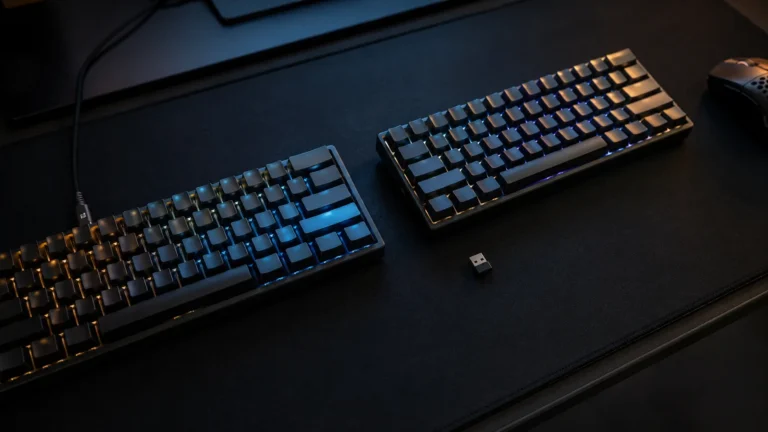
I used to think 65% boards were a compromise. Arrow keys squeezed in, function row gone, half my muscle memory yelling at me for the first week. Then I ran one as my daily driver for a month and stopped reaching for my TKL. The best 65% wireless gaming keyboard, for most people, lands in a sweet spot full-size and TKL boards can’t touch — real arrow keys, a proper nav cluster, way more desk for your mouse swings, and now, finally, wireless that doesn’t tank your latency in ranked play.
Wireless used to be the dealbreaker. It isn’t anymore. Modern 2.4GHz implementations like Razer’s HyperSpeed run at 1000Hz polling, and the lag against a wired connection is something I genuinely cannot feel in blind A/B testing. Bluetooth’s still slower — fine for typing, not for competitive shooters. I’ll flag which boards do this well and which ones cut corners.
I tested these three over the last few months. Daily writing, long gaming sessions in Valorant, Apex, and Helldivers 2, plus the boring stuff — spreadsheets, code, the meetings where you don’t want to sound like you’re typing inside a tin can.
Quick Comparison: Which 65% Wireless Should You Grab?
| Pick | Best For | Switch Type | Hot-Swap | Battery (Claimed) | Tier |
|---|---|---|---|---|---|
| Razer BlackWidow V3 Mini HyperSpeed | Competitive players in Razer’s ecosystem | Green (clicky) / Yellow (linear) | No | Up to 200 hrs | $$ |
| Razer BlackWidow V4 Mini HyperSpeed | Premium feel + quiet typing + future modding | Orange (tactile, quiet) | Yes | Up to 200 hrs | $$$ |
| EPOMAKER x Aula F65 | Best sound, best value, most customizable | Reaper (linear) + swappable | Yes | ~80 hrs | $ |
One-line answer: the EPOMAKER x Aula F65 is the smarter buy for most people. The V4 Mini is the pick if you want a premium-feeling, low-noise tactile board you can grow into. The V3 Mini is for clicky diehards already deep in Razer Synapse.
Now let’s get into the actual testing.
Razer BlackWidow V3 Mini HyperSpeed — Competitive Pick With a Catch
This was Razer’s first real swing at the 65% wireless category, and it shows in both good and slightly dated ways. I had the Green switch version on my desk for about three weeks. Greens are Razer’s clicky switch — heavy, loud, with a clear click bar that hits like an MX Blue with a touch more snap. If you love that sound, you’ll love this board. Your roommates will not.
The Yellow switch variant is the linear option, basically a Razer-flavored MX Red. Smoother, lighter, way better for late-night gaming.
What works:
- HyperSpeed 2.4GHz is genuinely fast. I bounced between this and my wired Wooting in Valorant and couldn’t feel a difference in real matches.
- 200-hour battery (Razer’s claim) is real-ish if you keep the Chroma RGB down. Run it at full brightness and you’re looking at 25-40 hours, which is still plenty for a week of heavy use.
- Snap Tap is on board. For Valorant and CS2 strafe-peeking, it’s a legitimate competitive edge — same feature the pros are using.
- Phantom Pudding keycaps look great with RGB underneath. Translucent legends, clean shine-through.
Here’s the catch: those keycaps are ABS. They’ll develop shine on your most-used keys within a few months. I saw it on my WASD cluster around the four-week mark. And the V3 isn’t hot-swap, so if you ever want to try different switches, you’re soldering or out of luck.
Buy it if: you’re already on Razer Synapse, you want Snap Tap baked in, and you don’t plan to mod.

- 3 MODES OF CONNECTIVITY — Supports Bluetooth for efficient power consumption, HyperSpeed Wireless for lag-free gaming, a…
- GREEN MECHANICAL SWITCHES — Experience precise execution with a clicky, tactile feel that gives satisfying feedback in e…
- POWERED BY RAZER CHROMA RGB — The world’s largest lighting ecosystem with 16.8 million colors and a suite of effects – s…
Razer BlackWidow V4 Mini HyperSpeed — The One I’d Pick From Razer
The V4 Mini is what the V3 should have been. Razer added hot-swap sockets, swapped the switch lineup, and kept everything else you actually liked.
The Orange switches are the headline change. They’re tactile and quiet — closer to a Holy Panda Lite than to a clicky Blue. The bump’s pronounced enough to feel without being distracting. The internal dampening means even bottoming out hard, it doesn’t sound like you’re typing in a server room. I used this for two weeks of daily writing and didn’t get a single complaint on Zoom, which I cannot say about the V3.
The wireless story is the same as the V3: HyperSpeed 2.4GHz for gaming, Bluetooth 5.0 for laptop and tablet. 200-hour battery claim, similar real-world results — RGB drains it faster than anything else.
Where it gets interesting is the hot-swap. Don’t love the Oranges? Pop in some Gateron Yellows, Akko Cream Blues, whatever you want. That alone makes the V4 a long-term keyboard rather than a sealed appliance. If you’re new to switches and want to figure out what feels right, this is the cheapest way to learn without buying three keyboards. If you want a refresher on what each switch actually feels like, this breakdown of linear vs tactile vs clicky is a good starting point.
The honest tradeoff: it’s noticeably more expensive than the V3. And you’re still on those ABS Phantom Pudding caps. They look fantastic, they shine eventually. A $30 set of PBT pudding keycaps fixes it later, but it’s worth knowing up front.
Buy it if: you want a Razer board you can grow into, you prefer quiet tactile typing, and you plan to keep this thing on your desk for years.
- HYPERSPEED WIRELESS & BLUETOOTH 5.0 — Experience lag-free gaming and instant response with our industry-leading 2.4 GHz …
- HOT SWAPPABLE DESIGN — Compatible with 3 or 5-pin switches, the keyboard’s socketed PCB allows easy swap out with its pr…
- PHANTOM PUDDING KEYCAPS — With translucent sides to let more light through, these keycaps bring out the full brilliance …
EPOMAKER x Aula F65 — The Smart-Money Pick
Here’s where I show my hand. The F65 is the board I’d buy with my own money over either Razer, and I say that as someone who genuinely likes Razer hardware.
Out of the box, this thing sounds better than keyboards twice its price. EPOMAKER and Aula put real engineering into the internals — gasket mount, five layers of dampening foam, factory-lubed stabilizers. The sound profile is that creamy, mid-frequency thump that custom-build enthusiasts spend whole weekends chasing. Mine arrived sounding 90% of the way to my $400 custom build. That’s wild for the price.
The Reaper switches it ships with are linear — light, smooth, factory-lubed. Not the best switches in the world, but genuinely good. And because the board is full hot-swap, you can drop in whatever you actually want. Gateron Oil Kings, Akko Wine Reds, HMX Macchiatos. Whatever your wallet allows.
Other things in its favor:
- Tri-mode connectivity. Bluetooth, 2.4GHz wireless, or USB-C wired. The 2.4GHz is solid for gaming, though I’d give Razer the edge in absolute latency.
- Per-key RGB that looks clean through the shine-through keycaps.
- PBT keycaps as an easy upgrade if the stock set doesn’t grab you — and the stock set is already better than Razer’s ABS Phantom Pudding.
- VIA support on some configurations, which means proper key remapping without Razer Synapse running in the background eating RAM.
Tradeoffs, because nothing’s perfect:
- Battery life is shorter than the Razer boards. I got around 60-80 hours of normal use with RGB at low brightness. You’ll be plugging in more often.
- Build quality is good, not premium. The plastic case is fine, not a CNC aluminum slab.
- Software is rougher than Razer Synapse. Workable, not polished.
The wireless on the F65 isn’t quite as buttery as HyperSpeed for ranked play, but in my testing it was inside the margin where I couldn’t tell during actual matches. If your gaming is more casual or mostly single-player, you’ll never notice. If you’re shaving milliseconds in Apex Predator lobbies, the Razer V4 has a small edge.
For most people reading this, though, the F65 is the smarter buy. You’re getting a board that types and sounds like custom builds at a fraction of what Razer charges. If you want a deeper read on why the gasket mount makes such a difference, this explainer on gasket vs tray mount is worth your five minutes.
Buy it if: you care about how a board sounds and feels, you want hot-swap from day one, and you’d rather spend the saved money on better keycaps and switches.

- 【67 Keys 65% Layout with Gasket Mount Structure】The EPOMAKER x AULA F65, the latest addition to the popular AULA F75 ser…
- 【Acoustic Mastery with Five-Layer Sound Dampening Materials】The F65 is engineered with a five-layer sound and shock-abso…
- 【Flex-Cut PC Plate and Fine-Tuned Stabilizers】The Flex-cut PC plate is designed to enhance the thocky sound profile of t…
What to Look For in the Best 65% Wireless Gaming Keyboard
A few specs actually matter. Most don’t.
- Polling rate over wireless. 1000Hz is the floor for gaming. Some newer boards push 4000Hz or 8000Hz, but beyond 1000Hz you’re looking at diminishing returns most humans can’t feel.
- Wireless implementation. A proprietary 2.4GHz dongle (like HyperSpeed) is what you want for gaming. Bluetooth only? Fine for typing, not for ranked. The good news is most modern wireless boards include both.
- Hot-swap sockets. Not strictly necessary, but they future-proof your purchase. You can change switches without soldering. For a board you’re keeping for years, it’s a quietly huge feature.
- Keycap material. PBT lasts longer and feels grittier; ABS shines up faster but is often cheaper. I’d rather buy a board with good internals and weak keycaps than the reverse — keycaps are an easy $30-$60 upgrade.
- Battery life. Take manufacturer numbers with a pinch of salt. Anything claiming 200 hours assumes you have the RGB off. With the lights blazing, expect a quarter to a third of that.
What you can mostly ignore: the marketing words. “Gaming-grade.” “Pro-tier.” “Esports-ready.” Most of that is filler. If you want to know which gaming specs actually matter and which are nonsense, I broke that down separately here.
My Verdict
Three boards, three different buyers.
If you’re chasing the absolute lowest latency and you’re already invested in Razer’s ecosystem, the V3 Mini does the job — just know you’re getting last-gen feature parity. The V4 Mini is the better Razer pick this year, full stop. Hot-swap alone justifies the upgrade, and the Orange switches are a noticeable step up in sound.
But for most people walking in fresh, the EPOMAKER x Aula F65 is the move. It sounds better, costs less, and you can mod it endlessly. The wireless isn’t quite as razor-sharp as HyperSpeed, but unless you’re playing at a level where milliseconds decide your rank, you won’t feel the gap. And if you’re still not sure 65% is the right layout for you before you buy, this comparison of 60% vs 65% vs 75% is worth a quick read.
That’s the honest answer. Don’t overpay for marginal gains. Buy the board that fits how you actually type and play.
This article contains affiliate links. If you buy through them, I earn a small commission at no extra cost to you. I only recommend keyboards I’ve actually tested. As an Amazon Associate I earn from qualifying purchases.

I’ve torn down, lubed, and rebuilt several hundred keyboards — from $20 membranes to $800 enthusiast boards. I review them honestly, even when “honestly” means telling you to skip the one with the bigger marketing budget.