Best Keyboard for CS2: 3 Hall Effect Boards Ranked

This article contains affiliate links. If you buy through them, I earn a small commission at no extra cost to you. I only recommend keyboards I’ve actually tested. As an Amazon Associate I earn from qualifying purchases.
Here’s the thing nobody tells you when you start shopping for the best keyboard for CS2: the keyboard you want is almost certainly fine to use. The feature people are panicking about — Snap Tap, Rappy Snappy, FlashTap, whatever the marketing department branded it as — is what Valve banned. Disable that one toggle and your $200 magnetic board goes from “instant kick” to “perfectly legal.” I’ve watched too many people on Discord conflate the two and end up scared off Hall Effect entirely.
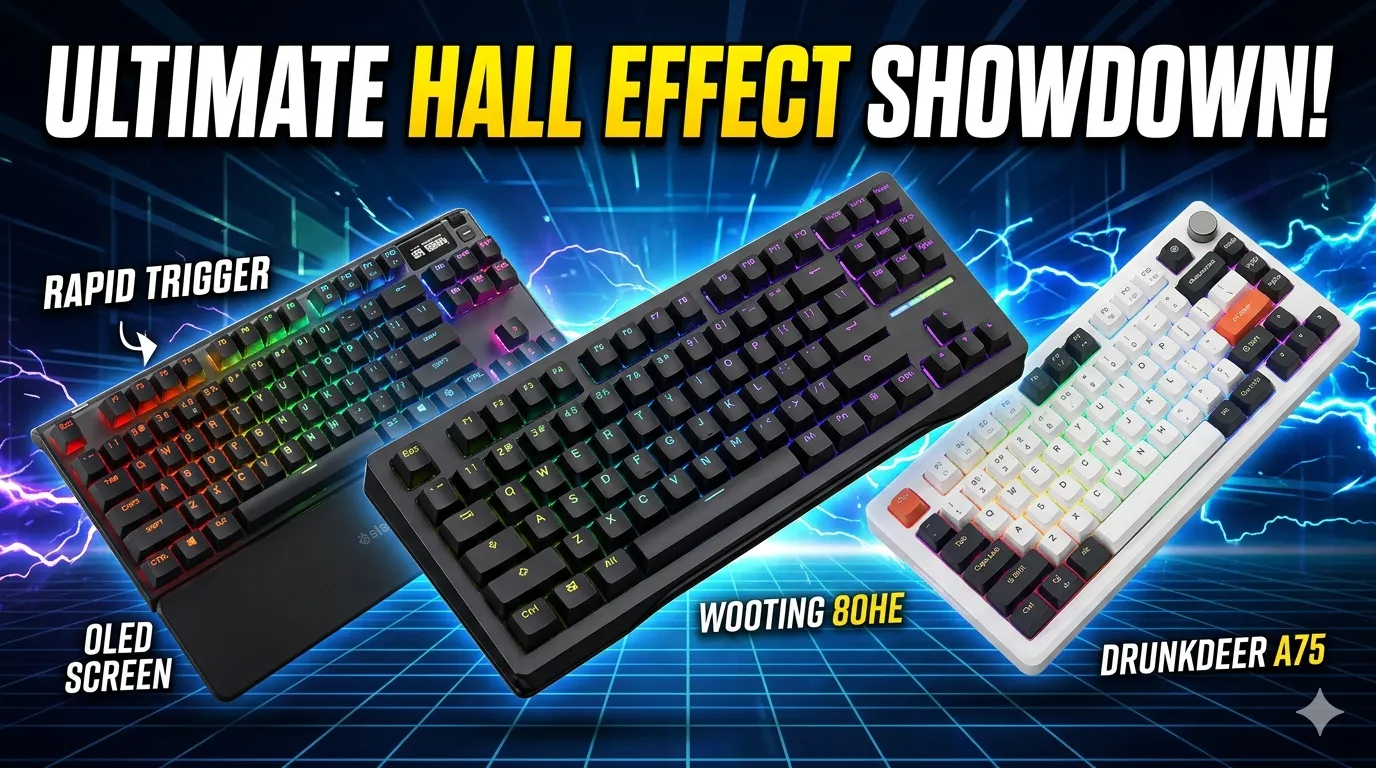
I’ve been testing magnetic boards since the original Wooting 60HE shipped, and after spending the last few months rotating between the Wooting 80HE, the SteelSeries Apex Pro Gen 3, and the DrunkDeer A75 as daily drivers in CS2 Premier (sitting around 18k as of writing — not the world, but enough to feel real differences), I’ve got opinions. Strong ones. Let’s get into it.
Quick Comparison: The Best Keyboard for CS2 at a Glance
Three boards, three very different buyers. Pick the row that matches you, click through, done.
| Best For | Keyboard | Layout | Min. Actuation | Polling Rate | Price (USD) |
|---|---|---|---|---|---|
| Best Overall — Serious Competitive Players | Wooting 80HE | 80% (84-key) | 0.1mm | 8,000 Hz | ~$199 |
| Best Premium Build / Feature Set | SteelSeries Apex Pro Gen 3 TKL | TKL | 0.1mm | 8,000 Hz | ~$219 |
| Best Budget Pick — Best Bang for Buck | DrunkDeer A75 | 75% | 0.2mm | 1,000 Hz (8K on newer revs) | ~$129 |
Quick gut check before you buy:
- You want the same board pros use and don’t care about wireless → Wooting 80HE.
- You want OLED screen, volume knob, and a tank-build wrist rest → Apex Pro Gen 3.
- You’re not made of money and just want to feel Rapid Trigger for the first time → DrunkDeer A75.
What “SOCD-Legal” Actually Means for CS2
Quick housekeeping, because the messaging out there is genuinely confusing. Rapid Trigger keyboards are fine in CS2 at the time of writing — what got banned is the SOCD feature (called Snap Tap, FlashTap, or Rappy Snappy depending on the brand), and you just need to disable it before playing. All three boards in this guide ship with SOCD as an opt-in toggle. Don’t enable it, don’t get kicked. Valve’s anti-cheat will detect and kick you if it’s on when you join a server.
What you keep using is the actual good stuff: adjustable actuation (0.1mm to 4mm per key), Rapid Trigger for clean counter-strafes, and 8K polling. None of that is banned. None of it ever will be — it’s just a faster switch.
Right. On to the boards.
Wooting 80HE — The Best Keyboard for CS2, Full Stop
If you forced me to pick one board and live with it for a year of CS2, this is it. I’ve been running the Black Zinc edition as my daily driver for about three months, and there’s a reason ProSettings.net tracked over 300 professional players using the 80HE as their primary board across CS2, Valorant, and Fortnite by early 2026.
What you get:
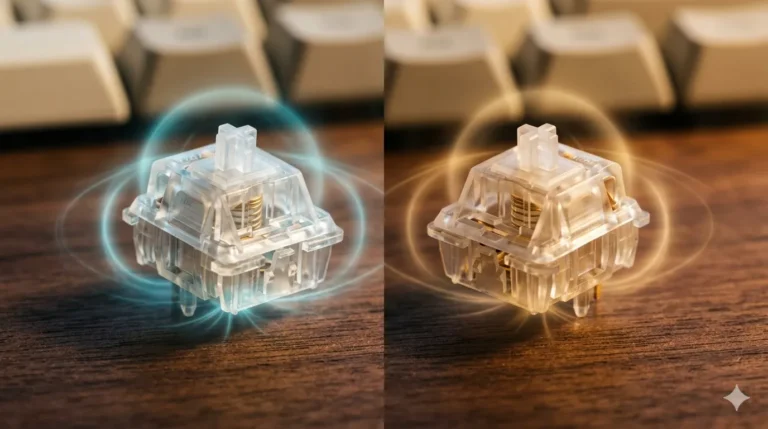
- Lekker V2 switches — Wooting’s second-gen magnetic switches, factory-lubed and notably smoother than the originals. Smooth enough that I stopped wanting to swap them.
- 0.1mm to 4mm adjustable actuation per key, per profile.
- 8,000 Hz polling when you flip on Tachyon Mode (RGB turns off — small price, you won’t see your keys mid-clutch anyway).
- Wootility configurator that runs in your browser. No installer, no bloat, no SteelSeries-GG-sized memory leak. This alone is worth $50 to me.
- PBT double-shot keycaps out of the box, gasket mount, factory-tuned screw-in stabs.
What it doesn’t have: wireless, an OLED, a volume knob, or a wrist rest. The plastic case (on the standard model — the Zinc upgrade adds weight and damping but pushes you past $260) is the one place Wooting clearly cut cost to hit $199.
Here’s the catch: the 80HE is wired only. If your desk setup needs Bluetooth or 2.4GHz, this one’s out. And honestly, the typing sound on the plain PCR plastic version is fine, not magical. The community has been pretty divided on whether the plastic build justifies $200, especially compared to brands offering OLED and wrist rests at similar prices.
But for raw CS2 performance, software, and Rapid Trigger implementation? Nothing I’ve tested touches it. Verdict: if you’re buying one board, buy this one.
SteelSeries Apex Pro Gen 3 — The Premium Pick
The Apex Pro Gen 3 is the board you buy when you want the whole experience, not just the gaming performance. It’s also the board your friend who works in finance will buy without doing research, and honestly, he won’t regret it.
The TKL version I tested runs $219.99, with OmniPoint 3.0 Hall Effect switches and customizable dual-step actuation. The full-size sits in the same neighborhood, and the TKL Wireless version pushes closer to $270.
Where it actually wins:
- Build quality — Aluminum top plate, real heft, factory-lubed switches and stabs, dampening foam that mutes the typing sound nicely. It feels like a $250 board, because it kind of is.
- OmniPoint 3.0 switches with 40 actuation levels — granular enough that the difference between 0.2mm and 0.3mm matters when you’re tuning.
- OLED smart display + rotary dial — change profiles, see CPU usage, control media. Gimmicky? A little. Useful? Surprisingly often.
- Magnetic wrist rest included — soft leatherette, snaps right on. SteelSeries is one of the few brands that doesn’t make you buy this separately.
- Protection Mode — auto-raises actuation on keys around your hot keys to stop accidental presses. Actually clever.
The honest tradeoff: the Apex Pro only uses Hall Effect switches on the alphanumeric keys — outside of that cluster, you get Gateron Reds. For CS2 specifically you’ll never notice (your WASD, shift, ctrl, and space are all magnetic), but I want to flag it because no one else does.
Also, SteelSeries GG software is heavier than Wootility. It works, but the install footprint is what it is.

- TRIPLE THREAT POWERED BY QUICKSET — Apex Pro is the only line of keyboards in the world with Rapid Trigger, Rapid Tap, a…
- RAPID TRIGGER FOR FASTER ACTIONS — Stop fast, start your next move faster. Resets the moment you release a key.
- RAPID TAP FOR FASTER MOVEMENT — Snaps to your latest key press to strafe and dodge faster.
Verdict: if you want the most premium feeling Hall Effect board and you’ll actually use the OLED and wrist rest, the Apex Pro Gen 3 earns its price tag. If you’re a pure performance hunter, the Wooting still wins.
DrunkDeer A75 — The Best Cheap Keyboard for CS2
This is the board I recommend to people who text me asking if Hall Effect is “worth it.” It’s the one that proves you don’t have to spend $200 to feel the difference.
At roughly $129 (and frequently on sale closer to $100), the A75 gives you a 75% layout, adjustable actuation, Rapid Trigger, and a typing experience that genuinely punches above its price. The switches feel ultra-smooth — smooth enough that other lubed linears feel scratchy by comparison, and I’d back that up after weeks of A/B testing against my Wooting.
What’s good:
- Per-key 0.2mm minimum actuation (plenty for CS2 counter-strafing).
- Rapid Trigger that, while not as refined as Wooting’s, absolutely does the job.
- Web-based configurator — same idea as Wootility, no installer.
- 75% layout keeps your arrow keys and a function row, which I personally prefer over the 80HE’s 84-key compact.
What’s not so good (the honest caveat):
- 1,000 Hz polling on the original A75 — not 8K. The A75 Pro/Ultra revs add higher polling, but you’re paying more for them. For 99% of players, 1K is fine; if you’ve already convinced yourself you need 8K, skip this one.
- All-plastic case. It is what it is at this price.
- Software is less polished than Wooting’s. Functional, occasionally janky.
- DrunkDeer the company has had some weird moments with branding and beta testing. One reviewer noted that the keyboard could have been great but felt rushed to market, with some QC concerns. I haven’t had a unit fail, but I’d buy from a retailer with a clean return policy.
Verdict: for $100-ish, this is the smartest entry point into Hall Effect. You’ll get 90% of the in-game benefit for half the cost.
How to Set Up the Best Keyboard for CS2 (Without Getting Kicked)
Quick configuration checklist that applies to all three boards:
- Disable Snap Tap / Rappy Snappy / SOCD entirely. Not just for ranked — disable it everywhere. The risk isn’t worth it.
- Set WASD actuation to 1.5mm to 2.0mm. Setting everything to 0.1mm sounds fast but produces accidental inputs. A common mistake is maxing every parameter — 0.1mm often leads to “fat-finger” inputs and accidental releases during tense micro-adjustments.
- Rapid Trigger sensitivity around 0.2mm to 0.4mm reset. This is the sweet spot for counter-strafing.
- Leave non-movement keys (shift, ctrl, space, R, B) at a deeper actuation — 2.5mm to 3mm. Stops misfires.
- Turn polling to the highest your board supports. On Wooting and SteelSeries that’s 8K.
- Lock the Windows key in firmware so you don’t tab out mid-clutch.
That’s it. No magic. The board does the work — you tune it once, save the CS2 profile, and forget it exists.
My Pick After All This
If you’re a serious CS2 player and you want the best keyboard for CS2 without overthinking it: Wooting 80HE. The software, the switches, and the pro adoption rate are too convincing to ignore.
If you want luxury and OLED bells and whistles, the Apex Pro Gen 3 is genuinely excellent and won’t disappoint you.
If you’re not sure you’ll like Hall Effect, or you just want a great board for $100 less, the DrunkDeer A75 is the smart move. You can always upgrade later, and most people don’t.
Whatever you pick, remember: disable Snap Tap, set realistic actuation points, and don’t expect a keyboard to fix your spray pattern. That’s still on you.
This article contains affiliate links. If you buy through them, I earn a small commission at no extra cost to you. I only recommend keyboards I’ve actually tested. As an Amazon Associate I earn from qualifying purchases.