Best Keyboard for Fortnite: Build Fights, Ramp Rushes, and What Actually Wins

This article contains affiliate links. If you buy through them, I earn a small commission at no extra cost to you. I only recommend keyboards I’ve actually tested. As an Amazon Associate I earn from qualifying purchases.
Most build fights aren’t won by the keyboard. But the wrong one can absolutely lose them for you — and that’s where this whole conversation starts.
I’ve spent years testing input devices, and the question I get most from competitive players is some version of “what’s the best keyboard for Fortnite if I want to climb Ranked or push deeper into FNCS lobbies.” The honest answer isn’t about RGB underglow, eight thousand hertz polling, or whichever board has “Pro” stamped on the box. It comes down to three things: actuation, Rapid Trigger behavior, and whether Snap Tap is even legal for you to use.
Quick Comparison Table: The TL;DR
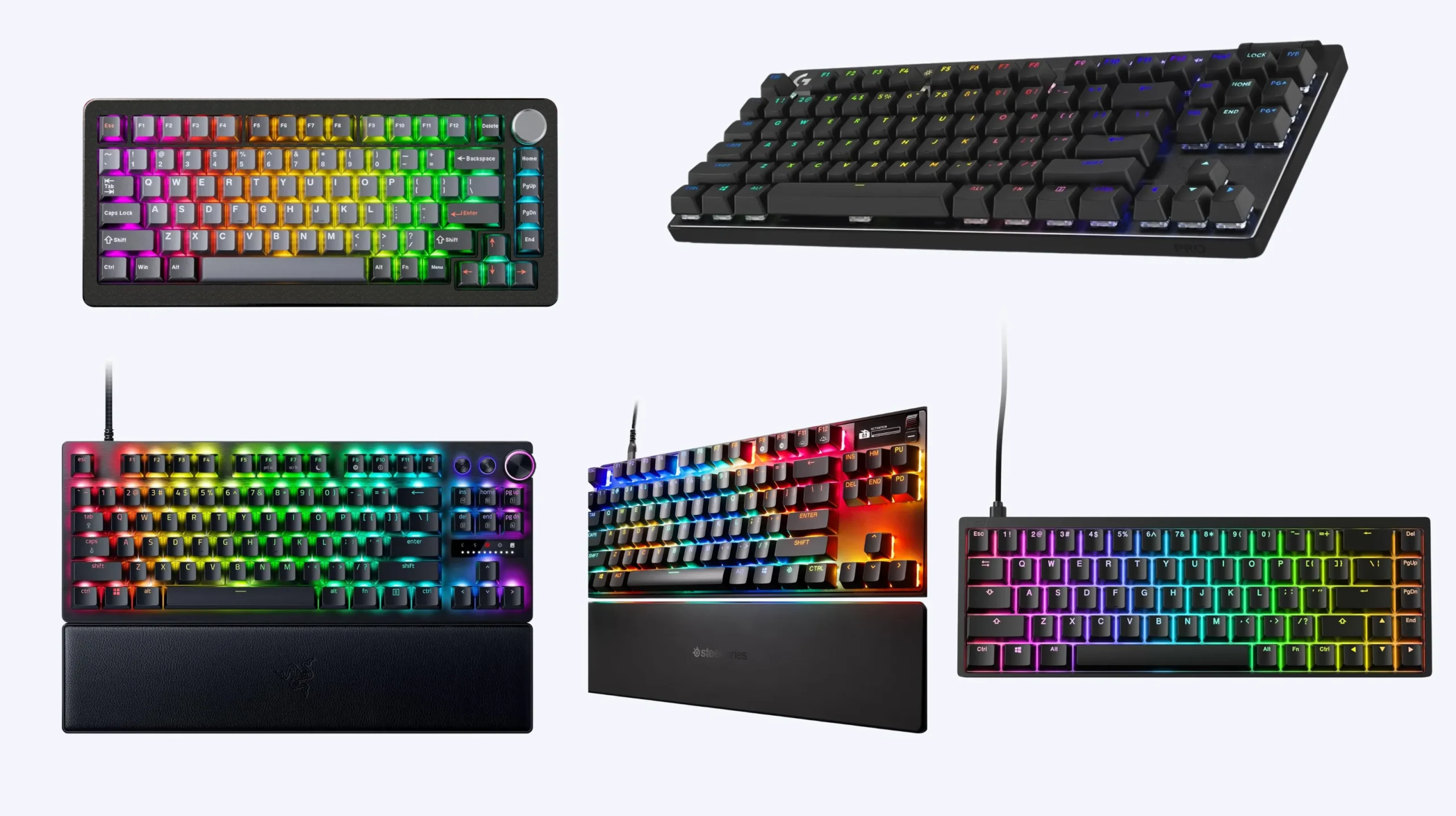
Here’s the short version, organized by who you actually are. Skim this, then read the bits that match you.
| Best For | Keyboard | Switch Type | Form Factor | Why It Wins |
|---|---|---|---|---|
| Overall pick | Wooting 80HE | Lekker magnetic (hall effect) | TKL | The benchmark for adjustable actuation and Rapid Trigger. Pros use it for a reason. |
| Best 60-percent for build fighters | Wooting 60HE | Lekker magnetic | 60-percent | Tiny footprint, huge mouse-swing room, every HE feature accessible in software. |
| Best premium TKL | Razer Huntsman V3 Pro TKL | Analog optical | TKL | Snap Tap mode, Rapid Trigger down to 0.1mm, doubleshot PBT caps out of the box. |
| Best full-size | SteelSeries Apex Pro Gen 3 | OmniPoint 2.0 magnetic | Full-size | Per-key actuation, OLED screen, tank build. Good if you also work at this desk. |
| Best mid-range value | Endgame Gear KB65HE | Magnetic | 65-percent | Gasket mount, smooth typing, full HE feature set at half the price of the big names. |
| Best budget HE pick | DrunkDeer A75 | Magnetic | 75-percent | Genuinely usable Rapid Trigger under a hundred bucks. Tradeoffs exist. |
| Best non-HE option | Logitech G Pro X TKL Lightspeed | Mechanical (GX) | TKL | Wireless, lightweight, LAN-ready. Skip if you specifically want adjustable actuation. |
Use that as a quick filter. Each one has a catch worth knowing.
Snap Tap and Fortnite: Where Things Actually Stand
You’ve probably seen the drama. CS2 banned Snap Tap. ESL banned it. Valorant has its own stance. So the natural question: what about Fortnite?
Here’s where it sits as I’m writing this. Epic has not explicitly banned Snap Tap (also called null binding or SOCD resolution) in Fortnite. Their published competitive rules permit key remappers and hardware that adjusts keybinds — they’ve even said double-movement on keyboards falls inside what they allow. What Epic prohibits is automation that fires multiple game actions from a single key press. Mapping one button to place a wall, a ramp, and a floor? That’s a macro. That will get your account toasted.
A few honest caveats, because I’m not going to pretend the situation is settled:
- Epic’s stance can shift. Other developers banned Snap Tap within weeks of it going mainstream. Fortnite could follow at any time.
- “Allowed” in casual play is not the same as “allowed” in a third-party tournament. Read the rules of whatever event you’re entering before plugging in.
- Rapid Trigger — adjusting the actuation reset point so you can spam-tap faster — is universally fine. Every hall-effect board on this list ships with it.
If you want zero risk, build your edge on Rapid Trigger and ultra-low actuation, not Snap Tap. The performance delta between the two is smaller than the influencer clips make it look.
What Actually Matters in the Best Keyboard for Fortnite
Marketing pages will throw twenty specs at you. Most don’t matter. Here’s the short list that does.
- Actuation point. How far you press a key before it registers. Lower means faster build placements and edits. On hall-effect boards you can dial it from roughly 0.1mm to 4mm per key. On a normal mechanical it’s locked, usually around 2mm.
- Rapid Trigger. The key registers a release the moment you start lifting it, not when it returns to a fixed point. Translation: you can tap the same key faster and more consistently. This is the single biggest gameplay upgrade over a standard mechanical for Fortnite.
- Polling rate. Anything from one thousand hertz up is fine. Four thousand and eight thousand hertz exist; you won’t feel the difference. Don’t pay extra for this number.
- N-key rollover. Mandatory for Fortnite. Every keyboard on this list has it.
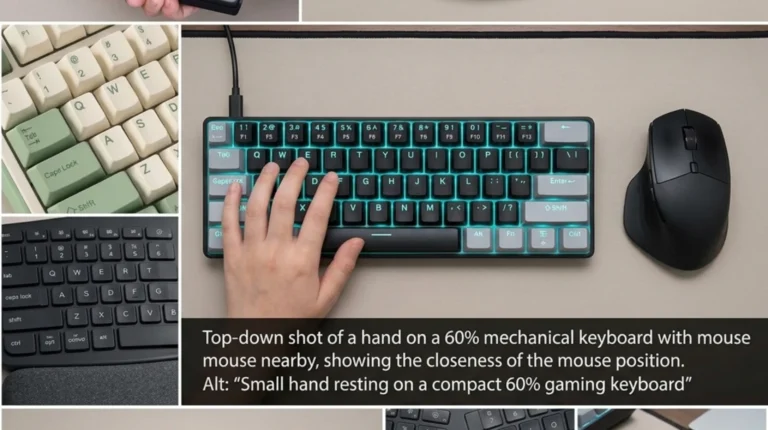
- Form factor. TKL or 60-percent gives your mouse arm more room. If you play at low sens like a lot of pros, that desk space matters more than you’d think.
- Caps and build. PBT caps don’t shine after a year. Stabilizer rattle ruins your space bar. These aren’t “gaming specs” but you’ll notice them every single day.
What I’d skip stressing about: RGB, “gaming mode” software bloat, ergonomic claims that aren’t backed by your own wrist, and any polling rate above one thousand hertz.
The Best Keyboards for Fortnite, Ranked
1. Wooting 80HE — The One Most Pros Land On
If you watch FNCS footage and squint at the desks, you’ll spot a lot of Wootings. There’s a reason. The Lekker switches are smooth, the Rapid Trigger implementation is the cleanest in the industry, and Wootility (their software) is genuinely good — not bloated, not begging for an account, and per-key actuation just works.
The 80HE is the TKL version. PBT caps, hot-swappable magnetic sockets, gasket mount, USB-C. I ran one as my daily driver for about a month and the only real complaint is the price. You’re paying flagship money.
- Catch: stock keycaps are fine, not amazing. Many players swap to a thicker set within a month.
- Best for: anyone serious about climbing.
2. Wooting 60HE — Best Compact for Build Fighters
Same brain, smaller body. If you build claw-grip, play low sens, or just want maximum mouse-arm room, the 60HE is the move. Same Lekker switches, same Wootility features.
The tradeoff is obvious: no F-row, no arrow cluster without a Fn layer. For Fortnite specifically, that almost never matters. Most of the keys you actually fight on are in WASD, the surrounding cluster, and your build and edit binds.
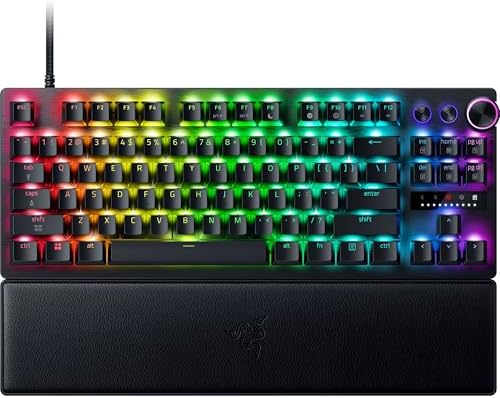
3. Razer Huntsman V3 Pro TKL — Best Big-Brand Pick

- CHOSEN BY PRO’S FOR ADVANCED FPS MOVEMENT — With Rapid Trigger, Adjustable Actuation and Razer Snap Tap, the Huntsman V3…
- RAZER SNAP TAP — Prioritize the latest input between two selected keys without having to release the previous one, and e…
- RAPID TRIGGER — A step up from traditional mechanical or optical keyboards to achieve the most responsive and precise in…
Razer was late to magnetic switches, but the V3 Pro lineup is legitimately good. Snap Tap mode is built right into Synapse, Rapid Trigger goes down to 0.1mm, and the doubleshot PBT keycaps out of the box are a real improvement given Razer’s history of cheap ABS.
- Catch: Synapse is the software. It’s better than it used to be. It still wants more permissions than it should.
- Best for: players who want a familiar brand with a real warranty pipeline.
4. SteelSeries Apex Pro Gen 3 — Best Full-Size

- TRIPLE THREAT POWERED BY QUICKSET — Apex Pro is the only line of keyboards in the world with Rapid Trigger, Rapid Tap, a…
- RAPID TRIGGER FOR FASTER ACTIONS — Stop fast, start your next move faster. Resets the moment you release a key.
- RAPID TAP FOR FASTER MOVEMENT — Snaps to your latest key press to strafe and dodge faster.
Full-size boards aren’t great for Fortnite mouse swing, but if you also work at this desk and need a number pad, the Apex Pro Gen 3 is the strongest option. OmniPoint 2.0 magnetic switches with per-key actuation. The OLED screen is gimmicky but kind of fun.
It’s heavy. That’s good if you’re stationary, less good if you’re the kind of player who shoves the keyboard around mid-game.
5. Endgame Gear KB65HE — Best Mid-Range Hall Effect

- HALL EFFECT TECHNOLOGY: Redefine your gaming with innovative Hall Effect sensors, offering unmatched durability and rapi…
- Gateron KS-37B SWITCHES: Experience ultra-smooth keystrokes with Dual-rail structure, pre-lubed stabilizers, and self-lu…
- SLEEK ALUMINUM BODY: Precision CNC-machined aluminum case for durability and aesthetics, with adjustable feet and a non-…
This one surprised me. For roughly half the price of a Wooting, you get a 65-percent with gasket mount, magnetic switches with full Rapid Trigger, and a typing feel that sits somewhere between premium custom and stock. Software is bare-bones but it does the job.
If your budget lands around a hundred fifty bucks and you want hall effect without compromising the feel, this is the pick most reviewers underrate.
6. DrunkDeer A75 — Best Budget Hall Effect

- Rapid Trigger: Triggered once pressed, reset once released. Sensitivity range 0.1-3.3mm, adjustable accuracy is 0.1mm.Sm…
- Last Win Mode:When two keys are selected, the last keystroke is prioritized without having to release the previous one. …
- Release Dual-Trigger Mode:2-in-1 Action Keys, each key can execute two distinct actions based on press and release. In C…
The cheapest legit Rapid Trigger board worth buying. Build is plasticky, the software is rough, the stabilizers will probably want a mod or two — but the core function (fast adjustable actuation) is there.
- Catch: you’re going to feel the price somewhere. For most players dipping a toe into magnetic switches for the first time, that’s a fair trade.
- Best for: your first hall-effect board, or a backup for travel.
7. Logitech G Pro X TKL Lightspeed — Best Wireless Non-HE

- Designed with Pros, Engineered to Win: PRO X TKL gaming keyboard is the next gen of the trusted tenkeyless PRO keyboard;…
- Play with tournament-proven speed and reliability of LIGHTSPEED wireless: Connect compatible mouse and PRO X TKL wireles…
- PRO-Grade Tech: Game mode control, standard keyboard layouts for 3P compatibility, media controls and volume roller, RGB…
Worth mentioning because not everyone needs magnetic switches. A solid wireless mechanical with low-latency Lightspeed, GX Brown or Red switches, and a clean compact layout. Several pros still roll with something like this and win matches every weekend.
If you want a board that just works for years, holds up to LAN abuse, and you don’t care about adjustable actuation, this is the smart pick.
What Won’t Actually Help You Win
I’ll be the contrarian for a second. A few things people obsess over that don’t move the needle:
- Eight thousand hertz polling. Cool number. You won’t feel it.
- Linear vs. tactile wars. Both work for Fortnite. Pick what you like typing on. Linear is more common in competitive circles, mostly because it’s quieter and lighter, not because it’s mechanically faster.
- RGB underglow. Looks great on stream. Does nothing for your build speed.
- Whichever board your favorite pro is using this week. That kid is winning because he’s mechanically gifted and has thousands of hours in creative. The keyboard is a small piece of the picture.
Spend money on the board if it removes a friction you can actually name. If you can’t, put it toward practice time.
My Verdict: The Best Keyboard for Fortnite Right Now
For most readers, the answer comes down to two boards. The Wooting 80HE if you want the best, no compromises. The DrunkDeer A75 if you want to test whether magnetic switches even matter for your gameplay before committing real money. In the middle, the Endgame Gear KB65HE is the most overlooked sweet spot in the category.
Whatever you buy: don’t expect it to fix mechanics it can’t fix. The keyboard removes friction. The wins still come from your hands.
Frequently Asked Questions
Is Snap Tap allowed in Fortnite?
As of this writing, Epic hasn’t issued an explicit ban on Snap Tap or null-binding hardware features in Fortnite. Their competitive rules allow key remappers and double-movement but prohibit any setup that automates multiple game actions from one press. Policy can change, so check Epic’s current rules before trusting it in a serious match.
Are hall-effect keyboards worth it for Fortnite?
For competitive players, yes. The combination of Rapid Trigger and adjustable per-key actuation gives a real, repeatable advantage in build fights and edits. Casual players running Pubs won’t see the same lift.
What actuation point should I use for Fortnite?
Most players start around 1.0mm for movement keys (WASD) and go lower (0.3mm to 0.5mm) for build and edit binds. Don’t push everything to 0.1mm right away. Too low and you’ll accidentally trigger keys just by resting your fingers on them.
Do pro Fortnite players actually use Wooting?
Many do. You’ll see Wooting 60HE and 80HE units on a lot of pro setups, alongside Razer Huntsman V3 Pro models. It’s not a hard rule — some pros are still on mechanical wireless boards — but hall effect is now the dominant choice at the top.
TKL or 60-percent for Fortnite?
Either works. Pick 60-percent if you play low sens and need extra mouse-swing room. Pick TKL if you want a dedicated arrow cluster and F-row without juggling Fn layers. The performance difference is mostly about comfort, not mechanics.
Will a better keyboard actually improve my Fortnite gameplay?
It removes specific frictions: slow actuation, inconsistent re-press behavior, mushy stabilizers. It won’t give you faster game sense, better aim, or new building techniques. If you’re already crisp and feeling held back by input lag or spam-tap inconsistency, an HE board is one of the few upgrades that genuinely helps.
This article contains affiliate links. If you buy through them, I earn a small commission at no extra cost to you. I only recommend keyboards I’ve actually tested. As an Amazon Associate I earn from qualifying purchases.