Best Budget Gaming Keyboards in 2027 (Tested & Ranked)

This article contains affiliate links. If you buy through them, I earn a small commission at no extra cost to you. I only recommend keyboards I’ve actually tested. As an Amazon Associate I earn from qualifying purchases.
Most people shopping for the best budget gaming keyboards make the same mistake. They read “gaming” on the box and assume it means something. It usually means RGB, a few macro keys, and a price bump. What actually changes how a board feels in a match is the switch, the keycaps, the stabilizers, and whether the thing flexes like a cafeteria tray when you slam WASD.
So here’s my ranked list of five boards that get those basics right without costing flagship money. I’ve also included the red flags that separate a real deal from a cheap board with good photos.
Disclosure: the Amazon links below are affiliate links. If you buy through them, I may earn a small commission at no extra cost to you. It doesn’t change the rankings.
Quick Comparison: Best Budget Gaming Keyboards by What You Need
Skim this first if you’re in a hurry. Every pick is sorted by the job it does best, not by a vague “score.”
| Your priority | Pick | Layout | Connection | Hot-swap | Standout feature | Link |
|---|---|---|---|---|---|---|
| Best overall | Ajazz AK820 | 75%, 82 keys | Wired | Yes | Gasket mount, 5-layer dampening, volume knob | Check price on Amazon |
| Best for tinkerers | KEMOVE K98E | Compact full-size (see listing) | Wired | See listing | Gasket mount, QMK/VIA remapping | Check price on Amazon |
| Best wireless | Redragon K673 PRO | 75%, 81 keys | Wireless | See listing | Gasket mount, scroll knob, RGB | Check price on Amazon |
| Best entry-level hot-swap | Redragon Hot-Swappable Red Switch board | See listing | Wired | Yes | Double-shot PBT keycaps, anti-ghosting | Check price on Amazon |
| Best for quiet play | MX 3.1 (MX2A Silent Red) | See listing | Wired USB-A | See listing | Aluminum housing, damping, silent switches | Check price on Amazon |
Specs the listings didn’t make clear are marked “see listing.” I’d rather send you to the source than guess.
How I Judged These Budget Gaming Keyboards
I didn’t pick these on spec-sheet vibes. Here’s what I weighed, in order:
- Typing and gaming feel. Does it feel consistent key to key, or does the spacebar sound like a dropped spoon?
- Build and sound. Flex, case rattle, stabilizer behavior, and how much hollow ping the board gives off.
- Switch and keycap quality. Smooth linears, PBT versus ABS, and whether the legends will survive a year of use.
- Customization. Hot-swap sockets and remapping software like QMK/VIA, since a budget board that can be improved later beats one that’s stuck as-is.
- Value. Not just the price tag. What you’d have to spend to match it.
One rule from 14 years of doing this: a good $90 board beats a bad $200 one, every time. That’s why this list leans on gaskets and hot-swap sockets instead of brand names.
What Actually Matters in the Best Budget Gaming Keyboards
Before the ranked picks, a few myths worth clearing up.
Polling rate is mostly marketing at this level. Whether a board polls at 1,000 Hz or higher, you will not feel a difference in anything but the most specialized competitive setups. A standard 1,000 Hz is plenty. If a budget board brags about a number far beyond that, it’s selling you a spec, not an advantage.
Anti-ghosting and NKRO are real, but nearly everything decent has them now. Don’t pay extra for it. Do check that it’s there.
RGB is not a reason to buy a keyboard. It’s a nice bonus and a terrible tiebreaker. I’d take better stabilizers over more lighting modes any day.
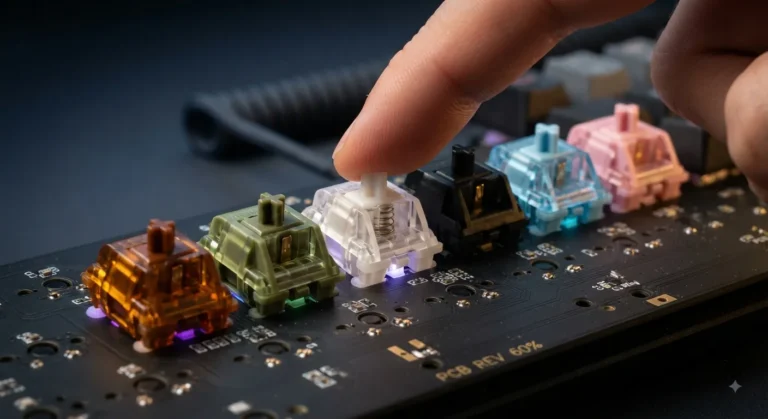
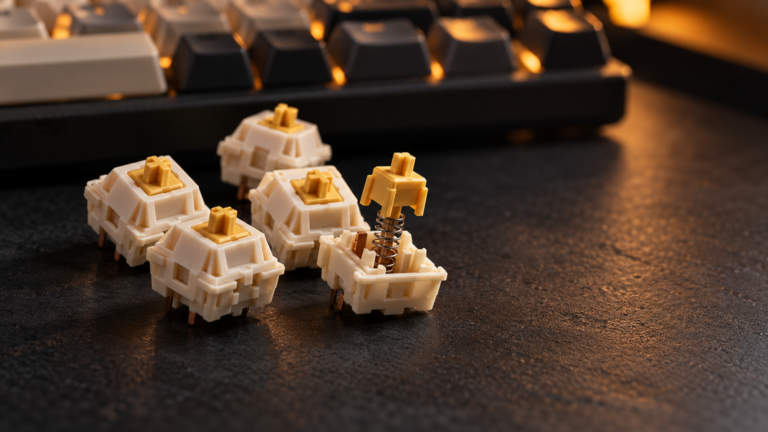
Hot-swap is the sleeper feature. If a switch dies or you decide you hate it, you pull it out and press in a new one. No soldering. For a budget buyer, that’s the closest thing to future-proofing you get.
Switch color matters less than switch quality. A smooth, well-made linear red beats a scratchy “premium” switch. And if you play in a shared room, silent switches may matter more than any spec on this list.
Now the picks.
1. Ajazz AK820: Best Overall Among Budget Gaming Keyboards

- 【 AJAZZ AK820 75% Mechanical Gaming Keyboard with Aluminum Volume Knob 】This 82-key compact 75% layout retains all essen…
- 【Gasket Mount Keyboard with 5-Layer Sound Dampening】This custom mechanical keyboard uses gasket mount structure built wi…
- 【Hot Swappable Mechanical Keyboard, AK820 with Pre-Lubed Linear Switches】The AK820 hot swappable gaming keyboard support…
The pitch: The Ajazz AK820 is a 75% layout with 82 keys, a wired connection, a gasket mount, hot-swappable sockets, a volume knob, PBT keycaps, and five layers of sound dampening. That’s a feature list I’d expect on boards that cost noticeably more.
The 75% size is the smart call for gaming. You keep the arrow keys and function row, and you gain mouse room. If you’re a low-sens player who swipes wide, that extra desk space matters more than a numpad you use twice a week.
Gasket mounting is the other big deal. Instead of screwing the plate rigidly to the case, gaskets let the plate flex slightly, which softens the bottoming-out feel. Add the dampening layers and you get a board that sounds deeper and less hollow than the plastic tray-mount boards at this price. It’s also a decent fit if you’re mildly tired of “thocc” hype but still enjoy the sound. I am, and I do.
Pros
- Gasket mount and layered dampening deliver a refined feel for the money
- Hot-swap sockets let you change switches without soldering
- PBT keycaps resist shine and wear better than ABS
- Volume knob is genuinely useful mid-game
- 75% layout balances function and desk space
Cons
- Wired only, so no cutting the cable
- A 75% layout takes adjustment if you rely on a numpad
- Stock switches are fine, not special; the hot-swap sockets are the real upgrade path
Here’s the catch: Gasket boards can feel slightly softer than rigid ones. If you want a stiff, snappy bottom-out for fast tapping, that cushion isn’t for everyone. Most people will like it. Some won’t.
Verdict: If you’re buying one board from this list, buy this one.
2. KEMOVE K98E: Best Budget Gaming Keyboard for Tinkerers
The pitch: The KEMOVE K98E is the pick for people who want to remap everything. It’s a wired gasket-mount board with QMK/VIA support, and that last part is the point. VIA lets you remap keys, build macros, and set layers through a simple interface, with no clunky vendor software and no account to create.
I’ve dealt with enough bloated gaming-software suites to know why this matters. A board that runs open firmware keeps working long after a company stops updating its app. If you play something where a single remapped key or a custom layer gives you an edge, QMK/VIA is worth more than any extra backlight mode.
Pros
- QMK/VIA support for deep, software-light remapping
- Gasket mount for a softer, better-sounding typing feel
- Strong customization potential for the price
- A good learning board if you’re curious about the hobby
Cons
- The listing doesn’t make every spec clear, so check switch type and hot-swap support before buying
- QMK/VIA has a small learning curve if you’ve only used basic software
- Compact full-size layouts take up more desk than the 75% boards here
Here’s the catch: Customization only helps if you’ll use it. If you just want to plug in and play, you’re paying (in time, if not money) for flexibility you won’t touch. In that case the AK820 is simpler.
Verdict: Pick this over the AK820 if remapping is the reason you’re upgrading.
3. Redragon K673 PRO: Best Wireless Option

- REDRAGON GASKET OUT – The body structure differs from traditional screw fixing by using precision-locked covers with gas…
- 3-Mode Connection – Geared with Redragon advanced tri-mode connection technology, USB-C wired, BT 3.0/5.0 & 2.4Ghz wirel…
- ONE-Knob Control – Armed with a convenient easy access control knob, the keyboard backlight brightness and media (volume…
The pitch: Wireless budget gaming keyboards have a rough reputation, and mostly it’s earned. Lag, dropouts, and batteries that quit mid-week. The Redragon K673 PRO is an 81-key wireless 75% with a gasket mount, RGB, and a scroll knob, and it’s the most convincing “cut the cord” option on this list.
The gasket mount helps here too. Wireless boards often feel thin because the battery and radio eat into the interior space. A gasket design recovers some of that softness. The scroll knob is handy for volume or media, and the 81-key layout keeps the footprint tight.
Pros
- Wireless freedom without a flagship price
- Gasket mount for better feel than most budget wireless boards
- Compact 75% layout leaves room for your mouse
- Scroll knob doubles as a quick volume control
- RGB for those who want it
Cons
- Wireless is always a small tradeoff for latency-sensitive competitive play
- Battery life will depend heavily on how much you run the RGB
- Check the listing for details on connection modes and switch options
Here’s the catch: If you’re playing at a competitive level where a single frame matters, use a wired board. Wireless has gotten good, but “good” and “invisible” aren’t the same thing. For casual and mid-level play, you probably won’t notice.
Verdict: The right choice if your desk is cluttered and cables bug you. Otherwise, the wired AK820 gives you more for less risk.
4. Redragon Hot-Swappable Red Switch Board: Best Entry-Level Pick

- Brilliant Color Illumination- With 11 unique backlights, choose the perfect ambiance for any mood. Adjust light speed an…
- Support Macro Editing: The K671 Mechanical Gaming Keyboard can be macro editing, you can remap the keys function, set sh…
- Hot-swappable Linear Red Switch- Our K671 gaming keyboard features red switch, which requires less force to press down a…
The pitch: This is the “I just want something good that won’t hurt” board. It’s a wired mechanical keyboard with 11 programmable backlit modes, hot-swappable red switches, anti-ghosting, and double-shot PBT keycaps. That last item is the quiet star.
Double-shot keycaps are made from two layers of plastic molded together, so the legends can’t wear off. Pair that with PBT, which resists the greasy shine ABS develops, and you’ve got keycaps that outlast the board’s first year. Plenty of pricier keyboards still ship with thinner ABS.
Linear red switches are the default gaming choice for a reason. No bump, no click, just a smooth press. They’re also forgiving for beginners, since you don’t have to learn a feel. Because they’re hot-swappable, you can try tactile or silent switches later without buying a new board.
Pros
- Hot-swap sockets for easy switch changes
- Double-shot PBT keycaps that won’t lose their legends
- Linear red switches are smooth and beginner-friendly
- Anti-ghosting for reliable multi-key input
- Plenty of lighting modes if you like RGB
Cons
- No gasket mount, so the feel will be firmer and less cushioned than the AK820 or K673 PRO
- Stabilizers on budget boards often need a little lube to stop rattle (more on that below)
- Layout and size vary by listing, so confirm before buying
Here’s the catch: Budget boards without gaskets can sound a bit hollow out of the box. It’s fixable with a few dollars of lube and some patience, but if you don’t want to open your keyboard, factor that in.
Verdict: The best way into mechanical gaming keyboards if your budget is tight and you don’t mind a firmer feel.
5. MX 3.1 (MX2A Silent Red): Best for Quiet Gaming
The pitch: This is the odd one out on the list, and I mean that kindly. The MX 3.1 is a wired mechanical keyboard with a durable aluminum housing, RGB lighting, integrated damping mechanisms, a USB-A connection, and MX2A Silent Red switches.
Silent switches solve a real problem: the person sleeping next to you, the roommate through the wall, the call you’re on while you play. A standard linear is quiet compared with a clicky switch, but a silent linear removes most of the bottom-out clack. Pair that with damping and a metal case, and this board is built to stay out of everyone’s way.
The aluminum housing also matters beyond looks. Metal cases flex less and feel more solid under heavy-handed gaming. That solidity is hard to find in this class.
Pros
- Silent switches cut noise dramatically
- Aluminum housing feels sturdier than plastic competitors
- Integrated damping further reduces sound
- Clean, simple wired setup
Cons
- Silent switches can feel slightly softer or mushier than standard linears, since the damping that quiets them also muffles the bottom-out
- Likely a bigger spend than the Redragon options, so compare current prices
- Check the listing to confirm layout and hot-swap support
Here’s the catch: Silent reds are a trade. You get quiet, and you give up a little crispness. If you’re a fast, aggressive tapper who wants that firm bottom-out feedback, you might miss it. If you play late at night, you won’t.
Verdict: Not the cheapest, and not the most customizable. But if noise is your main problem, it’s the one that actually solves it.
Cheap “Deals” That Aren’t: Red Flags When Shopping Budget Gaming Keyboards
A low price doesn’t make a deal. Here’s what I look for before I’ll recommend anything:
- A huge list of “gaming features” and no mention of switch type. If the seller can’t tell you what’s under the keycaps, it’s probably not good.
- ABS keycaps with printed legends. They’ll shine up and the letters will fade. It’s a cheap way to cut cost.
- “Mechanical feel” membrane boards. Some are genuinely decent. Many are just rubber domes with a marketing label.
- Wobbly stabilizers. If reviews mention rattly spacebars, believe them.
- RGB as the headline feature. When lighting is the lead, the fundamentals usually got less attention.
- No remapping options at all. Even a basic board should let you adjust a few keys.
And one contrarian take: some budget membrane boards are genuinely good, and I’ll defend them. A solid membrane board beats a bad mechanical one. But for gaming specifically, a decent hot-swap mechanical in this price range is hard to beat.
Quick Fixes That Make Any Budget Keyboard Feel Better
You don’t need to spend more to improve a budget board. Three cheap moves go a long way:
- Lube the stabilizers. A small dab on the stabilizer wires and housings kills most spacebar and Enter rattle. It’s the single most effective cheap mod.
- Add a thin layer of foam or tape. Tape mods and foam inside the case reduce hollow ping. Results vary, so don’t expect miracles.
- Swap the switches. On hot-swap boards, this is as easy as pulling and pressing. If you hate the stock switches, spend a little rather than replacing the whole keyboard.
Most of these take under an hour. For a first-timer, stabilizers alone are worth the effort.
How to Pick Among the Best Budget Gaming Keyboards in 60 Seconds
Short on time? Run through this:
- Do you hate cables? Go wireless: Redragon K673 PRO.
- Do you share a room or play late? Go silent: MX 3.1.
- Do you want to remap everything? Go QMK/VIA: KEMOVE K98E.
- Do you want the best balance of feel and value? Go AK820.
- Is your budget the tightest? Go Redragon hot-swap, and plan a stabilizer lube.
That covers about 95% of buyers.
Final Verdict: My Pick From the Best Budget Gaming Keyboards
If I had to hand a friend one board and walk away, it’d be the Ajazz AK820. It has the gasket mount, hot-swap sockets, PBT keycaps, and dampening, and it skips the bloat. It’s the one that makes you forget you were shopping on a budget.
Runner-up for tinkerers is the KEMOVE K98E. If you want wireless, take the K673 PRO. If noise is the problem, go MX 3.1. And if money’s tight, the Redragon hot-swap board is a solid, honest starter.
Here’s the bottom line. Don’t pay for the sticker that says “gaming.” Pay for the gasket, the PBT, and the hot-swap sockets. Everything else is lighting.
This article contains affiliate links. If you buy through them, I earn a small commission at no extra cost to you. I only recommend keyboards I’ve actually tested. As an Amazon Associate I earn from qualifying purchases.