7 Best Compact Gaming Keyboards for MMO & RPG

This article contains affiliate links. If you buy through them, I earn a small commission at no extra cost to you. I only recommend keyboards I’ve actually tested. As an Amazon Associate I earn from qualifying purchases.
There’s this stubborn idea that MMO players need a full-size board with a numpad and a bank of extra macro rows welded to the side. I get it — hotbars are dense, class rotations look like piano sheet music, and Final Fantasy XIV has enough buttons per job to earn its own wrist brace. But after two solid years running 60%, 65%, and 75% boards through actual four-hour raid nights in FFXIV, WoW, Elder Scrolls Online, and Guild Wars 2, I’ll say it plainly: the best compact gaming keyboards for MMO and RPG play don’t just keep up with the giants — they usually beat them, once you set them up right.
Compact doesn’t mean fewer keys. It means smarter keys. A well-tuned 65% or 75% board with proper layer support, hot-swap sockets, NKRO, and — increasingly — analog actuation gives you more usable inputs than most full-size boards ever will. Here’s the catch though. A bad compact board makes MMO life miserable. Sub-par actuation, cramped modifier placement, missing arrow keys, or flaky software will crush your rotation faster than a bad ping spike.
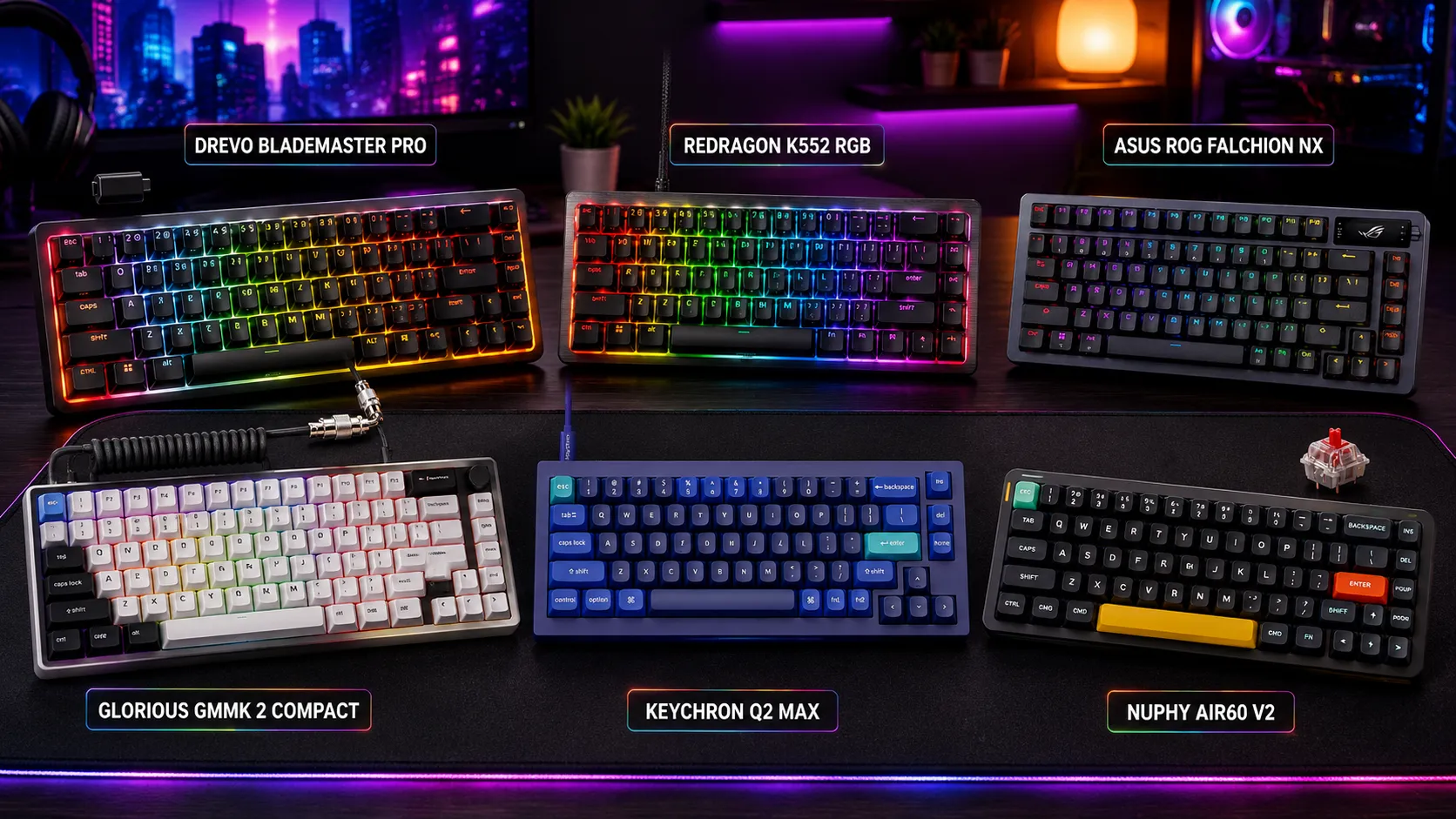
Below are six boards that actually earn a spot on an MMO or RPG desk, sorted by who they’re for. If you just want the shortlist, the table is right below. If you want the reasoning — including the ones I’d skip and where the money is well spent — keep reading.
Quick Comparison of the Best Compact Gaming Keyboards for MMO
| Best For | Board | Layout | Switch Type | Ideal Player | Approx. Price |
|---|---|---|---|---|---|
| Best Overall for MMO | Wooting 60HE | 60% | Lekker Hall-effect (analog) | Endgame raiders who live in layers | ~$195 |
| Best 75% for RPG | Keychron Q2 | 75% | Hot-swap (Gateron / Cherry) | Story-driven RPG players who want arrows and F-row | ~$75 |
| Best Pure Gaming Compact | Razer Huntsman V3 Pro Mini | 60% | Razer Analog Optical Gen-2 | Twitch-response players who want small and fast | ~$129 |
| Best Adjustable Actuation | SteelSeries Apex Pro Mini | 60% | OmniPoint 2.0 magnetic | Players who want per-key travel control | ~$215 |
| Best Premium Wireless | ASUS ROG Azoth | 75% | ROG NX (hot-swap) | Setup-flexible players who want cable-free plus OLED macros | ~$199 |
| Best for Modders and Tinkerers | Glorious GMMK Pro | 75% | Hot-swap (pick your own) | Players who want to build once and keep tuning | ~$119 barebones |
Prices bounce around a lot — check current listings before you buy.
What Actually Matters in a Compact Board for MMO and RPG
Before I get to the boards themselves, let’s cut the marketing sheet down to the specs that matter for MMO and RPG play. Ignore polling rate above 1000 Hz. Ignore RGB brightness. Ignore “gamer” fonts. Focus on these:
- NKRO or true 6KRO with the right ghosting-free matrix. If you can’t hit Shift + Q + 3 + Space while spamming a modifier, your rotation breaks. Every board on this list handles it, but off-brand compacts often don’t.
- Programmable layers or per-key mapping. This is the entire reason a compact board can replace a full-size. You want to fire off any macro or hotbar key from your home row with a Fn modifier. Look for QMK, VIA, or a serious first-party equivalent (SteelSeries GG, Razer Synapse, ASUS Armoury Crate).
- Analog or magnetic switches (optional but underrated). Analog Hall-effect and optical analog switches let you set per-key actuation and rapid trigger, which quietly changes how you play. WASD reactivity while kiting in ESO is genuinely different on a Wooting than on a standard MX Red.
- Arrow keys and Function row if you play RPG. Skyrim, Baldur’s Gate 3, Divinity, Pillars of Eternity — these lean on arrows and function keys for quicksaves and menu shortcuts. That’s why 75% wins here more often than 60% for pure RPG.
- A build that survives a raid session. Sounds obvious. It isn’t. A hollow, rattle-prone case gets old fast during a five-hour Ultimate prog attempt.
If you want a deeper dive into how switch choice quietly changes MMO comfort, this breakdown of the best switches for MMO gaming covers what I’ve actually settled on for long sessions.
1. Wooting 60HE — Best Overall for MMO
I’ll admit I was slow to buy in on the analog and Hall-effect trend. I thought it was a niche flex. Then I ran the Wooting 60HE through six weeks of FFXIV Savage prog and one very messy WoW season, and I get it now. This board is quietly the most flexible MMO keyboard money can buy — because rapid trigger and per-key actuation mean strafing, keybind spam, and macro chains all feel faster without you actually moving quicker.
The 60% layout scared me off at first (no arrows, no F-row). But once I sat down with Wootility and mapped my second layer properly — arrows on IJKL, F-keys under the number row, class abilities under home row modifiers — I stopped missing anything. If you already play MMOs with a mouse that has thumb buttons or a side pad, this board’s layer depth completes the setup.
Pros
- Rapid trigger genuinely helps in strafing and combo-heavy classes
- Per-key adjustable actuation (roughly 0.1–4.0 mm) via Wootility, no restarts, no wonky drivers
- Excellent build for a plastic case; PBT double-shot keycaps in the box
- Great software, no bloated login account required
- Works with all major games and is tournament-legal in most
Cons
- No arrows or F-row without using a layer — takes a week to internalize
- Not hot-swap (switches are soldered, but you rarely need to change Lekkers)
- Wooting’s supply chain still hiccups; sometimes you wait
Bottom line: If MMO is your main game, this is the one I’d buy today. The analog side of it isn’t a gimmick — it’s the reason it makes this list.
2. Keychron Q2 — Best 75% for RPG Players

- The Keychron Q2 is a fully customizable mechanical keyboard with a compact 65% layout. With a solid full aluminum frame,…
- With full QMK and VIA support, you can program and remap each key on the keyboard with ease. Simply connect the Q2 to yo…
- You can hot-swap the Keychron Q2 with almost all of the 3pin and 5pin MX style mechanical switches on the market (includ…
For anyone who plays more RPG than MMO — story-driven single-player stuff, CRPGs, ARPGs — the Q2 is the board I recommend without hesitation. It’s a 75% aluminum, gasket-mounted, hot-swap keyboard with full QMK/VIA support and, on the knob variant, a programmable rotary encoder. It sounds “thocky” in a way that doesn’t feel like a marketing bullet point, and it has the arrows and function row RPG menus want.
Baldur’s Gate 3 and Cyberpunk both play noticeably better on a 75% than on a 60%. Quicksave lives on F5. Menu shortcuts want the number row plus F-keys. Arrow keys let you cycle through dialogue and inventory without touching the mouse. The Q2 also lubes and mods beautifully if you get bitten by that bug — check this starter guide to hot-swap mechanical keyboards if you’re new to it.
Pros
- Superb build — solid aluminum, doubleshot PBT, gasket mount
- Full QMK/VIA — remap anything, layer anything, no cloud account
- Hot-swap: change switches without a soldering iron
- The programmable knob (knob variant) is actually useful for volume and scroll
- Sounds fantastic out of the box
Cons
- No wireless on the standard Q2 (Q1 Pro or Q3 Max if you need wireless)
- Heavy — this is not a travel board
- No dedicated first-party software beyond VIA; some gamers want richer macro managers
Bottom line: RPG-first player? Buy this and stop researching. The Q2 is quietly one of the best all-around keyboards of the last two years.
3. Razer Huntsman V3 Pro Mini — Best Pure Gaming Compact

- CHOSEN BY PRO’S FOR ADVANCED FPS MOVEMENT — With Rapid Trigger, Adjustable Actuation and Razer Snap Tap, the Huntsman V3…
- RAZER SNAP TAP — Prioritize the latest input between two selected keys without having to release the previous one, and e…
- RAPID TRIGGER — A step up from traditional mechanical or optical keyboards to achieve the most responsive and precise in…
Razer’s Huntsman line took a long time to earn my respect, and even now I recommend it selectively. But the V3 Pro Mini is genuinely one of the sharpest 60% gaming keyboards on the market. Optical analog switches, adjustable actuation, snap-tap-style features, and a stable build make it feel fast in a way marketing copy doesn’t quite capture.
For MMO specifically, the small footprint pairs well with a wide MMO mouse (Naga, Aerox 9). If your DPS rotation lives on the mouse and your compact keyboard just handles movement, cooldowns, and utility buttons, this thing rips. I still prefer the Wooting for pure customization, but Razer’s software is more polished than it used to be, and Synapse’s macro handling for MMO abilities has genuinely improved.
Pros
- Analog optical switches with rapid trigger and per-key actuation
- Sturdy build with sound-dampening layers — quieter than older Huntsmans
- Doubleshot PBT keycaps included (finally)
- Snap-tap feature is real and useful for kiting classes
Cons
- Requires Razer Synapse — plenty of people hate installing it and I get why
- No wireless variant
- Price sits close to boards with more flexibility (Wooting, ROG Azoth)
Bottom line: If you’re already in the Razer ecosystem and want a fast, small, no-nonsense gaming compact, this is the pick. Everyone else, I’d steer toward Wooting.
4. SteelSeries Apex Pro Mini — Best Adjustable Actuation

- FULLY CUSTOMIZABLE & STUPIDLY FAST with OmniPoint 2.0 Adjustable HyperMagnetic switches
- RAPID TRIGGER — Eradicate latency arising from the physical movement of the switch through dynamic activation and deacti…
- ULTIMATE CONTROL — 40 levels of per-key actuation (0.1 – 4.0mm) – set WASD for light, ultra-fast movements and set abili…
The Apex Pro Mini gets overlooked because SteelSeries has been quieter than Razer on the gaming-keyboard front. Shame, because the OmniPoint 2.0 magnetic switches are legitimately excellent. You get per-key adjustable actuation from roughly 0.1 mm to 4.0 mm, which — like the Wooting — changes how MMO play feels once you tune it.
Where the Apex Pro Mini differs from the Wooting is in feel. The OmniPoint switches are a touch clackier and a bit less refined out of the box. But SteelSeries GG software is stable, and the dual-actuation “one key, two functions” trick (press lightly for one action, harder for another) is a genuinely clever MMO feature that no one talks about enough.
Pros
- Adjustable per-key actuation via OmniPoint 2.0 — deep customization
- Dual-actuation binding (light press vs full press) is unique and useful for MMOs
- Compact and light — fits small desks and gaming setups
- Solid PBT keycaps and aluminum top plate
Cons
- Software isn’t as clean as Wooting’s; SteelSeries GG can feel bloated
- No hot-swap
- Same 60% caveats — no arrows, no F-row without layers
Bottom line: A solid alternative to the Wooting 60HE if the Wooting is out of stock or Wootility rubs you the wrong way. Don’t pay more than the Wooting for it though.
5. ASUS ROG Azoth — Best Premium Wireless Compact Gaming Keyboard for MMO

- Tri-mode connectvity: Seamlessly connect to three devices via Bluetooth. Experience ultra-low latency gameplay with ROG …
- Gasket Mount & Premium Sound Tuning: A silicone gasket mount and three layers of integrated dampening foam work in harmo…
- Hot Swappable, Pre-Lubricated Mechanical Switches: Customize your keystrokes with ROG NX Snow linear switches (buttery s…
This is the board I keep recommending to friends who “just want the nice one.” It’s expensive, but it earns the price: 75% layout, aluminum body, gasket mount, silicone dampening, hot-swap ROG NX switches, tri-mode wireless (2.4 GHz, Bluetooth, wired), and — the party trick — a small OLED display with a three-way control knob. You can map macros to the OLED, monitor system info, or just show a cool icon. It’s silly. I love it.
For MMO and RPG, the value here is real. Reliable 2.4 GHz wireless latency means you can tuck the receiver behind the monitor and finally clear the cable clutter. The 75% form factor gives you arrows and function keys, and the ROG NX switches sound genuinely good out of the box — no lubing required unless you’re a masochist like me.
Pros
- True enthusiast-grade build at a “gaming brand” price
- Tri-mode wireless with solid 2.4 GHz latency
- OLED plus control knob is more useful than it sounds
- Hot-swap and gasket-mount
Cons
- Around $250 — not cheap
- Armoury Crate software is still the weakest thing about the ASUS ecosystem
- Battery life is fine, not category-leading
Bottom line: If your budget stretches and you want the fewest compromises in a compact wireless board, this is the pick. For a fuller look at what I actually mean by “premium wireless done right,” this premium wireless keyboard breakdown goes deeper.
6. Glorious GMMK Pro — Best for Modders and Tinkerers

- Premium Design & Materials: The GMMK PRO’s body is CNC machined from solid aluminum, giving it substantial weight and un…
- Hotswap Linear Switches: This Prebuilt Edition comes with exclusive Glorious Fox linear switches pre-installed. Foxes’ l…
- Fully Customizable Appearance: Personalizing the look of the GMMK PRO is quick and intuitive thanks to a suite of custom…
The GMMK Pro is a strange recommendation to make in 2026 because newer boards from Glorious have overtaken it on paper. But it remains the best modding platform in this list, and for MMO or RPG players who want a board they can keep tuning over years, that matters.
You buy the GMMK Pro barebones, pick your own switches (I ran Gateron Oil Kings for a while, then moved to Akko V3 Cream Yellows), your own keycaps, and lube to taste. It’s gasket-mounted, hot-swap, and the aluminum case gives it real heft. VIA support means you can remap and layer without touching a proprietary launcher. It sounds excellent once you’ve done a basic tape mod and swapped in decent stabilizers.
Pros
- Total customization — build it your way and keep changing it
- Great sound profile once modded — quiet, deep, no rattle
- Rotary knob is genuinely handy for volume mid-game
- VIA support (post-firmware update)
Cons
- No wireless
- Stock stabilizers need lubing to sound their best (typical, but worth knowing)
- Not the plug-and-play “gaming” experience — you’re signing up for a hobby
Bottom line: Buy this if the process of tuning the board is part of the appeal. If you just want a keyboard that works out of the box, look at the Keychron Q2 or ROG Azoth instead.
The MMO Layer Question — How Compact Boards Actually Handle Hotbars
Here’s the part most articles skip. When you go from a full-size to a compact board, you don’t lose keys — you relocate them. The trick is building a Fn-layer that mirrors your hotbar logic, so Fn + 1 fires the same ability as your 8th slot on the main bar.
My default MMO layout on a 60% board looks like this:
- Main layer — standard QWERTY, WASD movement, 1–6 hotbar.
- Fn layer — 7 through = mapped under the number row, arrows on IJKL, F1–F12 across the number row.
- Second layer — macros for niche binds (mounts, ground-target abilities, focus swaps).
That’s it. Once you drill this for a week or two, it becomes muscle memory. If you’re new to layer-based keybinds, this walkthrough on QMK and VIA layers is a solid start.
The boards that make this seamless: Wooting 60HE, Keychron Q2 (via VIA), ASUS ROG Azoth (via Armoury Crate plus on-board memory), and GMMK Pro. Razer and SteelSeries handle it through their respective apps — fine, but less clean than VIA.
Honest Tradeoffs Worth Naming
Compact keyboards aren’t magic. A few things they genuinely give up:
- First-week friction. You will miss keys. Give it two weeks before you decide it’s not for you.
- Streaming and productivity crossover. If you also stream, edit video, or run heavy Excel work, a 60% is annoying without dedicated arrows and F-row. A 75% (Q2, Azoth, GMMK Pro) is the compromise.
- Cost. A really good compact runs $180–$250. A very good full-size Corsair or Logitech runs $130. If budget is the deciding factor, this budget-friendly compact keyboard guide covers the sub-$100 options I’ve actually stood behind.
The Verdict — What I’d Actually Buy
For most MMO players: Wooting 60HE. It’s the board that changed how I think about compact gaming keyboards, and after two years of testing everything on this list back-to-back, it’s still the one on my desk during raid nights.
For RPG-first players who want a comfortable everyday keyboard too: Keychron Q2. No wireless, but the build, sound, and QMK flexibility make it the best all-around 75% for the money.
For anyone who doesn’t want to compromise and doesn’t mind the price: ASUS ROG Azoth. Tri-mode wireless, premium build, and the 75% form factor make it the closest thing to a no-regrets buy.
Skip the Razer and SteelSeries options unless you’re already locked into their ecosystems or you find one on sale. They’re both good boards. They’re just not the ones I reach for first.
Compact keyboards for MMO and RPG aren’t a fad — they’re a smarter way to organize the same number of inputs into a footprint that matches the rest of your setup. Try one for two weeks. If you go back to a full-size, no harm done. Most people don’t.
This article contains affiliate links. If you buy through them, I earn a small commission at no extra cost to you. I only recommend keyboards I’ve actually tested. As an Amazon Associate I earn from qualifying purchases.