Best 60% Keyboards for FPS: Pro-Tested Top Picks

This article contains affiliate links. If you buy through them, I earn a small commission at no extra cost to you. I only recommend keyboards I’ve actually tested. As an Amazon Associate I earn from qualifying purchases.
The first time I swapped from a full-size board to a 60% for Valorant, I lost my next three ranked matches. Missed my alt-tab peek. Kept fumbling for arrow keys that weren’t there. By game four, though, something clicked — my mouse had twice the desk real estate, my aim smoothed out, and I stopped fighting my own setup.
That’s the pitch for 60% in a nutshell. But not every compact board is built for the specific demands of an FPS. Some are pretty little typing boards with a “gaming” sticker slapped on the box. Others are actually engineered around the way competitive players use maybe 30 keys total. This roundup covers the best 60% keyboards for FPS I’ve personally logged serious hours on — Valorant, CS2, Apex, the whole rotation — and where each one earns (or loses) its price tag.
Why 60% Boards Took Over Competitive FPS
Watch any pro Valorant or CS2 stream and count how many 60% boards you see. It’s most of them. There’s a reason.
Take away the numpad, the function row, and the nav cluster, and you’re left with roughly a foot less desk width taken up by the keyboard. That’s mouse swing room — the kind you need for a 40cm/360° sensitivity spec at 400 DPI when you’re pulling off a full flick. On a TKL, you eventually smack the edge. On a 60%, you don’t.
There’s a secondary reason too: fewer keys mean less accidental input. I’ve watched more than one player brick a clutch round by hitting F1 instead of 1. On a 60%, F1 lives on a function layer, which means you literally cannot press it by accident mid-fight.
So the layout is a real advantage. But it only pays off if the switches, polling, and build hold up in-game.
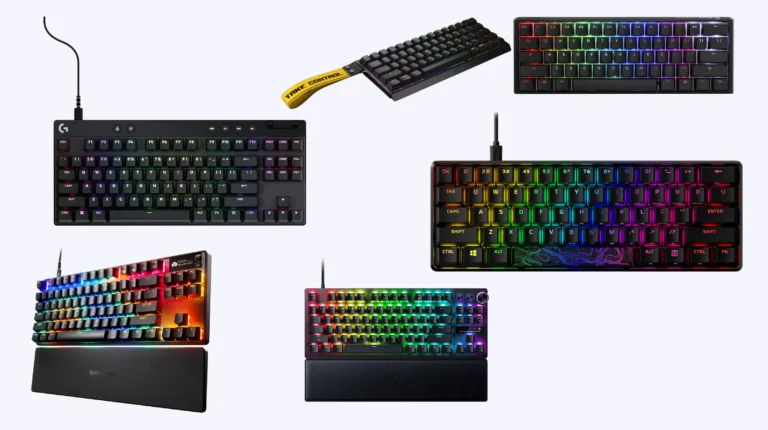
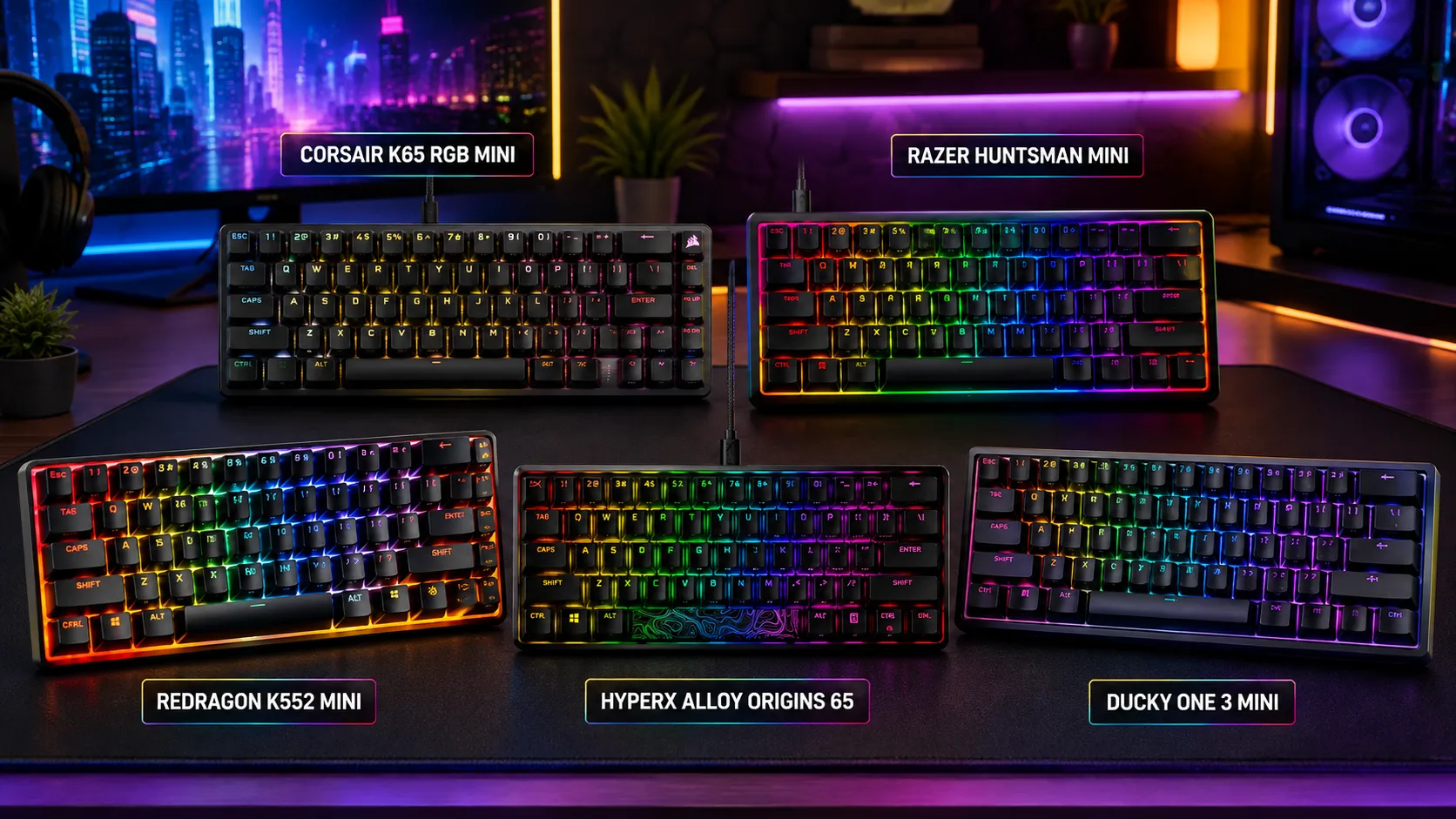
Quick Comparison: The Best 60% Keyboards for FPS at a Glance
Here’s the TL;DR sorted by what you actually care about. Pick your row.
| What You Need | Best Pick | Switch Type | Polling Rate | Why It Wins |
|---|---|---|---|---|
| Best overall for competitive FPS | Wooting 60HE+ | Lekker Hall Effect | 1000 Hz (8000 Hz upgrade path) | Rapid Trigger, adjustable actuation, Snap Tap–style features |
| Best under $100 | HyperX Alloy Origins 60 | HyperX Red linear | 1000 Hz | Aluminum frame at a budget price |
| Best for adjustable actuation | SteelSeries Apex Pro Mini | OmniPoint 2.0 magnetic | 1000 Hz | Per-key trigger depth, clean look |
| Best wireless 60% | Corsair K65 Pro Mini | Corsair MLX Red optical | 8000 Hz (wired) | Slipstream wireless, solid latency |
| Best for enthusiasts who game | Ducky One 3 Mini | Cherry MX / Kailh Box | 1000 Hz | Build quality, PBT keycaps, hot-swap |
| Best budget optical | Razer Huntsman Mini | Razer Linear Optical | 1000 Hz | Fast actuation, doubleshot PBT, often on sale |
Prices move constantly, so verify before you buy. Honestly, I’d bookmark whatever’s on sale over a rigid “best” list — a discounted Huntsman Mini beats a full-price Wooting for a lot of players.
If you want a wider frame of reference before locking in, I put together a broader look at the best mechanical keyboards for gaming right now that covers other form factors too.
The Best 60% Keyboards for FPS, Reviewed
1. Wooting 60HE+ — The One the Pros Actually Bought
Yes, it deserves the hype. I’ve been running the 60HE+ as my primary comp board for Valorant and CS2 for months, and the Lekker Hall effect switches change how you play, not just how you type.
The headline feature is Rapid Trigger. Instead of a fixed reset point, the switch registers “released” the moment you move up from where you pressed. In counter-strafing games, that translates to cleaner stops and sharper micro-adjustments. On my ADS test in CS2, I could feel it — quicker breaks between AK bursts, smoother A/D dance.
Adjustable actuation from 0.1mm to 4.0mm per key is the other big one. I run WASD at around 0.2mm and my B/1/2/3 utility keys deeper so I don’t fat-finger a smoke.
Build-wise, it’s plastic. It creaks a little if you flex it. Don’t expect a $250 aluminum unibody — you’re paying for the sensor tech, not the shell.
Pros
- Rapid Trigger genuinely helps in counter-strafing games
- Per-key actuation depth is a huge deal once you tune it
- Wootility software is deep but not painful to learn
- Switch tech ages well against new competitive features
Cons
- Plastic case feels cheap next to the price
- Stock keycaps are shine-through ABS (I’d swap them)
- Not wireless
There’s a full Wooting 60HE breakdown here if you want the deep dive on the Rapid Trigger side.
2. HyperX Alloy Origins 60 — The Budget Board That Punches Up

- [Petite 60% form factor]: Free up more room for your mouse with this supremely compact keyboard.
- [Full aircraft-grade aluminum body]: The aluminum casing keeps the keyboard structurally sound and stable when the actio…
- [Double shot PBT keycaps with side printing]: The keycaps are designed with durable PBT material that is resistant to we…
Here’s my mild-hot take: for the average FPS player who isn’t chasing Radiant or Global, the Alloy Origins 60 does 90% of what a $175 board does, for under $100 on sale.
Full aluminum frame at this price is rare. The board doesn’t flex, doesn’t creak, doesn’t sound hollow. HyperX Red linears aren’t Gateron Yellow smooth, but they’re honest — 45g actuation, quiet enough for late-night sessions, quick enough for FPS.
Onboard memory is a small quality-of-life win. Plug it into a LAN cafe machine and your layers come with you.
Pros
- Aluminum body at a budget price
- Doubleshot PBT keycaps (rare under $100)
- Onboard memory, no software required
- Small, dense, hard to knock around during rage moves
Cons
- Not hot-swap
- Switches are fine, not exciting
- No wireless
3. SteelSeries Apex Pro Mini — Adjustable Actuation Without Going Full Wooting

- FULLY CUSTOMIZABLE & STUPIDLY FAST with OmniPoint 2.0 Adjustable HyperMagnetic switches
- RAPID TRIGGER — Eradicate latency arising from the physical movement of the switch through dynamic activation and deacti…
- ULTIMATE CONTROL — 40 levels of per-key actuation (0.1 – 4.0mm) – set WASD for light, ultra-fast movements and set abili…
The Apex Pro Mini is what you buy when you want tunable actuation but you’re not ready to commit to Wooting’s ecosystem. OmniPoint 2.0 magnetic switches let you set each key’s actuation between 0.1mm and 4.0mm — same range as the Wooting — and it now supports SteelSeries’ version of a rapid-tap feature.
In my testing, I felt slightly less snap than the 60HE+ on the Rapid Trigger side. Hard to say whether that’s the sensor or the firmware, but it’s still a meaningful step up from a fixed 2mm actuation.
The board itself feels premium. Aluminum plate, tight assembly, no rattle out of the box. Software’s SteelSeries GG, which is fine, though I still prefer Wootility.
Pros
- Genuinely adjustable per-key actuation
- Rapid tap for counter-strafing works well
- Solid, no-nonsense aluminum build
- PBT keycaps included
Cons
- Software is heavier than it needs to be
- Priced right up against the Wooting
4. Ducky One 3 Mini — For the Player Who Also Cares About Typing

- Featuring Ducky’s QUACK Mechanics design philosophy
- Dual layer hotswap PCB w/ exclusive Kailh yellow hotswap sockets
- Low profile One 3 case design in a wide array of exclusive color options
If you spend as much time on Discord and spreadsheets as you do in-game, the Ducky One 3 Mini is the one I’d hand you. It’s the least “gamer” of the boards on this list and the most enjoyable to type on.
Hot-swap sockets, doubleshot PBT keycaps, and factory-tuned stabilizers mean it’s ready to enjoy out of the box. No lube job needed. Cherry MX Red or Kailh Box Silent Red are the ones I’d pick for FPS — the Silents especially if you stream.
Where it loses to the Wooting is analog features. There’s no Rapid Trigger, no adjustable actuation, no snap-tap. It’s a great mechanical keyboard in the traditional sense that also happens to be excellent for gaming.
Pros
- Best-in-class build for the price
- Hot-swap, so switch experimentation is easy
- PBT dye-sub keycaps hold up for years
- Feels genuinely great to type on
Cons
- No analog switches or Rapid Trigger
- QMK/VIA support is limited (uses Ducky’s own tool)
If typing feel matters to you as much as gaming feel, my rundown of what makes a good typing keyboard breaks down what to look for beyond the switch spec sheet.
5. Razer Huntsman Mini — Optical, Aggressive, and Often on Sale

- FASTER THAN LEGACY MECHANICAL SWITCHES — Razer Optical switches use light-based actuation, registering key presses at th…
- ULTIMATE PERSONALIZATION and GAMING IMMERSION WITH RAZER CHROMA RGB LIGHTING — Fully syncs with popular games, Razer har…
- QUALITY, ALUMINUM CONSTRUCTION — Covered with a matte, aluminum top frame for increased structural integrity
The Huntsman Mini has been around long enough that people forget how good it still is. Razer Linear Optical switches actuate at 1.0mm — fast, light, no debounce delay. On paper, you’d think it’d be a chattering mess. In practice, it’s one of the cleanest optical boards I’ve used.
Doubleshot PBT is standard now, which used to be a big miss on Razer. The plastic body is fine, not amazing. But the price often drops into the $80–$100 range, and at that number it’s a serious contender for the best 60% keyboards for FPS list on price alone.
Downside: Synapse. Razer’s software is bloatware-adjacent and demands more from your system than it should.
Pros
- 1.0mm optical actuation is genuinely fast
- Doubleshot PBT keycaps
- Frequently on sale
- Detachable USB-C cable
Cons
- Synapse is heavy and needs constant updates
- No hot-swap
- Plastic construction
6. Corsair K65 Pro Mini — When You Want to Cut the Cable

- 65% Layout Lets You Play with a Purpose: The compact 65% layout is small enough to fit on any desktop, yet includes the …
- Optical Switches for Laser-Like Inputs: CORSAIR OPX optical-mechanical switches offer insanely smooth, linear, ultra-res…
- Play at AXON-Speed: CORSAIR AXON Hyper-Processing Technology gets your actions from the keyboard to the game up to 8x fa…
If wireless is non-negotiable, the K65 Pro Mini is the one I’d take into a tournament. Slipstream wireless is legitimately competitive-tier — I’ve never noticed latency, even with the mouse and headset both running on 2.4 GHz.
Wired, it hits 8000 Hz polling. That’s a spec that gets marketed hard and matters less than the marketing suggests — you’ll feel it more in mouse polling than keyboard polling — but the underlying board is well-built regardless.
MLX Red optical switches feel fine. Not remarkable, not bad. If you’re a Corsair loyalist, this is your board.
Pros
- Solid wireless implementation
- 8000 Hz wired polling
- Aluminum top plate
- Reliable battery life
Cons
- iCUE is Corsair’s Synapse — heavy, buggy
- Not hot-swap on most SKUs
For a broader look at cordless options, I’ve got a full guide on the best wireless mechanical keyboards that covers non-60% picks too.
What Actually Matters When Buying a 60% for FPS
Ignore most of the marketing. Here’s what moves the needle in-game.
- Actuation force and travel. Lighter (40–45g) linears are the standard FPS pick. Heavier switches fight you during long ADS sessions. Tactiles are fine for typing but slower to double-tap.
- Rapid Trigger or adjustable actuation. If you play tac-shooters seriously, this is the single biggest jump. Everything else is incremental.
- Polling rate. 1000 Hz is fine for 99% of players. 8000 Hz sounds cool. In blind testing, most people can’t feel the difference. Save the money.
- Stabilizers. A rattly space bar is genuinely distracting during clutches. Boards with factory-tuned stabs (Ducky, Wooting) are worth the premium if you’re not going to mod.
- Keycap material. PBT lasts. ABS shines up and looks greasy within a few months. That’s not opinion — it’s chemistry.
- Cable and case. Detachable USB-C only. Bent-pin micro cables in 2026 should be illegal.
The other thing nobody mentions: layer memorization. On a 60%, arrows, function row, and media keys live on Fn layers. Give yourself two weeks to actually learn them. The first few days are rough — you’ll fumble the escape sequence out of full-screen apps. By week three, you won’t remember why you needed a full-size.
Ergonomics Still Matter, Even at 60%
Compact boards aren’t automatically better for your wrists. In some ways they’re worse — you’re reaching more to hit the same keys, and if your board sits on a hard desk edge with no palm rest, you’ll feel it after a few hours.
Two things help: get a low-profile board or a low-profile keycap set (Cherry profile beats OEM here), and use a soft palm rest. If wrist strain is already an issue, I’d point you at my writeup on gaming keyboards that are actually comfortable for long sessions.
My Honest Verdict
If you play FPS seriously and can spend the money, the Wooting 60HE+ is the best 60% keyboard for FPS on the market right now, and it’s not particularly close. Rapid Trigger and adjustable actuation are real advantages that show up on the scoreboard, not just in your feelings about your setup.
If you can’t or won’t drop that much, the HyperX Alloy Origins 60 is the smart budget play. It won’t give you the Wooting’s edge, but it also won’t hold you back. I’d rather see someone spend the saved money on a better mouse or a longer mousepad anyway.
Skip the RGB-heavy $250 boards that don’t offer analog features. If you’re paying that much and not getting Rapid Trigger, you’re paying for a lightshow.
One last thing: no keyboard is going to fix your aim. I’ve watched players win tournaments on stock membrane boards and I’ve watched streamers with $400 setups whiff every duel. Buy the board that fits your budget and your hands, spend a couple weeks getting used to the layout, and get back to practicing.
This article contains affiliate links. If you buy through them, I earn a small commission at no extra cost to you. I only recommend keyboards I’ve actually tested. As an Amazon Associate I earn from qualifying purchases.