
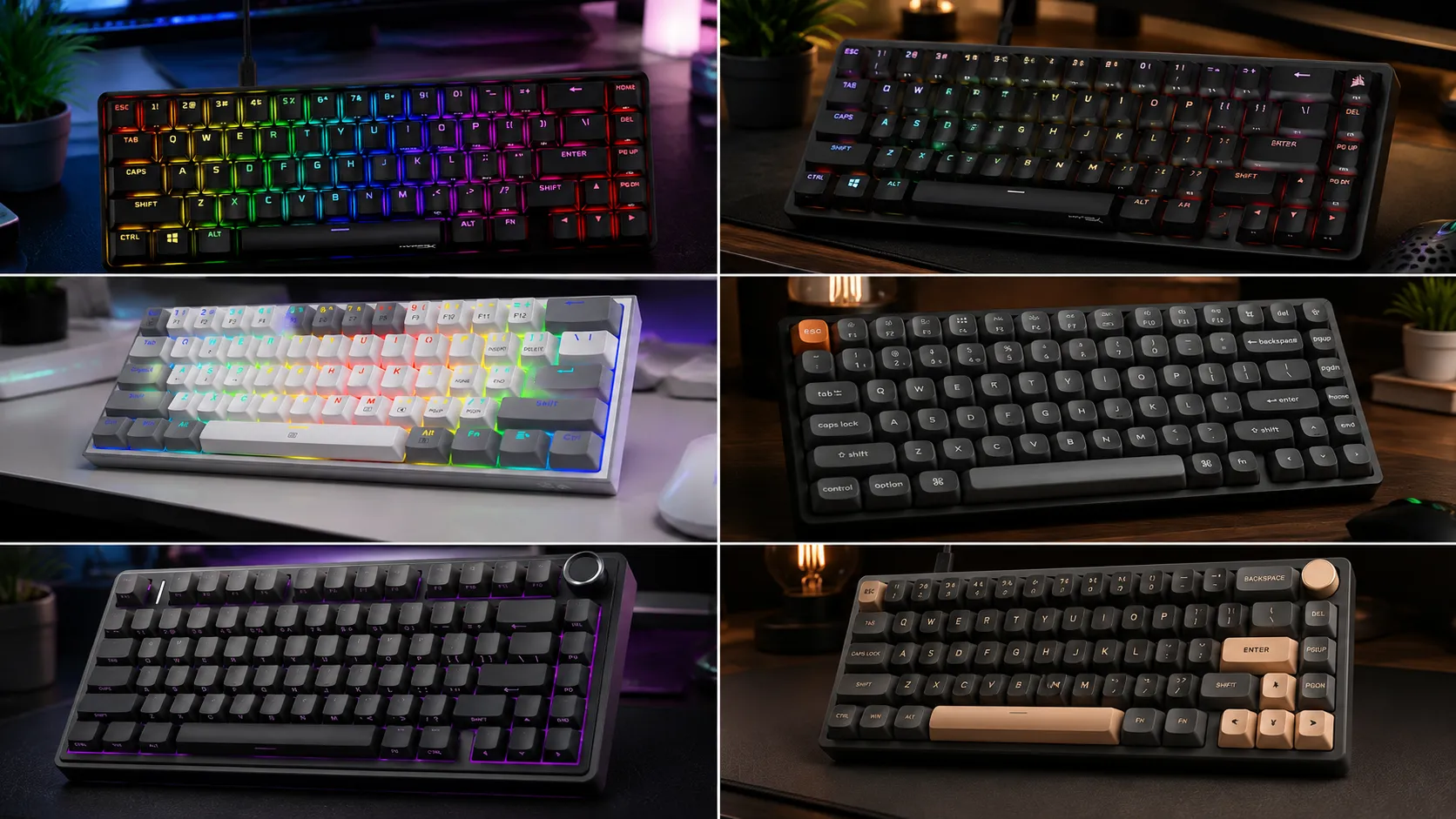
Best Compact Gaming Keyboards Under $100: 6 Honest Picks

This article contains affiliate links. If you buy through them, I earn a small commission at no extra cost to you. I only recommend keyboards I’ve actually tested. As an Amazon Associate I earn from qualifying purchases.
There’s a myth I keep running into that won’t die: that $100 is the “budget shelf” for gaming keyboards. It isn’t. Not anymore. At this price point, you can genuinely get gasket mounts, hot-swap sockets, PBT keycaps, and polling rates that were sitting behind $200 tags two years ago. So the real question about the best compact gaming keyboards under $100 isn’t whether any of them are good — plenty are. The question is which ones aren’t cutting corners in the places you’ll actually feel three months in.
I’ve spent the last several years testing compact boards — 60%, 65%, 75%, and everything in between — as both daily drivers and pure gaming setups. What follows is short on hype and long on the tradeoffs nobody puts on the spec sheet. Quick table for the impatient. Honest breakdowns after that. And at the end, the boring-but-important part where I tell you which one to actually buy.
Quick Comparison: Best Compact Gaming Keyboards Under $100
Skip the specs sheets. Here’s the TL;DR sorted by what you actually want out of a keyboard.
| Best For | Keyboard | Layout | Switch Type | Connection | Approx. Price |
|---|---|---|---|---|---|
| Pure FPS / max desk space | Corsair K65 RGB Mini | 60% | Cherry MX Speed / Red | Wired | $149 |
| Compact with arrow keys | HyperX Alloy Origins 65 | 65% | HyperX Red (linear) | Wired | $64 |
| Best wireless all-rounder | Keychron K2 Max | 75% | Gateron / Keychron Super | Wireless + wired | $124 |
| Best sound and feel for the money | AULA F75 Pro | 75% | Pre-lubed linear/tactile | Wireless + wired | $69.99 |
| Best budget hot-swap | Royal Kludge R65 | 60% | RK cream (linear) | Wired | $59 |
| Sub-$40 entry pick | Redragon K617 Fizz | 60% | Outemu Red | Wired | $39 |
Prices bounce around, especially on Amazon. If something creeps a few bucks over the $100 line during a bad sale week, the recommendation still holds — just check before you check out.
What “Compact” Actually Means (and Why It Matters for Gaming)
“Compact” gets thrown around loosely, so let’s tighten it up before the picks.
- 60% — cuts the number pad, arrow cluster, and function row. About 61 keys. Every extra function lives on a layer.
- 65% — keeps the arrow keys and a small nav cluster. Around 66 to 68 keys total.
- 75% — keeps the function row and squeezes the arrows and nav keys tightly against the alphas. Roughly 82 to 84 keys.
- MiniTKL — a squished tenkeyless with almost every TKL key but tighter spacing.
For gaming, smaller means more mouse room. That matters if you play at low sensitivity in Counter-Strike 2, Valorant, or Apex Legends. A 60% gives your mouse the most runway. A 75% is friendlier if you also work on the thing all day and don’t want to layer-hop to hit F5. Neither one is better — they’re different tradeoffs, and picking the wrong layout is the number one reason people bounce off compact boards. If you’re new to smaller sizes and the layer thing sounds intimidating, our full guide to gaming keyboard layouts walks through what actually changes day to day.
Features You Shouldn’t Compromise On at $100
A hundred bucks is enough money to be picky. Here’s what I refuse to give up at this price:
- PBT keycaps. ABS shines up in weeks and turns your board into a mirror. PBT holds its texture for years. Non-negotiable.
- Hot-swap sockets. So you can swap switches later without a soldering iron. This alone future-proofs the board.
- 1000 Hz polling rate minimum. Anything less is a red flag in 2026. 8,000 Hz is a nice-to-have you won’t feel unless you’re a top-tier competitive player.
- Detachable USB-C cable. For durability, portability, and because dongles die.
- N-key rollover or full anti-ghosting. Standard now, but worth confirming.
- Standard bottom row. If the spacebar and modifier keys aren’t standard-sized, most aftermarket keycap sets won’t fit. That kills your upgrade path.
RGB is nice. Wireless is nice. Neither should be the reason you buy a keyboard. A good $90 board beats a bad $200 one every time, and it’s not close.
The Best Compact Gaming Keyboards Under $100
Here’s each pick with what it’s good at, what it isn’t, and who I’d send in that direction.
1. Corsair K65 RGB Mini — Best 60% for Pure FPS

- 65% Layout Lets You Play with a Purpose: The compact 65% layout is small enough to fit on any desktop, yet includes the …
- Optical Switches for Laser-Like Inputs: CORSAIR OPX optical-mechanical switches offer insanely smooth, linear, ultra-res…
- Play at AXON-Speed: CORSAIR AXON Hyper-Processing Technology gets your actions from the keyboard to the game up to 8x fa…
The K65 Mini has been my go-to recommendation for low-sens FPS players since it first landed. It’s a proper 60% — 61 keys, no arrows, no nav cluster, just runway for your mouse arm. Corsair fitted it with real Cherry MX switches (usually the Speed Silver, with a 1.2 mm actuation), an 8,000 Hz polling rate via their AXON tech, PBT double-shot keycaps, and a detachable braided USB-C cable. It isn’t the flashiest board on this list. That’s the point.
In my testing, the Speed Silvers are borderline too light for typing — I’ve triggered accidental inputs writing emails more times than I’d like to admit — but for Valorant and CS2 they feel like a cheat code. If you type a lot, grab the MX Red version instead. Same board, better all-arounder.
Pros:
- Genuine Cherry MX switches at this price
- 8,000 Hz polling rate for extremely fast input
- PBT double-shot keycaps out of the box
- Small enough to shove in a backpack
Cons:
- Not hot-swappable — what you buy is what you keep
- Corsair iCUE software is heavy and opinionated
- No arrow keys will frustrate anyone who types more than they game
If you want a deeper look at the 60% ecosystem before you commit to no arrows, our dedicated breakdown of 60% keyboards covers the layout in more detail.
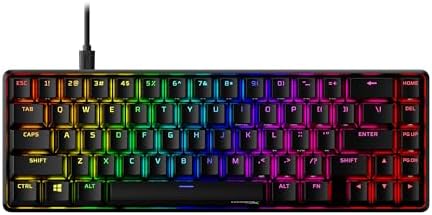
2. HyperX Alloy Origins 65 — Best 65% Pre-Built
- No more wearing out. Mechanical key switch offers a longer lifespan and higher stability for nonstop gamers and typers
- USB Type C connectivity for a easy connection with your PlayStation 4
- Quickly and easily connect with the playstation 4
For anyone who wants that competitive gaming feel without giving up the arrow keys, the Alloy Origins 65 is the pick. Aluminum body, PBT double-shot keycaps, HyperX Red linear switches rated at 80 million presses, three-stage feet — all at $99.99 MSRP and often $10 to $15 less on sale.
Here’s the catch, and it’s a real one: the switches aren’t hot-swappable. What you buy is what you use, forever. If you’re the type who wants to try tactiles later or swap in some lubed linears down the road, look elsewhere. But if you want a plug-and-play 65% that feels solid on the desk, doesn’t require any modding to sound decent, and will still be working in five years, this is one of the safest picks under $100.
Pros:
- Aluminum chassis feels significantly premium for the price
- PBT double-shot keycaps standard
- 80-million-click switch rating
- 65% layout keeps arrow keys without eating desk space
Cons:
- Not hot-swappable
- NGENUITY software is fine but nothing to write home about
- Stock sound is a bit hollow — a foam mod fixes it fast
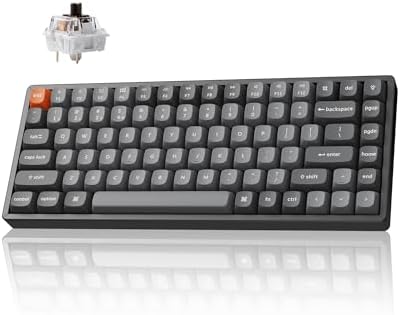
3. Keychron K2 Max — Best Wireless 75% All-Rounder
- Tri-Mode Wireless Mechanical Keyboard: The Keychron K2 Max is a 75% layout keyboard with 2.4G wireless, Bluetooth 5.1, a…
- MacOS & Windows Compatibility: Fully optimized for macOS with the same multimedia keys as native Mac devices, the K2 Max…
- QMK Firmware with Launcher Web App: Customize endlessly with QMK open-source firmware for key remapping, macros, and sho…
If I could only recommend one keyboard on this list to a mixed gamer/typist, it’s this one. The K2 Max runs $94.99 MSRP and regularly dips into the $70s on sale. You get a 75% layout — arrows, function row, delete, home, page keys — with hot-swap sockets, PBT OSA keycaps, tri-mode connectivity (2.4 GHz wireless, Bluetooth 5.1, or wired), full QMK and VIA support for remapping, and a 4,000 mAh battery good for roughly 100 hours at low brightness.
The 2.4 GHz wireless caps at 1,000 Hz polling. Not 8,000 Hz, but honestly, unless you’re a top-500 competitive FPS player, you will not tell the difference in a blind test. Bluetooth pairs to three devices at once, which is genuinely useful if you switch between a work laptop and a gaming PC. If you’re wrestling with the wireless-versus-wired question in general, we broke down when wireless latency actually matters here — short version, for almost everyone in 2026, it doesn’t.
Pros:
- Tri-mode wireless (2.4 GHz + Bluetooth + wired)
- Hot-swap sockets — genuinely future-proof
- QMK/VIA support for deep remapping and macros
- PBT keycaps and multi-layer foam give a clean, muted sound
Cons:
- 1,000 Hz polling cap on wireless (fine for 99% of players)
- White-backlit variant has no RGB
- Slightly heavier than pure gaming-focused boards
4. AULA F75 Pro — Best Sound and Feel for the Money

- Tri-mode Connection Keyboard: AULA F75 Pro wireless mechanical keyboards work with Bluetooth 5.0, 2.4GHz wireless and US…
- Hot-swap Custom Keyboard: This custom mechanical keyboard with hot-swappable base supports 3-pin or 5-pin switches repla…
- Advanced Structure and PCB Single Key Slotting: This thocky heavy mechanical keyboard features a advanced structure, ext…
Now for the enthusiast pick. The AULA F75 Pro has quietly become one of the most-recommended budget boards on Reddit and YouTube for one simple reason: it sounds good. Gasket mount, five layers of sound-dampening foam, pre-lubed switches, PBT keycaps, tri-mode wireless, and the kind of “thocky” acoustic profile you usually have to spend $180+ to build yourself.
I’m mildly tired of the whole thocc arms race, but I’d be lying if I said this board didn’t put a smirk on my face the first time I typed on it. It competes directly with $150 boards on sound quality alone. Battery life is genuinely absurd — days between charges with RGB off. There is a caveat though, and it’s worth stating plainly: quality control has been hit-or-miss depending on the batch, and AULA’s software is basic. You’re buying this for the typing feel that happens to game well, not the other way around.
Pros:
- Genuine gasket mount at a budget-friendly price
- Pre-lubed switches — no modding needed to sound good
- Enormous battery life
- PBT keycaps and dampening foam standard
Cons:
- QC has been inconsistent between batches
- Software isn’t in the same league as Corsair or Razer
- 1,000 Hz polling (again, fine, but not “esports-fast”)
Curious what modding actually adds after the fact? Our guide to lubing and foam mods walks through what’s worth your Saturday afternoon and what isn’t.
5. Royal Kludge R65 — Best Budget Hot-Swap Compact

- 【60% Percent Gasket Mount Mechanical Keyboard】: Compact gaming keyboard adopts a gasket structure with five layers of so…
- 【Metal Volume Knob & Indicator Lights】: The PC gaming keyboard is equipped with a high quality aluminum CNC metal knob. …
- 【Hot Swappable & Custom Pre-lubed Cream Switches】: Hot swappable mechanical keyboard comes with custom pre-lubed cream s…
The Royal Kludge R65 sits comfortably in the $45–65 range and delivers a spec sheet that shouldn’t be legal at that price: gasket mount, hot-swap sockets, PBT MDA-profile keycaps, QMK/VIA support, a volume knob, and RK’s cream switches — which are surprisingly good pre-lubed linears out of the box.
Is it as refined as the Keychron? No. The case is plastic and creaks a bit under pressure. The stock stabilizers rattle a touch on the space bar (a five-minute lube job fixes it), and RK’s software feels like it was thrown together over a weekend. But if you want a genuine gasket-mount, hot-swap 60% for under $65, this is the one. It’s also a fantastic starter board for anyone who wants to get into switch-swapping without spending real money.
Pros:
- Gasket mount and hot-swap at $50-ish
- QMK/VIA support
- Volume knob is genuinely useful
- PBT keycaps
Cons:
- Stock stabilizers rattle — plan on a lube job
- Plastic case creaks under pressure
- Software is rough around the edges
New to hot-swap and unsure why the enthusiast crowd cares so much? Our primer on hot-swappable sockets explains it without the jargon.
6. Redragon K617 Fizz — Best Sub-$40 Entry Compact

- 60% Compact, More Room to Aim – Ditching the numpad and nav cluster frees up desk space for wide mouse swipes, so your s…
- Swap Switches Without Soldering, Smooth and Quiet – The upgraded socket accepts almost any 3-pin or 5-pin switch, and st…
- Vibrant RGB for a True eSports Vibe – Up to 20 preset lighting modes with adjustable brightness and flow speed give your…
I get the “I need a keyboard right now and I have $40” question weekly. The K617 Fizz is my answer. It’s a 60% wired mechanical with Outemu Red switches, single-color RGB backlighting, and a shockingly light chassis. It’s not going to sound like a gasket-mount board. The keycaps are ABS and will shine over time. The switches feel scratchier than Gaterons or Cherrys.
But it works, it holds up, and it costs less than a decent gaming mouse. If your only goal is “get me a real mechanical 60% to try before I commit $100,” this does it and doesn’t pretend to be more. I keep one in my drawer for LAN parties and travel days when I don’t want to risk my main board. It’s also a genuinely great gift for a teenager just getting into PC gaming.
Pros:
- Under $40 with real mechanical switches
- Small and light — easy to travel with
- Reliable enough for the price you pay
Cons:
- ABS keycaps will shine
- Switches feel scratchier than pricier options
- Non-detachable cable on some SKUs
How to Pick the Right Compact Gaming Keyboard for You
If you’re stuck between picks after all that, here’s how I’d actually decide.
- Play mostly competitive FPS at low sensitivity? Go 60%. Corsair K65 Mini if the budget stretches, Royal Kludge R65 if it doesn’t.
- Want a compact board but need arrow keys? Go 65%. The HyperX Alloy Origins 65 is the safest pre-built pick you can make.
- Split time between gaming and typing/work? Go 75%. Keychron K2 Max if you want polish and wireless, AULA F75 Pro if you want the best sound-per-dollar.
- Care about typing feel more than “gaming” specs? AULA F75 Pro, no contest.
- Just getting into mechanical and don’t want to spend real money yet? Redragon K617 Fizz.
One thing I don’t want to gloss over: hot-swap. If you’re new to keyboards, you might not care about it right now. You will in six months, once you start reading about switches and getting curious. Buying a hot-swap board today saves you buying a whole new board next spring — which is why five of my six picks are hot-swappable and the one that isn’t (the Corsair) makes up for it with genuine Cherry MX switches you won’t want to change.
The Honest Verdict
The best compact gaming keyboards under $100 in 2026 are genuinely, no-caveats-needed good. Not “good for the price.” Actually good. That wasn’t true five years ago.
If you want one answer: the Keychron K2 Max is the pick that will make the most people happy. It gambles the least. You get wireless, arrow keys, hot-swap, PBT, and a sound signature that doesn’t embarrass itself. If you’re a pure FPS player who never types more than a Discord message, the Corsair K65 RGB Mini is the sharper tool for the job. If you want the closest thing to a custom-build feel at this budget, the AULA F75 Pro quietly out-punches its price tag in ways you can hear the moment you start typing.
The trap at this budget isn’t buying a bad keyboard — there aren’t many bad ones left under $100. The trap is buying based on RGB, brand loyalty, or an 8,000 Hz polling rate you’ll never actually feel. Buy for the layout you’ll live with every day, the switch feel you like, and the build quality you can hear when you type. Everything else is marketing.
This article contains affiliate links. If you buy through them, I earn a small commission at no extra cost to you. I only recommend keyboards I’ve actually tested. As an Amazon Associate I earn from qualifying purchases.
One Comment