Razer Huntsman V3 Pro vs Wooting 80HE Honest Verdict

This article contains affiliate links. If you buy through them, I earn a small commission at no extra cost to you. I only recommend keyboards I’ve actually tested. As an Amazon Associate I earn from qualifying purchases.
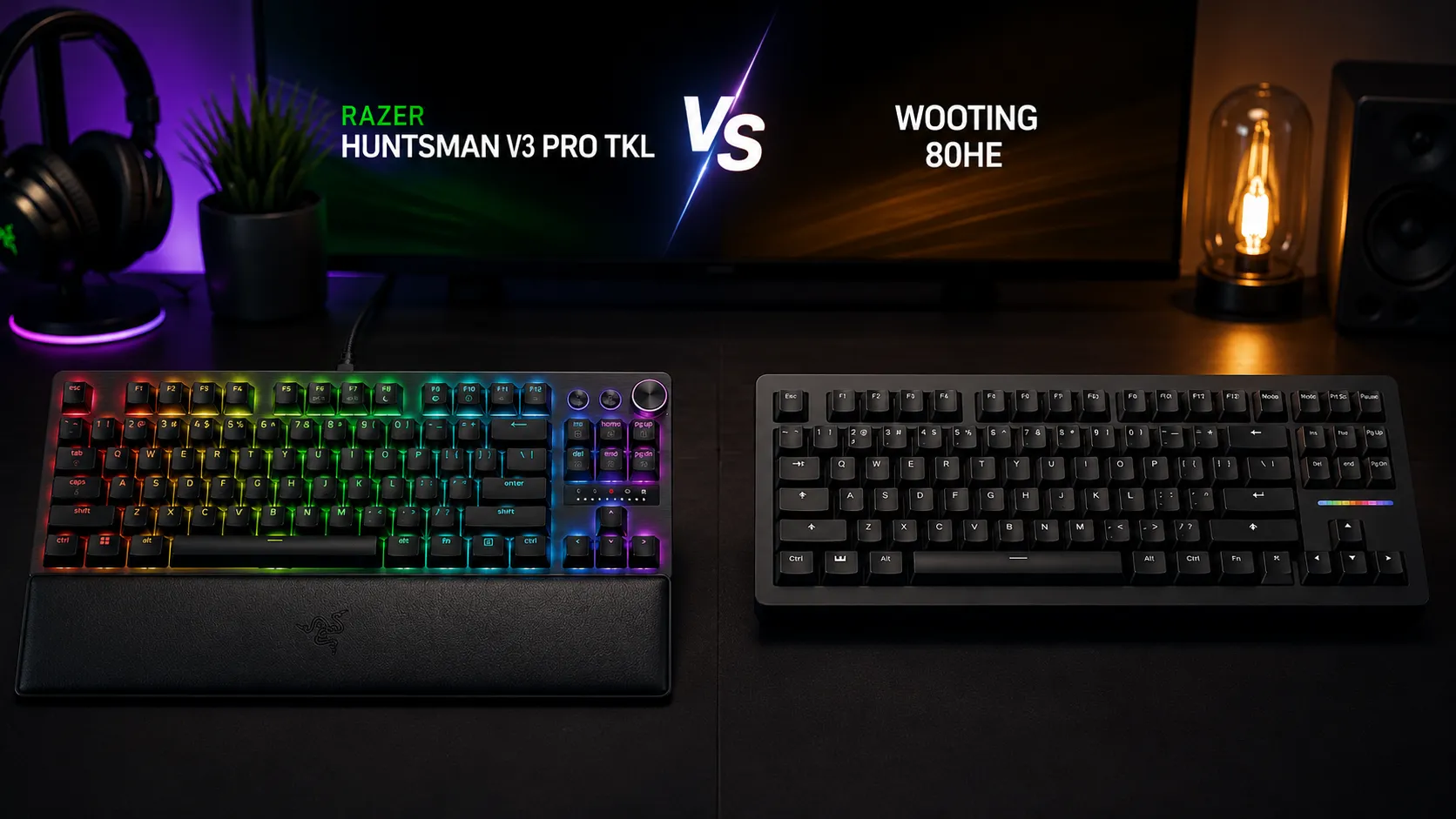
I’ve spent the last month bouncing between the Razer Huntsman V3 Pro TKL and the Wooting 80HE as my daily boards, and I want to save you a lot of Reddit reading. This is the fight everyone in the rapid-trigger space keeps asking about — Razer’s flagship analog TKL versus the enthusiast darling that basically kicked off the whole Hall effect craze. So let’s actually put the Razer Huntsman V3 Pro vs Wooting 80HE question to bed with real hands-on time, not spec-sheet cosplay.
Short version up front: they’re both very good. They’re not the same board, though, and one of them is a better buy depending on what you actually do at your desk. Here’s how it shook out.
Quick Verdict Table (The TL;DR)
If you’re just here to grab one and move on, this is what my month with both told me:
| If you are… | Get this one | Why in one line |
|---|---|---|
| A hardcore CS2 / Valorant / competitive FPS player | Razer Huntsman V3 Pro TKL | Snap Tap works out of the box, 8000 Hz polling, plug and play. Check price on Amazon |
| A typing-first user who also games | Wooting 80HE | Gasket mount, better sound profile, hot-swap Lekkers |
| A sim racer or flight sim fan | Wooting 80HE | Actual analog input; keys act like joystick axes |
| Someone who wants everything in the box | Razer Huntsman V3 Pro TKL | Wrist rest, media dial, PBT caps included — no shopping list |
| A tinkerer / modder / hot-swap fan | Wooting 80HE | Swap switches, mod the board, free lifetime firmware |
| Best all-rounder for most people | Wooting 80HE | Slightly. It’s close, but the software alone tips it |
Now the actual explanation, because that table is doing a lot of work.
What These Boards Both Do (And Why That Matters)
Before I get into differences, understand that at a functional level, the Razer Huntsman V3 Pro TKL and the Wooting 80HE are cousins. Both give you:
- Rapid Trigger — the key resets the moment you start lifting your finger, not at a fixed point. Massive for counter-strafing in FPS games.
- Adjustable actuation — you pick where the key registers. 0.1 mm for a hair-trigger feel, up to about 4.0 mm if you want more deliberate presses. I ran 1.5 mm for typing profiles on both.
- SOCD / Snap Tap-style priority — Razer calls it Snap Tap. Wooting calls it Rappy Snappy. Same idea: when you tap the opposite direction (say D while holding A), the newer key wins instantly instead of both cancelling out. Movement in shooters feels sharper.
- Doubleshot PBT keycaps — no shine, no legend fade, decent texture on both.
- TKL layout — no numpad, tenkeyless, saves desk space. My mouse hand thanks both of them.
So on paper, the argument is basically over before it starts. The differences are in how they do all this, and in the parts nobody puts on the marketing page. If you want a deeper dive on why analog and Hall effect switches actually matter for gaming, that’s worth a read before you commit either way.
The Switches: This Is Where They Actually Diverge
Razer went with Gen-2 Analog Optical Switches. Light behind the stem, no metal contact, and the beam interruption is what tells the board how far you’ve pressed. Fast, consistent, and Razer has clearly refined these since the first Huntsman — they feel less “clacky-hollow” than the older ones. If you liked Razer Reds before, these are that but smarter.
Wooting uses Lekker Hall effect switches. A magnet on the stem, a Hall sensor underneath, and the board reads the magnetic field to figure out exactly where the key is. In practice, they feel like a really nice linear — smooth, medium-weight, no scratchiness. They’re also hot-swappable, which the Razer switches aren’t. That’s a big deal if you like tinkering.
Feel-wise: the Lekkers feel a touch heavier and more “grounded” to me. The Razer opticals feel a bit lighter and more clinical. Neither is bad. If you’ve been on Cherry MX Reds for a decade, the Wooting will feel more familiar. If you’re coming from Razer or optical boards already, the Huntsman V3 Pro is going to feel right at home immediately.
Typing Feel and Sound (Yes, It Matters)
Here’s the part that surprised me.
The Wooting 80HE has a gasket mount and internal foam that give it a genuinely pleasant typing sound out of the box. Not “thocc” territory, but soft, low-pitched, and even. I could type on this thing all day and not get sick of the sound. Feels like a mid-range custom board, not a gaming keyboard. If you’re curious how gasket mounts and foam mods actually change a board’s feel, it’s a rabbit hole worth going down.
The Razer Huntsman V3 Pro TKL is louder and a little pingier by comparison. The aluminum top plate contributes to a brighter sound signature. It’s not bad — it’s actually a satisfying, snappy sound if you like that flavor — but it’s clearly still tuned for “gaming keyboard energy” rather than typing enjoyment. In a shared office, the Wooting will get you fewer dirty looks.
Here’s the catch on the Razer, though: if you like a slightly firmer feedback and a percussive sound when you’re mid-frag, you’ll actually prefer it. I’m not going to pretend one is objectively better. I personally preferred the Wooting for typing sessions and switched to the Razer when I sat down to play Valorant.
Software: Wootility vs Synapse
This is where the Wooting quietly wins by a mile.
Wootility is Wooting’s configuration app. It’s clean, fast, doesn’t need an account, doesn’t run a background service you can’t kill, and it exposes stuff no other software does — per-key actuation, analog curve tuning, gamepad emulation, tachyon mode, the works. It just works. You open it, you tweak things, you close it.
Razer Synapse is Razer Synapse. If you’ve used a Razer product in the last decade you know what you’re getting. It’s more polished visually but heavier, wants to run in the background, wants you to log in, wants to install Razer Cortex, and generally feels like software that has opinions about your PC. The actual keyboard controls in it are fine — you can set Snap Tap, actuation points, per-key rapid trigger — but it’s a heavier experience.
If software matters to you at all, this alone is enough to push me toward the Wooting. I could set up my Huntsman V3 Pro in Wootility if it worked with it. It doesn’t, obviously, but the point stands. For those who want to go further, you can also remap and customize your keyboard with QMK/VIA on a lot of enthusiast boards — Wooting doesn’t use QMK, but the customization philosophy is similar.
Build Quality and What’s in the Box
The Razer is the more premium out-of-the-box experience. You get:
- The keyboard itself with an aluminum top plate
- A wrist rest (nothing fancy, but usable)
- A media dial and dedicated media keys — genuinely useful and better than most implementations
- Detachable braided USB-C cable
- Doubleshot PBT caps
The Wooting 80HE is more of a build-your-vibe experience. You get:
- The keyboard with hot-swap Lekker switches
- Doubleshot PBT keycaps
- Detachable USB-C cable
- No wrist rest, no dial, no media keys
If you want to plug in one thing and have a complete setup, Razer’s giving you more for your money. If you already own a wrist rest you like and don’t care about a dial, you’re not paying for stuff you won’t use with Wooting.
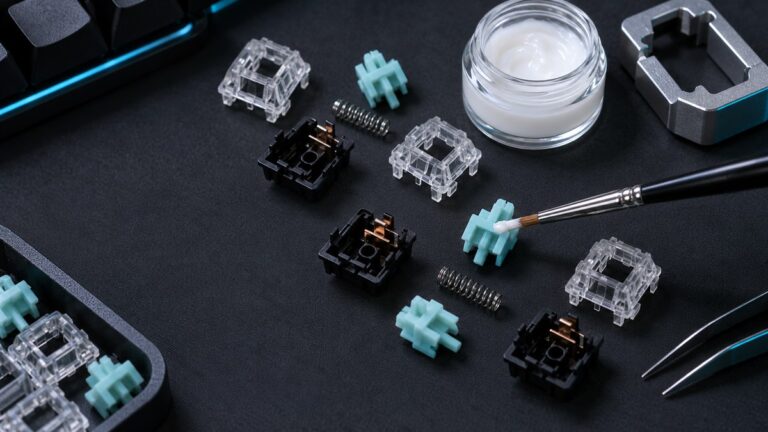
The Wooting also feels more “buildable” — you can pop switches, add tape mods, change foam, all the things enthusiasts do. If that’s your speed, this guide to keyboard mods that actually matter will save you a weekend of trial and error. The Razer is a sealed system by comparison. Not soldered per se, but not designed for tinkering.
Gaming Performance: Snap Tap vs Rappy Snappy in Practice
Real talk — I played maybe 40 hours of Valorant and CS2 across both boards. Blind switching, sometimes back-to-back sessions.
I couldn’t tell them apart in a gameplay sense.
Both trigger rapid resets consistently. Both handle SOCD priority in the same imperceptible way. Both feel instant. My K/D didn’t move meaningfully on either. Anyone telling you they can feel a difference between 8000 Hz polling on the Razer and whatever the Wooting is running is either lying or has better nerves than any human I’ve met.
Where the Razer does pull slightly ahead is that Snap Tap is a hardware-side toggle with almost no configuration friction. Wooting’s Rappy Snappy is equally good but sits inside a config app you have to know how to use. Neither is hard. Razer is just more turnkey. If you’re weighing this against other options in the category, my roundup of the best rapid trigger keyboards worth buying right now puts them in context with the rest of the field.
Razer Huntsman V3 Pro TKL: Pros and Cons

Pros
- Complete package out of the box (wrist rest, dial, PBT, media keys)
- 8000 Hz polling and rapid trigger work with zero setup
- Snap Tap is dead simple to turn on
- The rotary media dial is legitimately great — one of the better ones on any gaming board
- Feels tight, premium, and reassuringly heavy
Cons
- Not hot-swappable, so you’re stuck with the analog opticals
- Louder, brighter sound profile — not ideal for shared spaces
- Synapse software is bloated and account-happy
- Razer tax: you’re paying a small premium for the brand
- No wireless option at this price
Wooting 80HE: Pros and Cons

Pros
- Best-in-class software (Wootility), and it’s free forever
- Hot-swappable Lekker switches — modders and tinkerers, this is your board
- Gasket-mounted with better typing sound out of the box
- True analog input for driving/flight sims (keys act like joystick axes)
- Massive community, active firmware development, strong resale value
Cons
- No wrist rest, no media dial, no dedicated media keys
- Availability can be spotty — Wooting sells direct, and stock comes in waves
- Feels less “premium metal” than the Razer, more “understated function”
- Learning curve is real if you’ve never touched Hall effect boards or analog software
So — Razer Huntsman V3 Pro vs Wooting 80HE. Which One?
For most people reading this, I’d take the Wooting 80HE. The software is better, the switches are hot-swappable, the sound is nicer, and the analog capability is legitimately useful even if you don’t sim race today. It’s the board that will still make sense to you in three years.
But — and this is the honest caveat — if you’re an FPS-first player who just wants to plug something in, hit Snap Tap on, and get to work with a wrist rest already included, the Razer Huntsman V3 Pro TKL is a completely valid pick. It’s the more polished out-of-the-box product. The media dial alone is worth something if you’re constantly adjusting volume or scrubbing timelines. And Razer’s rapid trigger implementation is as fast and consistent as anyone else’s now — the gap that used to exist between them and Wooting is basically gone.
The one board I wouldn’t buy at this price point is a regular mechanical without adjustable actuation and rapid trigger, if you play competitive shooters at all. Once you’ve used this stuff, going back to a fixed actuation point feels like typing in molasses. That part isn’t hype.
Pick based on which side of your desk you spend more time on. Type all day and game at night? Wooting. Game most of the time and just want the thing to work? Razer. Both are boards I’d happily keep on my desk — and honestly, they both live in my rotation right now.
This article contains affiliate links. If you buy through them, I earn a small commission at no extra cost to you. I only recommend keyboards I’ve actually tested. As an Amazon Associate I earn from qualifying purchases.