
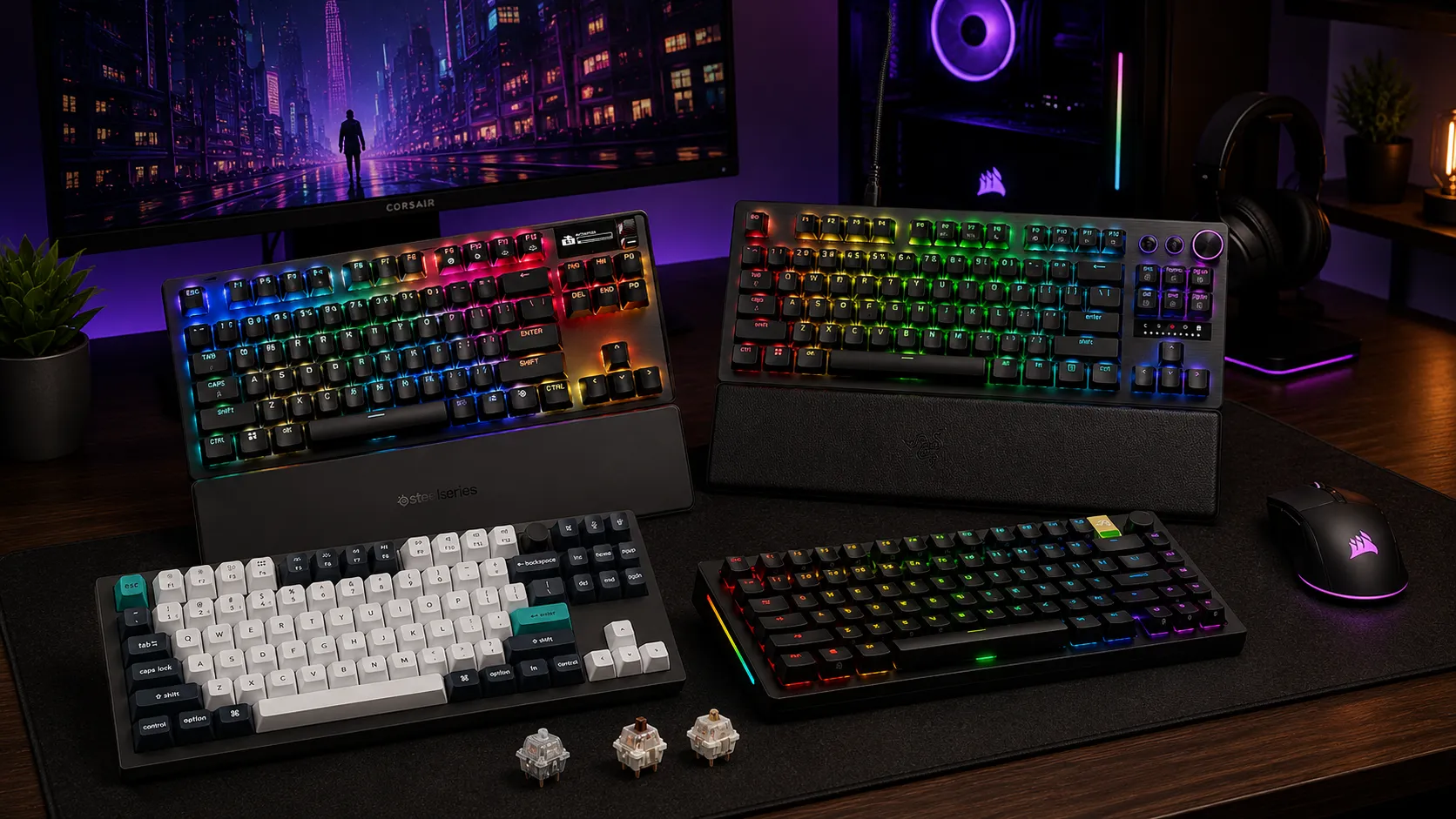
Best TKL Keyboards With Volume Knob: 6 Tested Picks Ranked

This article contains affiliate links. If you buy through them, I earn a small commission at no extra cost to you. I only recommend keyboards I’ve actually tested. As an Amazon Associate I earn from qualifying purchases.
A volume knob on a TKL sounds like a small thing. It isn’t. Once you’ve had one on your daily driver, hunting for Fn+F11 feels like using a rotary phone in 2026. And here’s the part most spec sheets gloss over: there’s a real difference between a proper rotary encoder — the kind you can grab, spin, and press to mute — and a strip of RGB-backlit media buttons pretending to do the same job.
That gap is exactly why the “best TKL keyboard with volume knob” search is more crowded than useful. I’ve had a bunch of them on my desk over the last year and change. Some knobs feel like a good camera dial — weighted, clicky detents, satisfying press. Others spin freely like a fidget toy and lose their mapping the moment you swap USB ports. Some boards ship a real rotary encoder; others slap on a thin metal roller and call it a day.
So this list is only the tenkeyless boards where the knob (or roller) is genuinely worth having, the switches feel good under real fingers, and the software doesn’t make you want to fling the thing out a window. Six picks, one for each type of buyer. Read the quick table if you’re in a hurry, then dig into whichever one lines up with how you actually use a keyboard. If you’re still weighing whether TKL is even the right size for you, our full TKL format guide walks through that decision without the fluff.
Best TKL Keyboard With Volume Knob at a Glance
| Category | Keyboard | Knob Type | Switches | Wireless? | Approx. Price |
|---|---|---|---|---|---|
| Best Overall | Keychron Q3 Max | Proper rotary knob | Hot-swap MX-style | Yes (2.4GHz + BT) | ~$220 |
| Best for Competitive Gaming | SteelSeries Apex Pro TKL Gen 3 | Metal roller + OLED | OmniPoint 3.0 Hall effect | No | ~$250 |
| Best Analog Optical | Razer Huntsman V3 Pro TKL | Command dial + media keys | Analog optical | No | ~$200 |
| Best for Modders | Glorious GMMK 3 Pro TKL | Proper rotary knob | Hot-swap MX-style | No | ~$180+ |
| Best Wireless Value | Corsair K70 CORE TKL Wireless | iCUE control wheel | Corsair MLX Red linear | Yes (2.4GHz + BT) | ~$130 |
| Best Budget | Akko 5087B Plus | Proper rotary knob | Hot-swap MX-style | Yes (2.4GHz + BT) | ~$110 |
None of these are perfect. All of them are legitimately good at the specific thing they’re chosen for. Skip anything not on this list unless you have a very specific reason.
1. Keychron Q3 Max — Best Overall TKL With Volume Knob

If you asked me to keep one board on my desk and take the rest off, the Q3 Max would win most days. It’s the version of the Keychron Q3 that finally added tri-mode wireless (2.4GHz, Bluetooth, wired), and the knob is the real deal — CNC aluminum, tight detents, and a press action that clicks in with real feedback instead of the soft mush a lot of budget boards give you.
The build is where you feel the money. Full aluminum case, double-gasket mount, PBT double-shot keycaps, and enough foam and silicone inside to keep the sound firmly in “poppy” territory rather than the pingy metallic mess older Keychrons had. In three weeks of daily typing on the pre-lubed Jupiter Banana switches, I never once thought about the acoustics — which is the highest compliment I can give a stock board. If you’re new to how much difference switches, foam, and mounting style actually make, the Q3 Max is a good crash course in a single product.
QMK and VIA support means the knob does whatever you want. Volume, zoom, brightness, undo/redo, weapon swap — any keystroke or macro, per-layer. Battery life on 2.4GHz has held up around 4–5 days of heavy use for me with backlight off.
Here’s the catch: it’s heavy (over 4 lbs) and it isn’t cheap. If you’re looking for a light gaming board you toss in a bag for LANs, this isn’t it.
Pros
- Excellent build quality — full aluminum, gasket mount
- Proper rotary knob with real detents and press-in
- Full QMK/VIA — everything is remappable
- Tri-mode wireless with solid battery life
- Great stock sound, no modding required
Cons
- Heavy, not travel-friendly
- Software takes a minute to figure out if you’ve never used VIA
- No dedicated media keys beyond the knob
2. SteelSeries Apex Pro TKL Gen 3 — Best for Competitive Gaming

The Apex Pro TKL Gen 3 is the one I’d pick if my rank actually depended on my keyboard. The OmniPoint 3.0 Hall effect switches let you set actuation anywhere from 0.1mm to 4.0mm, and you can bind two actions to a single key at different depths — light tap to walk, full press to sprint, for example. In FPS games this isn’t marketing fluff; it’s a real advantage once you take twenty minutes to set it up. For a deeper look at how Hall effect and adjustable actuation actually play in competitive shooters, it’s worth reading before you commit.
Now, about the “volume knob” — it’s a roller, not a knob. A wide, metal, textured wheel that spins smoothly. It’s paired with a small OLED that shows the current level, and there’s a dedicated mute button next to it. If you specifically want a chunky rotary dial you can grab like a stereo, the SteelSeries won’t scratch that itch. If you want fast, precise, no-look volume control while you’re mid-round, the roller is arguably better than most knobs I’ve used.
GG (SteelSeries’ software) is fine now. Not great — the interface is still busy — but it doesn’t crash on me and per-game profiles switch reliably.
Pros
- Hall effect switches with adjustable actuation and dual-action binding
- Volume roller is fast and precise
- Small OLED shows volume and other info
- PBT double-shot caps as standard
- Excellent for competitive shooters
Cons
- It’s a roller, not a knob — some people care about this
- Wired only (no wireless option in the Gen 3 TKL)
- Sits at the premium end of pricing
- Software is functional but not slick
3. Razer Huntsman V3 Pro Tenkeyless — Best Analog Optical Board

Razer’s Huntsman V3 Pro TKL runs analog optical switches, which is a different route to the same “adjustable actuation” idea as the SteelSeries. The switches feel lighter and quicker under the finger than most Hall effect boards, which some people prefer for tap-heavy games like Valorant and CS2.
The media section is one of the more thought-out setups I’ve used. You get a dedicated command dial (a real knob, with click detents and a press function) plus three separate media keys — play/pause, skip forward, skip back. That’s more media functionality than any other board on this list, and if you switch tracks constantly during work, it matters.
The build is solid — aluminum top plate, PBT caps, and it doesn’t wobble on the desk. Synapse is Razer’s software and it’s still Razer’s software; it works, but it’s heavier than it needs to be and there’s account nagging.
Where it drops slightly against the Apex Pro is dual-action binding — Razer’s Snap Tap and Rapid Trigger implementations work well, but I found SteelSeries’ two-actions-per-key setup more useful in practice.
Pros
- Analog optical switches with adjustable actuation
- Best media control section on this list — real knob plus three keys
- Solid aluminum build
- Great for tap-heavy shooters
- PBT keycaps standard
Cons
- Wired only
- Synapse software is bloated
- Priced higher than the “just get a keyboard” crowd will like
- Doesn’t quite match the Apex Pro for per-key dual actions
4. Glorious GMMK 3 Pro TKL — Best for Modders and Custom Builds

If you actually enjoy the modding side of the hobby — lubing switches, swapping plates, tuning sound — the GMMK 3 Pro TKL is the one to buy. Glorious rebuilt this line from the ground up and the modularity is genuinely useful now. Swappable plates (FR4, polycarbonate, aluminum, POM), swappable weights, gasket or top mount, hot-swap for any 3-pin or 5-pin MX switch. Rotary knob is standard, and it’s a good one — clicky detents, press function, and it doesn’t feel like an afterthought.
I ran mine with Kailh Box Jades for a couple weeks (loud, don’t do this if you have roommates), then swapped to Gateron Oil Kings without ever pulling the case apart. That’s what hot-swap should be. The board also has south-facing sockets, which matters if you’re planning to run Cherry-profile keycaps down the line — no interference issues. If you’re new to the modding side, our breakdown of the mods that actually change how a board sounds covers what’s worth your time and what’s placebo.
Sound out of the box depends heavily on which plate and switches you pick. With the PC plate and lubed linears, I got that “creamy” typing sound most people are chasing. With the aluminum plate and unlubed switches, it sounds like a maraca. Choose accordingly.
Pros
- Modular platform — swap plates, weights, mounting style
- Excellent hot-swap for future switch changes
- Solid rotary knob with press-in
- South-facing sockets for keycap compatibility
- QMK/VIA support
Cons
- Wired only
- Configuration options can be overwhelming
- Price adds up quickly once you customize
- Sound is only as good as the parts you pick
5. Corsair K70 CORE TKL Wireless — Best Wireless Value

The K70 CORE TKL Wireless is the “just works” wireless pick. It’s not the fanciest board here, it’s not going to change your typing life, but for around $130 you get a tri-mode wireless TKL with a metal iCUE control wheel, Corsair’s MLX Red linear switches (pre-lubed from the factory), and a build that feels genuinely solid.
The control wheel is a roller-style setup similar to the SteelSeries but slimmer. It defaults to volume but you can remap it in iCUE for zoom, brightness, or app switching. Press-in toggles between modes. It’s not a chunky rotary encoder like the Keychron’s, but it’s smooth, precise, and doesn’t feel cheap.
Battery life is solid on 2.4GHz — over a week of normal use with lighting off. iCUE is Corsair’s software and, well, it’s iCUE. It runs, it does the job, it wants to launch at startup. Turn that off in the settings and move on.
Where it loses out to the pricier boards: the switches are just fine (not amazing), it doesn’t do adjustable actuation or Hall effect wizardry, and the case isn’t gasket mounted. But nothing else on this list gives you wireless plus a knob plus a real gaming pedigree at this price.
Pros
- Tri-mode wireless (2.4GHz, Bluetooth, wired)
- Solid battery life
- Good metal control wheel
- Reasonable price for the feature set
- PBT keycaps included
Cons
- Switches are decent, not exceptional
- No adjustable actuation
- iCUE is iCUE
- Case is functional but not premium-feeling
6. Akko 5087B Plus — Best Budget TKL With Volume Knob
At around $110 the Akko 5087B Plus punches well above its weight. Tri-mode wireless, hot-swap sockets, PBT double-shot caps in Akko’s usual pastel colorways, and yes — a proper rotary knob with a press function. For a board this cheap to include a real knob (not a fake, not a decorative dial) is honestly rare. If you’re on the fence between spending $110 here versus stretching to $200+, our budget vs. premium keyboard comparison is worth a read before you decide.
I’ve been running an Akko board of this generation as a beater for a while now — the one I grab when I’m working from a coffee shop and don’t want to travel with my Q3. The Akko CS Jelly switches are surprisingly decent out of the box, pre-lubed lightly and reasonably consistent. Not high-end custom switches, but noticeably better than most sub-$120 boards.
Here’s the honest part: the software (Akko Cloud Driver) is basic. You can remap keys, adjust lighting, and configure the knob, but it’s not QMK/VIA — you don’t get infinite layering or advanced macros. For most people this is completely fine. If you’re the type to tinker at that level, you’re already spending Q3 Max money.
The knob defaults to volume, click to mute, and can be reassigned to a handful of common functions. It feels good — not $220 good, but definitely $110 good.
Pros
- Excellent value — real knob, hot-swap, tri-mode wireless
- PBT double-shot keycaps with unique color options
- Decent stock switches
- Solid battery life
- Genuinely nice sound out of the box
Cons
- Basic proprietary software (no QMK/VIA)
- Build is plastic, not metal
- Knob customization is limited compared to enthusiast boards
- Not built for heavy competitive gaming
What Actually Matters When Buying a TKL Keyboard With a Volume Knob
A few things I’d tell any friend before they pulled the trigger:
- Knob vs. roller vs. “media zone”: These are three different things. A knob is a rotary encoder — grippable, usually presses in. A roller is a flat wheel — fast and precise but harder to grab. A “media zone” is a strip of dedicated media buttons, sometimes with a small dial. If the product photo makes you squint to find the knob, it’s probably not really a knob.
- Remappability: A knob that only does volume is fine. A knob that can do volume, zoom, brush size in Photoshop, and undo/redo per application is a lot more useful. QMK/VIA boards win here. Proprietary software varies a lot.
- Hot-swap sockets: Even if you’re not planning to change switches now, having the option later means the board grows with you. Every board on this list except the SteelSeries and Razer supports hot-swap.
- Wired vs. wireless: For competitive gaming, wired 8000Hz polling is still preferred. For general use, mixed work and gaming, or a clean desk, 2.4GHz wireless is now good enough that the difference is invisible outside of pro-level play.
- RGB is not a reason to buy anything: Every board here has RGB. It’s decorative. Don’t let it be the deciding factor.
Which Best TKL Keyboard With Volume Knob Should You Actually Buy?
If you want the best all-around package and you can stretch the budget, the Keychron Q3 Max is the one. It’s the board I come back to when I’m not testing something else.
If you’re mostly gaming and rank matters, get the SteelSeries Apex Pro TKL Gen 3 or the Razer Huntsman V3 Pro TKL. Pick SteelSeries for the dual-action key binding, Razer for the better media section and the analog optical feel.
If you love tinkering with your board more than you love using it (no judgment), the Glorious GMMK 3 Pro TKL is built for you.
If you want wireless without spending Keychron money, the Corsair K70 CORE TKL Wireless is the easy answer.
And if you just want a solid TKL with a real knob without dropping $200+, the Akko 5087B Plus is quietly one of the best value boards on the market right now.
Only one wrong answer here: paying premium prices for a “media keys” board where the knob is really just a rotating piece of plastic. You’ll notice within a week.
This article contains affiliate links. If you buy through them, I earn a small commission at no extra cost to you. I only recommend keyboards I’ve actually tested. As an Amazon Associate I earn from qualifying purchases.

One Comment