Clicky Switches Explained: Sound, Feel, and Drawbacks

This article contains affiliate links. If you buy through them, I earn a small commission at no extra cost to you. I only recommend keyboards I’ve actually tested. As an Amazon Associate I earn from qualifying purchases.
Most “best clicky switches” lists treat them like louder versions of tactile switches. They aren’t. Clicky switches use a completely different mechanism to make that click, and depending on which mechanism you get, the typing experience changes more than the marketing copy will ever admit. I’ve spent years swapping between Cherry MX Blues, Kailh Box Whites, Box Jades, and a handful of Outemu variants on the same boards, and the differences are real — sometimes embarrassingly so.
If you’re shopping for clicky switches because you saw a typing video and the sound stuck in your head, this is the piece for you. We’ll cover the two designs that define how clicky switches work, what they actually sound like outside a soundproofed YouTube room, why they’re a bad pick for fast-paced FPS gaming, and which ones are worth your money in 2026.
Quick Comparison: The Best Clicky Switches by Use Case
| What you want | Switch | Actuation Force | Design | Why I picked it |
|---|---|---|---|---|
| Best overall | Kailh Box White | 50g | Click-bar | Crisp, consistent, dust-resistant. The one I keep coming back to. |
| Best budget | Outemu Blue | 60g | Click-jacket | Pennies per switch. Surprisingly decent on a hot-swap board. |
| Loudest, most satisfying | Kailh Box Jade | 50g (60g peak) | Click-bar | The “click of clicks.” Officemates will hate you. |
| Best heavy clicky | Kailh Box Navy | 60g (75g peak) | Click-bar | For people who want to hear and feel every keystroke. |
| Best for nostalgia | Cherry MX Blue | 50g (60g peak) | Click-jacket | The original. Smoother in recent batches than people give it credit for. |
That’s the short version. Now let’s get into why these picks look the way they do.
What Actually Makes a Switch “Clicky”
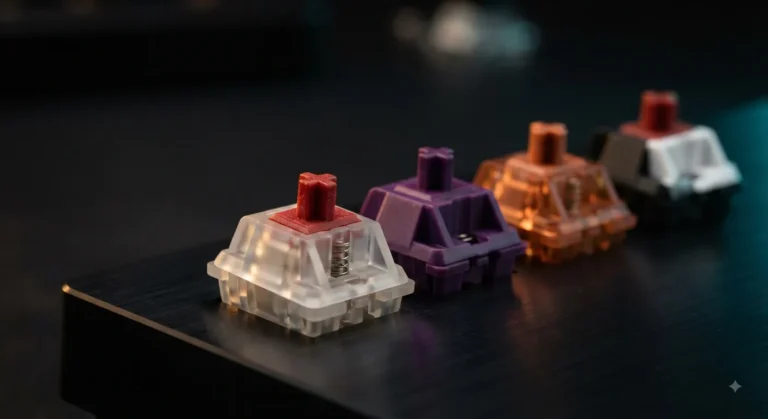
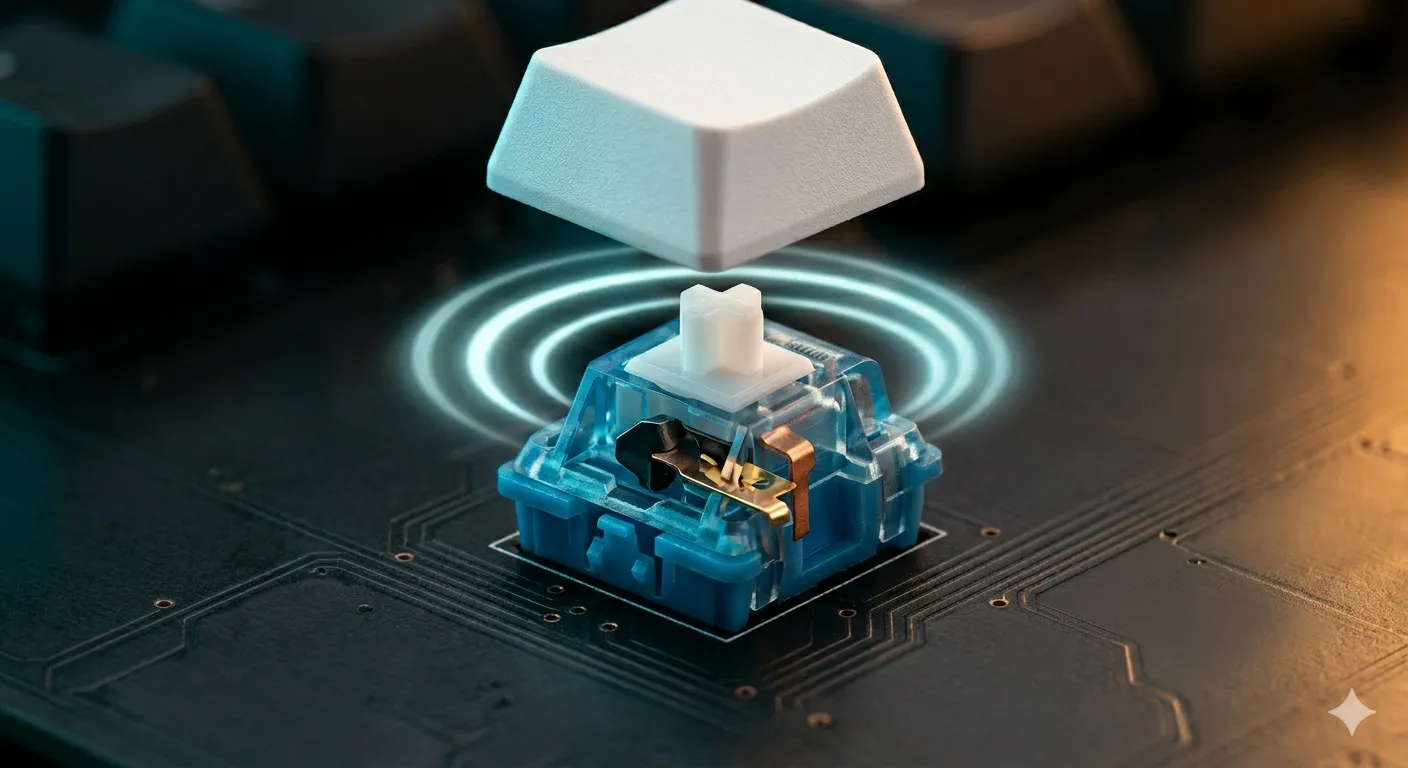
A clicky switch is just a tactile switch with an extra part that snaps audibly during the keypress. That snap is mechanical — it’s not a speaker, it’s not RGB-coded fluff, it’s a physical piece of plastic or metal hitting something inside the housing. The trick is that there are two completely different ways to make that happen, and the design you pick controls almost everything about how the switch feels.
That brings us to the most important distinction in clicky switches, and the one most reviews skip over.
Click-Jacket vs Click-Bar: The Two Designs That Define Clicky Switches
1. Click-Jacket Switches (Cherry, Gateron, Outemu Blue)

- Compatibility:Replacement Switches for Standard MX Mechanical Keyboards,including Redragon,E-yooso, Huo ji and More . OU…
- Tactile & Clicky Feedback: Provide a classic tactile feel with a strong two-stage feedback and an audible “click” sound,…
- User’s Preference: Gamers and typists who enjoy audible feedback. Ideal for those who prefer tactile bump and audible fe…
The click-jacket is the older design. Inside the switch, there’s a small plastic sleeve that sits around the stem. When you press past the actuation point, the sleeve falls and clicks against the housing. On the upstroke, the stem catches the sleeve and drags it back into place — making a second, slightly different click on the return.
Two important consequences:
- The click and the tactile bump aren’t perfectly synced. You feel the bump first, then hear the click a hair later. It’s subtle, but once you notice it, you can’t un-notice it.
- The reset point sits above the actuation point. This is the big one for gamers. To register a second press, the stem has to travel back up past where the jacket re-engages, which is higher than the actuation point on the way down. There’s a noticeable gap where the key isn’t ready to fire again.
Cherry MX Blues are the canonical example. They’ve been around since the ’80s and they’re what most people picture when they think “clicky switch.” Modern Cherry Blues are smoother than the scratchy 2014-era ones I cut my teeth on, but the fundamental jacket design hasn’t changed.
2. Click-Bar Switches (Kailh Box series)
The click-bar is a thin metal leaf inside the switch. When the stem moves down, it deflects the bar, which snaps against another contact point — that’s your click. On the upstroke, it snaps back. Same sound, same point, both directions.
What that gets you:
- The click and the tactile bump happen at the same instant. They’re physically the same event. The switch feels tighter and more decisive.
- The reset point sits very close to the actuation point. You can double-tap much faster than on a jacket design.
- The click pitch is higher and crisper. Metal-on-plastic sounds different from plastic-on-plastic. It’s a sharper attack with less reverb.
The Kailh Box White is the most popular click-bar switch and, in my opinion, the most balanced clicky on the market. The Box Jade and Box Navy use the same mechanism with heavier springs and chunkier click bars to amplify the sound.
Click-Bar vs Click-Jacket at a Glance
| Feature | Click-Jacket | Click-Bar |
|---|---|---|
| Examples | Cherry MX Blue, Gateron Blue, Outemu Blue | Kailh Box White, Jade, Navy |
| Click & bump timing | Slightly offset | Simultaneous |
| Reset point | Higher than actuation | Close to actuation |
| Sound character | Lower, hollower | Higher, sharper |
| Dust/water resistance | Standard | IP56 (Box housing) |
| Double-tap speed | Slower | Faster |
| Price per switch | $0.20–$0.60 | $0.60–$0.95 |
If you only take one thing from this article: click-bar is the better engineering. Click-jacket has the nostalgia.
How Clicky Switches Actually Sound in a Normal Room
YouTube sound tests lie. Not on purpose — but a switch tested in a thick acoustic-treated keyboard with foam, tape mod, and PE-foam mod will sound nothing like the same switch in a stock $80 plastic board on your IKEA desk.
Here’s what I’ve actually heard testing these in everyday builds:
- Cherry MX Blue — A dry, plasticky “click-clack.” Lower pitch than the Kailh boxes. Slightly inconsistent across the board; a few keys always sound a little off.
- Kailh Box White — Cleaner, higher-pitched “tick-tick.” Very consistent. Modders sometimes call it “polite.”
- Kailh Box Jade — Louder, fuller, more aggressive. The bass under the click is what people are really chasing.
- Kailh Box Navy — Same character as Jade but heavier and more theatrical. Genuinely loud.
- Outemu Blue — A scratchier, splashier Cherry Blue. Fine for the price, not refined.
Here’s the catch: the case and plate matter at least as much as the switch. I’ve heard Box Whites sound thin in a cheap plastic case and richer than Jades in a brass-plate gasket-mount build. If you’re going for a specific sound, the switch is half the equation at most.
How Clicky Switches Feel to Type On


Every clicky switch has a tactile bump, but the bump strength varies a lot. Ranked from lightest to most demanding:
- Cherry MX Blue — Mild bump, 50g actuation. Easy to fly across.
- Kailh Box White — Defined, snappy bump, 50g actuation. Crisper than the Cherry.
- Outemu Blue — Mushy bump, 60g. Acceptable for the price, not great.
- Kailh Box Jade — 60g peak, much more pronounced bump. Slows you down on purpose.
- Kailh Box Navy — Heaviest of the common clickies. 75g peak. Fatiguing for long sessions.
In my testing, the Box White is the easiest clicky to type fast on. The bump tells you what you need without making your fingers fight for actuation. The Navy is fun for ten minutes and exhausting by the end of a workday — I learned that the hard way during a week of trying to use a Navy-equipped board as my daily driver.
Why Clicky Switches Game Poorly
This is the part the enthusiast crowd doesn’t love hearing. Clicky switches — especially click-jacket ones — are genuinely worse for competitive gaming than linears or even good tactiles. Three reasons:
- Higher actuation force. Most gaming linears sit around 35–45g. Most clickies sit at 50–60g, with peaks up to 75g. Over a long match, that adds up to real finger fatigue.
- Higher and slower reset on click-jackets. On Cherry MX Blue specifically, the reset point sits above the actuation point. For tap-strafe, counter-strafe, or any rapid double-input, you’re bleeding milliseconds.
- Sensory overload. The click feedback is fun for typing because typing is paced. In a firefight, the constant clicking gives you no information you actually need — your brain has to filter it out.
This doesn’t mean you can’t game on them. I played Counter-Strike on Box Whites for a month as an experiment and I was fine. I’m not a pro and neither are most readers. But if you’re optimizing for game performance, clicky switches aren’t the move. Pick a linear — Gateron Yellows, Cherry MX Reds, or anything in the Akko CS family — and call it a day.
Who Should Actually Buy Clicky Switches
Buy clicky switches if:
- You mostly type for work, not game competitively.
- You live alone or work in a private office — or you actively want to annoy your coworkers. No judgment.
- You like immediate audio feedback that confirms every keypress.
- You’re building a board for the experience, not the benchmarks.
Skip them if:
- You share an office, a thin-walled apartment, or a Zoom call with humans who can hear.
- You’re a competitive FPS player.
- You’re sensitive to repetitive sound. Clicky switches will not “grow on you” in this case. I’ve watched it play out. They get worse.
The Bottom Line on Clicky Switches
If you’re going to buy clicky switches in 2026, get a click-bar design. The Kailh Box White is the smartest first pick — crisp, consistent, dust-resistant, and gentle enough to type on all day. Move up to the Box Jade if you want the loud, satisfying pop without going overboard. Save the Box Navy for short typing sessions or showpiece builds.
Cherry MX Blues are fine, and they’re the cheapest way into “real” clicky switches, but they’re outdated engineering at this point. The newer Kailh designs do everything Blues do, better. The exception is if you specifically want that nostalgic ’90s-keyboard sound — that’s a feeling, and feelings are valid.
One last thing, and it’s the single biggest mistake I see new buyers make: dropping $200 on a fancy clicky board, taking it to the office, and realizing in week two that they can’t use it around other humans. Buy a 60% or a tenkeyless with hot-swap sockets first. Test it where you’ll actually type. If clicky switches survive that, then build the dream board.
This article contains affiliate links. If you buy through them, I earn a small commission at no extra cost to you. I only recommend keyboards I’ve actually tested. As an Amazon Associate I earn from qualifying purchases.