Best Keyboard for Minecraft and Roblox: Picks Kids Won’t Destroy in a Month

This article contains affiliate links. If you buy through them, I earn a small commission at no extra cost to you. I only recommend keyboards I’ve actually tested. As an Amazon Associate I earn from qualifying purchases.
Kids don’t type. They pound. Watch a 10-year-old play Minecraft for an hour and you’ll see the spacebar get mashed roughly 4,000 times, the W key get triple-tapped to sprint, and the entire board take more abuse than your phone case sees in a year. That’s the lens you have to buy through. The best keyboard for Minecraft isn’t the flashiest one with the most RGB or the deepest “thocc” — it’s the one that survives a school year of jumping, mining, and the occasional Capri Sun spill.
I’ve spent the last few months handing budget and mid-range boards to my friends’ kids — ages 8 to 14 — to see what holds up in real Minecraft and Roblox sessions. Some of the “gamer” boards marketed at kids fell apart in weeks. Some of the boards nobody talks about turned out to be quietly excellent. Here’s what I’d actually buy with my own money.
What Actually Matters in the Best Keyboard for Minecraft
Before the picks, here’s the short list of stuff that genuinely matters when a kid is the user:
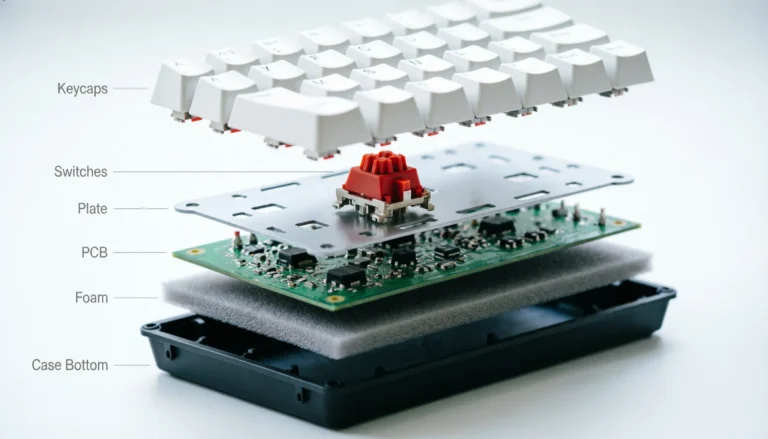
- Spacebar durability. Minecraft is a jumping simulator with crafting on the side. A wobbly, rattly spacebar will be the first thing to die. Look for plate-mounted stabilizers on a mechanical board, or a reinforced membrane assembly on a budget pick.
- NKRO or 6-key rollover. When your kid is sprinting, jumping, opening inventory, and switching hotbar slots at the same time, the board has to register every press. Cheap office keyboards drop inputs and your kid will absolutely blame the keyboard.
- Build that survives a backpack. Aluminum top plates, thick ABS bottoms, and detachable USB-C cables outlast molded plastic by a wide margin. Cables that don’t detach get yanked. Period.
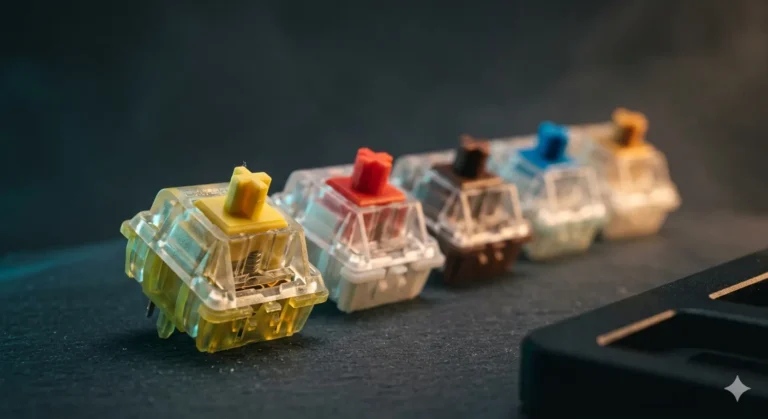
- Switches that aren’t punishingly loud. If your kid streams or shares a room, blue clicky switches will make everyone miserable. Browns or reds are kinder on the whole household.
- Easy-to-clean keycaps. PBT keycaps shrug off finger grease. ABS gets shiny and gross in about six months of sweaty palms.
RGB is fine. RGB is fun. But RGB is not why you should pick one board over another.
Best Keyboard for Minecraft: Quick Comparison Table
Skim this. Click whichever fits your kid.

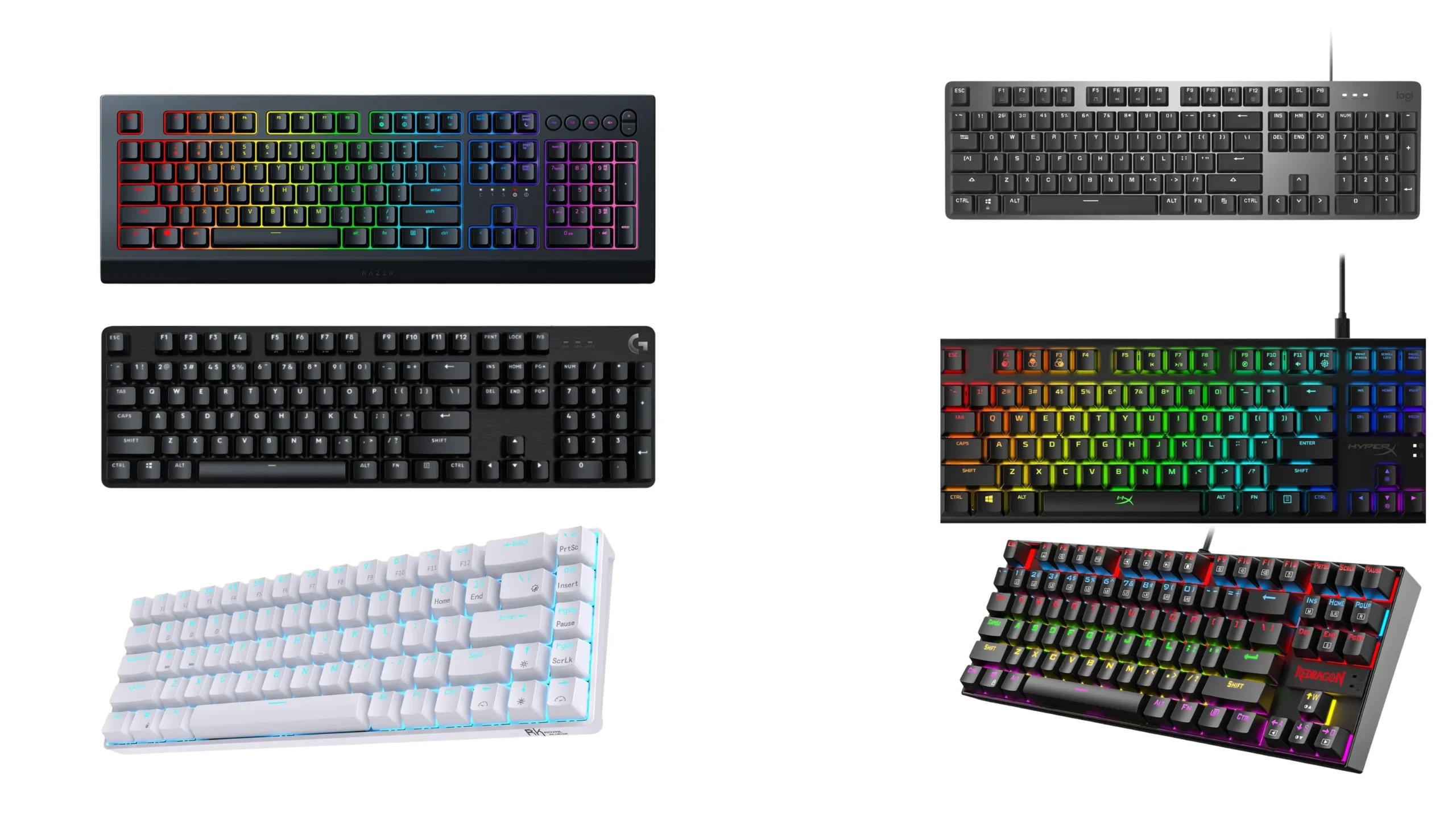
| Category | Pick | Switch Type | Approx Price | Why It Wins |
|---|---|---|---|---|
| Best Overall | Logitech G413 SE | Tactile Mechanical | $60 | Aluminum top, nearly indestructible, simple white backlight |
| Best Budget Mechanical | Redragon K552 | Blue or Red Outemu | $40 | TKL footprint, real switches, rainbow lighting kids love |
| Best Membrane (Spill-Prone Kids) | Logitech K845 | Mechanical-feel membrane | $55 | Quiet, durable, easy to wipe down |
| Best for Tight Desks | Royal Kludge RK68 | Hot-swap Red or Brown | $60 | 65% layout, wireless option, hot-swap for future upgrades |
| Best Quiet Pick (Shared Rooms) | HyperX Alloy Origins Core | HyperX Red linear | $90 | TKL, smooth linear switches, dampened sound |
| Best for Younger Kids (8 and under) | Razer Cynosa V2 | Soft membrane | $50 | Forgiving, splash-resistant, per-key RGB they’ll obsess over |
Now let me actually break each of these down so you know what you’re getting.
Top Keyboard Picks for Minecraft and Roblox, Reviewed
Best Overall: Logitech G413 SE

- Take your gaming skills to the next level: The Logitech G413 SE is a full-size keyboard with gaming-first features and t…
- PBT keycaps: Heat- and wear-resistant, this computer gaming keyboard features the most durable material used in keycap d…
- Tactile mechanical switches: Uncompromising performance is always within reach with this wired gaming keyboard
If I had to hand one keyboard to a kid and walk away knowing it’d still work in three years, this is the one. The G413 SE has an aluminum top plate that doesn’t flex when you mash it. Tactile switches give a satisfying bump without sounding like a typewriter. There’s only one white backlight color, which sounds boring until you realize most kids stop caring about the rainbow show within two weeks anyway.
It’s a full-size board, so the 1–9 hotbar keys, F-keys for screenshots and creative mode toggles, and the numpad are all there. The keycaps are PBT, which is a genuine win at this price — they won’t get shiny or sticky.
The honest catch: no wireless, no fancy software profiles, no programmable macros. If your kid is the type who’ll want to remap keys for advanced Roblox scripting or set custom lighting animations, look elsewhere. For everyone else, this is the sweet spot.
Best Budget Mechanical: Redragon K552

- 🔥𝗧𝗿𝘂𝗲 𝗠𝗲𝗰𝗵𝗮𝗻𝗶𝗰𝗮𝗹 𝗙𝗲𝗲𝗹 𝘄𝗶𝘁𝗵 𝗟𝗶𝗻𝗲𝗮𝗿 𝗥𝗲𝗱 𝗦𝘄𝗶𝘁𝗰𝗵𝗲𝘀 – Experience smooth, consistent keystrokes with linear red mechanical swi…
- 🔥𝗩𝗶𝗯𝗿𝗮𝗻𝘁 𝗥𝗮𝗶𝗻𝗯𝗼𝘄 𝗟𝗘𝗗 𝗕𝗮𝗰𝗸𝗹𝗶𝗴𝗵𝘁𝗶𝗻𝗴 𝘄𝗶𝘁𝗵 𝟲 𝗗𝘆𝗻𝗮𝗺𝗶𝗰 𝗠𝗼𝗱𝗲𝘀 – Enjoy eye-catching rainbow backlighting with 6 preset lighting …
- 🔥𝗦𝗼𝗳𝘁𝘄𝗮𝗿𝗲 𝗗𝗿𝗶𝘃𝗲𝗿 𝗦𝘂𝗽𝗽𝗼𝗿𝘁 𝗳𝗼𝗿 𝗙𝘂𝗹𝗹 𝗖𝘂𝘀𝘁𝗼𝗺𝗶𝘇𝗮𝘁𝗶𝗼𝗻 𝗖𝗼𝗻𝘁𝗿𝗼𝗹 – Take control of your K552-KR with dedicated software drivers, …
Forty bucks. Real mechanical switches. Compact TKL footprint. I’m still kind of surprised this keyboard exists at the price.
The K552 has been around forever and earned its reputation honestly. The default switches are usually Outemu Blues, which are clicky and loud — fine if your kid plays in their own room, miserable for everyone else within earshot. Redragon also sells the K552 with red and brown switches, and I’d push you toward those versions unless your kid specifically wants the click.
The stabilizers rattle a bit. The keycaps are basic ABS that’ll shine eventually. But for $40, you’re getting a board that out-performs $80 membrane gaming keyboards in every way that matters for Minecraft and Roblox.
Best Membrane: Logitech K845
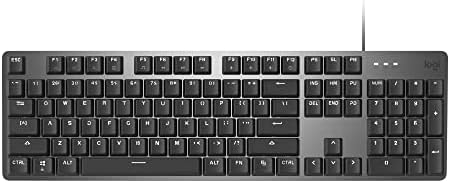
- An adjustable 4-8 degree tilt and slim front lets you type at a comfortable angle.
- Choose between Red, Blue, or Brown switches for the right level of sound and tactile key feedback.
- White backlighting in 5 patterns lets you be productive your way — even in the dark.
I know — a mechanical-keyboard reviewer recommending membrane. Hear me out.
For a kid under 10, or any kid who eats and drinks at the desk, a membrane keyboard with decent build is often the smarter purchase. The K845 isn’t a true mechanical board, but it uses TTC switches with a mechanical-style feel and a metal top plate. It’s quiet, types well, and if a juice box ends up in it, replacement cost is way lower than crying over a $150 keyboard.
Only white backlighting, no RGB. Some kids will whine about that. Worth the trade.
Best for Tight Desks: Royal Kludge RK68

- Dual Modes, Reliable Free: Equipped with an upgraded chip, every keystroke is instantly registered and stable wireless c…
- 65% Layout, Compact Practical: What makes the 68 keys different from the 61/71 keys, it’s RK68 boasts both practical and…
- Hot-swappable Quiet Red: Hot-swap PCB allows you to replace 3 pins/5 pins switches freely without soldering issue. Enjoy…
Roblox players especially benefit from a smaller board because they’re usually clicking the mouse a lot and want room to move it. The RK68 is a 65% layout — no numpad, no function row, arrow keys squeezed in tight. Takes some getting used to. Once your kid adapts, they’ll love the extra desk space.
Big bonus: it’s hot-swappable. When your kid is 14 and decides they want to try linear switches or get into the keyboard hobby properly, they can swap switches without soldering. Wireless and wired versions both exist. The wireless model uses Bluetooth plus 2.4GHz, and battery lasts roughly a week of heavy use with the RGB dialed back.
Best Quiet Pick: HyperX Alloy Origins Core

- HyperX Mechanical Switches rated for 80 million keystrokes
- Full aircraft-grade aluminum body
- Ultra-compact, portable design with detachable cable
Linear switches, dampened internals, steel-reinforced body. The Origins Core has been my recommendation for years when the household has a sleeping sibling or a parent on video calls in the next room.
It’s a TKL, so no numpad. HyperX Red switches are smooth and lighter than Cherry Reds, which means less finger fatigue during long Minecraft sessions. Per-key RGB is genuinely well-tuned here — bright enough to look good, not so harsh that it’s distracting.
Honest catch: the HyperX NGENUITY software is fine but not great. You’ll set up your lighting once and forget it exists.
Best for Younger Kids: Razer Cynosa V2

- The #1 Best-Selling Gaming Peripherals Manufacturer in the US: Source – The NPD Group, Inc., U.S. Retail Tracking Servic…
- All-Around Gaming Performance: Able to execute up to ten commands at the same time with built-in key rollover anti-ghost…
- Ultimate Personalization & Gaming Immersion with Razer Chroma: Fully syncs with popular games, Razer hardware, Philips H…
For an 8-year-old who wants the full rainbow show and might dump goldfish crumbs into their keyboard, the Cynosa V2 is the right call. It’s a membrane board with per-key RGB, soft typing feel, and basic spill resistance.
Will it last forever? No. Will it feel as good as a mechanical board? Not even close. But it’ll give a younger kid the lit-up gaming setup they’re imagining without you blowing $150 on a board they might outgrow or destroy.
What to Skip When Buying a Kid’s Gaming Keyboard
Here’s the mildly unpopular take: most premium gaming keyboards are wasted on kids. They don’t notice the lubed stabilizers, the gasket mount, or the boutique switches you paid extra for. They notice the lights, the size, and whether the spacebar feels good.
Specifically, skip these:
- “Optical fast switches” marketed for 1ms response. A 9-year-old playing Bedwars cannot feel a 2ms difference. Don’t pay for it.
- RGB-heavy boards from no-name brands. They’re usually flimsy plastic with bad switches hiding under fancy lighting.
- Wireless boards under $40. Battery life and connection stability at that price tier are rough. Stick with wired, or pay up for a Keychron or HyperX wireless.
- Boards that only work with proprietary software. If the keyboard becomes useless on a school Chromebook, you’ve just limited where your kid can use it.
- “Aimed at kids” cartoon-themed boards. Almost always overpriced membrane with weak build. Your kid will be embarrassed by it within a year anyway.
Common Mistakes Parents Make Buying a Minecraft Keyboard
- Buying too big. A full-size board crowds the mouse. Most kids do better with TKL or 65%.
- Trusting “gamer” branding. A lot of boards aimed at kids are membrane in mechanical clothing.
- Ignoring noise. Blue switches are fun once. They are not fun at 9pm on a school night.
- Forgetting wrist height. Even cheap keyboards have flip-out feet. Use them, and make sure the kid’s wrists aren’t bent up like claws. Bad posture starts young.
- Buying a full custom build for a beginner. Save the hobbyist $250 keeb for when your kid is asking for it by name. Until then, $60 does the job.
FAQ
Is a mechanical keyboard really better for Minecraft? For most kids over 9, yes. The keys register faster, last longer, and feel better under fast presses. Under that age, a good membrane like the K845 is more than enough.
Are clicky blue switches okay for a kid? Only if they have their own room and you don’t mind hearing the click from down the hall. Brown (tactile) or red (linear) switches are way friendlier to the rest of the household.
How important is NKRO for Roblox? Important. Roblox games often demand multiple simultaneous key presses — sprinting, jumping, aiming, ability keys. Any board you buy should support at least 6-key rollover.
Should I get a wireless keyboard for my kid? Only if you’re spending $60 or more. Cheap wireless boards have input lag and battery problems that’ll frustrate a gamer kid more than a tangled cable ever will.
What size keyboard is best for a smaller kid’s hands? A 65% or TKL layout. They keep the hands closer to the mouse and don’t force a child to overstretch to reach WASD with their pinky on shift.
The Verdict
If you want a single answer: the Logitech G413 SE is the best keyboard for Minecraft and Roblox for most kids. Sixty bucks, nearly indestructible, real mechanical switches, PBT keycaps. No fluff and almost nothing to break.
On a tighter budget, the Redragon K552 in red or brown switches is the right move at $40. If your kid is younger or messier, the Logitech K845 or Razer Cynosa V2 will hold up longer than a fragile mechanical board you’ll regret buying at $120.
Buy for the kid you have, not the keyboard hobbyist they might become. They’ll let you know when they’re ready for the $200 custom build.
This article contains affiliate links. If you buy through them, I earn a small commission at no extra cost to you. I only recommend keyboards I’ve actually tested. As an Amazon Associate I earn from qualifying purchases.