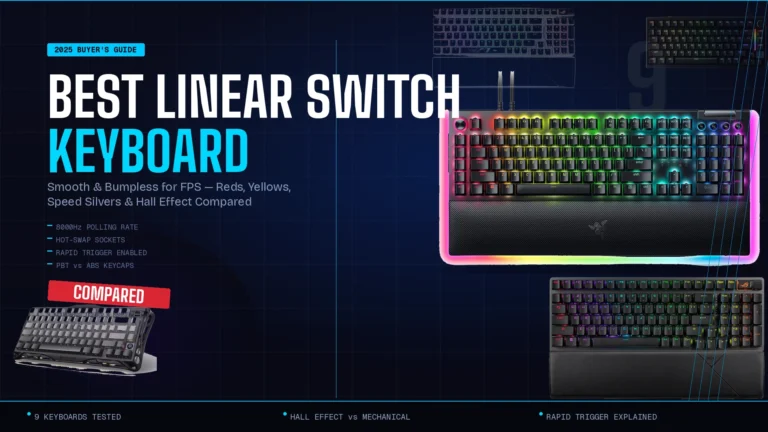
7 Best 96 Percent Keyboards, Tested and Ranked

This article contains affiliate links. If you buy through them, I earn a small commission at no extra cost to you. I only recommend keyboards I’ve actually tested. As an Amazon Associate I earn from qualifying purchases.
The first time I plugged in a 96% board — a Keychron K4 back when the K4 was basically the only option — I figured it was a fling. A compromise. The kind of thing forum people would obsess over for six months and then move on from.
I was wrong. Five years and roughly thirty 96% boards later, this is the layout I keep coming back to. And in 2026, the rest of the keyboard market has finally caught up with what was, for years, a weird little enthusiast corner. The best 96 percent keyboard you can buy right now is genuinely competitive with anything in any other size class — Hall Effect switches, 8000Hz polling, OLED screens, magnetic actuation curves you can tune per key. The works.
The pitch is dead simple. You keep every key on a full-size board, numpad included, but you kill the dead space around the arrows and function row. What you get is something almost as compact as a TKL that still lets you punch in numbers without alt-tabbing to the calculator. For anyone who actually uses a numpad — accountants, programmers, spreadsheet people, anyone playing a sim that maps half its bindings to numbers — it’s the sweet spot of the size game.
Below: my picks after running each one as a daily driver for at least two weeks, plus the honest stuff most review sites won’t tell you about this layout.
TL;DR — Quick Comparison Table


| Buy this if you want… | My pick | Why it wins | Get it |
|---|---|---|---|
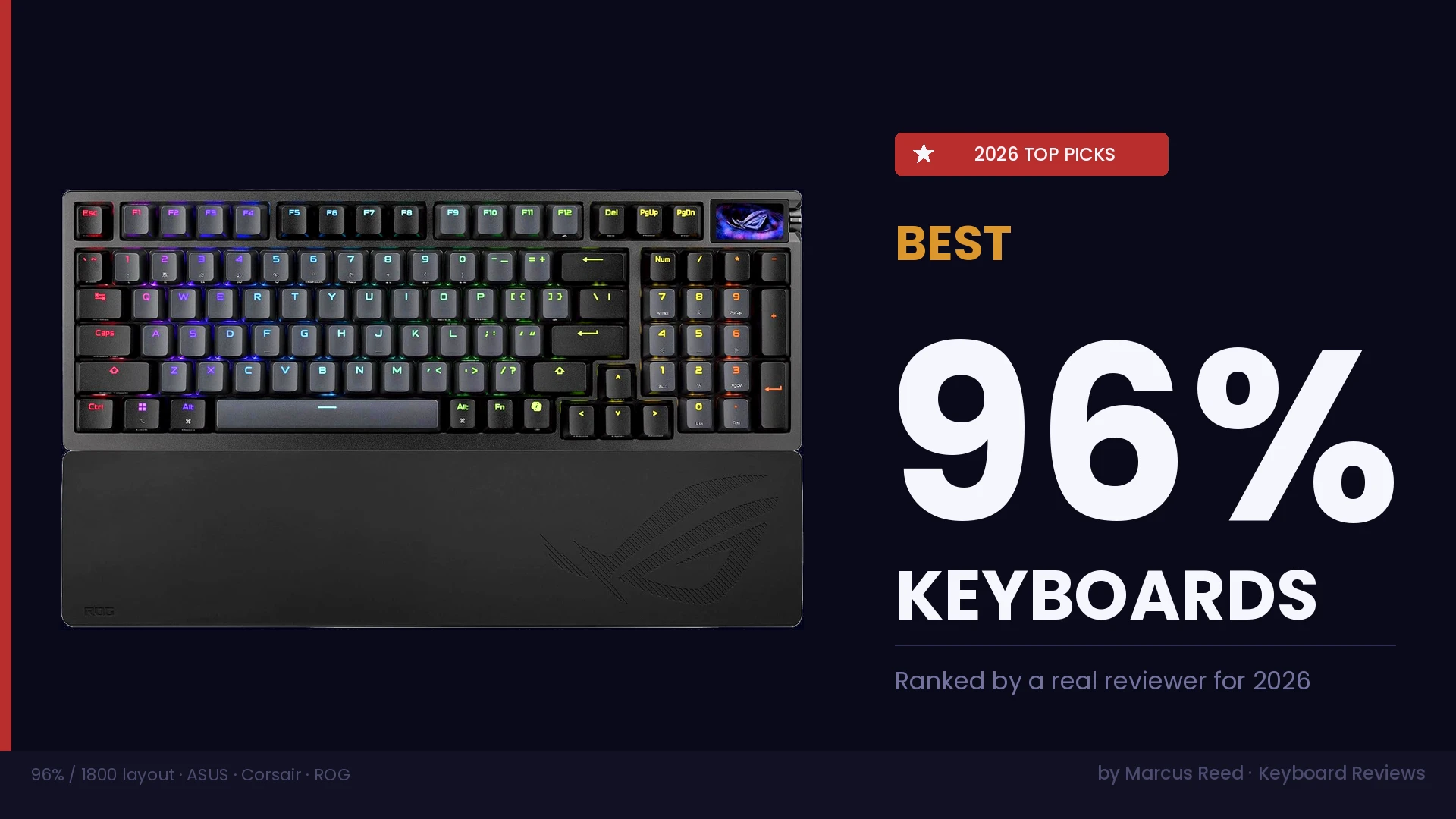
| The best overall — Hall Effect, tournament-grade, PBT | ASUS ROG Azoth 96 HE (Black, PBT) | Magnetic switches, hot-swap, color OLED, 8K polling, real PBT caps | Check price on Amazon → |
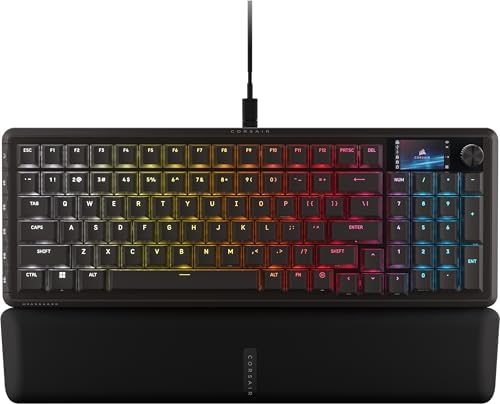
| Pure FPS speed — linear feel, fastest poll, SOCD-style flashtap | Corsair Vanguard 96 (MLX Plasma Linear) | 8000Hz polling, LCD + virtual Stream Deck, dedicated G-keys | Check price on Amazon → |
| Tactile feel with a creator workflow | Corsair Vanguard 96 (MLX Fusion Tactile) | Same chassis as the Plasma but with a tactile bump, LCD macro deck | Check price on Amazon → |
| The same Azoth flex, but in white | ASUS ROG Azoth 96 HE (White, ABS) | Identical internals to the black PBT version, white build, doubleshot ABS caps | Check price on Amazon → (also available here) |
| The best mechanical (not Hall Effect) wireless | ASUS ROG Strix Scope II 96 Wireless | Pre-lubed ROG NX Snow linear, PBT keycaps, tri-mode wireless | Check price on Amazon → |
| Same family but full-size (100%) wired | ASUS ROG Strix Scope II X | NX Snow V2, PBT, wired-only, more spacious 100% layout | Check price on Amazon → |
Honest note: the Strix Scope II X is technically a 100% board, not a 96%. I’m including it because if you’re cross-shopping and decide you actually do want the gap around the arrows, it’s the wired full-size sibling to my 96% Strix pick. More on that later.
What a 96% (1800) Layout Actually Is
A 96% layout is what happens when you stare at a full-size keyboard and ask, “why is there a one-inch gap between the numpad and the arrow keys?” The answer, historically, was “because that’s how IBM did it in the eighties.” There’s no functional reason for the gap. You’re not gaining anything from it. You’re just losing desk space.
The 96% layout — sometimes called the 1800 layout, after Cherry’s old G80-1800 — squeezes everything together. You still get:
- All alphanumeric keys
- A full numpad
- Arrow keys
- A function row (sometimes shifted slightly)
- Most or all of the cluster keys (Insert, Home, Page Up/Down, etc.)
What you give up is the visual breathing room. The arrow keys sit directly next to the right Shift. The numpad butts right up against the arrows. Sometimes the function row gets compacted or the navigation cluster gets squeezed into a vertical strip on the right.
It’s tighter than you think and you adapt to it faster than you think. I gave it two days the first time I switched and never went back to 100%.
Why 96% Boards Are Quietly Taking Over in 2026
For years, 96% was a niche layout. You either ordered one from a Chinese group buy or bought a Keychron and dealt with the limitations. The big brands — Logitech, Razer, Corsair, ASUS — were obsessed with TKL and 60%.
That changed fast. In the last 18 months, every major manufacturer launched a flagship 96% board. Why?
Hall Effect changed the math. Once magnetic switches with rapid trigger became table stakes for competitive FPS, manufacturers started releasing 96% as their HE flagship layout. The reasoning is obvious — competitive players want a numpad for binds and macros, but they don’t want to give up desk real estate for mouse swipes. 96% gives them both.
Wireless got good. Tri-mode boards with proper 2.4GHz dongles closed the gap with wired. A wireless 96% with low latency wasn’t viable five years ago. Now it is.
People got tired of TKL regret. I can’t count how many readers have emailed me saying “I bought a TKL because everyone said to, and now I miss the numpad.” 96% solves that without going back to full-size.
Group-buy aesthetics went mainstream. OLED screens, knobs, gasket mounts, foam stacks — stuff that used to require a custom build is now factory. The Azoth 96 HE alone has half the features a $500 custom did in 2021.
If you waited this long to pick up a 96% board, your timing is actually pretty good. The bad ones have mostly been weeded out, and the good ones are competing hard on price.
What to Look For in the Best 96 Percent Keyboard
Before I get into specific recommendations, let’s talk criteria. Not all 96% boards are created equal, and a few specs matter way more than the marketing copy suggests.
Switch Type — And Whether You Actually Need Hall Effect
There are three real options in 2026:
- Hall Effect (magnetic) switches — analog actuation, rapid trigger, adjustable per-key actuation depth, snap tap / SOCD features. These are objectively the best for competitive FPS. Boards like the Azoth 96 HE and Vanguard 96 use these.
- Optical switches — fast, durable, but mostly a transitional tech now that HE has won the competitive race.
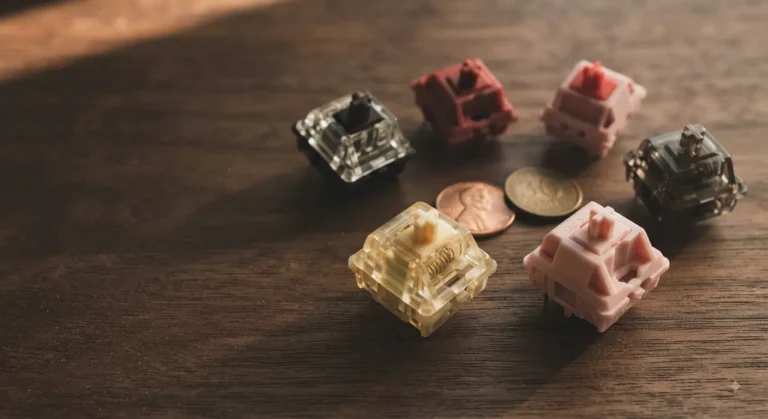
- Traditional mechanical switches (MX-style) — linear, tactile, or clicky. Cheaper, often more satisfying to type on, but no rapid trigger or adjustable actuation. The Strix Scope II line uses these.
Here’s the honest take: if you don’t play competitive FPS, you don’t need Hall Effect. Rapid trigger is genuinely useful in CS2 or Valorant for counter-strafing. In Helldivers 2 or Baldur’s Gate? You won’t feel it. You’ll feel the switch and the typing experience.
That said, HE boards have come down in price enough that paying the small premium for the option isn’t crazy. You’ll probably never tweak per-key actuation curves, but the rapid trigger alone is worth something if you dabble in shooters.
Polling Rate (Don’t Get Fleeced)
You’ll see “8000Hz polling” plastered on every box. Here’s the truth: above 1000Hz, the latency improvements are real but small. A pro player will feel the difference between 1000Hz and 8000Hz; you probably won’t. It also taxes your CPU a bit. Worth having? Yes. Worth paying $50 more for? Only if you’re competitive.
Build Quality and Sound
This is where the post-modding renaissance shows up. Look for:
- Gasket mount or tray mount with foam — not just hollow plastic
- Stabilizers that come pre-lubed — band-aid mod from the factory is even better
- PBT keycaps, not ABS — PBT lasts longer, doesn’t shine after six months, and sounds better to most ears
- At least one layer of switch foam or PE foam — kills ping, makes the board sound more refined
A board with these features in 2026 isn’t fancy. It’s table stakes.
Hot-Swap or Soldered
Hot-swap sockets let you change switches without a soldering iron. It’s not just for tinkerers — it’s also a hedge against having to live with switches you don’t like. I won’t buy a non-hot-swap board over $130 anymore. There’s no excuse.
Wireless or Wired
Wired is still slightly faster and more reliable. Wireless is good enough now that most people won’t notice the difference unless they’re playing ranked. Tri-mode boards (wired USB, 2.4GHz dongle, Bluetooth) are the gold standard. Bluetooth-only is fine for typing, not great for gaming.
Software, QMK, and VIA
If you care about remapping keys, check if the board supports VIA or QMK out of the box. ASUS uses Armoury Crate, Corsair uses iCUE. Both are functional, both have annoying bloat. None of the big-brand 96% boards support QMK officially in 2026 — that’s still a custom-build thing.
Detailed Reviews — My Top 6 Picks
I’ve ranked these based on actual use, not just spec sheets. Every one of them spent at least two weeks on my desk. Some longer.
1. ASUS ROG Azoth 96 HE (Black, PBT) — Best Overall
- Hot-swappable ROG HFX V2 Magnetic Switch: Refined keystrokes with customizable 0.1–3.5mm actuation and 0.01mm-step preci…
- New ROG Hall Sensor: Exceptional precision, accurate input detection, reduces electrical noise and interference, and inc…
- Superb connectivity: ROG SpeedNova 8K wireless technology, wired USB, and Bluetooth connectivity supports up to five dev…
If you handed me a thousand bucks and said “buy the best 96 percent keyboard, no further questions,” I’d buy this one. The original Azoth was already a strong board. The Azoth 96 HE took the chassis, dropped in Hall Effect magnetic switches, kept the OLED, kept the gasket mount, and shipped it.
What I like:
- Magnetic Hall Effect switches with hot-swap sockets. Adjustable actuation per key from roughly 0.1mm to 4.0mm. Rapid trigger works. Snap tap (Speed Tap) works. If you play Valorant or CS2 (where allowed), this is the layout-plus-switch combo to have.
- PBT doubleshot keycaps. The black variant comes with real PBT caps that don’t shine, don’t yellow, and sound right. The white ABS version has nicer-looking legends but ABS will shine in six months. I’d pay extra for PBT in a heartbeat.
- Color OLED screen. Sounds like a gimmick. Honestly is, mostly. But it’s useful for showing current actuation depth, profile, or just system info while you’re in-game.
- 8000Hz polling, tri-mode wireless. The dongle is solid, Bluetooth works for casual typing, USB-C is there when you need it.
- The sound. Gasket mount, foam stack, pre-lubed stabs. Out of the box this thing sounds better than most $250 customs from a few years ago. Not “thocc” exactly — more refined and muted, which I prefer.
The catch:
- It’s not cheap.
- Armoury Crate. You know what you signed up for.
- The OLED knob area takes up real estate. If you wanted a numpad jammed all the way to the right, the layout pushes some keys around in ways that took me a week to internalize.
Who should buy it: Anyone who wants the best of everything — typing feel, gaming performance, build quality, wireless — and doesn’t want to think about another keyboard for three years.
Verdict: 9/10. The current default answer to “what 96% should I buy?”
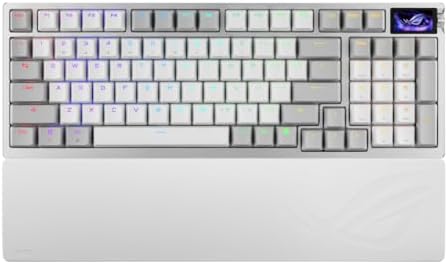
2. ASUS ROG Azoth 96 HE (White, ABS) — Best for the Aesthetic Crowd
- Hot-swappable ROG HFX V2 Magnetic Switch: Refined keystrokes with customizable 0.1–3.5mm actuation and 0.01mm-step preci…
- New ROG Hall Sensor: Exceptional precision, accurate input detection, reduces electrical noise and interference, and inc…
- Superb connectivity: ROG SpeedNova 8K wireless technology, wired USB, and Bluetooth connectivity supports up to five dev…
This is the same board as the one above. Same chassis, same magnetic switches, same OLED, same wireless. The differences are:
- White colorway instead of black
- ABS doubleshot keycaps instead of PBT
Now, here’s where I’m going to lose some readers: I genuinely prefer the black PBT version. ABS is fine to type on — some people even prefer how it sounds, slightly higher-pitched and crisper — but it will shine. The shift keys, the spacebar, the FDJK row. Six months in, you’ll see it. Twelve months in, you’ll be annoyed.
That said, the white variant looks incredible on a desk setup. If you’ve got white deskmat, white monitor, white desk energy, this is the matching keyboard. And ABS doubleshot legends are sharper and more consistent than dye-sub PBT.
Who should buy it: People putting together an aesthetic setup who care more about the look than long-term keycap durability. Also worth noting: the keycaps are MX-compatible, so you can swap them later if the shine bothers you.
Verdict: Same 9/10 board, slightly worse keycaps. If you don’t care about the white, get the PBT version.
3. Corsair Vanguard 96 (MLX Plasma Linear) — Best for FPS Speed
- 96% keyboard that keeps it 100: The optimized 96% layout means you’ll have full keyboard with arrow keys, a tenkey pad, …
- Vibrant full-color LCD screen: The keyboard of the future is here! Personalize your keyboard on a whole new level with a…
- Maximize every millisecond: Utilize ultra-responsive 8,000Hz hyper-polling to eradicate input lag. Get the fastest respo…
Corsair was late to the 96% party but came in swinging. The Vanguard 96 is their answer to the Azoth, and in some specific ways, it actually beats it.
What stands out:
- MLX Plasma linear switches. These are Corsair’s magnetic linear switches. Smooth, fast, and tuned for competitive use. Slightly different feel from the Azoth’s switches — a touch lighter, a touch faster — though “feel” is so subjective at this level that I’d recommend trying both if you can.
- 8000Hz polling. Same as the Azoth, no compromise.
- LCD display + Virtual Stream Deck. The Vanguard ships with a full LCD (not a tiny OLED) that doubles as a programmable macro panel — basically a baby Stream Deck baked into the keyboard. If you’re a streamer or a power-user with macro-heavy workflows, this is genuinely useful.
- G-keys. Dedicated programmable keys on the left side. Logitech die-hards will recognize the concept. Useful for MMO bindings, productivity, or quick-launching apps.
- SOCD Flashtap. Corsair’s version of snap tap, for opposing-key resolution. Important note: SOCD-style features are banned in Counter-Strike 2 as of mid-2024. They’re still allowed in some other games. Read the rules of whatever you play.
The catch:
- Wired only. No wireless. For a 2026 flagship, this is a real downside if you wanted a clean desk.
- iCUE. Corsair’s software is comprehensive and bloated. You’ll learn to live with it.
- The keyboard is heavy. Not a drawback for desktop use, but don’t expect to throw this in a backpack.
Who should buy it: Competitive FPS players who don’t care about wireless and want the lowest-latency, lowest-cognitive-load setup possible. Also, anyone who’s been wanting a Stream Deck and a keyboard in one device — that LCD is more useful than I expected.
Verdict: 8.5/10. The Azoth wins on overall polish, but for pure shooting performance and creator workflows, the Vanguard 96 Plasma is the sharper tool.
4. Corsair Vanguard 96 (MLX Fusion Tactile) — Best Tactile + Creator Setup
Check current price on Amazon →
Same chassis as the Plasma above. Same LCD, same G-keys, same 8000Hz polling, same SOCD Flashtap. The difference is the switches — MLX Fusion is a tactile version.
I’m going to be honest about something here. I’ve gone back and forth on tactile-vs-linear my whole career, and lately I’ve been spending more time on tactiles for daily-driver use. Linears are great for gaming but they don’t give you any feedback on actuation. Tactiles do. For typing, coding, and writing — basically anything that isn’t shooting — they’re just more satisfying.
The MLX Fusion has a defined bump that’s noticeable without being aggressive. It’s not as snappy as a Holy Panda clone, not as muted as a Boba — it’s a clean middle-ground tactile that won’t fatigue your fingers after a long day.
What I like:
- Same LCD + G-key creator workflow as the Plasma
- Tactile switches that work for both gaming and typing
- Hall Effect underneath, so you still get rapid trigger and analog input — yes, even with tactile switches
- Build quality and sound is on par with the Plasma — a touch deeper and “clackier” than the linear version
The catch:
- Tactile switches are slightly slower for double-tap inputs in shooters than pure linears
- Wired only (same as the Plasma)
- More expensive than the average tactile board because of the magnetic tech
Who should buy it: People who do more typing than shooting but still want the option of analog input and rapid trigger for the games they do play. Streamers who want one keyboard for both work and content creation.
Verdict: 8.5/10. The dark-horse pick. If you’re a tactile person, you’ll love it.
5. ASUS ROG Strix Scope II 96 Wireless — Best Non-HE Wireless

- TKL Size with Full-Size Functionality and Num Pad: Experience a compact, space-saving design that’s only 1 cm wider than…
- Versatile Tri-Mode Connectivity: Seamlessly connect via Bluetooth (supporting up to 3 devices), low-latency 2.4GHz wirel…
- Enhanced Acoustics: Integrated sound-dampening foam and switch-dampening pads effectively absorb pinging noises and echo…
Not everyone needs Hall Effect. If you’re a casual gamer or someone who mostly types and just wants a good 96% wireless board without the magnetic-switch premium, the Strix Scope II 96 is the obvious pick.
What it gets right:
- ROG NX Snow linear switches, pre-lubed from the factory. These are traditional MX-style switches but they’re good. Smooth, slightly lighter than a stock MX Red, and tuned to not feel scratchy out of the box. ASUS has been doing pre-lube right for a couple of generations now.
- PBT keycaps. Real ones. Durable, no shine, decent sound profile.
- Hot-swap sockets. You’re not locked into the NX Snows.
- Tri-mode wireless (USB, 2.4GHz, Bluetooth).
- RGB, if you care. I don’t, but it’s there and it’s clean.
- PC and Mac support. Useful if you switch between machines.
The catch:
- No Hall Effect, no rapid trigger, no analog input. If you want the latest tournament-grade features, look at the Azoth 96 HE instead.
- The polling rate isn’t 8000Hz. Standard 1000Hz here. Honestly fine for 95% of users, but worth knowing.
- Build quality is a step down from the Azoth — still solid, but less of a thick, premium feel.
Who should buy it: People who want a great wireless mechanical 96% without paying the Hall Effect tax. Office workers, hobbyist gamers, anyone whose competitive ceiling is “I want to enjoy my games” rather than “I need to climb to Radiant.”
Verdict: 8/10. A genuinely good board for genuinely reasonable money. Don’t sleep on it just because it doesn’t have a magnetic switch.
6. ASUS ROG Strix Scope II X — The 100% Sibling (Honest Caveat)
- Full-Size Premium Wired Keyboard: The ROG Strix Scope II X is a 100% keyboard with a number pad and wired USB-C connecti…
- Hot Swappable, Pre-Lubed Mechanical Switches V2: Create your own custom aesthetics and typing experience with your choic…
- ROG NX V2 Switches: These switches retain the dust-proof, wall-stem design of the original V1 switches while adding an L…
Here’s where I have to be straight with you. The Strix Scope II X is not a 96% keyboard. It’s a full 100% layout — full-size with the traditional gap between the numpad and the arrows. I’m including it because:
- It’s part of the same family as the 96% Strix Scope II Wireless above
- Some readers will land on this page after deciding 96% is too compact for them
- The NX Snow V2 switches in this board are an improvement over the originals
The NX Snow V2 is smoother, with a slightly refined sound profile and even better factory lube. If the only reason you’re considering 96% is because someone told you it was cool, but you actually like having space around your arrow keys, this is the keyboard for you instead.
Quick rundown:
- 100% full-size layout (not 96%)
- Wired-only USB
- Pre-lubed ROG NX Snow V2 linear switches
- PBT keycaps
- Hot-swap
- PC/Mac support, RGB
The catch:
- It’s wired only. No wireless on this one.
- It’s bigger than the 96%. Mouse arm space is the trade-off you’re choosing.
- No Hall Effect.
Who should buy it: Anyone who tried a 96% and missed the gap. Or anyone who wants the same NX Snow V2 feel in a more traditional layout with desk space to spare.
Verdict: 8/10 as a 100%. Not a 96% answer, but a real alternative if you decide 96% isn’t for you.
Side-by-Side Spec Comparison
| Keyboard | Layout | Switch Type | Hot-Swap | Polling | Wireless | Keycaps | Display | Price Tier |
|---|---|---|---|---|---|---|---|---|
| ASUS ROG Azoth 96 HE (Black) | 96% | Hall Effect (magnetic) | Yes | 8000Hz | Tri-mode | PBT doubleshot | Color OLED | Premium |
| ASUS ROG Azoth 96 HE (White) | 96% | Hall Effect (magnetic) | Yes | 8000Hz | Tri-mode | ABS doubleshot | Color OLED | Premium |
| Corsair Vanguard 96 (Plasma) | 96% | Hall Effect linear | No (soldered)* | 8000Hz | Wired only | Doubleshot | LCD + Stream Deck | Premium |
| Corsair Vanguard 96 (Fusion) | 96% | Hall Effect tactile | No (soldered)* | 8000Hz | Wired only | Doubleshot | LCD + Stream Deck | Premium |
| ASUS ROG Strix Scope II 96 | 96% | NX Snow linear (MX) | Yes | 1000Hz | Tri-mode | PBT | None | Mid-premium |
| ASUS ROG Strix Scope II X | 100% | NX Snow V2 linear (MX) | Yes | 1000Hz | Wired only | PBT | None | Mid |
*Note on the Vanguard 96: Corsair’s MLX magnetic switches are integrated into the PCB and not hot-swappable in the traditional sense. You’re committing to the switch you buy.
96% vs 100% vs TKL vs 75% — Which Layout Is Right For You?
Choosing a layout is honestly more important than choosing the switches. The wrong layout is the kind of regret you live with every day. Here’s how I’d think about it:
| Layout | Has Numpad? | Has Arrows? | Has Function Row? | Footprint | Best For |
|---|---|---|---|---|---|
| 100% (Full-size) | Yes (gapped) | Yes | Yes | Largest | People who use the numpad heavily and don’t mind the desk space |
| 96% / 1800 | Yes (no gap) | Yes | Yes | Medium-large | The “I want everything, but compact” crowd. Spreadsheet users who also game. |
| TKL (87-key) | No | Yes | Yes | Medium | Gamers who don’t use a numpad. Most pro FPS players run TKL or smaller. |
| 75% | No | Yes | Yes (compact) | Small-medium | TKL fans who want even less desk space. |
| 65% | No | Yes | No (Fn layer) | Small | Pure compact, willing to use Fn layers for F-keys |
| 60% | No | No (Fn layer) | No (Fn layer) | Smallest | Minimalist purists. Not a beginner’s layout. |
If you use the numpad more than once a week, get a 96% or a 100%. The cost of moving up to a 96% from a TKL is nothing — same switches, same build options. The cost of going down from a 100% to a TKL and realizing you actually needed those numbers? That’s regret.
The Catch — What 96% Layouts Quietly Suck At
I’d be lying if I said the 96% layout is perfect. Here’s what most reviews skip.
1. The right-side cluster is cramped. The Insert, Home, PgUp, PgDn, Delete, End cluster on a 96% is usually squeezed into a single vertical column on the right edge — and the layout varies by manufacturer. If you’re used to a specific cluster arrangement, you may misclick for a week.
2. The right Shift is often shortened or shifted left. Touch-typists who hit right Shift with the pinky will overshoot it for the first few days. You adapt, but it’s real.
3. Keycap sets get expensive. Because 96% layouts use non-standard keys (shorter right Shift, vertical cluster keys, sometimes a 1u or 1.25u bottom row), aftermarket keycap compatibility is fiddly. A standard 104-key set won’t fit cleanly. Look for sets specifically marked as 96%- or 1800-compatible.
4. The arrows are tight against the numpad. If your right hand likes to splay out on the arrows, you might bump the numpad with your pinky. Less common than the right-Shift issue, but it happens.
5. Wrist position shifts. Because the board is narrower than a 100%, your mouse hand sits closer to your typing hand. Most people find this more ergonomic. Some find it cramped. Your mileage will vary depending on your shoulders, your chair, and your desk depth.
That’s the honest list. None of these are dealbreakers — I still recommend 96% to most people — but if you’ve never used one, give yourself a week of adaptation before deciding.
Common Mistakes I See People Make Buying a 96%
Email I get a lot from new readers makes me wince. Here are the patterns:
Buying for RGB instead of feel. RGB is fine. RGB is not why anyone has ever loved a keyboard. If you can’t see the lights with your fingers on the keys (and you can’t), it’s not a buying criterion. It’s a tiebreaker at best.
Assuming 8000Hz polling makes you a better gamer. It does not. Aim trainers, sleep, and not playing while annoyed make you a better gamer. 8000Hz is fine to have. Don’t pay an extra hundred bucks for it if you’re not competitive.
Skipping PBT to save twenty dollars. ABS keycaps will shine. PBT will not. Over the life of the board, this matters. If a board comes in both versions and the PBT one is $20–$40 more, just buy the PBT one. You’ll thank yourself in a year.
Buying Hall Effect when you don’t play shooters. Rapid trigger and analog input are amazing features. They are also useless to you if you don’t play CS2, Valorant, Apex, or other twitch shooters. A great MX-style mechanical board will feel better for typing and writing.
Not checking keycap compatibility before buying a custom keycap set. I cannot tell you how many people have bought a beautiful $130 keycap set only to discover their 96% board has a non-standard bottom row. Always check the layout compatibility list before you order caps.
Falling for “thocc.” A board that sounds deep in a YouTube video might sound completely different on your desk, with your switches, and through your ears. Sound profile is the most overhyped buying factor in this hobby. Type on the board if you can. If you can’t, focus on switches and build first.
FAQ
What is a 96% keyboard?
A 96% keyboard is a compact layout that keeps all the keys of a full-size board — including the numpad, arrow keys, and function row — but removes the dead space between the main board, the navigation cluster, and the numpad. The result is a board that’s smaller than a 100% but still has every key you need. It’s also called the “1800 layout,” named after Cherry’s G80-1800 from the eighties.
Is a 96 percent keyboard good for gaming?
Yes — and for the games that benefit from a numpad (MMOs, sims, RTS, racing sims), it’s actually one of the best layouts. For pure competitive FPS, a TKL or 60% gives you slightly more room for mouse swipes, but the gap is small enough that pros use 96% boards too. The best 96 percent keyboard with Hall Effect switches will match anything in any other size class for shooter performance.
What’s the difference between a 96% and a 1800 layout?
They’re the same thing. “1800” refers to the original Cherry G80-1800 keyboard from the late 1980s, which pioneered the layout. Most modern manufacturers use “96%” because it’s clearer to a general audience. You’ll see both terms.
Are 96% keyboards compatible with standard keycap sets?
Sometimes, but not always. The non-standard keys (often a 1.75u or shorter right Shift, vertical navigation cluster, sometimes a compressed bottom row) mean a standard 104-key set won’t fully cover a 96% board. Always check the keycap set’s compatibility list for “96%” or “1800” layout support before buying.
Do I need Hall Effect switches on a 96% board?
Only if you play competitive FPS games. Hall Effect adds rapid trigger, adjustable actuation depth, and analog input — all genuinely useful in shooters. If you mostly type, code, play single-player games, or play games where reaction time below 5ms doesn’t matter, traditional mechanical switches will feel better to most people and cost less.
Is the ASUS ROG Azoth 96 HE worth the price?
For most enthusiasts and competitive players, yes. You’re paying for a magnetic-switch, hot-swappable, tri-mode wireless, gasket-mounted, PBT-equipped board with 8000Hz polling and a color OLED. That bundle of features in a single board didn’t exist three years ago. If you’d rather save money and get 90% of the experience, the Strix Scope II 96 Wireless is the smart move.
Can I use a 96% keyboard for office work?
Absolutely. The numpad makes it better for spreadsheet work than a TKL, and the smaller footprint gives you back desk space for a mousepad, notebook, or coffee. Pair it with a tactile switch like the MLX Fusion or a Boba-style aftermarket switch and it’s a near-perfect office board.
Is the Corsair Vanguard 96 better than the ASUS Azoth 96 HE?
Different strengths. The Azoth wins on build polish, wireless capability, and overall feel. The Vanguard wins on creator workflow (LCD + G-keys), latency for hardcore FPS, and Stream Deck integration. If you stream or do macro-heavy work, the Vanguard is better. If you want the best all-rounder, get the Azoth.
Final Verdict — What I’d Actually Buy
If I had to recommend one keyboard to a friend with no further questions, it’d be the ASUS ROG Azoth 96 HE in black with PBT keycaps. Best switches, best build, best wireless, best keycaps. The only reason not to buy it is the price.
If you want to spend less and still get something great, the ASUS ROG Strix Scope II 96 Wireless at roughly half the cost is the smart buy. You give up Hall Effect, 8K polling, and the OLED. You get the same wireless, the same hot-swap, real PBT, and pre-lubed NX Snow switches. Most people will not feel the difference in everyday use.
If you’re a streamer, a creator, or a hardcore competitive FPS player who wants the lowest possible latency and a built-in macro deck, the Corsair Vanguard 96 (MLX Plasma) is the sharper specialized tool.
And if you tried a 96% layout and decided you actually wanted the gap back, the Strix Scope II X is the natural full-size sibling — same switches, same family, just spread out.
The 96% layout is no longer the weird middle child. In 2026 it’s the best layout for the largest group of users — typists who game, gamers who type, and anyone who’s done with paying for desk real estate they don’t use. Whichever one of the picks above fits your budget and priorities, you’re getting a board that, frankly, would have cost twice as much three years ago.
Pick one. Type on it. Don’t overthink it.
If you found this guide useful, the links above are affiliate links. They cost you nothing extra and help keep this newsletter running. I only recommend boards I’ve personally used — if a board’s not in the list above, it’s because it wasn’t worth your money or my time.
This article contains affiliate links. If you buy through them, I earn a small commission at no extra cost to you. I only recommend keyboards I’ve actually tested. As an Amazon Associate I earn from qualifying purchases.