5 Best Budget Mechanical Gaming Keyboards

This article contains affiliate links. If you buy through them, I earn a small commission at no extra cost to you. I only recommend keyboards I’ve actually tested. As an Amazon Associate I earn from qualifying purchases.
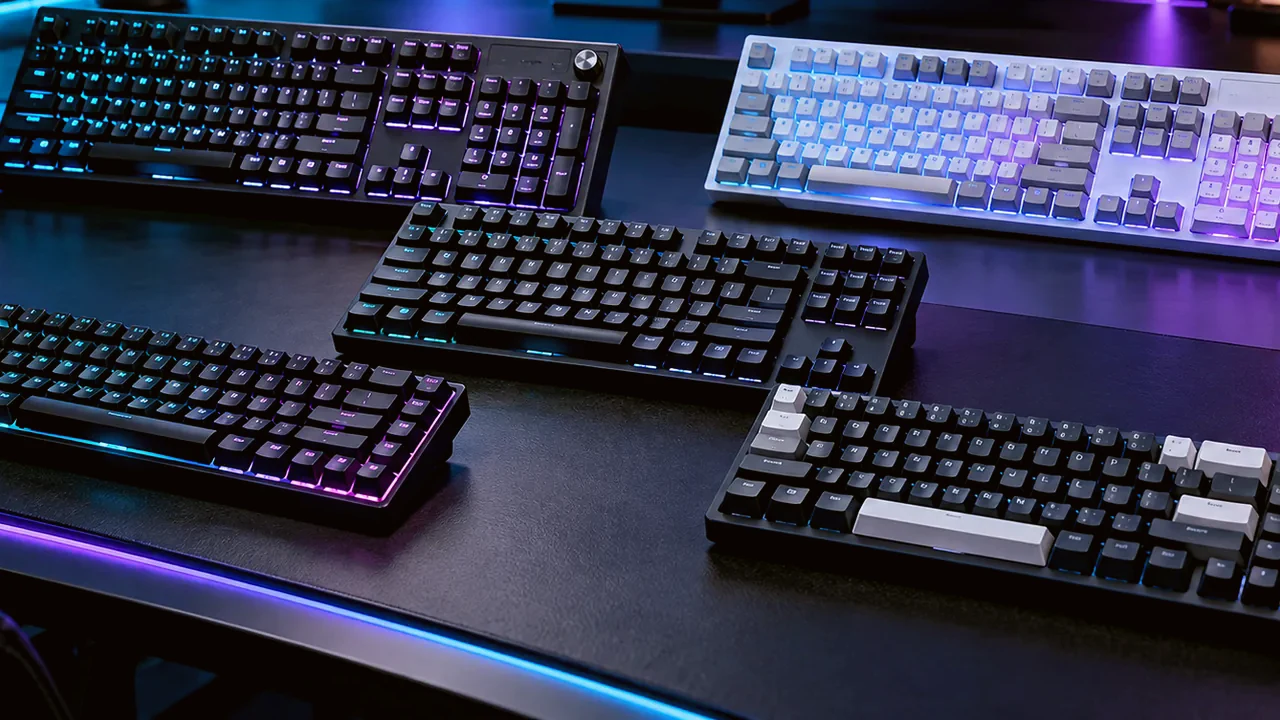
Five years ago, a “budget mechanical keyboard” meant a wobbly plastic shell, scratchy no-name switches, and a spacebar that rattled like a loose muffler. That’s changed. The best budget mechanical gaming keyboards now ship with features that cost $180 or more not long ago: gasket mounts, hot-swap sockets, pre-lubed switches, wireless, and even magnetic Hall effect switches with rapid trigger.
I’ve been typing on, tearing down, and rebuilding keyboards for about 14 years. Here’s something I tell people all the time: a good $70 board beats a bad $200 board every time. Most of the money at the high end goes toward sound differences you’ll notice for a week and then stop hearing.
So I ranked five boards that sell for under $70 on Amazon. One of them isn’t mechanical at all. I’ll explain why it still made the list, and why you might want to skip it.


Quick Comparison: Best Budget Mechanical Gaming Keyboards at a Glance
Short on time? Find your use case in the left column and go straight to the right board.
| If you want… | My Pick | Price | Layout | Switch Type | Connection | Deal |
|---|---|---|---|---|---|---|
| 🏆 Best overall budget board | EPOMAKER x AULA F75 MAX | $66.99 | 75% | Mechanical (hot-swap) | Wireless tri-mode + wired | Check Price on Amazon → |
| 🎯 Best for competitive FPS | AULA WIN68 HE | $39.99 | 60% | Hall effect magnetic | Wired | Check Price on Amazon → |
| 🔢 Best full-size (keeps the numpad) | AULA F99 | $68.99 | 96% | Pre-lubed linear (hot-swap) | Wireless tri-mode + wired | Check Price on Amazon → |
| 🛡️ Best no-frills workhorse | Redragon K552 | $36.99 | TKL (87 keys) | Mechanical red (linear) | Wired | Check Price on Amazon → |
| 💵 Cheapest possible upgrade | GEODMAER 65% | $15.27 | 65% (68 keys) | Membrane (not mechanical) | Wired | Check Price on Amazon → |
My short version: If you can spend about $67, get the F75 MAX. If you play Valorant or CS2 and care about every millisecond, get the WIN68 HE and keep the other $27.
How I Picked These Boards
I don’t rank keyboards by spec sheets alone. A listing can claim “8000Hz polling” and “professional gaming grade” and still ship with a spacebar that sounds like a stapler. Here’s what I weighted, in order:
- Typing and gaming feel. Switch consistency, key wobble, and whether the stabilizers rattle on the big keys.
- Features that actually matter. Hot-swap sockets, solid connection options, and remapping. RGB alone was never a reason for a board to move up the list.
- Build quality for the price. Flex, case rattle, and whether the cable or USB port feels like it’ll survive a year.
- Value. Not “cheapest.” The most keyboard per dollar.
One quick note on layouts, because it trips people up. A 60% board drops the arrow keys and function row. A 75% keeps both in a tight footprint. TKL (tenkeyless) is a full keyboard minus the numpad. A 96% squeezes a numpad in by removing the gaps. If you’re unsure which size fits your desk, our keyboard layout size guide walks through each one.
The Best Budget Mechanical Gaming Keyboards, Ranked
1. EPOMAKER x AULA F75 MAX — Best Overall
Price: $66.99 | Layout: 75% | Mount: Gasket | Hot-swap: Yes | Connection: 2.4GHz / Bluetooth / USB-C wired
- Compact Size, Function Core: With 80 programmable keys and a customizable screen, the F75 Max upgrades from its successf…
- Stylish and Ergonomic: Say goodbye to wrist strain and finger fatigue, as this Cherry-profile keyboard becomes your ergo…
- Satisfying Creamy Sound: Indulge in the creamy smooth melody of F75 MAX, composed by the rhythmic thud of every keystrok…
This is the board I’d buy with my own money if I had $70 and one shot to get it right.
The F75 MAX is a collaboration between Epomaker and Aula, and it reads like a list of everything enthusiasts begged budget brands to include. You get a gasket-mount design, which suspends the plate on soft material instead of bolting it to the case. That gives you a softer, more cushioned bottom-out and a deeper sound. You get hot-swap sockets, so you can pull the stock switches and drop in new ones without soldering. And you get tri-mode connectivity, so one board covers your gaming PC on the 2.4GHz dongle, your laptop over Bluetooth, and a wired fallback.
The 75% layout is the sweet spot for most gamers. It’s compact enough to give your mouse arm room to swing, but you keep the arrow keys and function row. I lean on F-keys constantly for work, and losing them on a 60% gets old fast.
Then there’s the screen and the knob.
The knob is genuinely useful. Volume control without hunting for a hotkey combo is one of those small things you miss once you’ve had it. The little TFT screen is another story. It can show battery level and other status info, and you can load a custom image. It’s fun for about a day. After that, it’s a nice extra you’ll mostly ignore. Don’t let the screen be the reason you buy this. Buy it because the typing experience and the feature list are excellent for the money.
Here’s the catch: wireless boards with screens and RGB burn through battery faster than plain boards. If you run lighting at full brightness over 2.4GHz, expect to charge it more often than the box suggests. Turn the RGB down and the problem mostly goes away.
Pros
- Gasket mount gives a softer, deeper feel than typical budget tray-mount boards
- Hot-swap sockets let you try new switches without soldering
- Tri-mode connection (2.4GHz, Bluetooth, wired) covers gaming and work devices
- 75% layout keeps arrows and F-keys in a compact footprint
- Volume knob is genuinely handy
Cons
- TFT screen is more novelty than tool
- Battery drains quickly with RGB and the screen running hard
- Slightly higher price than the other picks here
2. AULA WIN68 HE — Best for Competitive FPS
Price: $39.99 | Layout: 60% | Switch: Hall effect magnetic | Polling rate: up to 8000Hz | Connection: Wired
If you play competitive shooters, this is the most interesting board on the list, and it costs forty bucks.
The WIN68 HE uses Hall effect magnetic switches instead of traditional mechanical ones. A regular switch registers a keypress when two metal contacts touch at a fixed point. A Hall effect switch uses a magnet and a sensor to measure exactly how far the key has traveled. That opens up two features that used to cost $150 or more:
- Adjustable actuation. You choose how far down the key needs to travel before it registers. Set it shallow for twitchy movement, deeper for typing so you don’t trigger accidental presses.
- Rapid trigger. The key resets the instant you start lifting your finger, not at a fixed reset point. For counter-strafing in Valorant or CS2, that translates to faster, cleaner stops.
Rapid trigger is the real deal. It isn’t marketing. Once you’ve strafed with it, a standard board feels slightly sluggish on direction changes.
The 8000Hz polling rate is a different conversation. Polling rate is how often the keyboard reports to your PC. Standard is 1000Hz, which means once per millisecond. 8000Hz cuts that to an eighth of a millisecond. On paper, that’s great. In practice, very few people can feel the gap between 1000Hz and 8000Hz on a keyboard, and higher polling rates can add CPU load on some systems. If you notice stutter in-game, drop it to 1000Hz and move on with your life. Rapid trigger is the feature you’re paying for. The 8K polling is a bonus line on the box.
Here’s the catch: it’s a 60% layout, so there are no dedicated arrow keys or function row. Those live on a secondary layer you reach with a Fn key. That’s fine for gaming but annoying if you spend hours in spreadsheets. It’s also wired only, which honestly suits a competitive board. If you’re curious how magnetic switches compare to standard ones, I broke it down in my Hall effect vs. mechanical switches explainer.
Pros
- Hall effect switches with rapid trigger at a price that’s frankly hard to believe
- Adjustable actuation lets you tune for gaming or typing
- Up to 8000Hz polling for players who want every edge
- Compact 60% frees up plenty of mouse space
- Wired connection means no battery or wireless latency to think about
Cons
- No dedicated arrow keys or F-row
- 8000Hz polling is mostly a spec-sheet win and can tax weaker CPUs
- Wired only, so no Bluetooth for a laptop or tablet
3. AULA F99 — Best Full-Size Budget Board
Price: $68.99 | Layout: 96% | Switch: Pre-lubed linear | Hot-swap: Yes | Connection: 2.4GHz / Bluetooth 5.0 / USB-C wired
Not everyone wants a tiny keyboard. If you enter numbers for work, play MMOs that bind abilities to the numpad, or just like a full-size board, the F99 is the one I’d point you to.
The 96% layout is clever. It keeps nearly every key from a full-size board, including the numpad, but removes the gaps between clusters. You end up with a board that’s noticeably narrower than a standard 104-key without giving anything up. That matters more than people think. Every inch you save on the keyboard is an inch of desk your mouse gets back.
The switches come pre-lubed from the factory, which is a big deal at this price. Lube smooths out the scratchiness you feel in cheap linear switches and quiets down the spring noise. Normally, you’d spend an evening with a brush and a tub of 205g0 to get that result. Here, it’s done for you. It won’t match a careful hand-lube job, but it’s far better than the dry, gritty switches budget boards used to ship with.
You also get hot-swap sockets and the same tri-mode connectivity as the F75 MAX. The listing mentions compatibility with PlayStation and Xbox too. Console support for keyboards depends heavily on the specific game, though, so treat that as a nice possibility rather than a promise.
Here’s the catch: it’s big and heavy. That’s great for stability on your desk and terrible if you want something to toss in a backpack. And a full numpad is something a lot of gamers think they need but rarely use. Be honest with yourself about that before you pick it over the F75 MAX.
Pros
- 96% layout keeps the numpad in a narrower body than a standard full-size
- Pre-lubed linear switches feel smooth right out of the box
- Hot-swap sockets for easy switch upgrades
- Tri-mode connection for PC, laptop, and tablet
- Solid, heavy build that stays planted
Cons
- Large and heavy, so it’s not portable
- Takes more desk space than a 75% or 60%
- Console compatibility varies by game
4. Redragon K552 — Best No-Frills Workhorse
Price: $36.99 | Layout: TKL (87 keys) | Switch: Red linear | Backlight: Red LED | Connection: Wired
- 🔥𝗧𝗿𝘂𝗲 𝗠𝗲𝗰𝗵𝗮𝗻𝗶𝗰𝗮𝗹 𝗙𝗲𝗲𝗹 𝘄𝗶𝘁𝗵 𝗟𝗶𝗻𝗲𝗮𝗿 𝗥𝗲𝗱 𝗦𝘄𝗶𝘁𝗰𝗵𝗲𝘀 – Experience smooth, consistent keystrokes with linear red mechanical swi…
- 🔥𝗩𝗶𝗯𝗿𝗮𝗻𝘁 𝗥𝗮𝗶𝗻𝗯𝗼𝘄 𝗟𝗘𝗗 𝗕𝗮𝗰𝗸𝗹𝗶𝗴𝗵𝘁𝗶𝗻𝗴 𝘄𝗶𝘁𝗵 𝟲 𝗗𝘆𝗻𝗮𝗺𝗶𝗰 𝗠𝗼𝗱𝗲𝘀 – Enjoy eye-catching rainbow backlighting with 6 preset lighting …
- 🔥𝗦𝗼𝗳𝘁𝘄𝗮𝗿𝗲 𝗗𝗿𝗶𝘃𝗲𝗿 𝗦𝘂𝗽𝗽𝗼𝗿𝘁 𝗳𝗼𝗿 𝗙𝘂𝗹𝗹 𝗖𝘂𝘀𝘁𝗼𝗺𝗶𝘇𝗮𝘁𝗶𝗼𝗻 𝗖𝗼𝗻𝘁𝗿𝗼𝗹 – Take control of your K552-KR with dedicated software drivers, …
The Redragon K552 has been around for years, and plenty of keyboard fans write it off as old news. I think that’s a mistake.
Here’s my slightly contrarian take: the K552 is still one of the best first mechanical keyboards you can buy, precisely because it doesn’t try to do too much. It’s a tenkeyless board with a metal top plate, which gives it more rigidity than you’d expect at $37. The red linear switches are light and smooth enough for gaming, with no tactile bump and no click to annoy anyone sharing your room. The red backlight is simple. Some people will call that dated. I call it one less thing to configure.
And it’s tough. I’ve seen these boards survive years of abuse in dorm rooms and LAN setups. The design is proven, and Redragon has sold an enormous number of them.
Here’s the catch: the classic K552 isn’t hot-swappable. The switches are soldered in. If you get the modding bug, and a lot of people do, you’ll want to move to something like the F75 MAX eventually. The ABS keycaps will also develop a shine on the most-used keys over time. That’s normal for ABS. If it bugs you, a set of PBT keycaps is an easy upgrade, and you can read more about why in my ABS vs. PBT keycaps comparison.
So who should buy the K552 over the WIN68 HE at a similar price? Anyone who wants arrow keys and a function row, prefers a traditional mechanical feel, and doesn’t care about rapid trigger. It’s the dependable choice. Sometimes that’s exactly what you want.
Pros
- Proven, durable design with a metal top plate
- TKL layout keeps arrows and F-keys while saving desk space
- Light linear switches suit gaming and casual typing
- Very low price for a true mechanical board
- Nothing to set up; plug in and play
Cons
- Not hot-swappable, so switch upgrades mean soldering
- ABS keycaps shine over time
- Single-color backlight and no wireless option
5. GEODMAER 65% Gaming Keyboard — Cheapest Possible Upgrade (Not Mechanical)
Price: $15.27 | Layout: 65% (68 keys) | Switch: Membrane | Backlight: Yes | Connection: Wired
Let me be completely upfront: this is not a mechanical keyboard. It’s a membrane board, which means the keys press down onto a rubber dome sheet instead of individual switches. Some listings blur that line. I won’t.
So why is it on a list of the best budget mechanical gaming keyboards? Because a lot of people searching for this topic have a hard ceiling around $20, and I’d rather point you to an honest option than pretend every buyer has $40 to spend.
And for $15, it’s a decent little board. The 65% layout is compact but keeps the arrow keys, which is better than many $15 boards manage. It has backlighting and anti-ghosting on the keys gamers press most, so pressing several movement keys at once in a game should register correctly. If you’re replacing a dying office keyboard or need a cheap spare for a second PC, it does the job.
Here’s the catch: membrane keys feel mushy compared to mechanical switches. They’re less consistent from key to key, and you can’t swap switches or really mod anything. Anti-ghosting on a membrane board also typically covers a limited set of keys rather than true full NKRO, so I wouldn’t trust it for complex key combos in fast games. If you can stretch your budget to $37, the Redragon K552 is a real step up in every way that matters.
I’m not a snob about membrane boards. Some are genuinely good. Just know what you’re buying.
Pros
- Extremely cheap at around $15
- 65% layout keeps arrow keys in a small footprint
- Backlit with anti-ghosting on common gaming keys
- Fine as a spare or temporary keyboard
Cons
- Membrane, not mechanical, so the feel is softer and less consistent
- No hot-swap or meaningful modding potential
- Anti-ghosting likely doesn’t match true full NKRO
What Actually Matters When You Buy a Budget Gaming Keyboard
After testing more keyboards than I can count, I’ve found that most of the specs printed on the box don’t change your daily experience much. These are the ones that do.
Hot-Swap Sockets Are Worth Paying For
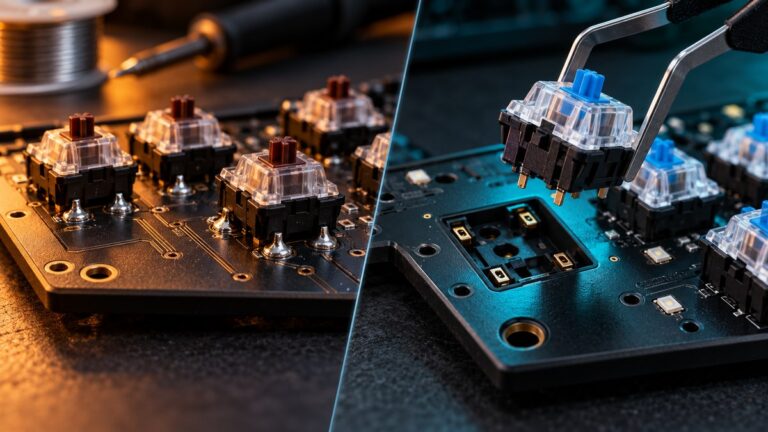
If there’s one feature I’d stretch a budget for, it’s hot-swap. It future-proofs the board. If a switch dies or you decide you want a tactile feel instead of a linear one, you swap them out in 10 minutes with a cheap puller. Without hot-swap, you’re looking at a soldering iron or a new keyboard. The F75 MAX and F99 both have it. The K552 and WIN68 HE don’t.
Switch Type Should Match How You Play
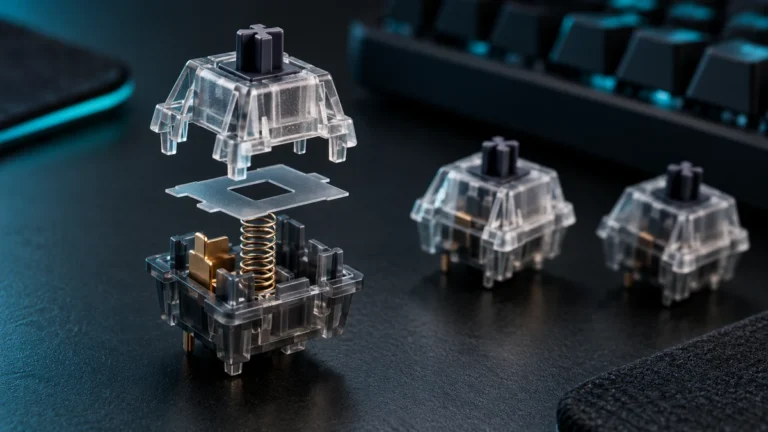
- Linear switches (like the reds in the K552 and the F99’s pre-lubed linears) move straight down with no bump. They’re the most popular choice for gaming because they’re smooth and fast.
- Tactile switches have a small bump that tells you the key has registered. They’re great for typing.
- Clicky switches add an audible click. They’re satisfying for you and miserable for everyone around you, especially on voice chat.
- Hall effect switches (like the WIN68 HE’s) let you adjust actuation and use rapid trigger. Right now, they’re the biggest real performance upgrade available for competitive play.
Not sure which camp you’re in? My linear vs. tactile vs. clicky switch guide covers how each one feels in real use.
Gaming Specs That Are Mostly Marketing
I’ll say it plainly: 8000Hz polling, “esports-grade” RGB, and “zero latency” claims rarely make a difference you can feel. RGB lighting is fine if you like it, but it shouldn’t decide your purchase. Focus on the switches, the layout, and hot-swap support. Those are what you’ll notice every single day.
Don’t Overpay for Sound
The “thocc” trend is real, and I won’t pretend I don’t enjoy a deep, satisfying keyboard sound. But most people massively overpay chasing small sound differences. A gasket-mount budget board like the F75 MAX already sounds better than most premium boards from a few years ago. If you want more, a $5 tape mod or a little extra foam gets you most of the way there. Spending an extra $150 for a slightly different pitch isn’t a smart trade for most buyers.
Think About Your Wrists, Too
Smaller layouts aren’t just about looks. A compact board lets you keep your mouse closer to your body, which reduces shoulder strain over long sessions. Whatever you choose, a wrist rest and a keyboard height that keeps your wrists fairly neutral will do more for your comfort than any switch upgrade. Your mileage may vary depending on hand size and desk setup, but don’t ignore this part.
My Final Verdict
Here’s where I land.
Buy the EPOMAKER x AULA F75 MAX if you want the best all-around board under $70. It has gasket mounting, hot-swap sockets, tri-mode wireless, and a layout that works for both gaming and work. Ignore the screen, and you’re still getting an excellent keyboard.
Buy the AULA WIN68 HE if you’re serious about competitive shooters. Rapid trigger at $40 is the best value in budget gaming keyboards right now, full stop.
Buy the AULA F99 if you need a numpad and want wireless flexibility in a board that won’t eat your whole desk.
Buy the Redragon K552 if you want a durable, simple, tried-and-tested mechanical board and don’t plan to mod it.
Skip the GEODMAER unless $15 is truly your limit. It’s a fine membrane board, but it isn’t mechanical, and stretching to the K552 gets you a much better experience.
If I had to put one board in a friend’s cart tonight, it’d be the F75 MAX. If that friend played Valorant every night, I’d swap it for the WIN68 HE and tell them to spend the leftover money on a good mousepad.
This article contains affiliate links. If you buy through them, I earn a small commission at no extra cost to you. I only recommend keyboards I’ve actually tested. As an Amazon Associate I earn from qualifying purchases.
One Comment