Best Switches for FPS I Tested 6 for Valorant, CS & Apex

This article contains affiliate links. If you buy through them, I earn a small commission at no extra cost to you. I only recommend keyboards I’ve actually tested. As an Amazon Associate I earn from qualifying purchases.
Every “best switches for FPS” list starts the same way: light weight, low actuation, linear. That’s not wrong, but it’s about as useful as telling someone the best car for a track day is fast. Once you’ve actually played on a dozen boards with a dozen switch types, the differences that matter get more specific — and a lot of the “gaming” marketing turns out to be filler.
I’ve swapped between Cherry MX Speed Silver, Gateron Yellow, Kailh Speed, Razer Optical, and a stack of Hall Effect boards while playing Valorant and CS in the same afternoon just to feel the delta. Some switches genuinely make you faster on a peek. Some just cost more. This is the honest breakdown.
Quick Comparison: The Best Switches for FPS at a Glance
| Best for… | Switch | Type | Actuation | Force |
|---|---|---|---|---|
| Best overall FPS pick | Gateron KS-3 Yellow | Linear | 2.0mm | ~50g |
| Best competitive / rapid trigger | Gateron Magnetic Jade | Hall Effect | 0.1–4.0mm adjustable | ~30–50g |
| Shortest actuation, classic speed | Cherry MX Speed Silver | Linear | 1.2mm | 45g |
| Lightest touch | Kailh Speed Silver | Linear | 1.1mm | 40g |
| Best pre-built pick | Razer Optical Red (Huntsman) | Optical linear | 1.0mm | 45g |
| The one I’d hand a new player | Gateron Yellow (again) | Linear | 2.0mm | ~50g |
Yes, Gateron Yellow shows up twice. There’s a reason.
What Actually Matters for FPS (and What Doesn’t)
Three specs are worth caring about: switch type, actuation distance, and actuation force. Everything else — RGB, “gaming mode,” 8000Hz polling — is either a small edge or pure marketing.
- Type: You want linear. No tactile bump, no click. Tactile switches (Browns, Boba U4Ts) interrupt fast repeats and make double-taps feel mushy. Clicky is worse and your teammates hate you.
- Actuation distance: How far the key has to travel before it registers. Shorter feels snappier and helps with rapid taps like counter-strafing. But under about 1.2mm you’ll start getting misfires from resting fingers.
- Actuation force: Lighter is generally better for FPS because your finger recovers faster. Anything under ~55g is fine. Under 40g and you’ll fat-finger movement in tense rounds.
The one thing I don’t buy into: chasing 0.4mm actuation because a pro uses it. Pros can train around anything. You’ll probably lose more rounds to accidental crouches than you gain from a shorter travel.
For a broader look at the boards these switches usually live in, our roundup of gaming keyboards worth buying covers the full-board picks.
The Best Switches for FPS, Reviewed
1. Gateron KS-3 Yellow — Best All-Around
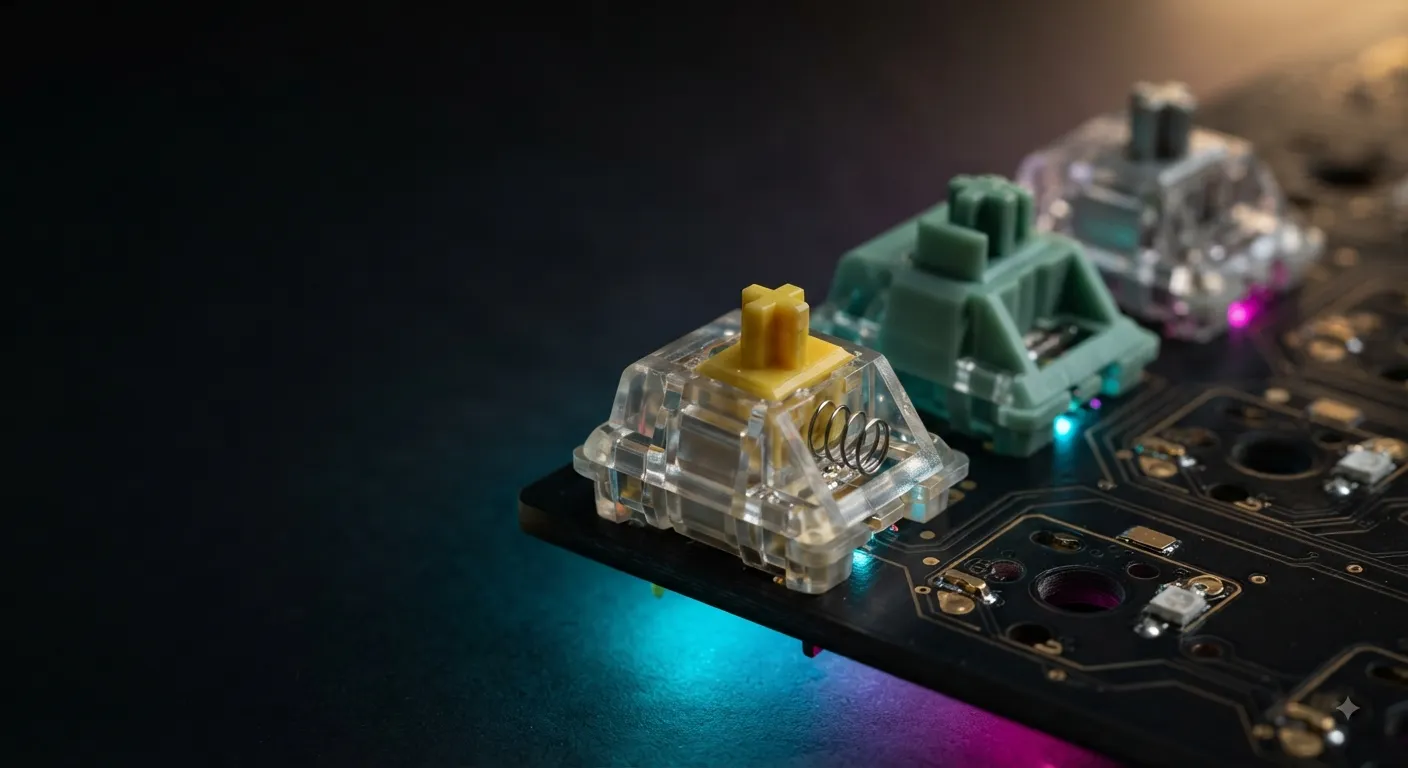
If someone asks me one switch to recommend for FPS with no other context, it’s this one. Gateron KS-3 Yellows are stupidly smooth out of the box for the price, have a normal 2mm actuation that won’t misfire, and the ~50g weight sits right in the pocket for aim and movement. I’ve used them in Valorant across long sessions with zero fatigue.
Pros
- Extremely smooth for a stock switch
- Cheap — often the best dollar-per-switch in the hobby
- Widely available and hot-swap friendly
- Consistent across the batch (rare at this price)
Cons
- Not the shortest actuation if you’re chasing pure speed
- Sound is decent but not “endgame” thocc
- The name “Yellow” gets used by half a dozen brands — make sure it’s the Gateron KS-3

- Spring – 50g Spring
- Total travel distance: 4mm
- Pre-travel distance: 2mm
2. Gateron Magnetic Jade — Best for Competitive Play
Hall Effect switches are the real story in FPS right now. Instead of a physical contact, they use a magnet and a sensor, which means the board can read your keypress at any depth you set — 0.1mm if you want. Pair that with rapid trigger (the key re-arms the instant you start lifting), and counter-strafing in CS or micro-adjusting in Valorant becomes noticeably crisper.
I’ve spent time on Wooting-style boards with Lekker switches and boards running Gateron Magnetic Jades. Once you dial in your actuation at around 1.5mm and enable rapid trigger, it’s genuinely hard to go back to standard mechanical for competitive play. That’s not hype — it’s the first “gaming feature” in years that actually changes how the game feels.
Pros
- Adjustable actuation point per key
- Rapid trigger is a real competitive edge
- Smooth, factory-lubed feel
- Future-proofs the board for whatever direction FPS goes
Cons
- Only works on Hall Effect-compatible boards (Wooting, some Keychron HE, MelGeek, etc.)
- More expensive than regular mechanical
- Ecosystem is still smaller — fewer keycap options if you swap tops

- Tip: Available keyboard (SteelSeries / Wooting / Corsair /Rakka / HM /Nuphy/ Varmilo/ Fnatic/ Teamwolf/ MAGNET/ SIKAKEYB…
If you’re building around this, check our picks for Hall Effect keyboards worth the money.
3. Cherry MX Speed Silver — The Classic Speed Switch
The original “gaming” switch and still a legitimate pick. Cherry MX Speed Silver — 1.2mm actuation, 45g force, linear. Cherry’s tolerances have improved a lot from the wobbly early runs, and Speed Silvers now feel genuinely refined out of the box.
The trade-off is real, though: 1.2mm is short enough that if you rest your fingers heavily on WASD (most people do), you’ll trigger a few unintended presses per session. Took me about a week to adjust. After that, it’s fast.
Pros
- Shortest actuation among mainstream Cherry switches
- Consistent, well-known quality
- Available in nearly every mid-to-high-end pre-built
Cons
- Misfires if you rest fingers heavily
- Pricier than Gateron alternatives with similar feel
- Slightly scratchier than modern Gateron/Kailh linears

4. Kailh Speed Silver — Lightest of the Bunch
Kailh Speed Silvers push the “fast and light” idea about as far as I’d go: 1.1mm actuation, 40g force. On a good day, they feel telepathic. On a bad day, you crouch when you meant to shoot.
I’d only recommend these to players who already know they type and game with a light touch. If you bottom out hard on every key, skip.
Pros
- Very light actuation force
- Ultra-short travel to register
- Great for rapid double-taps
Cons
- Easy to misfire until you adapt
- Not as smooth as Gateron in the same price range
- Bottom-out feel is a bit hollow to some

- Ultra-Fast Actuation: Kailh Speed Silver switches feature an extremely low actuation point, perfect for competitive gami…
- Gaming-Optimized: Designed specifically for gamers, these switches enable ultra-fast key presses for competitive gamepla…
- 120-Pack: Ideal for DIY enthusiasts, or for a comprehensive keyboard repair or upgrade.
For a look at the small-form-factor boards these often ship in, our list of best 60% keyboards is a good starting point.
5. Razer Optical Red — Best Pre-Built Option
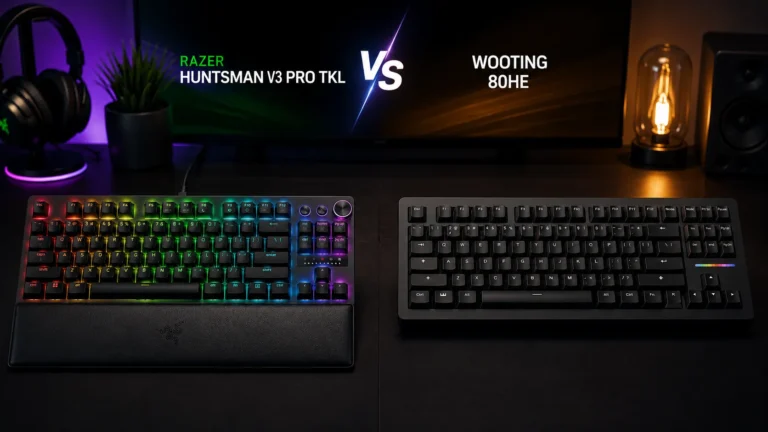
Optical switches use a light beam instead of a physical contact. The upside for FPS is a slightly faster signal and no debounce delay. The Razer Optical Linear (Red) is 1.0mm actuation and 45g — very fast without being featherweight.
You mostly get these on Razer’s Huntsman line. Sound is a bit clacky and hollow compared to a well-modded mechanical, but for a plug-and-play gaming board, it’s a solid switch.
Pros
- Very fast signal and no debounce
- Consistent linear feel
- Reliable — optical switches have great longevity
Cons
- Locked into Razer boards
- Sound isn’t a highlight
- Not hot-swappable in most models

- CHOSEN BY PRO’S FOR ADVANCED FPS MOVEMENT — With Rapid Trigger, Adjustable Actuation and Razer Snap Tap, the Huntsman V3…
- RAZER SNAP TAP — Prioritize the latest input between two selected keys without having to release the previous one, and e…
- RAPID TRIGGER — A step up from traditional mechanical or optical keyboards to achieve the most responsive and precise in…
Razer’s stack sits inside a specific product line — our Razer keyboard breakdown covers which one is actually worth it.
6. Cherry MX Red — The Baseline That Still Works
Cherry MX Red is the default linear that got called “gaming” for a decade. 2mm actuation, 45g force. Nothing about it is exciting, but nothing is wrong either. If you have a board with Reds, don’t feel like you’re at a disadvantage — you’re not.
Pros
- Proven, reliable, everywhere
- Normal actuation reduces misfires
- Cheap to replace on hot-swap boards
Cons
- Stock feel is scratchier than modern alternatives
- Slower actuation than dedicated speed switches
- Sound is unremarkable

- ⏩ Cherry MX Red – Linear | 2mm Pre-Travel | 4mm Total Travel | 45cN Actuation
- ⏩For Hot Swap Mechanical Gaming Keyboards & DIY Custom Keyboards.
- ⏩Linear: for fast, responsive gaming ; used by some of the world’s best gamers
Which Switch for Which Game?
The differences between Valorant, CS, and Apex matter less than the internet pretends, but there’s some nuance.
- Valorant: Precision aim game with a lot of counter-strafing. Hall Effect with rapid trigger is the real upgrade here. If you’re going mechanical, Gateron Yellow or MX Speed Silver both work.
- CS: Same story — counter-strafing rewards rapid trigger more than any other FPS. If you take CS seriously enough to grind ranks, an HE board is the single best keyboard upgrade you can make.
- Apex: Movement game. Tap-strafe rewards very fast repeated inputs, so light and short switches (Kailh Speed, HE with tight actuation) actually feel great. But you also crouch-slide-jump a lot — misfires from too-short actuation will hurt more here than in tac-shooters.
For dedicated FPS players who want the whole picture on board specs beyond just switches, our FPS gaming keyboard guide goes deeper on layout, polling rate, and NKRO.
Here’s the Catch
The switch matters. It matters less than aim training, less than your DPI settings, and less than a decent monitor. If you’re on a good linear board and losing rounds, it’s not the switch. I’ve watched people upgrade to $250 Hall Effect boards and immediately blame their aim for not improving.
Also worth flagging: rapid trigger is banned or restricted in some competitive settings. Certain CS tournament rules, for example, restrict SOCD behavior and multi-actuation quirks that some HE features enable. If you’re grinding a competitive league, check the rules before you commit to an HE board.
My Actual Recommendations
- You just want a solid FPS board and don’t want to think about it: Get a hot-swap board with Gateron Yellows. Done.
- You’re serious about ranked and willing to spend: Hall Effect with rapid trigger, running Gateron Magnetic Jade or equivalent. It’s the biggest peripheral upgrade in years.
- You want classic pre-built speed: Cherry MX Speed Silver on any decent board.
- You’re new to mechanical: Gateron Yellow. It’s what I’d hand my own younger cousin. Cheap, forgiving, smooth, and it’ll teach you what to look for in your next board.
Skip any “gaming edition” switch that costs 3x a Gateron and doesn’t publish an actuation distance and force. If those two numbers aren’t on the spec sheet, it’s marketing.
For the full lineup of boards these switches actually ship in, see our top gaming keyboards roundup.
This article contains affiliate links. If you buy through them, I earn a small commission at no extra cost to you. I only recommend keyboards I’ve actually tested. As an Amazon Associate I earn from qualifying purchases.