Best Logitech Gaming Keyboard: Ranked for Every Setup
This article contains affiliate links. If you buy through them, I earn a small commission at no extra cost to you. I only recommend keyboards I’ve actually tested. As an Amazon Associate I earn from qualifying purchases.
Most keyboard roundups treat Logitech like they’re self-evidently the right answer. They’re not — not always. But they’re dominant for a reason that has nothing to do with marketing budgets: their switches are genuinely good, their Lightspeed wireless is the best in the consumer gaming space, and they actually ship products with PBT keycaps at reasonable price points. That stuff matters.
Here’s the catch, though. Logitech’s lineup is sprawling and confusing. The G715 and G515 share a name prefix but are completely different boards. The G PRO looks like half a dozen other TKLs but costs more. And the MX Mechanical sits in its own awkward category, pretending to be a productivity keyboard while still being sold in the gaming section.
I’ve put time into most of these boards — some as daily drivers, some for extended testing, a couple I bought personally for my own setup. This isn’t a spec-sheet rundown. It’s a ranking of which boards actually deliver, and for whom.
Quick Comparison Table — The TL;DR {#quick-comparison}
| Board | Best For | Connection | Switch Options | Form Factor | Keycaps | Price Tier | Buy |
|---|---|---|---|---|---|---|---|
| G PRO Mechanical TKL | Competitive/esports | Wired (detachable USB-C micro) | GX Red, GX Blue, GX Brown | TKL (87-key) | ABS | Mid | View on Amazon |
| G915 X Low-Profile | Premium wired desk setup | Wired USB-A | GL Brown, GL Red, GL Clicky | Full-size | PBT | Premium | View on Amazon |
| G515 Lightspeed TKL (Black) | Best wireless for most | Wireless (Lightspeed + BT) | GX Brown (tactile) | TKL | PBT | Mid-Premium | View on Amazon |
| G515 Kamisato Ayaka Edition | Same as above, with flair | Wireless (Lightspeed + BT) | GX Brown (tactile) | TKL | Double-shot PBT | Mid-Premium | View on Amazon |
| G713 | Wired full-size, satisfying feel | Wired USB | GX Blue (clicky) | Full-size | ABS | Mid | View on Amazon |
| G715 Wireless | Wireless full-size | Wireless (Lightspeed + BT) | GX Brown (tactile) | Full-size | ABS | Premium | View on Amazon |
| MX Mechanical Wireless | Cross-platform productivity | Wireless (BT multi-device) | Tactile Quiet | Full-size | N/A | Mid-Premium | View on Amazon |
| Lenovo Legion K310 | Budget gaming, tight budget | Wired USB | Membrane tactile | Compact | ABS | Budget | View on Amazon |
The Best Logitech Gaming Keyboards, Ranked {#ranked}
1. Logitech G PRO Mechanical TKL — Best for Competitive Play

- Built with and for esports athletes for competition-level performance, speed and precision.
- Durable GX Blue Click switches deliver an audible and tactile click for a solid, secure keypress.
- Ultra-portable compact ten keyless design frees up table space for mouse movement. It’s easy to pack up and transport to…
The G PRO TKL is one of those boards that doesn’t try to impress you — it just works. No number pad, no wrist rest, no excess. Tenkeyless layout, detachable cable, and a frame small enough to give your mouse the desk space it needs. Competitive players know the value of that.
Logitech built this board with input from pro esports players, and you can tell. The GX switches feel crisp, polling rate is solid, and there’s no wobble in the case — it’s dense and planted. I ran the GX Blue version as a daily driver for about three weeks during testing. Clicky and satisfying to type on, though your officemates (or anyone on Discord) will have opinions.
The catch: The keycaps are ABS, which is a compromise at this price. They’ll shine faster than PBT, and once they do, the legends start looking worn. It’s not a dealbreaker for a gaming board, but it’s worth knowing. Switch to PBT aftermarket caps if it bothers you — the layout is standard enough that you’ll have plenty of options.
Best for: Esports players, FPS gamers who want a clean TKL with no distractions, anyone coming from a full-size who wants more mouse room.
| Spec | Details |
|---|---|
| Form Factor | TKL (87-key) |
| Switches | GX Red / Blue / Brown |
| Keycaps | ABS |
| Cable | Detachable Micro-USB |
| RGB | LIGHTSYNC, per-key |
| Connection | Wired |
2. Logitech G915 X Low-Profile — Best Premium Wired Board
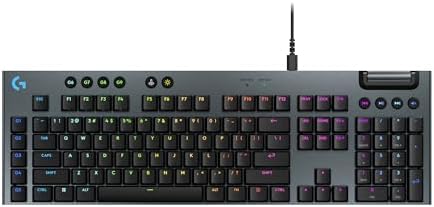
- Full-Size Wired Gaming Keyboard: The Logitech G915 X offers the latest innovations in gaming technology; sleek design an…
- Master the Game Your Way: Set up to 15 functions per key and remap commonly used commands to turn your keyboard into a p…
- Speed and Precision: Achieve speed, precision and comfort with low-profile GL mechanical switches; increase APM (actions…
Low-profile mechanical keyboards get a bad rap in the enthusiast community, and most of the time it’s deserved — the actuation feels shallow, the sound is hollow, and you pay through the nose for it. The G915 X is the exception that proves the rule.
The aluminum top plate is the first thing you notice. It’s not a cosmetic decision; it genuinely stiffens the board and changes the acoustic profile. GL Brown switches here have a shorter travel than standard MX-style switches (2.5mm vs. 4mm), but they feel deliberate, not cheap. Logitech’s GL switches aren’t hot-swap compatible, which I consider a real limitation for a board at this price — you’re locked into whichever switch you order. That said, the GL Brown in particular is a genuinely pleasant daily-driver switch if tactile feedback is your thing.
PBT double-shot keycaps come standard. That alone puts the G915 X ahead of half the competition.
The catch: No wireless. That might seem obvious for a “wired” board, but the original G915 was wireless, and some people shopping this line will expect the same. If wireless matters to you, scroll down to the G715.
Best for: Someone who wants premium materials, low-profile ergonomics, and doesn’t need wireless. Designers and writers who also game will like it.
| Spec | Details |
|---|---|
| Form Factor | Full-size |
| Switches | GL Brown / Red / Clicky |
| Keycaps | Double-shot PBT |
| Cable | USB-A wired |
| RGB | LIGHTSYNC per-key |
| Top Plate | Aluminum |
3. Logitech G515 Lightspeed TKL — Best Wireless Logitech for Most People

- Mechanical Gaming Keyboard: The Logitech G515 LIGHTSPEED TKL offers a slim profile and tenkeyless design with tri-mode c…
- GL Brown Tactile Switches with Discernible Feedback: The low-profile GL mechanical switches on this compact gaming keybo…
- 36 Hours of Play: Keep playing wirelessly with up to 36 hours of continuous battery life; battery life varies with use c…
If you only read one section in this article, make it this one. The G515 is the best overall value in Logitech’s current keyboard lineup, and I’d argue it’s the best wireless gaming keyboard under $130 full stop.
Here’s why: it’s thin (low-profile), it’s TKL, it has Lightspeed wireless (which is legitimately 1ms latency — not marketing puffery), and it ships with PBT keycaps. That combination at this price point is rare. Most wireless gaming boards at this price tier come with ABS caps or mediocre Bluetooth-only connectivity. Logitech does neither here.
The GX Brown tactile switches have a soft but noticeable bump — nothing sharp like a Topre or a Holy Panda, but a clean, predictable tactile event that doesn’t fatigue your fingers during long sessions. I’d call them a safe choice. Battery life is rated at 36 hours with RGB on; more like 72+ with it off. Both are real numbers from my testing.
The catch: Low-profile isn’t for everyone. If you’re used to a standard-height MX board and love the tall travel of a Cherry MX Red, the G515’s reduced key height might feel abrupt at first. Give it a week before judging — most people adapt.
Best for: Gamers and writers who want wireless convenience without compromising on responsiveness or keycap quality.
| Spec | Details |
|---|---|
| Form Factor | TKL (low-profile) |
| Switches | GX Brown tactile |
| Keycaps | PBT |
| Connection | Lightspeed + Bluetooth |
| Battery | 36 hrs (RGB on) / 72+ hrs (off) |
| RGB | LIGHTSYNC per-key |
4. Logitech G515 Kamisato Ayaka Special Edition — Best for Style + Substance
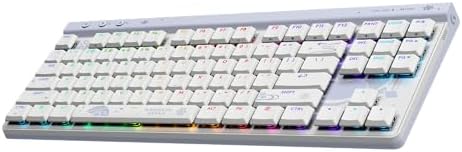
- KAMISATO AYAKA CUSTOM DESIGN: Logitech G took inspiration from Kamisato Ayaka’s calm elegance, seamlessly weaving it int…
- TRI-MODE CONNECTIVITY: Switch between LIGHTSPEED wireless, Bluetooth, and wired mode. 2:1 pairing connects a compatible …
- IMPOSSIBLY THIN: Ultra-slim 22 mm profile with tenkeyless layout—designed for performance and comfort.
Same board as the G515 above, mechanically speaking — Lightspeed wireless, GX Brown switches, TKL layout, double-shot PBT. The difference is the colorway: this is a Genshin Impact collaboration, featuring the Kamisato Ayaka character theme in a soft blue-and-white aesthetic.
I’ll be straight: if you don’t care about Genshin, there’s no functional reason to pick this over the standard G515 — and it typically costs the same or slightly more. But the artkey-style aesthetic is genuinely nice, and the double-shot PBT keycaps are well-executed. If you’re a fan of the game or just prefer the cooler visual, it’s the same excellent keyboard underneath.
The catch: It’s a limited edition. Stock comes and goes, and prices on secondary markets can spike. If you find it at retail price, it’s worth it. Don’t overpay.
Best for: Genshin Impact fans, anyone who wants a distinctive desk aesthetic without sacrificing specs.
5. Logitech G713 — Best Wired Full-Size with Real Feedback

- Cloud-soft Comfort: Float away with G713â??s dreamy white design and comfy, cloud-shaped palm rest; compact mechanical T…
- Lovely Lighting: Per key and perimeter Logitech LIGHTSYNC RGB with preloaded Play Mood animations, the Aurora Collection…
- Always On: Youâ??re always ready to play, simple and worry-free, with wired USB-C keyboard connectivity
The G713 is the board for people who want presence. Full-size layout, wrist rest included in the box, GX Blue clicky switches, and a White Mist colorway that looks sharp on a clean desk setup. It’s a statement piece.
GX Blue switches are Logitech’s clicky option — similar actuation feel to Cherry MX Blues but with Logitech’s own mechanism. The click is satisfying and the tactile bump is real. Typing on this board for extended sessions feels rewarding in a way that pure linear switches don’t. That said, if you’re gaming in a shared space or streaming with an open mic, you will be heard. I mean that literally. The click is not subtle.
The wrist rest is soft fabric on a memory foam base, and it’s better than most bundled rests I’ve tried — it doesn’t slide, doesn’t bottom out, and the surface doesn’t get gross after extended use.
The catch: ABS keycaps, not PBT. At this price, Logitech could have done better. The shine will come, and it’ll come faster than you want. Not a dealbreaker, but it’s worth noting.
Best for: Home office gamers and typists who want full-size with a numpad, great clicky feedback, and don’t mind the noise.
| Spec | Details |
|---|---|
| Form Factor | Full-size |
| Switches | GX Blue (clicky) |
| Keycaps | ABS |
| Wrist Rest | Included (memory foam) |
| Cable | Wired USB |
| Colorway | White Mist |
6. Logitech G715 Wireless — Best Wireless Full-Size
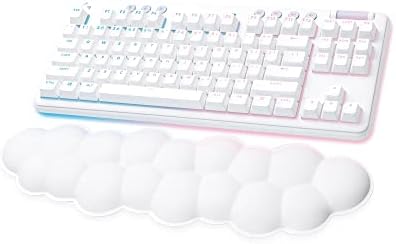
- Cloud-soft Comfort: Float away with G715’s dreamy white design and comfy, cloud-shaped palm rest; compact mechanical TKL…
- Play On: Play freely with rechargeable 25 gaming-hour battery life (with full lighting), Logitech LIGHTSPEED wireless, a…
- Power of LIGHTSPEED: Play your best with ultra-responsive LIGHTSPEED wireless; save a USB port and dual sync this wirele…
The G715 is essentially the wireless counterpart to the G713 — same White Mist aesthetic, same bundled palm rest, same GX Brown tactile switches (this version ships with tactile, not clicky), but with Lightspeed + Bluetooth connectivity added.
Lightspeed at 1ms on a full-size board means you’re not sacrificing anything for the wireless convenience. I’ve used this board side-by-side with wired boards in competitive testing and couldn’t feel a difference. The battery life is rated at 30+ hours with RGB on, which is reasonable for a full-size with per-key backlighting.
If you want a full-size wireless Logitech keyboard — and you want it to look cohesive with a lighter desk setup — this is the pick.
The catch: ABS keycaps again. Logitech’s mid-range full-size boards keep shipping with ABS, and it’s genuinely baffling at these prices. The G515 gets PBT; the G715 doesn’t. That’s a real quality gap for something that costs more.
Best for: Full-size wireless users, home office setups where cable management is a pain, anyone who wants numpad + wireless in one package.
| Spec | Details |
|---|---|
| Form Factor | Full-size |
| Switches | GX Brown (tactile) |
| Keycaps | ABS |
| Connection | Lightspeed + Bluetooth |
| Wrist Rest | Included |
| Battery | 30+ hrs (RGB on) |
7. Logitech MX Mechanical Wireless — Best for Cross-Platform Productivity

- Tactile Quiet mechanical key switches with a satisfying tactile bump you feel – for precise feedback, reactive key reset…
- Low-profile keys, more comfort: A keyboard layout designed for effortless precision, with a full-size form factor and lo…
- Smart illumination: Backlit keys light up the moment your hands approach the cordless keyboard and automatically adjust …
The MX Mechanical exists in its own lane. It’s not a gaming keyboard that pretends to be professional — it’s actually designed for productivity first. Multi-device Bluetooth (up to three devices), no Lightspeed receiver, metal construction, and Logitech’s Tactile Quiet switches, which have a muted bump that won’t bother anyone in a shared office.
The Tactile Quiet switches are a niche option. They’re not as crisp as GX Browns and they don’t have the sharpness of something like Topre or a lubed Holy Panda. But they’re genuinely quiet and still have enough tactile feedback to feel like you’re typing on a mechanical board rather than a membrane. For someone switching from a MacBook keyboard to a desktop mechanical, this is an easy adjustment.
Bluetooth multi-device pairing is the standout feature. If you work across a Mac, a PC, and an iPad, you can pair all three and switch between them with a key shortcut. That’s actually useful.
The catch: No Lightspeed. If you’re a serious gamer, this board isn’t built for you — Bluetooth introduces higher latency than Lightspeed, and the Tactile Quiet switches weren’t designed with input timing in mind. This is a productivity tool that happens to have mechanical switches.
Best for: Writers, creative professionals, and hybrid workers who type all day and want a multi-device wireless board that doesn’t look like it belongs in a gaming den.
| Spec | Details |
|---|---|
| Form Factor | Full-size |
| Switches | Tactile Quiet |
| Connection | Bluetooth (3-device) |
| Construction | Metal |
| Platform | Mac / PC / iOS / Android / Linux |
| Use Case | Productivity-first |
8. Lenovo Legion K310 — The Budget Wildcard

- Optimal Gaming: The K310 Wired Keyboard has a full-size layout, programmable keys, and a 24-key rollover membrane. The c…
- Lenovo Legion Lighting: Let your style shine with dynamic 5-zone RGB illumination. This keyboard has a pre-programmed ra…
- Durable Design: Streamlined and compact design that’s recognizably Legion. Play better, for longer, with 20 million clic…
This one doesn’t belong in a Logitech roundup, technically. But it keeps showing up as an alternative when people price-shop around the G713 and G PRO, so I’m addressing it directly.
The K310 is a membrane board dressed up in a gaming aesthetic — compact form factor, RGB lighting, water-resistant design. Membrane tactile switches aren’t the same as mechanical tactile switches. The bump is softer, the rebound is mushier, and the sound profile is completely different. That’s not a knock — if you’re on a tight budget and need something reliable with RGB, the K310 does what it says.
But don’t compare it directly to the mechanical boards above. It’s not the same category.
The catch: It’s membrane. Full stop. If you’ve typed on a real mechanical board, going back to membrane is jarring. Buy this only if budget is your primary constraint.
Best for: First-time gaming keyboard buyers, shared office setups, anyone who needs RGB + compact at the lowest possible cost.
Switch Guide: Which Logitech Switch Is Actually Right for You? {#switch-guide}
Logitech uses two proprietary switch families — GX switches for standard-height boards, GL switches for low-profile boards. Neither is hot-swap compatible on most models, so this decision matters.
GX Switches (Standard Height)
| Switch | Type | Actuation | Best For |
|---|---|---|---|
| GX Red | Linear | 45g | Fast gaming, quiet environment |
| GX Brown | Tactile | 45g | Balanced gaming/typing |
| GX Blue | Clicky | 50g | Typists, auditory feedback fans |
GL Switches (Low-Profile, G915 X and G515)
| Switch | Type | Actuation | Travel |
|---|---|---|---|
| GL Red | Linear | 45g | 2.5mm |
| GL Brown | Tactile | 45g | 2.5mm |
| GL Clicky | Clicky | 50g | 2.5mm |
My honest take: Most people land on Brown (tactile) and are happy. If you game exclusively and speed is everything, Red (linear) is the right call. Blue (clicky) is for typists and people who don’t share walls. I’d stay away from any switch you can’t test in person — if your local Best Buy has a display model, spend five minutes on it before buying.
Wired vs. Wireless Logitech Keyboards: What You’re Actually Paying For {#wired-vs-wireless}
The wireless premium on Logitech boards is roughly $30–$60 depending on the model. Is it worth it?
Yes, usually. Here’s why: Lightspeed wireless is genuinely 1ms, which matches wired performance for all practical purposes. Unless you’re playing professional esports at the highest competitive level, you won’t feel the difference. What you will feel is the absence of a cable dragging across your desk at 2 AM.
That said, there are two reasons to pick wired:
- You never want to think about charging. Even a board with 30+ hours of battery life runs out eventually, usually at a bad moment.
- You want to spend less. Wired boards are consistently cheaper for the same switch/feature set. The G915 X wired is a better value per dollar than the original G915 wireless was at the same price point.
If you’re a competitive gamer who keeps their setup controlled and doesn’t move things around, wired is fine. If your desk is a mess of cable clutter and you’d rather simplify, Lightspeed wireless is genuinely worth the extra money.
What Logitech Gets Right — and Where They Still Fall Short {#pros-cons}
What Logitech Gets Right
- Lightspeed wireless — still the benchmark for low-latency wireless gaming peripherals
- PBT keycaps on select boards — the G515 and G915 X both ship with PBT, which most competitors at similar prices don’t offer
- Build quality — Logitech’s mid-to-high-end boards feel dense and well-assembled, no flex, no hollow thud
- Software (G HUB) — better than it used to be; macro programming, RGB control, and onboard profiles all work reliably
Where Logitech Falls Short
- No hot-swap — none of their gaming boards offer hot-swap sockets, which means you’re married to your switch choice at time of purchase
- ABS on too many boards — the G713 and G715 should have PBT at their price points; they don’t
- Switch variety — three options (Red, Brown, Blue) is thin for enthusiasts. No linear-with-short-pretravel option, no heavier tactile option
- Gasket mount — you won’t find it here. Logitech builds solid tray and top-mount boards, but the soft, bouncy typing experience of a gasket design isn’t in their lineup yet
Who Should Buy Which Board: Quick Picks by Use Case {#use-case}
For competitive gaming (FPS/Battle Royale): → G PRO Mechanical TKL Get the TKL form factor, detachable cable, and choose GX Red for fastest actuation.
For wireless gaming without compromise: → G515 Lightspeed TKL Best wireless value in the lineup, PBT keycaps included, low-profile that actually works.
For premium desk setups (wired): → G915 X Low-Profile Aluminum build, PBT keycaps, GL Brown for a refined daily-driver experience.
For full-size with wireless: → G715 Wireless GX Brown tactile, Lightspeed + Bluetooth, wrist rest included.
For productivity across multiple devices: → MX Mechanical Wireless Multi-device Bluetooth, quiet tactile switches, cross-platform compatibility.
For a budget entry point: → Lenovo Legion K310 Not a Logitech, but the honest budget pick if the price gap matters more than the switch type.
FAQ
Q: What is the best Logitech gaming keyboard overall?
A: For most people, the G515 Lightspeed TKL is the answer — wireless, TKL form factor, PBT keycaps, and Lightspeed connectivity at a reasonable price. If you need full-size and wired, the G915 X is the premium pick.
Q: Are Logitech GX switches as good as Cherry MX switches?
A: They’re comparable, not identical. GX Red and Cherry MX Red have similar actuation weight (45g), but the GX switches have a slightly different feel in the stem travel. In real-world use, most people can’t tell the difference. Neither is definitively “better” — preference depends on the individual.
Q: Is Logitech Lightspeed wireless actually lag-free?
A: In my testing, yes — for all practical gaming purposes, 1ms Lightspeed wireless is indistinguishable from wired. Professional competitive players might find edge cases, but for the vast majority of gamers, it’s a non-issue.
Q: Why don’t Logitech gaming keyboards have hot-swap sockets?
A: Logitech hasn’t moved in that direction. It’s a real limitation for enthusiasts — if you want hot-swap in a gaming-oriented board, you’re looking at brands like Keychron, Glorious, or Epomaker. Logitech’s argument is consistent switch behavior across their product line; the enthusiast counterargument is flexibility. Both are fair.
Q: Is the Logitech G715 worth the price over the G713?
A: Only if wireless matters to you. Same form factor, same aesthetic, same switch type — the G715 adds Lightspeed + Bluetooth and costs roughly $40–$60 more. If you’re wired-only, save the money and buy the G713.
Q: Do Logitech keyboards work on Mac?
A: Yes. Most G-series boards are PC/Mac compatible, and the MX Mechanical is explicitly designed for cross-platform use including macOS. G HUB software has Mac support as well.
Q: Are the ABS keycaps on the G713 a big problem?
A: Depends on how long you plan to own the board. For the first six to twelve months, ABS caps look fine. After that, they’ll develop shine on the most-used keys (WASD, space, enter). It’s cosmetic, not functional. If it bothers you, aftermarket PBT keycaps are available for standard layouts at $30–$50 and make a real difference.
Q: Is the MX Mechanical good for gaming?
A: Not really, no. It’s a productivity board — Bluetooth-only, no Lightspeed, and the Tactile Quiet switches weren’t designed for fast input. It’s excellent for what it’s built for; gaming isn’t that.
This article contains affiliate links. If you buy through them, I earn a small commission at no extra cost to you. I only recommend keyboards I’ve actually tested. As an Amazon Associate I earn from qualifying purchases.

I’ve torn down, lubed, and rebuilt several hundred keyboards — from $20 membranes to $800 enthusiast boards. I review them honestly, even when “honestly” means telling you to skip the one with the bigger marketing budget.