Best Gaming Keyboards Under $50 — 8 Picks That Are Actually Worth Your Money
This article contains affiliate links. If you buy through them, I earn a small commission at no extra cost to you. I only recommend keyboards I’ve actually tested. As an Amazon Associate I earn from qualifying purchases.
People assume the under-$50 keyboard aisle is a wasteland of mushy membranes and broken stabilizers. And yeah, a lot of it is. But the category has genuinely gotten interesting. Hall effect switches — the kind you’d find in a $150 enthusiast board two years ago — are showing up in sub-$50 packages now. Real mechanical switches at $30. Tri-mode wireless with a volume knob for under 50 bucks. The floor has risen.
That said, plenty of junk still lives down here too. So I went through eight keyboards in the best gaming keyboard under $50 range and sorted out which ones punch above their price and which ones you should keep scrolling past. No fluff. Just what I found.
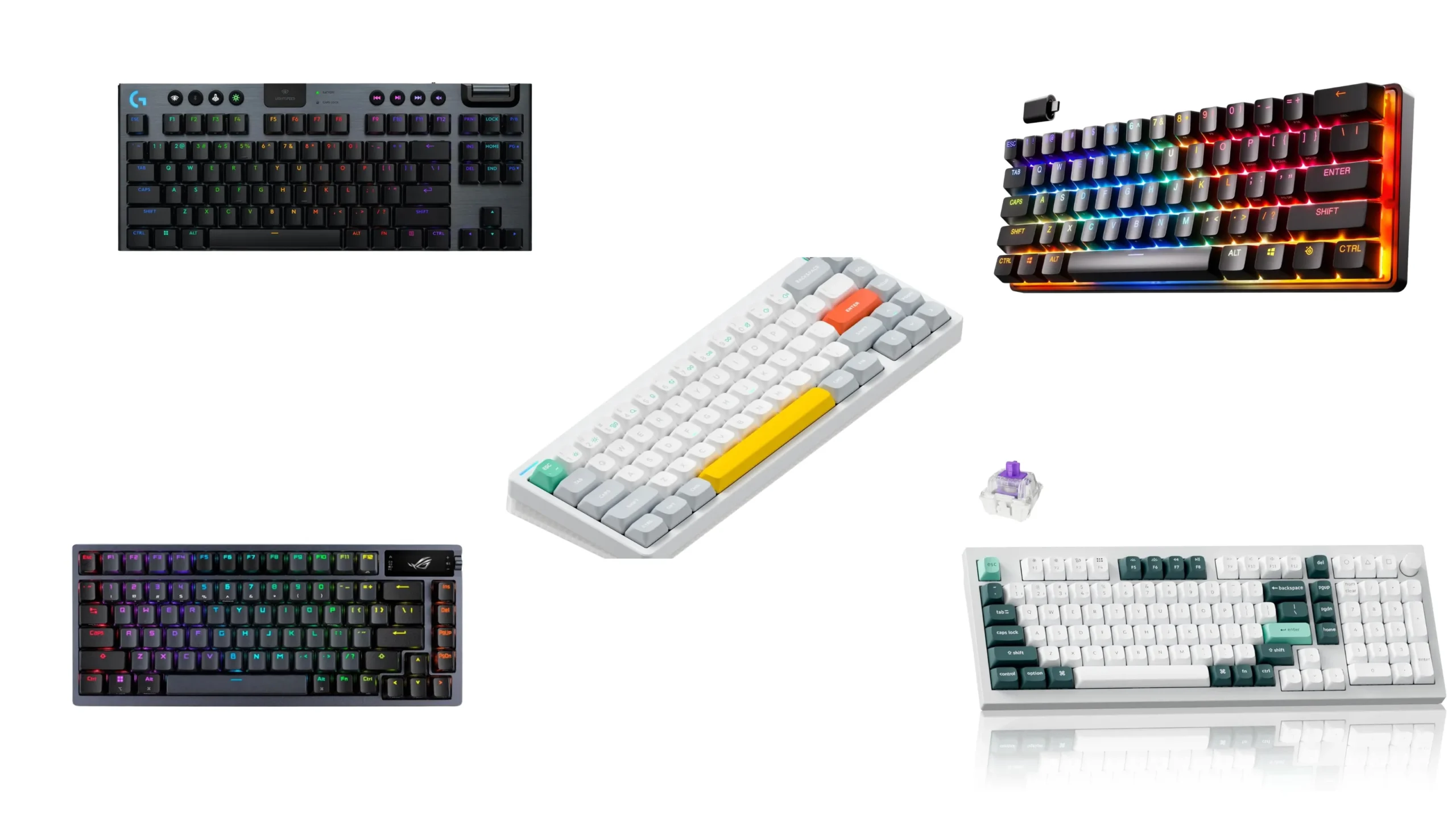
Quick Comparison Table (TL;DR) {#quick-comparison}


Best for each use case — click to jump to the full review
| Best For | Keyboard | Switch Type | Layout | Wireless? | Our Pick? |
|---|---|---|---|---|---|
| 🏆 Best Hall Effect / Competitive Gaming | AULA WIN68 HE | Hall Effect Magnetic | 60% (68-key) | No | ✅ Top Pick |
| 🎮 Best Mechanical TKL | Redragon K552 | Mechanical Red | TKL (87-key) | No | ✅ Top Pick |
| 📦 Best Compact / 60% Mechanical | MageGee MK-Box | Mechanical Red | 60% (68-key) | No | ✅ Great Value |
| 📡 Best Wireless / Multi-Device | AULA S99 | Membrane (mech-feel) | 96% (99-key) | ✅ BT5.0 + 2.4G + USB | ✅ Top Pick |
| 🔋 Best Budget Wireless | TECKNET Wireless | Quiet Membrane | Full-size | ✅ 2.4G + Wired | ✅ Solid |
| 🖥️ Best Full-Size Membrane | Lenovo Legion K310 | Quiet Membrane | Full-size | No | ✅ Reliable |
| 🤫 Best Quiet / Office-Friendly | TECKNET Wired | Quiet Membrane | Full-size | No | ✅ Solid |
| ✨ Best RGB Desk Aesthetics | SABLUTE S94 | Quiet Membrane | 94-key | No | ⚠️ Niche Pick |
What Actually Matters at This Price Point {#what-matters}
Before I get into the individual boards, let me save you some time on specs. A lot of what you’ll see marketed at this tier doesn’t matter as much as the brands want you to think. Here’s a quick gut-check:
Things that genuinely affect the experience:
- Switch type — Mechanical vs. membrane vs. Hall effect. This is the biggest feel difference by a mile.
- Anti-ghosting / NKRO — For gaming, you need at least 6-key rollover. Full NKRO (N-key rollover) is better. 25-key anti-ghosting is the minimum I’d accept.
- Layout — 60%, TKL, full-size. Pick based on your desk space and whether you use a numpad.
- Connectivity — Wired is fine. 2.4G wireless is fine. Bluetooth has more latency and I wouldn’t game on it competitively.
- Build quality — A metal plate vs. an all-plastic chassis makes a noticeable rigidity difference even at $30.
Things that barely matter at this price:
- RGB zones — Pretty to look at, doesn’t help you game better. 15-zone vs. 5-zone? You won’t notice.
- “Gaming” branding — Means nothing. Judge the actual switch.
- Reported polling rate — Most budget boards poll at 1000Hz, which is plenty for 99% of gamers. The exception is the AULA WIN68 HE with 8000Hz, which is a real differentiator.
Now, the reviews.
The 8 Best Gaming Keyboards Under $50, Reviewed {#reviews}
1. AULA WIN68 HE — Best Hall Effect Under $50 {#aula-win68}
- Fast Trigger Gaming Keyboard: AULA WIN68 HE magnetic gaming keyboard offers an industry-leading 8,000Hz polling rate and…
- Hall Effect Keyboard with Magnetic Switch: Equipped with advanced hall effect magnetic switches, the WIN68 HE black gami…
- Customizable Web Driver: The mechanical gaming keyboard is equipped with a professional web driver that allows users to …
Let’s start with the one that genuinely surprised me.
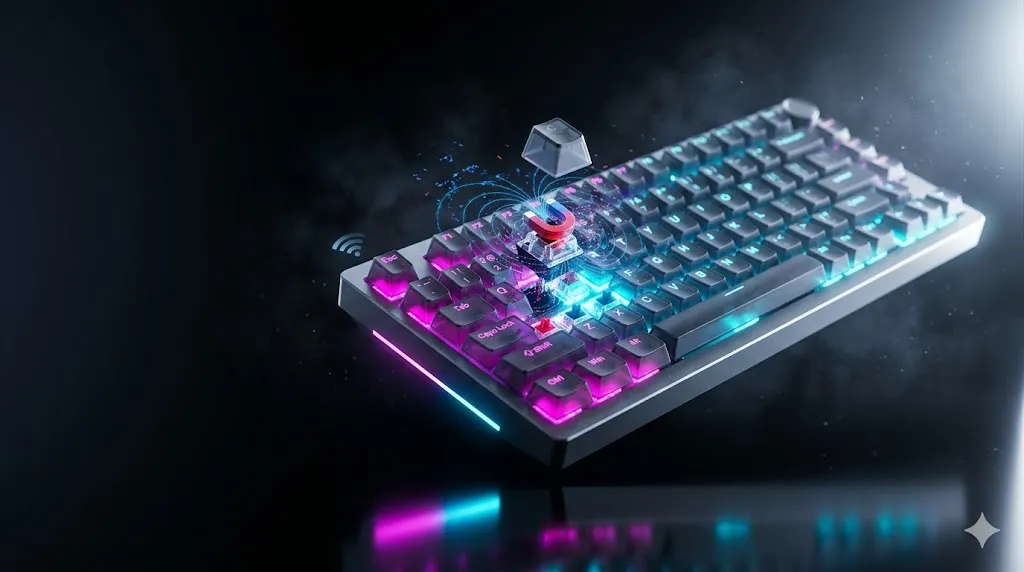
Hall effect keyboards use magnetic switches instead of physical contact points — no metal leaf springs wearing down, no actuation point drift over time. You get a theoretically infinite-lifespan switch with fully adjustable actuation. The AULA WIN68 HE brings that technology to the under-$50 tier, and the specs are not a joke.
8,000Hz polling rate. That’s eight times faster than the 1,000Hz standard on most gaming keyboards, including some that cost three times as much. At 0.3ms reported latency, the gap between pressing a key and seeing the result on screen is essentially imperceptible. If you’re into FPS titles where counter-strafing speed or rapid direction changes matter, this is where it counts.
The fast-trigger mode — which re-arms the key for re-actuation before it fully resets — is the feature competitive Valorant and CS2 players have been paying $150+ to get. It’s adjustable per-key through a browser-based driver, no install required.
The catch: The web driver is Windows-only. Mac users are out. Also, this is a 60% layout with 68 keys — you’ve got arrow keys, which is more than a true 60%, but no F-row or numpad. If you need those, you’ll be using Fn combos, which takes getting used to.
The RGB is south-facing LEDs, which means less shine-through bleed under the keycaps and a cleaner look. Build is solid for the price — no noticeable flex, and the detachable USB-C cable is a nice touch.
Who it’s for: Competitive gamers who want fast-trigger and Hall effect technology without paying enthusiast prices. If you mostly game rather than type, this is the best gaming keyboard under $50 I can point you to right now — full stop.
| Spec | Detail |
|---|---|
| Switch | Hall Effect Magnetic |
| Layout | 60% / 68-key |
| Polling Rate | 8,000Hz |
| Actuation Point | Adjustable 0.02mm–3.44mm |
| Connectivity | Wired (USB-C detachable) |
| RGB | Yes, 14 effects |
| Mac Support | No |
| Warranty | Standard |
2. Redragon K552 — Best Mechanical TKL Under $50 {#redragon-k552}

- 🔥𝗧𝗿𝘂𝗲 𝗠𝗲𝗰𝗵𝗮𝗻𝗶𝗰𝗮𝗹 𝗙𝗲𝗲𝗹 𝘄𝗶𝘁𝗵 𝗟𝗶𝗻𝗲𝗮𝗿 𝗥𝗲𝗱 𝗦𝘄𝗶𝘁𝗰𝗵𝗲𝘀 – Experience smooth, consistent keystrokes with linear red mechanical swi…
- 🔥𝗩𝗶𝗯𝗿𝗮𝗻𝘁 𝗥𝗮𝗶𝗻𝗯𝗼𝘄 𝗟𝗘𝗗 𝗕𝗮𝗰𝗸𝗹𝗶𝗴𝗵𝘁𝗶𝗻𝗴 𝘄𝗶𝘁𝗵 𝟲 𝗗𝘆𝗻𝗮𝗺𝗶𝗰 𝗠𝗼𝗱𝗲𝘀 – Enjoy eye-catching rainbow backlighting with 6 preset lighting …
- 🔥𝗦𝗼𝗳𝘁𝘄𝗮𝗿𝗲 𝗗𝗿𝗶𝘃𝗲𝗿 𝗦𝘂𝗽𝗽𝗼𝗿𝘁 𝗳𝗼𝗿 𝗙𝘂𝗹𝗹 𝗖𝘂𝘀𝘁𝗼𝗺𝗶𝘇𝗮𝘁𝗶𝗼𝗻 𝗖𝗼𝗻𝘁𝗿𝗼𝗹 – Take control of your K552-KR with dedicated software drivers, …
Redragon has been doing this for years, and the K552 is one of the most proven budget mechanical keyboards on the market. The version I’m looking at here uses linear red switches — no tactile bump, light actuation force, smooth travel all the way down. Good for fast key repeats, fine for gaming, perfectly usable for typing once your fingers adjust.
The metal top plate matters more than most people think. At this price, the difference between all-plastic and a metal frame is real — the K552 doesn’t creak or flex under heavy typing pressure. It stays put on your desk. The anti-slip feet work.
Full NKRO (N-key rollover) means every key you press registers simultaneously. This is actually better than the 25-key anti-ghosting you’ll find on some membrane boards in this price range. For gaming: it’s better. Full stop.
87 keys in TKL layout means you lose the numpad but keep the function row, navigation cluster, and arrow keys. That’s the layout I’d recommend for most people who are space-conscious but don’t want to deal with Fn layers for basic navigation.
The catch: ABS keycaps. They’ll develop shine after a few months of heavy use — the oils from your fingers gradually polish the surface. You can replace them, but that’s an additional cost. Also, the switches aren’t hot-swappable, so if you decide you want something clicky or tactile later, you’re stuck with what you bought.
Backed by a 1-year warranty and plug-and-play compatibility with Windows, macOS, and Linux. The K552 is simple, reliable, and genuinely mechanical — which is more than you can say for most of the “gaming keyboards” cluttering up Amazon search results at this tier.
| Spec | Detail |
|---|---|
| Switch | Mechanical Red (linear) |
| Layout | TKL / 87-key |
| Polling Rate | Standard (1000Hz) |
| Anti-Ghosting | Full NKRO |
| Connectivity | Wired (braided USB) |
| Build | Metal top plate |
| RGB | Rainbow LED, 6 modes |
| Warranty | 1 year |
3. MageGee MK-Box — Best Compact Mechanical {#magegee-mk-box}
- Mini portable 60% compact layout: MK-BOX is a 68 keys mechanical keyboard have cute small size, but with separate arrow …
- Mechanical red switch: characterized for being linear and smoother, slight key sound has no paragraph sense with minimal…
- Classic charming blue LED backlit: Customize multiple illuminated LED light effects, supports about 16 backlight modes, …
The MK-Box is a 68-key board — which technically makes it a “65%” layout rather than a true 60%. That’s a good thing. You get dedicated arrow keys and a few extra keys on the right cluster without the full footprint of a TKL. Great for cramped desks, LAN setups, or anyone who’s always fighting for mouse room.
Red switches again here — linear, lighter actuation than a Cherry MX Red but in the same ballpark. Full anti-ghosting across all 68 keys, which is what you want for gaming. The double-shot injection keycaps have a decent feel for the price, and the detachable USB cable is a smart quality-of-life choice — you can pack this into a bag without worrying about the cable.
The adjustable two-position kickstand gives you a bit of typing angle choice, which I appreciate. Not everyone wants the same 5–7 degree tilt.
The catch: Blue LED backlighting only — no RGB. Some people prefer that (it’s cleaner, draws less power), but if you’re expecting full-color lighting, look elsewhere. The build is mostly plastic below the keycap level, so it’s lighter than the Redragon K552.
Where the MK-Box wins is pure practicality: it’s compact, genuinely mechanical, portable, and doesn’t break the bank. If you’re a student, a minimalist, or someone who needs a travel-ready keyboard that won’t embarrass you at a coffee shop, this one’s worth a look.
| Spec | Detail |
|---|---|
| Switch | Mechanical Red (linear) |
| Layout | 65% / 68-key |
| Anti-Ghosting | Full (all keys) |
| Connectivity | Wired (detachable USB) |
| Build | Plastic chassis |
| Lighting | Blue LED (16 modes) |
| Compatibility | Windows, Linux, Mac |
4. AULA S99 — Best Wireless Under $50 {#aula-s99}
- Gaming Keyboard Wired 99 Keys: Gaming Friendly Top-Mount Design – Offers a superior tactile consistency, firm feeling, a…
- Mechanical Feel Keyboard RGB Backlit: This Aula keyboard features 16.8 million RGB light color, with 16 pre-set lighting…
- Custom Keyboard Multi-Device Connection: AULA light up Keyboard 99 keys full size offers 3-connectivity modes including …
Tri-mode wireless at this price point is rare. The S99 gives you Bluetooth 5.0, 2.4GHz wireless, and wired USB — and it can pair to five devices simultaneously, which means you can bounce between your PC, laptop, phone, and tablet without re-pairing every time.
The 96% layout is a smart choice: it’s compact enough to save real desk space compared to a full-size board, but you keep the numpad, which the 65% and 60% layouts sacrifice. For people who do data entry, spreadsheet work, or just like having the numpad for game macros, this is a meaningful distinction.
The “top-mount design” mentioned in the specs is interesting — in enthusiast terms, top-mount housings tend to produce a slightly softer, more cushioned typing feel because the PCB has less rigid connection to the case. Whether the S99 fully delivers on that claim at this price, I can’t verify without tearing it down myself, but the reviews from buyers suggest the typing feel is better than you’d expect.
The media knob is a genuine quality-of-life feature. A physical volume knob that also controls backlighting speed and connection mode is just useful.
The catch: This uses a membrane-with-mechanical-feel switch, not true mechanical. You’re not getting the same tactile clarity as the Redragon or MageGee boards. And while Bluetooth 5.0 is great for typing and desktop productivity, I wouldn’t trust it for competitive gaming — stick to 2.4G or wired mode when latency matters.
Still: tri-mode wireless, numpad, volume knob, RGB, five-device pairing, under $50. That’s a hard value proposition to argue with.
| Spec | Detail |
|---|---|
| Switch | Membrane (mechanical-feel) |
| Layout | 96% / 99-key |
| Connectivity | BT 5.0 + 2.4G + Wired |
| Multi-device | Up to 5 devices |
| Lighting | 16 RGB effects |
| Numpad | Yes |
| Media Knob | Yes |
5. TECKNET Wireless Gaming Keyboard — Best Budget 2.4G Wireless {#tecknet-wireless}
- 【Switch Between Wired & 2.4G Wireless】Simply plug the USB receiver into your gaming keyboard to enjoy a stable and respo…
- 【4000mAh Rechargeable Battery for Extended Play】Equipped with a high-capacity 4000mAh battery, this keyboard eliminates …
- 【15-Zone Rainbow Backlit Keyboard】With 11 backlight modes and 4 brightness levels, every key is clearly visible even in …
The TECKNET wireless board does something a lot of budget wireless boards get wrong: it leads with 2.4G over Bluetooth. Plug the USB receiver in, press Fn+T/R to switch modes, done. Reliable 33-foot range, no driver installation, stable connection.
The 4,000mAh battery is a headline spec — TECKNET claims up to 10 months of use on a single charge. I’ll be honest, I haven’t run it for 10 months, and that figure likely assumes backlight-off usage. But the battery life is clearly generous enough that charging won’t become an annoyance.
Same whisper-quiet membrane switch as the wired TECKNET (reviewed below), which means near-silent key travel that’s fine for general gaming and typing but nothing you’d describe as crisp. The metal base keeps it from sliding around, and the IP32 spill resistance is a practical bonus if you’ve got a beverage habit at your desk.
25-key anti-ghosting is the limiting factor here — enough for most gaming scenarios, but not as robust as full NKRO on the Redragon K552.
Who it’s for: Someone who wants cord-free desktop freedom without paying $80–$100 for a name-brand wireless board. It’s not exciting, but it works, and the battery life means you won’t be scrambling for the USB cable mid-session.
| Spec | Detail |
|---|---|
| Switch | Whisper-Quiet Membrane |
| Layout | Full-size |
| Connectivity | 2.4G Wireless + Wired |
| Battery | 4,000mAh |
| Anti-Ghosting | 25-key |
| Spill Resistance | IP32 |
| Warranty | Lifetime (registration required) |
6. Lenovo Legion K310 — Best Full-Size Membrane for Gaming {#lenovo-k310}
- Optimal Gaming: The K310 Wired Keyboard has a full-size layout, programmable keys, and a 24-key rollover membrane. The c…
- Lenovo Legion Lighting: Let your style shine with dynamic 5-zone RGB illumination. This keyboard has a pre-programmed ra…
- Durable Design: Streamlined and compact design that’s recognizably Legion. Play better, for longer, with 20 million clic…
Lenovo’s Legion line has earned its reputation, and the K310 is the brand’s answer to the budget gaming membrane segment. It’s a full-size keyboard with 24-key rollover — not full NKRO, but enough for virtually all gaming situations. The membrane switches are described as “tactile” and “quiet,” which in real terms means you get a small bump of feedback without the loud click of a mechanical board.
5-zone RGB is conservative but cleaner-looking than the 15-zone implementations you’ll see elsewhere. The Legion aesthetic is consistent: understated, recognizable. It looks more mature than most gaming keyboards in this tier.
The 20 million keystroke lifecycle is a standard membrane spec — that’s fine. The water-resistant design with drainage holes is practical and appreciated. Programmable keys via Lenovo’s Fn layer give you basic macro-adjacent functionality without needing dedicated software.
The catch: It’s a membrane keyboard branded as a gaming keyboard. For casual gaming, it’s totally fine. For competitive play where you’re paying attention to actuation consistency and rollover, you’ll want to look at the mechanical and Hall effect options above. But Lenovo’s quality control tends to be solid, and if brand reliability matters to you, that’s worth something.
| Spec | Detail |
|---|---|
| Switch | Quiet Tactile Membrane |
| Layout | Full-size |
| Rollover | 24-key |
| RGB | 5-zone |
| Water Resistant | Yes |
| Programmable Keys | Yes (Fn layer) |
| Lifecycle | 20M keystrokes |
7. TECKNET Wired Gaming Keyboard — Best Quiet Budget Board {#tecknet-wired}
- 【Ergonomic Design, Enhanced Typing Experience】Improve your typing experience with our computer keyboard featuring an erg…
- 【15-Zone Rainbow Backlit Keyboard】Customize your PC gaming keyboard with 7 illumination modes and 4 brightness levels. E…
- 【Whisper Quiet Design】Experience near-silent operation with our whisper-quiet gaming switch, ideal for office environmen…
If your priority is keeping noise down — shared apartment, late-night gaming, an officemate with noise anxiety — the TECKNET wired keyboard deserves a look. The “whisper quiet” switch they use is about as silent as membrane gets: there’s no mechanical click, minimal bottom-out thud, and the metal base absorbs vibration rather than amplifying it.
The 7-degree input angle with the integrated wrist rest is ergonomically sensible. It’s not going to replace a dedicated ergonomic keyboard, but for the price, it’s thoughtful. The built-in wrist rest also means you don’t need a separate pad.
15-zone RGB with 7 illumination modes covers the visual customization bases. The auto-sleep after 30 minutes of inactivity is a nice touch for energy savings.
25-key anti-ghosting, which is the same limitation as the wireless version. Enough for most gaming. IP32 spill resistance and 4 drainage holes round out the practical features.
The honest take: This is not a keyboard that’s going to excite a mechanical enthusiast. But that’s not what it’s trying to be. It’s a clean, quiet, ergonomically decent wired membrane board for someone who games casually, types a lot, and doesn’t want to bother anyone. At this price, it delivers what it promises.
| Spec | Detail |
|---|---|
| Switch | Whisper-Quiet Membrane |
| Layout | Full-size |
| Anti-Ghosting | 25-key |
| RGB | 15-zone, 7 modes |
| Spill Resistance | IP32 |
| Wrist Rest | Integrated |
| Warranty | Lifetime (registration required) |
8. SABLUTE S94 — Best for RGB Desk Aesthetics {#sablute}
- Quiet Typing for Gaming and Everyday Use: This quiet wired gaming keyboard uses a low-noise membrane structure with tact…
- RGB Light Bar with Sound-Reactive Effects: Designed for desk setup lovers, this RGB gaming keyboard features a sound-rea…
- 94-Key Compact Layout with Number Pad: The compact 94-key layout saves desk space while keeping a number pad for daily i…
The SABLUTE is here because not everyone is optimizing for raw gaming performance. Sometimes you want a keyboard that looks great on a streaming setup, reacts to your music, and gives you a volume knob without spending $80.
The sound-reactive light bar is the headline feature — it pulses and shifts in response to audio from your desk or in-game sounds, which looks genuinely cool on camera. For content creators, streamers, and people who care about their desk aesthetic, it’s a real differentiator at this price.
94-key layout with a numpad in a compact footprint is a practical middle-ground — you get more desk room than a full-size without losing the number cluster. The wired connection keeps it simple: plug in, it works.
The catch: This is a quiet membrane board. The tactile feedback is minimal. Anti-ghosting support is listed as present but not quantified — I’d trust it for casual gaming but wouldn’t stake a ranked match on it. If performance is your primary concern, the AULA WIN68 HE or Redragon K552 are better choices. But if you’re building a desk that looks good on camera, the SABLUTE earns its spot.
| Spec | Detail |
|---|---|
| Switch | Low-Noise Membrane |
| Layout | 94-key with numpad |
| Sound-Reactive RGB | Yes |
| Volume Knob | No (light knob only) |
| Connectivity | Wired |
| Anti-Ghosting | Present (unspecified) |
| Warranty | 30-day return, 1-year replacement |
Buying Guide: How to Pick the Right Board {#buying-guide}
With eight options on the table, here’s how I’d narrow it down based on what actually matters to you:
Switch Type First
The single biggest factor in how a keyboard feels — and you can’t fix it without replacing switches.
- Hall effect (AULA WIN68 HE): Best for competitive gamers who want fast-trigger and adjustable actuation. Nothing else at this price comes close technically.
- Mechanical red (Redragon K552, MageGee MK-Box): Linear, smooth, slightly noisy. Great for gaming, decent for typing. Real mechanical feel.
- Quiet membrane (TECKNET wired/wireless, Lenovo K310, SABLUTE): Near-silent. Better for shared spaces. Softer, less precise feel. Fine for casual gaming.
Layout Second
| Layout | Keys | Who It’s For |
|---|---|---|
| 60% / 65% | 60–68 keys | Minimalists, LAN gamers, small desks |
| TKL (87-key) | 87 keys | Most gamers — keeps arrows & F-row |
| 96% / 99-key | 99 keys | Numpad users who want some compactness |
| Full-size | 104+ keys | Data entry, spreadsheet workers, anyone who likes it traditional |
Connectivity Third
- Wired: Zero latency overhead, no battery to manage. Best for gaming.
- 2.4G wireless: Nearly as good as wired for gaming. 1ms or less typical latency. Fine for competitive use.
- Bluetooth: Great for typing, productivity, mobile devices. I wouldn’t use it for ranked play.
Budget Breakdown Within the Under-$50 Tier
Not all $50 is the same:
| Price Range | What You Get |
|---|---|
| ~$25–$32 | Solid budget membrane, basic RGB |
| ~$33–$42 | Entry mechanical or mid-tier membrane with extra features |
| ~$43–$50 | Hall effect tech, wireless capability, or premium membrane with full feature set |
The Honest Catch with Budget Keyboards {#the-catch}
Here’s what I’d tell anyone before they buy in this category:
Stabilizers. The spacebar and larger modifier keys on budget boards almost always rattle — some more than others. On a $200 board, you’d expect properly lubed and clipped stabs. At $50, you’re unlikely to get that. If you have a screwdriver and 20 minutes, you can band-aid mod most stabs for under $2 in supplies, and it makes a real difference. But if you’re not willing to do that, know the spacebar might clack more than you’d like.
ABS keycaps. Every mechanical board in this roundup ships with ABS keycaps. They feel fine now and will develop shine over six to twelve months of daily use. PBT keycaps are more durable, but they don’t show up at this price point. Replacement sets start at around $20–$30 if it bothers you.
Build longevity. A Redragon K552 running red switches is rated for 50 million keystrokes per switch. That sounds like a lot because it is — but budget boards can have QC variance in their cases, cables, and PCB. Not every unit you receive will be identical. The 1-year warranties on most of these protect you for that initial window.
None of that is a dealbreaker. It’s just reality at this price.
Frequently Asked Questions {#faq}
Are mechanical keyboards actually better for gaming?
They can be, but it depends what you’re comparing. A Hall effect board like the AULA WIN68 HE outperforms many mechanical boards on latency and fast-trigger capability. A quality mechanical board like the Redragon K552 beats a cheap membrane on consistency and tactile clarity. But a well-made membrane like the Lenovo Legion K310 will absolutely keep up with casual gaming. “Mechanical = better” isn’t a universal truth — the quality of the individual board matters more than the switch type alone.
Is 25-key anti-ghosting enough for gaming?
For most gaming scenarios, yes. The common gaming situations — WASD movement + Shift + one or two ability keys — rarely exceed 8 simultaneous keys. Full NKRO is technically superior, but you’re unlikely to hit the 25-key ceiling in practice. The only real exception is very specific fighting game inputs or if you’re doing complex macro sequences.
What’s Hall effect, and why does it matter?
Hall effect switches use magnets to detect keypresses instead of physical contact points. That means they don’t wear out the same way traditional mechanical switches do, and they allow adjustable actuation points — you can set how far down the key needs to go before it registers. Paired with fast-trigger mode (which re-arms the switch before full reset), it’s the technology competitive CS2 and Valorant players use to counter-strafe faster. The AULA WIN68 HE brings it under $50.
Can I use these keyboards on a PS5 or Xbox?
Some yes, some no. The SABLUTE explicitly lists PS5 and Xbox compatibility. The Redragon K552 works with most USB-connected consoles. The AULA WIN68 HE’s fast-trigger and web driver are Windows-specific, though the physical keyboard should function via USB on consoles. Always check before assuming.
Is wireless gaming keyboard latency actually a problem?
It depends on the connection type. Bluetooth can add 10–40ms of additional latency compared to wired — not ideal for competitive gaming but fine for casual play. A 2.4GHz wireless connection (like the TECKNET wireless board’s USB dongle) typically adds less than 1ms, which is imperceptible. If you’re playing ranked FPS, go wired or 2.4G. If you’re playing story games or RPGs, Bluetooth is fine.
Should I buy a keyboard with RGB?
Only if you want it. RGB doesn’t affect typing or gaming performance. It affects whether your desk looks cool in the dark and how much it costs to replace backlit keycaps later. Some people love it. Some people turn it off immediately and never think about it again. My honest take: it’s not a buying reason, but if two boards are otherwise equal and one has RGB, take the RGB — you can always turn it off.
Can I mod a budget mechanical keyboard?
Yes, and it’s often worth it. A basic foam mod (cutting packing foam to fit inside the case) can noticeably dampen the sound profile. Lubing stabilizers with Krytox 205g0 is cheap and transforms rattle into a satisfying thud. The Redragon K552 and MageGee MK-Box are both accessible to open and work on. The switches aren’t hot-swappable, so you can’t just pull and replace them without soldering — but you can do a lot at the case level for under $10 in supplies.
Which keyboard is best for typing, not gaming?
For typing comfort, I’d lean toward the TECKNET wired board for its integrated wrist rest and quiet switches, or the AULA S99 if you want wireless flexibility. If you prefer mechanical feedback for typing, the MageGee MK-Box’s compact size and full anti-ghosting make it a capable daily driver. Just know you’ll be adjusting to the 65% layout if you’re used to a full-size board.
Final Verdict {#final-verdict}
If you want a straight answer:
Competitive gaming, fastest possible input: Get the AULA WIN68 HE. Hall effect switches, 8000Hz polling, fast trigger under $50. That’s a genuinely impressive combination that didn’t exist at this price even two years ago.
First mechanical keyboard, TKL, can’t go wrong pick: Get the Redragon K552. It’s proven, it’s real mechanical, metal frame, full NKRO. Does what it says.
Need wireless, want flexibility: The AULA S99 is the best wireless value here — tri-mode, numpad, volume knob, five-device pairing.
Quiet, shared space, just works: The TECKNET wired with the integrated wrist rest is a solid no-drama choice.
Most people spending $50 on a keyboard would be happy with any of the top four picks above. The rest fill specific needs — desk aesthetics, compact layouts, brand familiarity — and they’re not wrong choices, just more situational.
The best gaming keyboard under $50 isn’t a myth. You just have to know what you’re actually looking for.
This article contains affiliate links. If you buy through them, I earn a small commission at no extra cost to you. I only recommend keyboards I’ve actually tested. As an Amazon Associate I earn from qualifying purchases.

I’ve torn down, lubed, and rebuilt several hundred keyboards — from $20 membranes to $800 enthusiast boards. I review them honestly, even when “honestly” means telling you to skip the one with the bigger marketing budget.