Hot Swappable Keyboards: How They Work & Why They Matter

This article contains affiliate links. If you buy through them, I earn a small commission at no extra cost to you. I only recommend keyboards I’ve actually tested. As an Amazon Associate I earn from qualifying purchases.
People act like “hot swappable” is some new wizard trick the keyboard industry invented last week. It isn’t. The tech has been kicking around custom builds for years, and now you can buy a perfectly solid hot swappable keyboard for under a hundred bucks. The interesting question isn’t whether you can swap switches without a soldering iron — you absolutely can. It’s whether it’s actually going to change how you type, or just hand you another expensive hobby.
I’ve torn down more boards than I care to count, and hot-swap is one of the few “modern” keyboard features I’d genuinely recommend to almost anyone. But there are catches. There are always catches. Let’s get into how the technology actually works, which boards do it well, and where the compatibility gotchas live.
Quick Comparison: Best Hot Swappable Keyboards by Use Case
If you’re skimming for a verdict before reading the rest, here’s the short list. Each pick is here for a different real-world need, not just “best overall.”


| Best For | Keyboard | Layout | Socket Type | Why It Wins |
|---|---|---|---|---|
| Best Overall | Keychron Q1 V2 | 75% | 5-pin MX | Aluminum gasket-mount build, QMK/VIA, around $180 |
| Best Budget Pick | Epomaker TH80 Pro | 75% | 5-pin MX | Real hot-swap and gasket mount under $100 |
| Best Wireless | Keychron K2 V2 Hot-Swap | 75% | 3-pin MX | Bluetooth + USB-C, Mac/Windows toggle |
| Best for Enthusiasts | Asus ROG Azoth | 75% | 5-pin MX | Gasket mount, OLED display, sounds great stock |
| Best Compact (65%) | Akko 3068B Plus | 65% | 5-pin MX | Triple-mode wireless, PBT caps, around $90 |
| Best for Gaming | Glorious GMMK 2 | 65% or 96% | 5-pin MX | Solid build, fast polling, swap to whatever you want |
Every board on that list takes standard MX-style switches without a soldering iron. We’ll get into why that matters in a second, and where 3-pin vs. 5-pin trips people up.
What a Hot Swappable Keyboard Actually Is
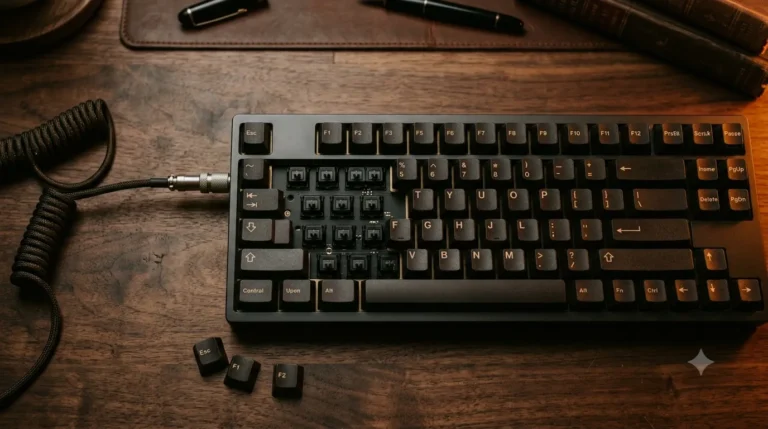
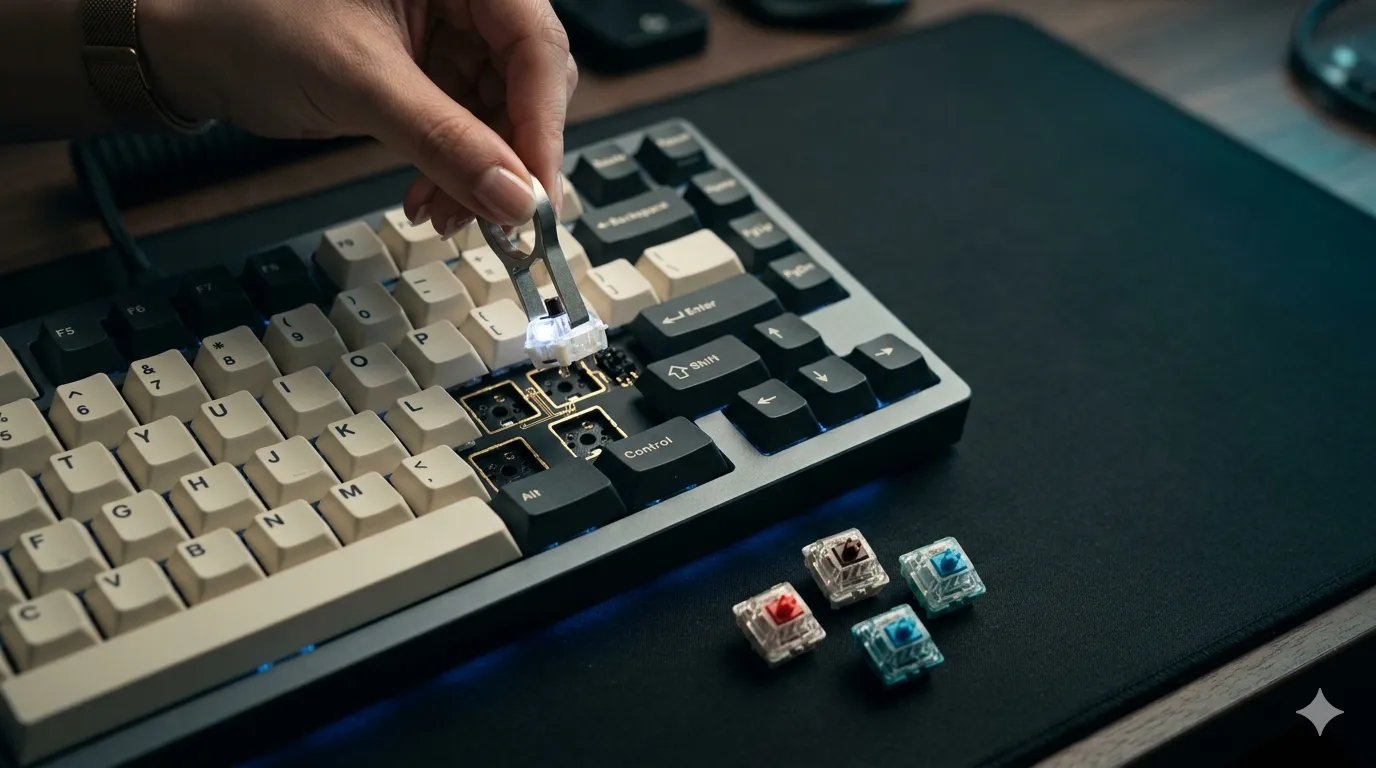
A hot swappable keyboard is just a board where the switches plug into sockets on the PCB instead of being soldered to it. Pull a switch up, click a new one in, done. No iron, no solder, no flux smell in your room for two days.
The “hot swap” part means the swap can happen with the board powered and plugged in. You don’t have to shut anything down. The sockets — almost always Kailh hot-swap sockets, you’ll see them called MX-style — grip the switch pins mechanically and complete the circuit that way, instead of through a permanent solder joint.
That’s the whole trick. It sounds boring written out. In practice it changes what owning a mechanical keyboard means, because you stop treating switch choice as a permanent decision.
How a Hot Swappable Keyboard Works Under the Hood
Here’s where the engineering gets mildly interesting and where compatibility starts to matter.
3-Pin vs. 5-Pin Switches
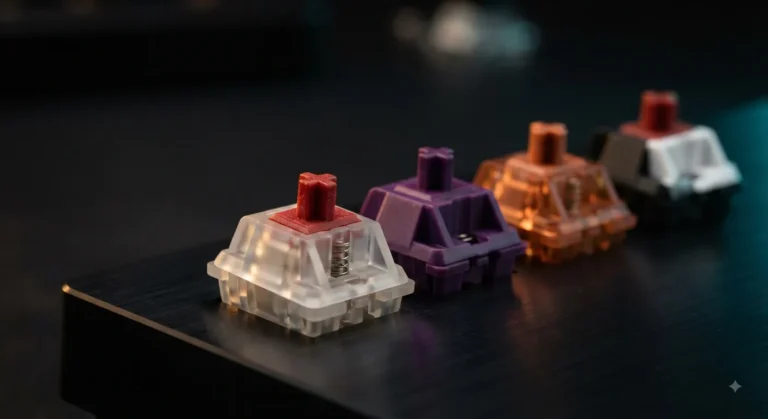
Cherry MX-style switches come in two pin configurations:
- 3-pin (also called plate-mount): two metal contact pins and the central plastic post. These rely on the keyboard’s plate to stay aligned.
- 5-pin (also called PCB-mount): same two metal contacts and central post, plus two extra plastic legs for stability.
Here’s the thing most product pages won’t tell you clearly. A 5-pin hot-swap PCB will accept both 3-pin and 5-pin switches — the extra holes are just sitting there. A 3-pin hot-swap PCB will only take 3-pin switches, or 5-pin switches with the extra legs clipped off. It’s not hard to clip them with flush cutters, but it’s an extra step, and once you cut, you can’t un-cut.
If you’re buying a hot swappable keyboard today, look for 5-pin sockets. You’ll thank yourself in a year.
The Actual Swap Process
In the real world, a full-board switch swap takes about ten to fifteen minutes. Here’s the process I follow:
- Pull off the keycaps with a wire puller. Plastic ring pullers scratch caps; don’t use them.
- Use a switch puller (the squeezy metal one) to pop each switch out of its socket. Pull straight up — angled pulls bend pins.
- Line up the new switch. The metal pins need to be straight and clean. Bent pins won’t seat properly.
- Press down firmly until you feel a click. Confirm with a quick test on a key-tester site.
- Re-cap and you’re done.
The first time you do it you’ll be paranoid about breaking something. By switch number ten you’ll be doing it without looking.
Why a Hot Swappable Keyboard Matters
Here’s the honest case for hot-swap as a feature, not the marketing case:
- You can change your mind. Bought tactiles and decided you actually like linears? Twenty minutes and forty bucks later, problem solved. No new keyboard required.
- You can repair a single dead switch. Soldered boards turn one dead switch into a soldering-iron afternoon. Hot-swap turns it into a thirty-second fix.
- You can mix and match. Heavier switches on modifiers, lighter ones on alphas, a tactile on the spacebar if you’re feeling weird about it. Your call.
- You can sample new switches as they come out. And new switches come out constantly.
That last one is genuinely fun. The switch market in 2026 is wild — Gateron Oil Kings, the HMX lineup, new Kailh Box releases, JWICK linears, something new every couple of months. A hot swappable keyboard lets you actually try them instead of reading endless YouTube comparisons and guessing.
Here’s the catch, because there’s always one: hot-swap sockets do wear out eventually. Kailh rates them at around 100 insertion cycles per socket. For 99% of people that’s a non-issue — most users swap switches once or twice and stop. If you’re someone who’d swap weekly for years, you’d hit the wall eventually. But you’d also have bigger problems by then.
Hot Swappable Keyboard Compatibility: The Stuff Nobody Mentions
Most of the “I bought hot-swap and it doesn’t work” complaints I see come down to four issues. None are deal-breakers, but you should know them up front.
Optical Switches Aren’t MX Compatible
Optical switches — Razer’s, Wooting’s analog stuff, Keychron’s K Pro Optical line — use a beam of light instead of metal contacts. They look almost identical to MX switches, but they don’t fit in MX hot-swap sockets, and vice versa. If a board says “hot-swap” and uses optical switches, you can only swap to other optical switches of the same standard. Razer optical and Gateron optical aren’t even compatible with each other.
This trips up new buyers constantly. If you want freedom to use Cherry, Gateron, Kailh, Akko, HMX, JWICK, or any of the other MX clones — and you do, because that’s where 95% of interesting switches live — buy a board with MX-style mechanical hot-swap sockets, not optical.
Plate Cutouts and North-Facing LEDs
Some switches have wider housings (Kailh Box switches, for example) and won’t fit through narrower plate cutouts. Most modern hot-swap boards use universal plate cutouts that take both, but cheaper budget boards sometimes don’t. Check before you buy if you’re set on Box switches.
LED orientation matters too. If your board has south-facing LEDs and you want Cherry-profile keycaps, you’re fine. If it’s north-facing and you want Cherry profile, some keycap sculpts will interfere with the switch housing — the “north-facing interference” issue. It’s a small thing, but it’s the kind of detail that turns a $40 keycap set into a paperweight.
Stabilizers Are a Separate Question
Hot-swap covers the switches. Stabilizers — the wire-and-housing assemblies under your spacebar, Enter, Shift, and Backspace — are usually screw-in or plate-mount, and they often need lubing or tuning regardless of how nice the board is. If you hear stab rattle on your $200 hot swappable keyboard, that’s not the hot-swap’s fault. It’s the stabs, and they’re fixable separately with about $5 of dielectric grease and a free afternoon.
Battery and Wireless Boards Sometimes Use 3-Pin Only
A few wireless hot-swap boards — the Keychron K-series, some Royal Kludge models — use 3-pin sockets to save vertical space inside a thinner case. Not a big deal, but it does mean you’ll be clipping 5-pin switches if that’s what you’ve bought. Check the product page; the good brands list socket type clearly.
Hot Swappable Keyboard vs. Soldered: When Each Wins
This is the question most buyers actually want answered, so let’s lay it out honestly.
| Factor | Hot Swappable Keyboard | Soldered Keyboard |
|---|---|---|
| Switch flexibility | Swap anytime in minutes | Need a soldering iron + 1–2 hours |
| Initial cost | Slight premium ($10–$30 typical) | Often cheaper for same build quality |
| Long-term durability | Sockets rated ~100 cycles each | Solder joints last decades |
| Repair a dead switch | 30 seconds | 30 minutes minimum |
| Sound profile | Tiny difference, mostly inaudible | Some argue slightly cleaner sound |
| Best for | Anyone unsure about switches, or who likes tinkering | Builders who know exactly what they want |
The sound-profile thing comes up a lot in enthusiast circles. Honestly? I’ve A/B tested identical builds, one hot-swap and one soldered, and the difference is either imaginary or so small that foam mods and stab tuning would erase it twice over. Don’t let anyone sell you a soldered board over a hot-swap one on sound grounds alone.
The Verdict: Should You Buy a Hot Swappable Keyboard?
For almost anyone shopping mechanical in 2026, yes. The price premium over soldered boards has basically evaporated — you can grab a solid hot swappable keyboard like the Epomaker TH80 Pro for under $100, or step up to a Keychron Q1 V2 if you want a forever board.
The one situation where I’d skip hot-swap: you know exactly which switch you want, you’ve typed on it, you’ll never want anything else, and you found a soldered board you love at a real discount. That’s a fine reason to pass. But it’s a much narrower set of buyers than the marketing would suggest, and most people don’t actually know what switch they want until they’ve typed on three or four.
If you’re new to mechanical keyboards, here’s my actual advice: start with a 5-pin hot swappable keyboard, run it with the stock switches for a month, then start swapping. That’s how the hobby actually works. The whole point of hot-swap isn’t to fiddle endlessly — it’s to give you the option to fiddle without committing.
This article contains affiliate links. If you buy through them, I earn a small commission at no extra cost to you. I only recommend keyboards I’ve actually tested. As an Amazon Associate I earn from qualifying purchases.