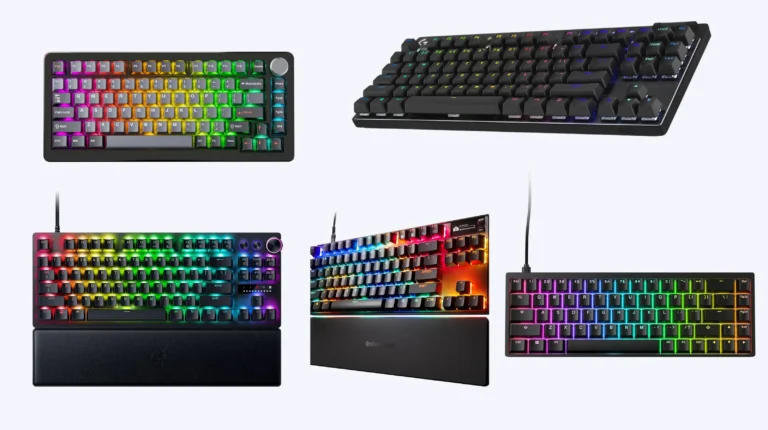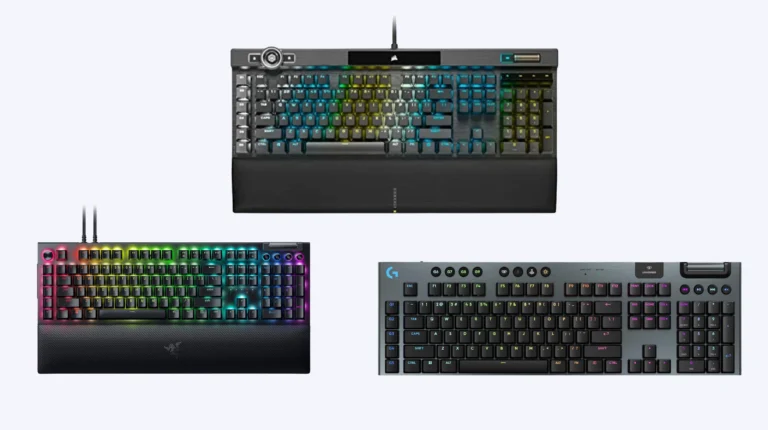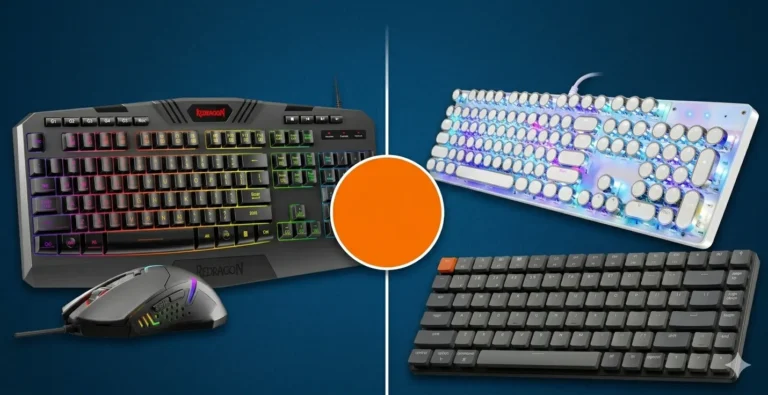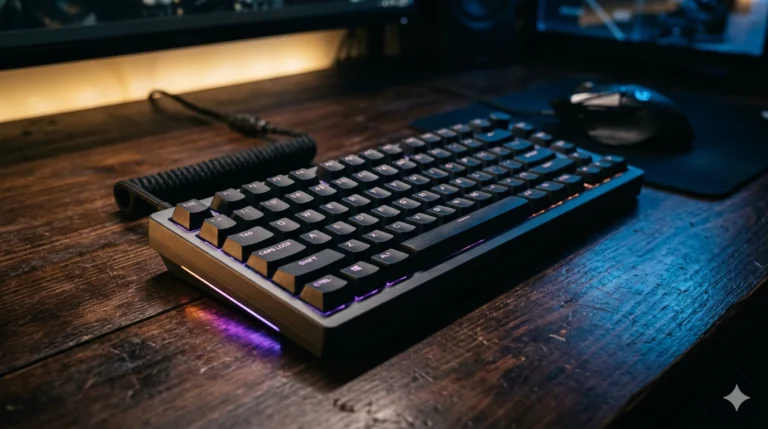
Best Premium Gaming Keyboards: 6 $200+ Flagships Tested

This article contains affiliate links. If you buy through them, I earn a small commission at no extra cost to you. I only recommend keyboards I’ve actually tested. As an Amazon Associate I earn from qualifying purchases.
Let me kill a myth before we start: spending $250 on a keyboard does not make you a better gamer. I’ve watched friends drop $300 on a board and play exactly the same as they did on a $90 Royal Kludge. The board doesn’t carry you. What a flagship can do is remove every excuse — every bit of latency, mush, rattle, and chassis flex between your fingers and the input — so that when you miss the shot, you actually missed it.
That’s the entire pitch for the best premium gaming keyboard: not “this will make you win,” but “nothing in this keyboard is in your way.” If that distinction matters to you, keep reading. If you just want the cheapest thing that doesn’t suck, I’ve got other guides for that and you should not be on this page.
I’ve been reviewing keyboards for around fourteen years. I have a drawer of dead prototypes I’m weirdly proud of. The six boards below are the ones I keep coming back to at the $200+ tier in 2026 — either as daily drivers, comp boards, or “this is what I hand a friend who just got promoted and wants to spend money.” I’ll tell you who each one is actually for, where it falls down, and which one I’d buy with my own credit card.
Quick Comparison Table — Pick by What You Actually Need


If you’re skimming, this is the table to read. Each pick is the strongest answer in its lane — not just six products dumped in a grid.
| Best For | Keyboard | Switch Type | Layout | Polling | Wireless | Price Tier | Get It |
|---|---|---|---|---|---|---|---|
| 🏆 Best Overall Premium | SteelSeries Apex Pro TKL Gen 3 | OmniPoint 3.0 Hall Effect | TKL | 1 kHz | No | $$ | Check Price ↗ |
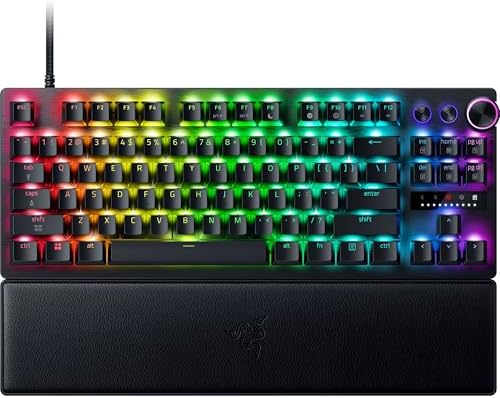
| 🎯 Best for Competitive FPS | Razer Huntsman V3 Pro TKL 8KHz | Analog Optical Gen 2 | TKL | 8 kHz | No | $$$ | Check Price ↗ |
| 🛠️ Best for Modders & Typists | ASUS ROG Azoth (75%) | ROG NX (Hot-Swap) | 75% | 1 kHz | Tri-Mode | $$ | Check Price ↗ |
| 👑 Best No-Compromise Flagship | ASUS ROG Azoth Extreme | ROG NX (Hot-Swap) | 75% | 8 kHz | Tri-Mode | $$$$ | Check Price ↗ |
| ⚡ Best Wireless HE Keyboard | Lemokey L1 HE (75%) | Hall Effect | 75% | 1 kHz | Tri-Mode | $$$ | Check Price ↗ |
| 🎮 Best 60% for Pure Aim Games | IQUNIX EV63 | Magnetic X Pro HE | 60% | 8 kHz | No | $$ | Check Price ↗ |
TL;DR if you only read one line: if you don’t already know exactly which switch type you want, get the SteelSeries Apex Pro TKL Gen 3. It’s the safest “I’m spending real money” pick in the room.
Who Should Actually Spend $200+ on a Keyboard?
Here’s the honest version of this conversation.
You should buy a premium gaming keyboard if you’ve already used a decent $80–$120 board for a year or more and you know exactly what bothers you about it. Maybe your stabilizers rattle and you’re done living with it. Maybe you’ve decided Hall Effect with Rapid Trigger is non-negotiable for the games you actually play. Maybe you just want a chassis that doesn’t twist when you pick it up off the desk.
You should not buy a premium board because a streamer said it gave them 30% more APM. That is — and I mean this technically — nonsense.
The other legit reason: you spend forty-plus hours a week typing. At that point a keyboard is a tool, not a toy, and dropping $250 on something with a properly damped chassis and PBT keycaps is the kind of small luxury that pays itself off in not-hating-Mondays.
If you’re new to mechanicals and you’re shopping in this tier first, slow down. Try a Keychron V3 Max or something around $90 first. You’ll thank me.
What Premium Buys You at This Tier
Once you cross $200, you’re not really paying for “faster keystrokes.” You’re paying for engineering you can feel under your fingers. Specifically:
- A real aluminum chassis — not aluminum top with a plastic tub underneath, but proper CNC’d unibody construction that doesn’t twist or ping.
- Pre-lubed, factory-tuned switches and stabilizers. No more $40 mod sessions out of the box.
- Multi-layer dampening — usually some combination of silicone, PORON foam, and a positioning plate (FR4, POM, carbon fiber) that controls sound and feel.
- Doubleshot PBT keycaps that don’t shine after six months.
- Hall Effect or analog optical switches with adjustable actuation and Rapid Trigger if you want them.
- Tri-mode connectivity (2.4 GHz, Bluetooth, USB-C) with actually-low-latency wireless — not the dogshit BT-only wireless that ruined mid-tier boards for years.
- VIA, QMK, or a serious web-based configurator. No bloated proprietary launcher that pegs a CPU core at idle.
If a $250+ board is missing two or more of those, walk away. Doesn’t matter how shiny the marketing page is.
Hall Effect vs Mechanical — The Big Decision in 2026
This is the fork in the road at the premium tier, so let’s just lay it out.
Hall Effect (and analog optical) switches measure how far down a key is pressed using magnets, instead of triggering at a fixed point. That unlocks two features competitive players actually care about:
- Adjustable actuation — you can set keys to fire at 0.1 mm if you want hair-trigger response, or push that back to 3.5 mm so you don’t fat-finger reload.
- Rapid Trigger — the key re-arms the instant you start lifting it, instead of having to come back up past a fixed reset point. For counter-strafing in CS2 and Valorant, this is the real deal.
The catch: Hall Effect switches feel… fine. They’re smooth. They’re not bad. But they don’t have the satisfying tactile snap of a good clicky mechanical, and most of them don’t sound as “thocky” as a properly tuned gasket-mount mechanical with PBT caps. You’re optimizing for input speed, not for joy.
Mechanical switches at this tier (think the ROG NX Snow in the Azoth) feel better to type on for most people. You get hot-swap sockets, real switch variety, modding potential. What you don’t get is sub-millimeter actuation tuning.
My rough rule:
- If you play CS2, Valorant, Apex, or any competitive FPS more than 10 hours a week → Hall Effect. Get the Apex Pro, Huntsman V3 Pro, Lemokey L1 HE, or IQUNIX EV63.
- If you’re a mixed user — games, work, writing, code — and you like the feel of typing → mechanical with hot-swap. Get the Azoth or Azoth Extreme.
Don’t let anyone tell you HE is “better” universally. It’s a specialization. I’ve got both on my desk.
The 6 Best Premium Gaming Keyboards (Reviewed in Detail)
1. SteelSeries Apex Pro TKL Gen 3 — Best Overall Premium Pick
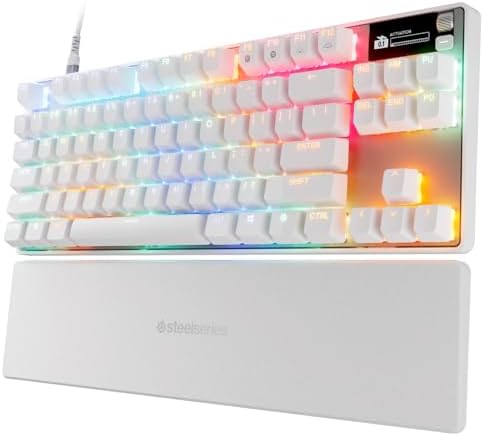
- THE WORLD’S FASTEST KEYBOARD — Push the boundaries with cutting-edge OmniPoint 3.0 switches with Rapid Trigger, Protecti…
- OMNIPOINT 3.0 — More than just fast, our newly redesigned Hall Effect Switch have 20x faster actuation and 11x quicker r…
- GAME-READY PRESETS — Gain a competitive edge in your favorite game with just a few clicks using GG QuickSet’s game-ready…
Quick verdict: the safest premium buy for most people in 2026. It does almost everything the more expensive HE boards do, doesn’t punish you for not being a competitive grinder, and feels finished in a way mid-tier SteelSeries boards never quite did.
The headline switch is the OmniPoint 3.0 Hall Effect. SteelSeries claims 20× faster actuation and 11× quicker response than their old Gen 1 switches. I’ll be honest — I have no way to verify “20× faster” in any meaningful real-world sense, and neither does anyone reviewing it on YouTube. What I can tell you is that with Rapid Trigger on and actuation set to about 0.4 mm, counter-strafing in CS2 feels noticeably tighter than on my Apex Pro Gen 2 from a few years back. The 40 levels of adjustment are overkill — you’ll use about three of them — but the granularity is nice.
Where Gen 3 actually earns the upgrade money: Protection Mode, which dials down sensitivity on keys adjacent to whichever one you’re pressing. Sounds gimmicky. It is not. If you’ve ever accidentally tapped Q while crouching with C, you’ll get it within a session. And Rapid Tap (SteelSeries’s SOCD implementation) is now baked in, with the same configurability as Razer’s Snap Tap.
Build is solid aluminum top, PBT keycaps that don’t feel cheap, and a small OLED in the corner that’s actually useful for showing actuation settings without diving into software. The included magnetic wrist rest is leatherette and fine — not great, not embarrassing.
Where it falls short: no wireless. At $230-ish, that stings a little in 2026. Polling caps at 1000 Hz, which is fine but won’t impress anyone chasing the 8K trend. And GG (SteelSeries’s software) is still heavier than it needs to be — Razer Synapse haters will not feel suddenly converted.
Pros
- OmniPoint 3.0 HE switches with 40-level actuation and Rapid Trigger
- Protection Mode is genuinely useful, not marketing
- Rapid Tap (SOCD) properly implemented
- OLED screen for on-keyboard adjustments
- Solid build, doubleshot PBT caps
Cons
- Wired only — feels like a miss at this price
- 1000 Hz polling, not 8K (probably doesn’t matter, but the spec sheet shows it)
- GG software footprint is heavier than ideal
Best for: mixed-use gamers who want HE benefits without going full sweatlord, and who don’t need wireless.
Bottom line: if you asked me to buy one keyboard from this list, sight unseen, for a friend who plays competitive shooters but also writes for a living, this is it. Check Amazon →
2. Razer Huntsman V3 Pro TKL 8KHz — Best for Competitive FPS
- ANALOG OPTICAL SWITCHES GEN-2 — Max out on precision and response with next-gen switches featuring Rapid Trigger for ult…
- RAZER SNAP TAP — Prioritize the latest input between two selected keys without having to release the previous one, and e…
- TRUE 8000 HZ HYPERPOLLING RATE — Gain a split-second advantage over opponents with a blistering polling rate 8 times fas…
Quick verdict: if your reason for spending $260 is “I want every possible competitive edge in Valorant and CS2,” this is the board. It’s a comp tool first, a typing keyboard second.
The Huntsman V3 Pro runs Razer’s Analog Optical Gen 2 switches with 0.1–4.0 mm adjustable actuation and Rapid Trigger. Same fundamental tech as the Apex Pro, different vendor, different feel. The optical switches have a very particular spring — they feel slightly snappier on the upstroke than SteelSeries’s, which I personally prefer for ADAD strafing. Subjective.
The genuinely interesting headline is 8000 Hz HyperPolling. Eight times the standard polling rate of most boards. Does it matter? Look — at 1000 Hz your inputs are sampled every 1 ms. At 8000 Hz, every 0.125 ms. In a vacuum, that’s a measurable latency reduction. In your actual game, on your actual monitor at 240 Hz, talking to your actual ISP via a router and a server thirty miles away — I have not been able to feel the difference in blind testing. I am one person and not a $4,000 lab, but I’d take that spec with a grain of salt. The “8K” thing is also slightly battery-hostile on wireless boards (this one is wired, so moot).
Razer Snap Tap is here, same as SteelSeries Rapid Tap, and it’s just as nice. The onboard LED array for adjusting actuation height without software is a thoughtful touch — I wish more boards did this. The doubleshot PBT keycaps are some of the better ones in this category, with a properly textured matte finish that doesn’t slick up.
Razer also includes a magnetic leatherette wrist rest that genuinely snaps into place and stays. Small thing, surprisingly satisfying.
The catch: Razer Synapse. Still an irritant. You can do most adjustments onboard now, which helps, but if you want to set deep macros you’re stuck with their software. Also, no wireless. At this price, in 2026, that’s a real strike.
Pros
- Analog Optical Gen 2 switches with Rapid Trigger
- 8000 Hz polling (if you’re chasing the spec)
- Razer Snap Tap for FPS counter-strafing
- Onboard LED array for software-free adjustments
- Excellent PBT keycaps, magnetic wrist rest
Cons
- Wired only at $260
- Synapse is still Synapse
- Polling rate benefit is mostly theoretical for most setups
Best for: ranked CS2/Valorant players who want every last edge and don’t care about wireless.
Bottom line: if your weekend is “scrim, scrim, queue solo, scrim,” this beats the Apex by a hair. For everyone else, it’s overkill. Check Amazon →
3. ASUS ROG Azoth (75%) — Best for Modders, Typists, and People Who Just Want a Great Keyboard
- Tri-mode connectvity: Seamlessly connect to three devices via Bluetooth. Experience ultra-low latency gameplay with ROG …
- Gasket Mount & Premium Sound Tuning: A silicone gasket mount and three layers of integrated dampening foam work in harmo…
- Hot Swappable, Pre-Lubricated Mechanical Switches: Customize your keystrokes with ROG NX Snow linear switches (buttery s…
Quick verdict: the most “enthusiast-board energy” pick on this list. If you read keyboard subreddits at night and have opinions about gasket mounts, this is the one.
The Azoth is a 75% gasket-mount hot-swap mechanical with tri-mode connectivity (Bluetooth across three devices, 2.4 GHz via ASUS’s SpeedNova wireless, and wired USB-C). The pre-lubed ROG NX Snow linear switches are genuinely some of the better factory-installed switches in the business — they’re smooth, slightly thocky, and don’t have the harsh top-out a lot of stock linears do. If clicky is your thing, ROG NX Storm is the alternative.
What sets this apart is the build philosophy. Silicone gasket mount, three layers of foam dampening, doubleshot PBT keycaps, hot-swap sockets on a 3-pin compatible PCB. ASUS even ships it with a full mod kit in the box — Krytox GPL-205-GD0 lube, a switch opener, pullers, a lube station, and a brush. They are openly inviting you to take it apart and tune it. That is not a normal thing for an ASUS product, and credit where it’s due.
The integrated 2-inch OLED is more useful than I expected — I run mine showing CPU/GPU temps while gaming. The multi-function control knob handles volume by default but you can remap it. Mac mode works, which I appreciate on the rare occasion I switch.
Battery life with OLED and RGB off is “2000+ hours” by ASUS’s number. I’d not bet on that exact figure, but I’ve gone full work weeks without charging mine, so the order of magnitude checks out.
Where it falls short: no Hall Effect. If you want adjustable actuation or Rapid Trigger, this is not your board. Polling is 1000 Hz. And the 75% layout means no dedicated function row gap — some people hate that, some don’t notice.
Pros
- Excellent factory tuning out of the box (gasket + triple-layer foam)
- Tri-mode wireless with proper low-latency 2.4 GHz
- Hot-swap PCB and a full modding toolkit included
- 2-inch OLED + control knob, both genuinely useful
- Mac compatible, doubleshot PBT keycaps
Cons
- No Hall Effect / Rapid Trigger
- 1000 Hz polling (not 8K)
- 75% layout has the function row glued to the top — takes a week to adapt
Best for: the cross-shopper who games but cares about sound and feel as much as input speed. Anyone who wants a wireless premium keyboard and isn’t sold on HE.
Bottom line: the Azoth is the keyboard I’d buy for myself if I had to pick one. Check Amazon →
4. ASUS ROG Azoth Extreme — Best No-Compromise Flagship
- Tri-Mode Connectivity: Connect via 2.4 GHz RF wireless with ROG SpeedNova, Bluetooth (up to 3 devices), and wired USB-C …
- Premium Aluminum Build & 75% Layout: Durable and refined design crafted from a solid aluminum-alloy chassis and metal fr…
- Speed Tap Mode for Competitive Gaming: Speed Tap Mode enables instant directional changes in FPS and esports titles, eli…
Quick verdict: this is what the regular Azoth wishes it were, at roughly double the price. If you can stomach $500-ish on a keyboard, there isn’t a more complete flagship on the market right now.
What changes vs. the standard Azoth? Everything that matters:
- Full aluminum chassis built with a 12-step CNC process. The base Azoth is partly plastic. The Extreme is a slab.
- Carbon-fiber positioning plate. Adds a crispness to the keystroke you can feel on the first press.
- Dual PORON foams + silicone pad instead of the three-layer foam on the base model.
- 1.47-inch full-color OLED touchscreen instead of the small monochrome one. Yes, you can actually tap it.
- 8000 Hz polling in both wired and wireless via the ROG Polling Rate Booster (an external receiver — slightly clunky, but it works).
- Up to 1600 hours of battery life with RGB and OLED off.
- Speed Tap Mode (their SOCD implementation, finally).
- Magnetic feet with adjustable angles and a silicone wrist rest with an aluminum base. The base alone has more density than some entire mid-tier boards.
The same ROG NX Snow/Storm switches, hot-swap PCB, and doubleshot PBT keycaps from the regular Azoth carry over. So you keep the modding potential and add genuine flagship build quality on top.
The catch — and this matters — there’s no Hall Effect option. ASUS gave the Extreme everything except adjustable actuation. For competitive shooter players, that’s a real gap. You’re paying flagship money for a mechanical keyboard, however phenomenally engineered. If that’s a dealbreaker, look at the Apex Pro Gen 3 or the Huntsman V3 Pro instead.
The other catch: it’s a 75%. Some people just don’t like the layout. I’ve adapted to mine in a week each time, but your mileage will vary if you’ve got muscle memory built on a TKL.
Pros
- Best build quality I’ve handled in a 75% premium keyboard
- Carbon fiber plate + dual PORON + silicone — sound and feel are top-tier
- 8000 Hz polling on both wired and wireless modes
- Color OLED touchscreen + multi-function knob
- Long real-world battery life
- Hot-swap, fully modder-friendly out of the box
Cons
- No Hall Effect — pure mechanical only
- Expensive enough that it has to be a “want,” not a “need”
- The Polling Rate Booster is one more dongle to manage
Best for: people who already own a comp board and want a flagship daily driver that doesn’t cut corners.
Bottom line: the most complete mechanical flagship I’ve tested in 2026. Just don’t buy it if you specifically need Rapid Trigger. Check Amazon →
5. Lemokey L1 HE (75%) — Best Wireless Hall Effect Keyboard
- Built for Competitive Gaming Performance – Designed for competitive gamers, the L1 HE combines Hall Effect magnetic swit…
- Adjustable Actuation for Ultimate Control – Fine-tune each key’s actuation point to match your playstyle. Whether you pr…
- 1000Hz Performance with Tri-Mode Connectivity – Experience ultra-responsive input with a 1000Hz polling rate in wired an…
Quick verdict: the answer to a very specific question — “I want Hall Effect, but also wireless, but also a real aluminum body, and I don’t want to pay Wooting/ROG-Extreme prices.” The L1 HE hits all of that, and it’s been one of the more interesting releases of 2026 for that reason.
Lemokey (the gaming sub-brand of Keychron) basically took the Q-series enthusiast platform and bolted HE switches and Rapid Trigger onto it. You get:
- Hall Effect switches with adjustable actuation — fine-tune per-key, from hair-trigger up to deeper presses
- Tri-mode connectivity — 2.4 GHz, Bluetooth, wired
- Full CNC aluminum body in proper Keychron tradition
- 75% layout with a programmable rotary knob
- Web-based configurator — and this is the part I love — no driver install required. You open a browser, plug in, remap everything. After fifteen years of Synapse and iCue and Engine, that workflow alone is worth something.
- Hot-swap support so you can change out HE switches when better ones inevitably come along
Polling is 1000 Hz in both wired and 2.4 GHz wireless modes. Not 8K. For 95% of people, that is fine. If you’re the 5% who’d notice, get the Huntsman or Azoth Extreme.
Where it falls short vs the others: the typing feel is a step behind the Azoth — HE switches just don’t have that gasket-mount thocc, no matter how much foam you stuff in. RGB is bright and fine but not standout. And the Lemokey software ecosystem is younger than SteelSeries/Razer/ASUS, so if you live on macros and complex automation, it’s still catching up.
Pros
- Hall Effect + Rapid Trigger + adjustable actuation
- Genuinely good tri-mode wireless
- Full aluminum body — feels premium, weighs a ton (a compliment)
- Web configurator with no install needed
- Hot-swappable HE switches — rare and welcome
Cons
- 1000 Hz polling, not 8K
- Typing feel is good-not-great compared to a mechanical flagship
- Software ecosystem still maturing
Best for: the wireless-first competitive player who wants HE without the chunky proprietary feel of mainstream gaming brands.
Bottom line: if “wireless Hall Effect” describes your shortlist, this is the most well-rounded option I’ve used. Check Amazon →
6. IQUNIX EV63 — Best 60% for Pure Aim Games
- Lightning-Fast Speed for Esports – 0.01mm Rapid Trigger with no dead zones, combined with 3rd-gen linear Hall sensors, u…
- Aircraft-Grade Aluminum – Precision-milled unibody frame delivers rock-solid stability, silky-smooth touch, and a striki…
- Ultra-Responsive Magnetic Switches – Magnetic X Pro Switches deliver soft, responsive keystrokes with satisfying sound. …
Quick verdict: if you’re a hardcore FPS player who’s already comfortable in 60% land and wants a competition-grade HE board in that size, the EV63 is rare air. Not many companies are building 60% Hall Effect boards with this build quality.
You’re getting a CNC’d aircraft-grade aluminum unibody chassis that weighs more than you’d guess from the photos. Inside it sits IQUNIX’s Magnetic X Pro switches — third-generation Hall Effect sensors, magnetic actuation, with what they’re calling 0.01 mm Rapid Trigger and an 8 kHz polling rate. Latency they spec at 0.125 ms. The on-paper numbers are aggressive and, in my testing, feel legit — but I’ll repeat the same caveat I keep making: real-world latency depends on so many other variables that you should not buy a keyboard for an 0.875 ms difference on paper.
What you actually feel is how stable this thing is in fast aim work. SOCD is here (they call it co-tuned with Valorant pros, which is marketing-speak but the implementation is solid), plus advanced functions like RS, DKS. Hot-swap on the HE sockets means you can change switches down the road. RGB shines through the chassis nicely if that matters.
The honest 60% caveats:
- No arrow keys, no function row, no nav cluster. Everything lives on a layer. If you regularly use F-keys, page up/down, or the arrows, this will frustrate you for weeks.
- Not a typing keyboard. This is a comp board. Spending eight hours a day writing on a 60% with HE switches is a path to misery.
- The smaller layout makes it travel-friendly, which is a real upside for LAN players and people who go to tournaments.
Pros
- One of very few premium 60% HE boards on the market
- Aircraft-grade aluminum unibody
- 8000 Hz polling, sub-millisecond latency claims
- M.A.T. 2.0 algorithm meaningfully reduces magnetic switch misfires (a real problem on cheaper HE boards)
- Hot-swap HE sockets, SOCD, RS, DKS
Cons
- 60% layout is a hard commitment
- Wired only
- Software/configurator is functional, not polished
- “Co-tuned with FPS pros” is the marketing copy, not a spec
Best for: competitive FPS players who already live on 60% and want a flagship-tier HE board in that size.
Bottom line: specialist gear. Don’t buy it as a daily. Buy it if you’ve already decided 60% HE is your tool of choice. Check Amazon →
Wireless vs Wired at the $200+ Tier
Here’s the catch most reviewers won’t tell you: wireless adds genuine value at this price, and wired is no longer a competitive advantage in 2026.
A few years ago, “premium = wired” was an actual debate, because wireless implementations were too laggy for high-level play. That’s basically over. ASUS SpeedNova, the new Logitech Lightspeed gen, and Keychron/Lemokey’s 2.4 GHz implementations all measure within a millisecond or two of wired. Pro CS2 players are already using wireless in tournaments.
So why are three of these boards still wired? Two reasons:
- Cost. A flagship wireless board with HE costs more to engineer than a flagship wired one. Companies can hit a sharper price point if they drop the radio.
- Battery vs. polling tradeoffs. 8000 Hz polling on wireless eats batteries fast. Wired boards sidestep that entirely.
If you’re shopping the Apex Pro, Huntsman V3 Pro, or IQUNIX EV63, you’re getting wired in exchange for a slightly better spec sheet at the same price. Reasonable tradeoff. Just go in with eyes open.
Polling Rate: Does 8000 Hz Actually Matter?
Short answer: probably less than the marketing copy implies.
Long answer: at 1000 Hz, your keyboard reports inputs every 1 ms. At 8000 Hz, every 0.125 ms. That’s a maximum theoretical latency reduction of 0.875 ms.
For context, your 240 Hz monitor refreshes every 4.17 ms. Your average online game has 20–60 ms of network round-trip. Human reaction time is around 200–250 ms even for trained competitive players. So that sub-millisecond polling benefit is real, but it’s not the thing separating you from Faker.
My honest take: 1000 Hz is the safe floor at this tier. 4000 Hz–8000 Hz is a “nice to have” if you’re doing pro-level competitive play and have the rest of the chain tuned (240+ Hz monitor, low input lag display mode, good network). If you’re a normal human enjoying CS2 in your spare time, you will not feel the difference.
Don’t let polling rate be your top buying criterion. Switch feel and build quality matter ten times more day-to-day.
Layout: TKL vs 75% vs 60% for Gaming
| Layout | Width | Pros | Cons | Best For |
|---|---|---|---|---|
| TKL (87 keys) | ~14″ | Familiar layout, function row, arrows, nav cluster | Largest of the three, takes desk space | Mixed gaming + work |
| 75% (~84 keys) | ~13″ | Compact but keeps F-row + arrows | F-row glued to the top, no gap | Small desks, dual mouse-pad setups |
| 60% (~61 keys) | ~11.5″ | Maximum mouse space, travel-friendly | No F-row, no arrows, no nav cluster | Pure FPS, LAN players |
If you have to ask which layout to get, get TKL. You give up almost nothing and gain real flexibility. 75% is the smart choice if you want everything TKL has minus a small slice of desk space. 60% is for people who already know they want 60%.
Common Mistakes People Make Buying a $250+ Keyboard
A few traps I see constantly, in no particular order:
- Buying for spec sheet, not feel. “8000 Hz polling + 0.1 ms latency!” doesn’t mean you’ll like typing on it. Watch sound tests. Read multiple reviews.
- Skipping Hall Effect because it’s trendy. It’s trendy because it works. If you play competitive shooters, at least try it before deciding.
- Buying Hall Effect when you should’ve gotten a great mechanical. Conversely — if you spend more time writing than fragging, HE switches will not bring you joy.
- Falling for RGB as a buying reason. It’s all RGB at this tier. Every board does it. Don’t pay extra for it.
- Ignoring the software situation. GG, Synapse, ROG Armoury Crate — these are all heavy. If you hate background launchers, lean toward Lemokey, ASUS Azoth (Armoury is optional via onboard memory), or anything with a web configurator.
- Buying wireless and then never using the wire. If your setup is a fixed desk, you don’t gain much from wireless. You may gain a slightly worse battery anxiety problem.
- Believing “the world’s fastest keyboard” claims. Every brand says it. None of them can prove it in a way that matters at your desk.
FAQ
Is a $250 keyboard actually worth it over a $100 one?
For most casual users, no. For competitive players, people who type 40+ hours a week, or anyone who’s already worn out a mid-tier board and knows exactly what they want to upgrade — yes. The jump from $100 to $250 buys you better build, better factory tuning, and (often) Hall Effect switches you can’t get at lower prices.
Hall Effect vs mechanical — which is better for gaming in 2026?
For competitive FPS, Hall Effect with Rapid Trigger has a clear edge for counter-strafing and rapid re-presses. For anything else — MMOs, RPGs, strategy games, just regular typing — a well-tuned mechanical with good switches will feel better and be more enjoyable day-to-day.
Do I need 8000 Hz polling?
Almost certainly not. 1000 Hz is genuinely fine for 99% of players, including most ranked competitive ones. 8000 Hz is a nice spec but not a game-changing feature.
Why no Wooting in this list?
Fair question. Wooting (especially the 80HE) is one of the gold-standard premium HE boards in 2026, but I’m only recommending products I’ve personally tested and can affiliate-link to here. If you want to research Wooting separately, do — they’re worth a look. The boards above are not “best in the world,” they’re “best of what I trust and can vouch for.”
Wired or wireless for competitive gaming?
In 2026, modern 2.4 GHz wireless is fast enough for competitive play. Wired is still slightly more consistent, but unless you’re playing at a top-tier ranked level, the difference is invisible. Buy wireless if you value cable-free, buy wired if you want the simplest possible setup.
Are PBT keycaps worth it over ABS?
Yes, every time, at this price. PBT doesn’t shine after months of use, holds texture better, and sounds slightly deeper than ABS. Every board on this list ships with doubleshot PBT, which is the right answer.
Can I mod the Apex Pro / Huntsman V3 Pro switches?
Not really. The Hall Effect switches on those boards aren’t hot-swappable in the traditional sense — the magnets and PCB are tuned together. The Azoth, Azoth Extreme, Lemokey L1 HE, and IQUNIX EV63 all support hot-swap.
What about the keyboard’s wrist rest?
Most premium boards now include one. The Razer Huntsman V3 Pro’s magnetic leatherette rest is genuinely good. The Azoth Extreme’s silicone-on-aluminum rest is the nicest of the bunch. The SteelSeries one is fine. The IQUNIX and Lemokey don’t include rests, which is a small annoyance.
Final Verdict — Which Premium Gaming Keyboard Should You Actually Buy?
If I had to spend my own money in 2026:
- For the average premium buyer → SteelSeries Apex Pro TKL Gen 3. The least risky pick. Does almost everything well.
- For the ranked FPS player → Razer Huntsman V3 Pro TKL 8KHz. If you want competitive specs and Razer’s ecosystem doesn’t bother you.
- For typists, modders, and people who want wireless → ASUS ROG Azoth (75%). The most well-rounded enthusiast pick at this tier.
- For the no-compromise flagship buyer → ASUS ROG Azoth Extreme. The best mechanical flagship I’ve tested. Just know there’s no HE option.
- For wireless HE without the giant brand markup → Lemokey L1 HE. Smartest pick for the wireless-first competitive player.
- For the 60% HE specialist → IQUNIX EV63. Don’t buy unless you already know you want a 60%.
Here’s the catch — and the one piece of advice I’d genuinely give a friend in person: buy the keyboard that matches the way you actually play and work, not the spec sheet that impressed you on the product page. Every board on this list is genuinely excellent. The wrong one for you will still feel slightly off six months in. The right one will quietly disappear under your fingers and just let you do the thing.
This article contains affiliate links. If you buy through them, I earn a small commission at no extra cost to you. I only recommend keyboards I’ve actually tested. As an Amazon Associate I earn from qualifying purchases.