
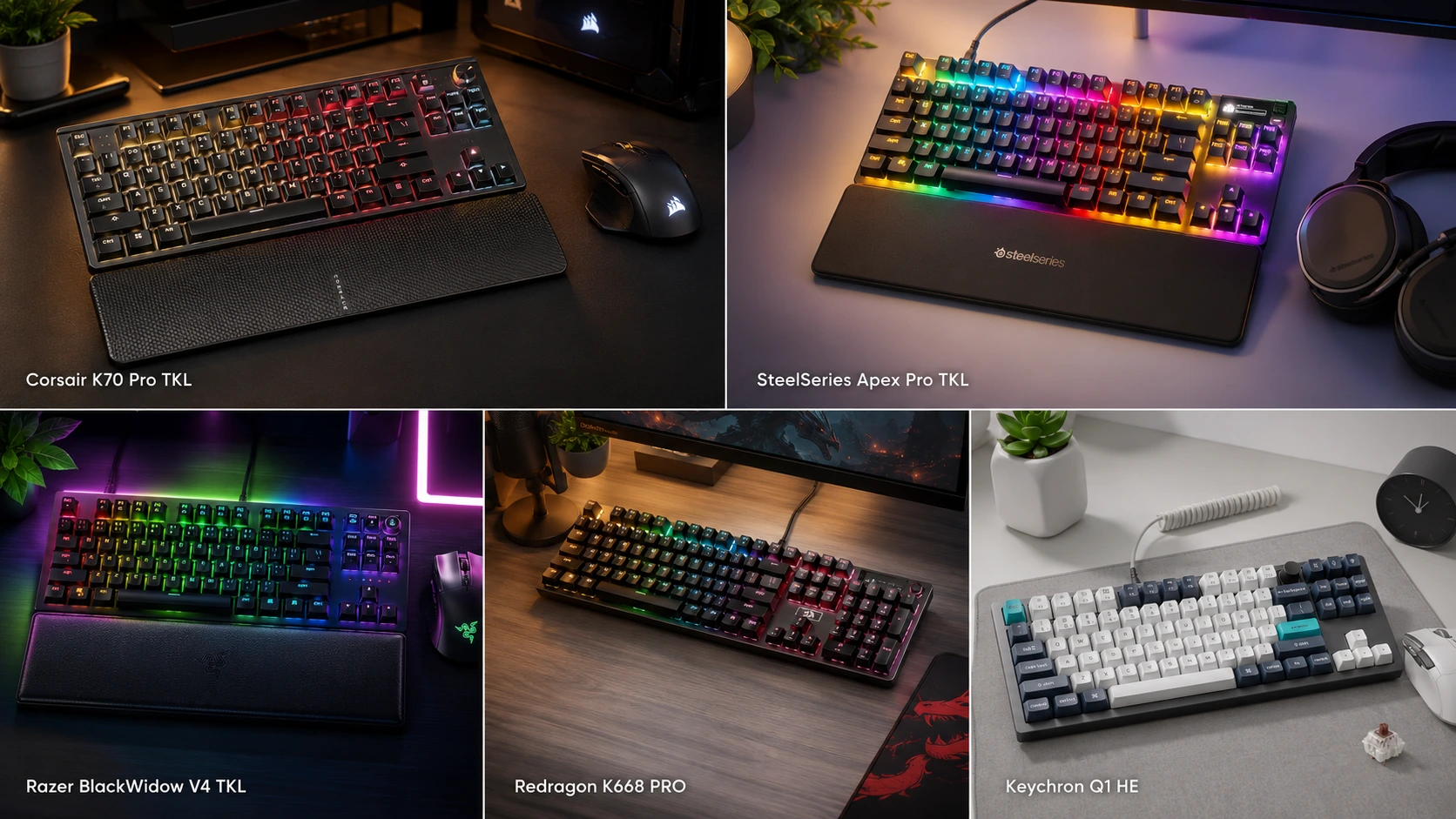
Best TKL Gaming Keyboard for MMO & MOBA: 6 Ranked Picks

This article contains affiliate links. If you buy through them, I earn a small commission at no extra cost to you. I only recommend keyboards I’ve actually tested. As an Amazon Associate I earn from qualifying purchases.
The received wisdom is that MMO players need a full-size board with a numpad. I don’t buy it — not anymore. After more than a decade of testing keyboards and running late-night raids on everything from a scratchy old Ducky Shine to a Wooting 80HE, the honest picture is different: most MMO and MOBA players end up better off on a tenkeyless. You lose ten keys you were probably underusing, and you gain the two things that actually matter over a four-hour session — mouse room and a shoulder angle that doesn’t wreck you by midnight.
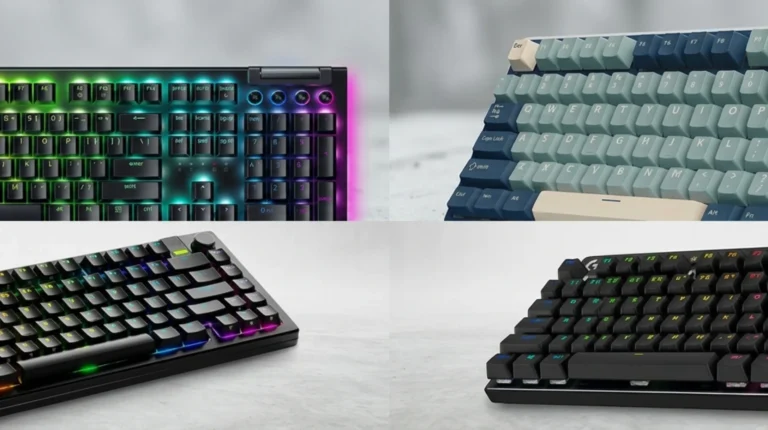
So here’s my ranked list of the best TKL gaming keyboard for MMO and MOBA players who want to keep pace in Mythic+, hit clean combos in FFXIV, and still trade blows in League without their pinky filing for workman’s comp. I’ve grouped picks by what you’re actually optimizing for — pure competitive edge, deep macro programming, budget, and the typing-hybrid wireless — because “best” depends on whether you’re clearing raids or laning at Emerald.
Quick Comparison — Best TKL Gaming Keyboard for MMO at a Glance
| Rank | Keyboard | Best For | Switches | Standout Feature | Approx. Price |
|---|---|---|---|---|---|
| 1 | SteelSeries Apex Pro TKL Gen 3 | Best Overall for MMO | OmniPoint 3.0 Hall Effect | Protection Mode + Rapid Tap | ~$200 |
| 2 | Wooting 80HE | Best for MOBA & Competitive | Lekker V2 Hall Effect | Wootility + 0.1mm Rapid Trigger | ~$200 |
| 3 | Keychron Q3 Max | Best for Deep Macros | Gateron Jupiter (hot-swap) | QMK/VIA + tri-mode wireless | ~$220 |
| 4 | Corsair K70 PRO TKL | Best Value Flagship | Corsair MGX Hyperdrive HE | 8,000Hz polling + iCUE macros | ~$180 |
| 5 | Razer Huntsman V3 Pro TKL | Best Razer Ecosystem | Razer Analog Optical Gen-2 | Synapse macro depth | ~$200 |
| 6 | Redragon K556 | Best Budget Under $60 | Redragon hot-swap linear | Hot-swap + PBT keycaps | ~$50 |
Prices move around constantly. Always double-check before you pull the trigger.
What Actually Matters on a Tenkeyless for MMO and MOBA Players
Before we get into specific boards, here’s what you should actually care about. Half of what marketing pushes (“32,000Hz polling! Aerospace-grade stabilizers!”) won’t touch your gameplay. These things will.
- Macro depth and where they live. MMOs live and die on rotation macros and multi-step keybinds. Onboard macros mean you don’t need software running, and profiles travel to LAN cafés or a friend’s rig. Software macros go deeper but tie you to iCUE, Synapse, or SteelSeries GG.
- NKRO (n-key rollover). Every board on this list has it. If a keyboard doesn’t advertise NKRO or at least 6-key rollover with anti-ghosting, walk away.
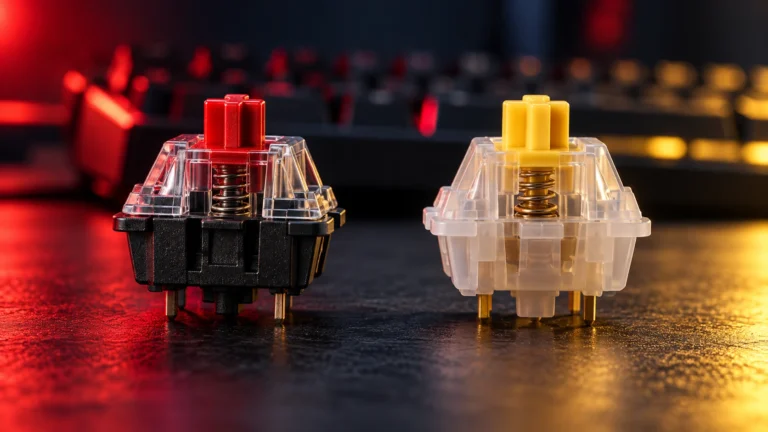
- Switch feel over a long session. A linear you love for a 40-minute LoL game may cook your fingers over a 3-hour raid. Lighter actuation (35–45g) and adjustable Hall Effect switches let you dial in a fatigue-resistant travel.
- Rapid Trigger for MOBA kiting. Rapid Trigger resets each key the instant you lift, which matters for stutter-stepping in League, kiting in Dota, and quick-stopping in HotS. It’s the biggest genuinely useful competitive tech to hit keyboards in years.
- Onboard profiles. MMO raiders swap loadouts by class and spec constantly. Onboard profile storage means no window-switching mid-pull.
- Software that isn’t hostile. Some brands ship software that fights you. SteelSeries GG and Wooting’s Wootility are the two I actively enjoy using. iCUE is fine once you learn its logic. Synapse works, but it asks a lot of your system.
If you’re still deciding between a TKL and something bigger, our full breakdown of gaming keyboard sizes and layouts walks through the tradeoffs in more depth.
The Best TKL Gaming Keyboards for MMO — Ranked
1. SteelSeries Apex Pro TKL Gen 3 — Best Overall for MMO

This is the board I keep coming back to. I ran the Gen 3 as my daily driver for about four weeks across FFXIV, WoW, and a light stretch of Deadlock, and it’s the clearest MMO-focused TKL on the market right now.
The OmniPoint 3.0 Hall Effect switches give you 40 levels of adjustable actuation from 0.1mm to 4.0mm with a 45g bottom-out. That range matters — set your movement keys hair-trigger and your ability keys deeper, and you slash the misfire rate during panicked interrupt swaps. Protection Mode is the killer feature for MMO players: it dampens the sensitivity of keys next to whatever you just pressed, so you stop accidentally hitting 2 when you meant 3 during a 30-yard sprint. That single feature saved me from more wipe callouts than I care to admit.
Rapid Tap handles counter-strafing and side-strafing in a way that carries over to kiting in MMO-style pulls. GG QuickSet ships pre-tuned presets for popular titles so you’re not fighting the software, and the OLED display lets you swap profiles without ever alt-tabbing out of a boss fight.
Pros
- Protection Mode genuinely reduces MMO misfires
- 40 levels of adjustable actuation per key
- OLED screen is more useful than it sounds
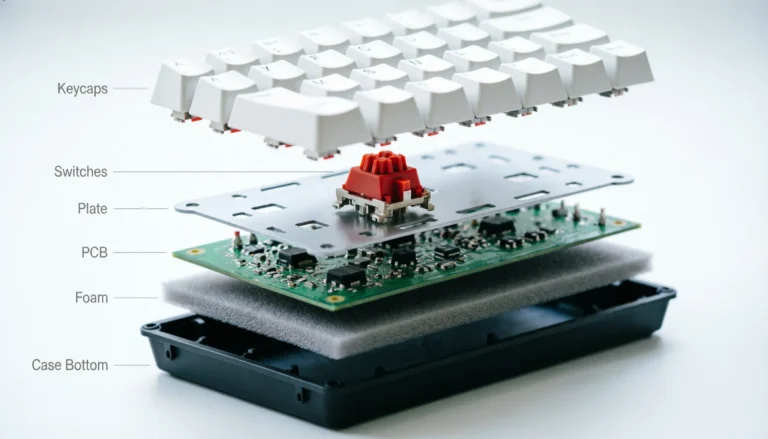
- PBT keycaps, per-key lube, triple-layer dampening foam
- Onboard profiles travel anywhere
Cons
- $200 stings, especially if you don’t play competitive titles
- No hot-swap sockets
- Wired-only unless you spring for the wireless model
Verdict: If MMO is your main game and you can stomach the price, this is the pick.
2. Wooting 80HE — Best for MOBA and Competitive Precision
Wooting has been the darling of the Hall Effect crowd for years, and the 80HE earns the reputation. If you’re a Dota 2 or League player who spends more time in mid-lane than raiding, this is your board.
Wootility is the best keyboard software I’ve used — full stop. Setting up per-key actuation, Rapid Trigger, and analog modifiers takes minutes, not hours. The Lekker V2 switches feel smooth and consistent, and the aluminum case has real heft without being obnoxious. The board also does analog input, so you can bind WASD to analog movement in games that support it. That won’t matter for most MMOs, but it’s a genuine advantage in racing games and some action titles.
Here’s the catch: the 80HE isn’t as MMO-focused as the SteelSeries. Wootility doesn’t have anything like Protection Mode, and there’s no OLED for on-the-fly profile swapping. If you’re clearing Mythic+ every night, the Apex Pro TKL Gen 3 will serve you better. If you’re grinding rank in League or Dota, this is the sharper tool.
Pros
- Wootility is best-in-class software
- Rapid Trigger down to 0.1mm resolution
- Analog input for supported games
- Solid aluminum build
- Regular firmware updates, no software rot
Cons
- No MMO-specific features like Protection Mode
- Stock keycap sound is fine but nothing special
- Backorders can stretch for weeks
Verdict: Best MOBA-first TKL. Slightly overkill if you only ever play MMOs.
3. Keychron Q3 Max — Best for Deep Macro Customization

If you’re the kind of MMO player who wants a /cast [target=focus] macro on a Fn-layered key with tap-hold behavior, this is your board. Keychron’s Q3 Max runs QMK/VIA out of the box, which means you can program essentially unlimited macros and layers without any vendor software running in the background.
The board itself is a joy — CNC-aluminum case, gasket-mounted PCB, double-shot PBT keycaps, and hot-swap Gateron Jupiter switches. It’s tri-mode wireless (2.4GHz, Bluetooth, wired), so it doubles as a work board on Bluetooth and a gaming board on the dongle. Sound out of the box leans more “thocky” than clacky, which I appreciate — even if I’m a little tired of that word.
The tradeoff is that QMK has a learning curve. If you’ve never touched keyboard firmware, plan on an afternoon of tutorials before you get a proper MMO macro layout dialed in. The 1,000Hz polling rate is fine for competitive play but trails the 8K flagships if you’re chasing every last millisecond.
Pros
- QMK/VIA means limitless macros and layers
- Tri-mode wireless is genuinely reliable
- Hot-swap Gateron Jupiter switches
- Best-in-class typing feel on this list
- Doubles beautifully as a work keyboard
Cons
- QMK/VIA learning curve is real
- 1,000Hz polling trails the HE flagships
- Heavy at roughly 4 pounds — not a LAN board
Verdict: The nerd’s choice. If you like tinkering, nothing else here matches the flexibility.
4. Corsair K70 PRO TKL — Best Value Flagship

Corsair has finally shipped a Hall Effect board that competes with SteelSeries and Wooting, and the K70 PRO TKL undercuts both. You get MGX Hyperdrive Hall Effect switches on the primary keys, 8,000Hz polling over USB, Rapid Trigger at 0.1mm resolution, adjustable actuation, and SOCD support — all around $180.
I’ve been running one for a couple of weeks in ESO and it’s a legitimately good MMO board. The iCUE macro system is deep once you climb the learning curve, and onboard profile support means your class-specific loadouts travel with the keyboard. Build quality is a brushed aluminum top plate over a plastic bottom, which keeps weight down but feels a small step below the Wooting or the Q3 Max.
Honest caveat: iCUE is heavier software than SteelSeries GG or Wootility, and if you already dislike Corsair’s ecosystem, this board won’t change your mind.
Pros
- Full HE feature set for under $200
- 8,000Hz native polling
- Rapid Trigger at 0.1mm resolution
- Deep macro support via iCUE
- Solid stock keycap sound
Cons
- iCUE is a resource-heavy app
- Plastic bottom feels a step below premium
- No hot-swap
Verdict: Best value if you want flagship features without paying flagship prices.
5. Razer Huntsman V3 Pro TKL — Best for the Razer Synapse Ecosystem

If you’re already in the Razer ecosystem with a Basilisk or Naga on the desk, the Huntsman V3 Pro TKL slots in without friction. Razer’s Analog Optical Gen-2 switches use light to register presses, and you get Rapid Trigger, adjustable actuation, and Snap Tap (Razer’s SOCD equivalent).
Synapse is where this board shines for MMO players. The macro editor is one of the most flexible around, especially for chained abilities and delay-tuned rotations. I’ve built full FFXIV opener macros on Synapse that I couldn’t reproduce as cleanly on iCUE. Razer’s Chroma Studio also plays well with Razer mice and headsets for those who care about lighting profiles across the whole desk.
The tradeoff is Synapse itself — it’s bloatier than SteelSeries GG or Wootility, and the account-based login has annoyed people for years. Build is solid but the plastic bottom lets it down against the Wooting’s full aluminum shell.
Pros
- Best-in-class Razer macro editor
- Analog optical switches feel fast and clean
- Chroma sync if you’re in the ecosystem
- 8,000Hz polling on wired
Cons
- Synapse is bloatier than competitors
- No hot-swap
- Feels like a mid-tier build at a flagship price
Verdict: Buy it if you’re already deep in Razer gear. Otherwise, the Apex Pro TKL Gen 3 does the same job better.
6. Redragon K556 — Best Budget Pick Under $60

Not everyone wants to spend $200 on a keyboard, and the Redragon K556 keeps popping up as a genuinely competent budget option. It’s a hot-swap TKL with a CNC aluminum plate, PBT keycaps, and Redragon’s own quiet linear switches. For roughly $50, that combination is absurd.
I don’t want to oversell it. The software is basic, the stabilizers rattle a bit out of the box, and switch quality lands closer to “good enough” than “great.” But for a WoW alt account or a starter setup, the K556 gets you 80% of the way to a $150 board for a third of the price. Hot-swap means you can drop in $30 worth of better switches later and end up with something that punches well above its weight.
Pros
- Hot-swap at this price is a minor miracle
- PBT keycaps out of the box
- CNC aluminum plate for a stiff typing feel
- NKRO and 6-key rollover
- Genuine value
Cons
- Software is barebones
- Stabilizers benefit from a mod pass
- Stock switches are just okay
Verdict: The right board if your budget is under $60 and you don’t want to compromise on hot-swap.
The TKL vs Numpad Debate for MMO Players
I said at the top that MMO players don’t necessarily need a numpad, and I’ll defend that position with one caveat.
If your keybind muscle memory is built around the numpad — you’ve got Numpad 1-9 mapped to your entire ability rotation and you’ve been playing that way for years — don’t switch. Rebuilding those reflexes mid-tier is a bad idea. Buy a full-size board or a 96%.
For everyone else, the calculus is this. A TKL frees up roughly 3-4 inches of desk width for your mouse. That’s real for anyone playing at 800 DPI or lower. It also brings your mouse hand closer to the keyboard, which reduces shoulder rotation. Over a three-hour session, that matters more than the ten keys you gave up. Most modern MMOs let you bind actions to Fn-layer keys or macro chains, so you’re not losing binds — you’re moving them.
The mild contrarian take: a lot of “MMO keyboards” with 12 dedicated macro keys are solving a problem most players don’t have. Layered Fn keys on a TKL cover the same use case with a smaller desk footprint. Try it before you dismiss it.
My Verdict — Which TKL Gaming Keyboard for MMO Wins
If you want the fastest answer: SteelSeries Apex Pro TKL Gen 3 is the best TKL gaming keyboard for MMO play in 2026. Protection Mode alone justifies it for anyone running Mythic+ or Savage content, and OmniPoint 3.0 is genuinely a step above every non-HE board on the market.
If MOBA is more your speed, go Wooting 80HE for the software depth alone. If you want to program deep macros without living inside anyone’s ecosystem, the Keychron Q3 Max with QMK/VIA is the smartest long-term buy. If you want flagship features at a mid-tier price, the Corsair K70 PRO TKL delivers. And if you’re on a real budget, the Redragon K556 gets you shockingly close to the flagships for under $60.
Pick the one that fits your games and your desk, not the one with the loudest RGB. That’s how you end up with a keyboard you keep for five years instead of five months.
This article contains affiliate links. If you buy through them, I earn a small commission at no extra cost to you. I only recommend keyboards I’ve actually tested. As an Amazon Associate I earn from qualifying purchases.
One Comment