Mechanical vs Membrane Keyboard: Which Should You Buy?

This article contains affiliate links. If you buy through them, I earn a small commission at no extra cost to you. I only recommend keyboards I’ve actually tested. As an Amazon Associate I earn from qualifying purchases.
I’ve had some version of this argument roughly four hundred times. Usually at a coffee shop, usually with someone who just dropped $250 on a “premium mechanical” and is starting to wonder if their old office board was secretly fine. Sometimes it’s the reverse — someone who’s been hammering on a beat-up Dell rubber dome for a decade and thinks the whole mechanical thing is marketing.
Here’s the short version: both can be great, both can be garbage. The mechanical vs membrane keyboard question doesn’t have one right answer. It has the right answer for you, and that depends on whether you’re gaming, typing eight hours a day, sharing an office, or just want something that works without making your wallet cry.
I’ll walk you through the real differences — the ones you’ll actually feel under your fingers — and give you specific picks at each price point. No keyword soup, no “elevate your typing experience” nonsense.
TL;DR: Quick Comparison Table
Skip ahead if you just want a verdict. These are the boards I’d buy with my own money today:


| Best For | Pick | Type | Why It Wins | Price | |
|---|---|---|---|---|---|
| 🎮 Competitive Gaming | Logitech G Pro X TKL Lightspeed | Mechanical | Wireless with no lag, GX switches, real tournament pedigree | ~$200 | [Check Price →] |
| 💸 Best Budget Mechanical | Keychron C2 / Royal Kludge RK68 | Hot-swap mechanical | PBT keycaps + hot-swap under $80 — genuinely a steal | $60–90 | [Check Price →] |
| 🤫 Quiet Office Use | Logitech MX Keys S | Scissor-switch membrane | Near-silent, low-profile, all-day comfort | ~$110 | [Check Price →] |
| 💵 Cheapest That Doesn’t Suck | Logitech K120 / Dell KB216 | Membrane | $15–25, indestructible, just works | $15–25 | [Check Price →] |
| 🔀 Mechanical Feel, Lower Price | Razer Ornata V3 | Mecha-membrane | Tactile-ish feel without paying mechanical money | ~$90 | [Check Price →] |
| ⌨️ Best for Typing All Day | Keychron Q1 / Q2 (tactile switches) | Premium mechanical | Gasket mount, QMK/VIA, swap any switch later | $180–200 | [Check Price →] |
What’s Actually Inside Each Keyboard {#whats-inside}
Before the comparison, you need to know what’s physically happening when you press a key. This is where most articles get fuzzy. I won’t.
How a Mechanical Keyboard Works
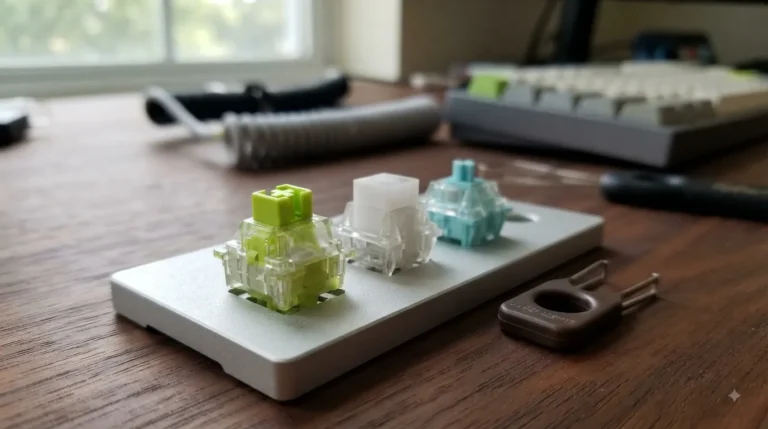
Every key has its own individual switch — a small plastic housing with a spring, a stem, and metal contacts inside. When you press, the stem drops, the contacts close, and the press registers. Each switch type has a different feel:
- Linear (Cherry MX Red, Gateron Yellow): smooth all the way down, no bump. Popular with gamers.
- Tactile (Cherry MX Brown, Boba U4T, Holy Panda): noticeable bump partway down. Most people find these comfortable for typing.
- Clicky (Cherry MX Blue, Kailh Box White): bump plus an audible click. Satisfying. Your coworkers will hate you.
The point: each switch is a real mechanism. They can be swapped, lubed, modified, or replaced. The good ones are rated for 50–100 million presses.
How a Membrane Keyboard Works
Under the keycaps there’s a sheet of rubber domes sitting on a printed circuit. Press a key, the dome collapses, the contacts touch, the keyboard registers. One sheet, dozens of domes, no individual switches.
It’s cheaper to make. It’s quieter. It’s also why your $19 office keyboard from 2014 is somehow still working.
What About “Mecha-Membrane”?
Razer’s Ornata line and a handful of others use a hybrid: rubber domes underneath with a clicky bar or stem on top to mimic the feel of a mechanical click. It’s a clever compromise — not as good as real mechanical, way better than a basic rubber dome. I’ve used the Ornata V3 as a secondary board and didn’t hate it, which is about the highest praise I give hybrids.
Mechanical vs Membrane Keyboard: Head-to-Head {#head-to-head}
Here’s where the mechanical vs membrane keyboard debate actually gets useful. I’ve daily-driven both for weeks at a time, not just unboxed and judged.
| Feature | Mechanical | Membrane | Winner |
|---|---|---|---|
| Typing feel | Crisp, responsive, customizable | Mushy, uniform | Mechanical |
| Sound | Loud to thocky, depends on build | Quiet, dull | Depends on environment |
| Durability | 50–100M+ presses per switch | 5–10M presses typical | Mechanical |
| Customization | Swap switches, keycaps, mods | Almost none | Mechanical |
| Price floor | ~$50 for decent hot-swap | $15 and you’re set | Membrane |
| Repairability | Replace one switch | Replace whole board | Mechanical |
| Portability | Heavier, often louder | Lighter, quieter | Membrane |
| Office-friendly | Only with quiet switches/mods | Yes | Membrane |
| Resale value | Real (especially custom builds) | Effectively zero | Mechanical |
Typing Feel and Sound
A good mechanical feels alive under your fingers. You pick a switch that matches how you type — heavy springs or light, tactile bump or none. A membrane feels uniform, and after a few months of use the domes start collapsing at slightly different rates, which makes the whole thing feel inconsistent.
Sound is its own thing. Mechanicals range from a quiet thock (lubed linears in a gasket-mount case) to clattery typewriter chaos (stock MX Blues in a hollow tray-mount). Membranes are just… quiet. Slightly dull. If you share a room with someone, that matters more than the spec sheet.
I’ll be honest: I find the “thocc” hype mildly tired at this point. A board that sounds great is a nice bonus. A board that sounds great but feels mediocre to type on isn’t worth $300.
Durability
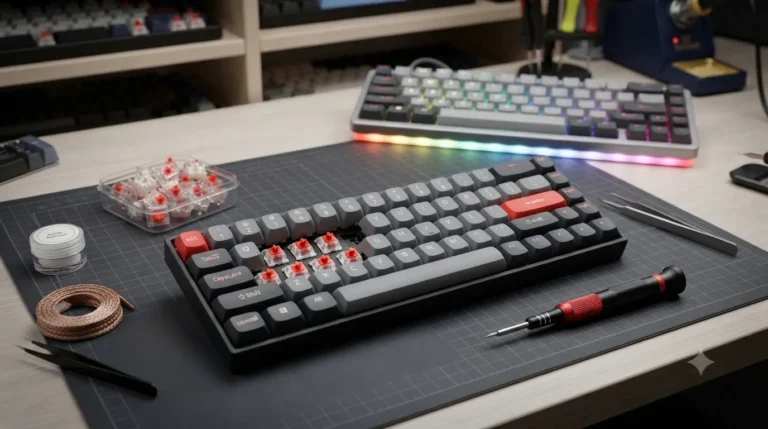
Mechanical wins this one cleanly. Good switches are rated for 50 million presses minimum, and the better modern ones (Gateron, Cherry, Kailh) shrug past that. If a switch dies on a hot-swap board, you yank it out with a pair of tweezers and drop in a new one. No soldering.
Membrane boards usually die when the rubber domes start cracking or going soft. You don’t replace them. You replace the keyboard. Most are perfectly fine for 3–5 years of daily use; past that, the keys need harder presses, then they ghost, then they’re done.
Customization
This isn’t a small point if you’re going to spend any real time at a desk.
Mechanical lets you change:
- Switches — swap linears for tactiles when you change your mind
- Keycaps — PBT instead of cheap ABS that shines after a year
- Stabilizers — fix that rattle on your space bar
- Sound profile — foam mods, tape mods, gasket bounce
- Layout — QMK/VIA firmware remaps any key, anywhere
Membrane gives you a switch on the side to toggle the lighting. That’s it.
Which Is Better for Gaming? {#gaming}
This is the headline question, so let me give you the honest answer first: for 90% of gamers, both work fine. Marketing makes it sound like a mechanical will win you a tournament. It won’t. Your aim will.
That said, here’s what actually matters when gaming, and where mechanicals legitimately pull ahead:
- N-key rollover (NKRO): most decent mechanicals register 6+ simultaneous key presses without ghosting. Basic membranes drop inputs when too many keys are down. For fighting games, MMOs with lots of binds, or any rhythm game, this is real.
- Polling rate: 1000 Hz is standard on mechanicals; 8000 Hz on newer ones. Membranes usually sit at 125–500 Hz. You won’t feel the difference between 1000 and 8000 unless you’re chasing top-100 ranked play. You will feel the difference between 125 and 1000.
- Actuation consistency: every mechanical switch actuates at roughly the same point (~2mm on most). Membranes drift as they age, so two-month-old “W” feels different from new “S.”
- Switch choice for the genre: linear switches like Gateron Yellows or Cherry MX Reds are popular for shooters because there’s no tactile bump to interrupt rapid presses.
If you play competitive shooters or take ranked seriously, get a mechanical. The Logitech G Pro X TKL Lightspeed ($200) is the current default — wireless, fast, durable. The HyperX Alloy Origins Core ($90) is the smarter buy if you’re not chasing wireless.
If you’re a casual gamer who also does office work, a Razer Ornata V3 or a decent membrane like the Razer Cynosa V2 ($60) is perfectly fine. Anyone telling you a mechanical will fix your K/D is selling something.
Which Is Better for Typing and Work? {#typing}
Slight contrarian take here: a quiet, well-built membrane like the Logitech MX Keys S is genuinely excellent for writing all day. Low-profile, comfortable, near-silent in a shared space, doesn’t fatigue your fingers. I’ve used one as a travel board for years and have zero complaints.
But — and this is a real but — once you’ve typed on a properly built tactile mechanical for a month, going back is hard. The Keychron Q1 with Glorious Pandas or Boba U4Ts feels like a tool that fits your hands. The MX Keys feels like a keyboard.
For writers, programmers, anyone doing 4+ hours of typing daily, I’d spend the money on a mid-range hot-swap mechanical. You’ll keep it for years, and your wrists will probably thank you. Look for these four things:
- Hot-swap sockets so you can change switches without soldering
- PBT keycaps that don’t shine and don’t wear
- Lubed stabilizers so the bigger keys don’t rattle
- Gasket mount for softer typing feel and less wrist fatigue
Price Breakdown: What You Actually Pay {#price}
The mechanical vs membrane keyboard gap on price is wide, and most of it is build quality, not branding.
Membrane Tiers
- $15–30 — Logitech K120, Dell KB216, Microsoft Wired 600. They work. They’ll outlive your computer. Zero personality.
- $40–80 — HP Pavilion, Razer Cynosa V2. Better feel, often backlit.
- $80–130 — Logitech MX Keys S, Razer Ornata V3 (mecha-membrane). Premium membrane territory. Worth it specifically if you want quiet.
Mechanical Tiers
- $50–90 — Royal Kludge RK68, Keychron C2, Redragon K552. Hot-swap is showing up at this price now. PBT options exist. This is where I start anyone new to mechanical.
- $90–180 — Keychron K2/K6, HyperX Alloy Origins, Logitech G Pro. Solid daily drivers, often wireless, often hot-swap. Most people don’t need more than this.
- $180–350 — Keychron Q1/Q2, Drop CTRL, Logitech G915 TKL. Gasket mount, full QMK/VIA, premium materials. Genuinely better, with diminishing returns.
- $350+ — Custom group buys, GMMK Pro builds, boutique boards. You’re paying for hobby, not function.
The dirty secret of this whole space: a good $90 mechanical beats a bad $200 one every single time. Build quality and switch choice matter way more than the price tier on the box.
Three Myths That Need to Die {#myths}
Quick myth-busting tour:
- “Mechanical keyboards are always loud.” No. Linear switches with proper lubing (205g0 grease on the rails) in a foam-filled case can sound quieter than a Logitech office membrane. I’ve built boards quieter than the cubicle next to mine.
- “Membrane boards are obsolete.” Also no. A $25 K120 outlasts most $150 mechanicals in raw service years. Membranes are still the right answer for cheap, quiet, and reliable.
- “You need a mechanical to game well.” Nope. You need low input lag, NKRO, and consistent actuation. Most mid-tier mechanicals nail all three. Some good membranes nail NKRO too. Skill matters more than switches.
The Verdict on Mechanical vs Membrane Keyboard {#verdict}
Here’s the catch — and there’s always one. If you’ve never typed on a properly built mechanical, you’ll think your old membrane is fine right up until the day it isn’t. Once you switch, you usually don’t go back.
So who should buy what?
- Get a membrane if: you want a cheap, reliable, quiet board for email and browsing. The K120 or MX Keys is genuinely all you need.
- Get a mecha-membrane (Razer Ornata V3) if: you want mechanical feel without the price or learning curve.
- Get an entry mechanical (RK68, Keychron C2) if: you’re curious, you type a lot, and you have $70–90 to spend.
- Get a mid-range mechanical (Keychron K2, HyperX Alloy) if: you want a board that’ll last you 5+ years and you do real typing work.
- Get a premium mechanical (Keychron Q1, Drop CTRL) if: you’ve decided keyboards are a thing for you and you want a build that’s modifiable for life.
If I had to recommend exactly one board for someone who has no clue what they want? The Keychron K2 V2 with brown tactile switches and PBT keycaps. Around $100. Hot-swap. Wireless. Works on Mac and Windows. It’s the board I send my non-keyboard-nerd friends to, and not one has asked for a refund.
FAQ
Are mechanical keyboards really worth the price? If you spend more than two hours a day typing, yes — a decent $90–150 mechanical pays you back in comfort and longevity. For light use, a $25 membrane is fine.
Are mechanical keyboards too loud for an office? Clicky switches (MX Blue, Kailh Box White) are. Linear and tactile switches, especially when lubed, can be quieter than people expect. A foam-modded board with linears is office-safe.
How long does a mechanical keyboard last versus a membrane? Mechanical switches are rated for 50–100 million presses. Most mechanical boards last 8–15 years of heavy use. Membranes typically start degrading after 3–5 years of daily use.
Can I use a membrane keyboard for serious gaming? For casual play, yes. For competitive shooters, MMOs, or fighting games where NKRO and consistent fast actuation matter, no — get a mechanical.
What’s the difference between mecha-membrane and real mechanical? Mecha-membrane (Razer Ornata) uses rubber domes underneath with a clicky cap on top. It mimics the feel but isn’t truly per-key mechanical. Cheaper to make, sits between the two in price and feel.
Is RGB on a keyboard actually useful? For most people, no. It looks cool. It doesn’t make you a better typist or gamer. Don’t pay extra for RGB — buy the better board and add lighting later if you care.
What’s the best beginner mechanical keyboard? Keychron K2 V2 ($100) or Royal Kludge RK68 ($70) with brown or red switches. Hot-swap is the feature to look for — it lets you change your mind on switches later without buying a new board.
This article contains affiliate links. If you buy through them, I earn a small commission at no extra cost to you. I only recommend keyboards I’ve actually tested. As an Amazon Associate I earn from qualifying purchases.