Best TKL Keyboards With PBT Keycaps: 6 Tested Picks
This article contains affiliate links. If you buy through them, I earn a small commission at no extra cost to you. I only recommend keyboards I’ve actually tested. As an Amazon Associate I earn from qualifying purchases.
Half the boards advertising “PBT keycaps” on Amazon right now aren’t running the real thing. They’re some cheap blend, sometimes labeled “PBT-like” in the fine print, and they’ll turn shiny within a year — same as the ABS junk they’re supposed to replace. I’ve opened enough boxes to know the difference by feel, and the tenkeyless space has a small group of boards that actually deliver: proper double-shot or dye-sub PBT, thick walls, and legends that won’t fade when you look at them wrong.
If you want a keyboard with legends that stay crisp and a sound that doesn’t get soupier over time, PBT matters. The best TKL keyboard with PBT keycaps isn’t always the most expensive one, either. I’ve spent the last few months rotating through the top contenders as daily drivers, gaming rigs, and — because I’m that guy — with sound tests recorded on the same mic setup so I could compare them honestly. Here’s what actually holds up.
For the deeper story on why PBT beats ABS in almost every category people care about, I broke that down in a separate piece. Short version: it shines less, sounds a touch deeper, and outlasts ABS by years.
Quick Comparison: The Best TKL Keyboards with PBT Keycaps
Here’s the TL;DR if you’re just after a pick. Every board in this table ships with genuine PBT out of the box — no upgrade required, no “PBT-like” nonsense.
| Best For | Keyboard | Switches | Standout Feature | Price Range |
|---|---|---|---|---|
| Best Overall | Keychron Q3 Max | Gateron Jupiter | Full aluminum, tri-mode wireless, QMK/VIA | ~$220 |
| Best for Gaming | Razer Huntsman V3 Pro TKL | Razer Analog Optical Gen 2 | Adjustable actuation + Rapid Trigger | ~$250 |
| Best for Typing | Ducky One 3 TKL | Cherry MX (your choice) | Pre-tuned stabilizers, tank build | ~$140 |
| Best Budget | Akko 5087B Plus | Akko Cream Yellow | Real double-shot PBT under $100 | ~$90 |
| Best Wired Classic | Leopold FC750R PD | Cherry MX | Legendary dye-sub PBT keycaps | ~$150 |
| Best for Modders | Epomaker Shadow-X | Kailh Box | Gasket mount, screws don’t strip | ~$160 |
Now let me actually walk through each one and tell you where they win and where they fall short.
1. Keychron Q3 Max — Best Overall TKL Keyboard with PBT Keycaps
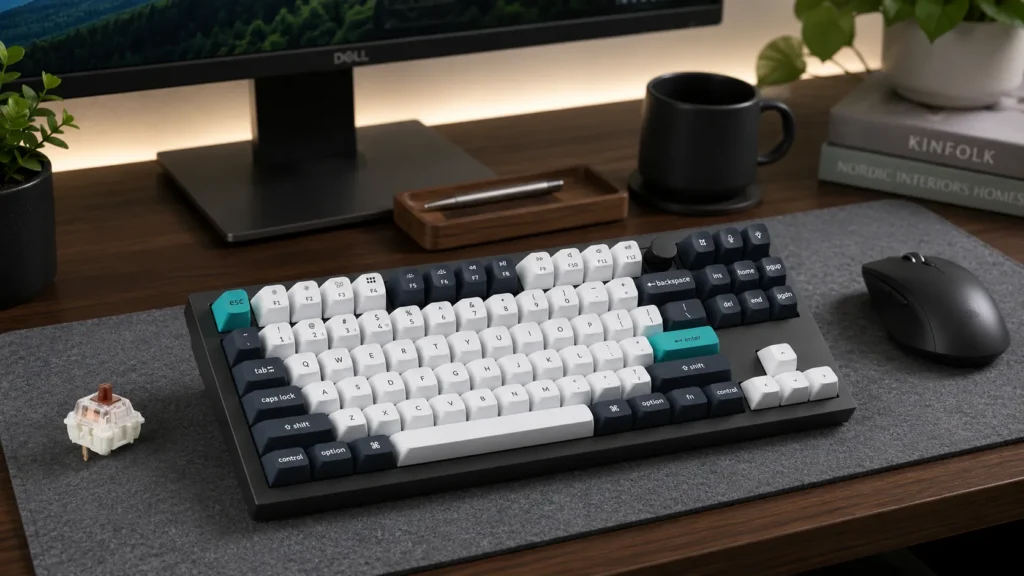
The Q3 Max is what I hand people when they ask, “What should I buy if I don’t want to think about it?” It’s a full CNC aluminum case at just under 4.5 pounds — which is either a feature or a warning, depending on how often you move your desk. The stock keycaps are double-shot PBT in Keychron’s OSA profile, which sits between OEM and Cherry height. Legends are shot-through, not printed, so they’ll never wear off.
I’ve been running mine wired to my Mac since March and hopping between Bluetooth and 2.4GHz on my Windows box. No dropped inputs. No wake-up lag. The gasket mount gives it a soft, controlled bounce — nothing dramatic, but you feel it. And Keychron finally figured out stabilizers. Out of the box, mine had zero rattle on space and only a faint tick on backspace, which lubed out in about five minutes.
QMK and VIA support means you can remap anything without downloading a driver. That alone puts it above 90% of “gaming” TKLs.
Pros
- Genuine double-shot PBT with shot-through legends
- Aluminum case, gasket mount, screw-in stabilizers
- Tri-mode wireless (2.4GHz, Bluetooth, USB-C)
- Full QMK/VIA remapping
- Hot-swap sockets, so you can swap switches without soldering
Cons
- Heavy — this is not a portable board
- Battery life is fine, not incredible (about a week of heavy 2.4GHz use)
- No knob unless you buy the Knob variant
Verdict: If your budget stretches to around $220, this is the best TKL keyboard with PBT keycaps you can buy right now without going custom.
2. Razer Huntsman V3 Pro TKL — Best for Gaming
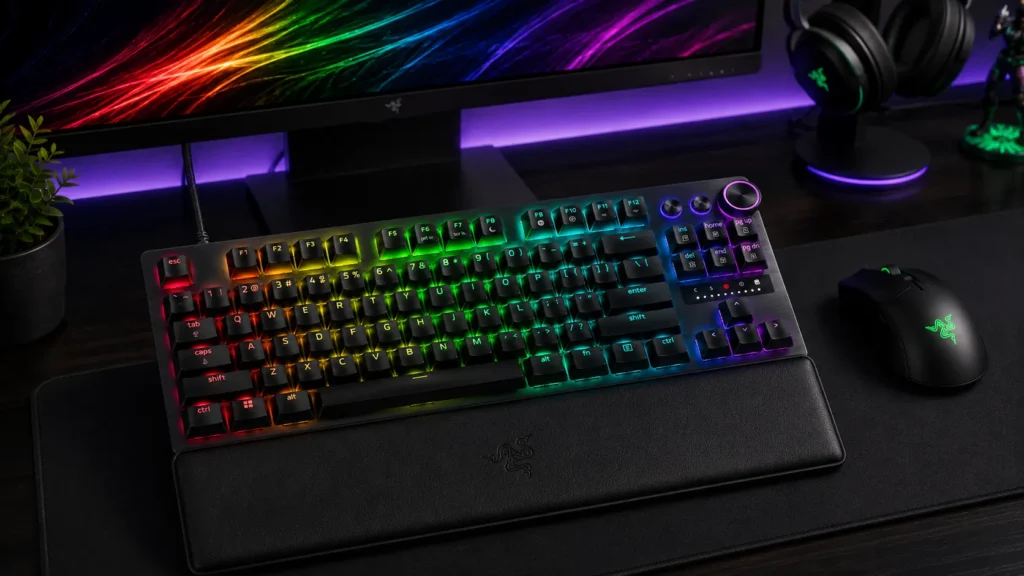
I’m generally skeptical of Razer boards, because most of them lean on RGB and marketing more than the actual typing experience. The Huntsman V3 Pro TKL is the exception. Razer moved to double-shot PBT for this generation, and after three weeks of daily use, mine still looks new — no shine on the WASD cluster where my ABS boards would already be glossy.
The real story is the switches. Razer’s Analog Optical Gen 2 lets you set actuation anywhere from 0.1mm to 4.0mm, and Rapid Trigger works properly here. In Valorant and CS2, the difference between this and a standard mechanical is genuinely noticeable when you’re counter-strafing. It’s not placebo. If you’re new to how Rapid Trigger and analog switches actually work, I broke that down in a separate primer.
The catch: analog switches feel different from a normal linear. There’s a slight optical “float” at the top of the keypress that some people won’t love for typing. I’d call it a gaming-first board that happens to type fine — not the other way around.
Pros
- Adjustable actuation, Rapid Trigger, and dual-step actuation
- Double-shot PBT keycaps
- 8000Hz polling rate (which you can actually feel in fast games)
- Sound-dampening foam included from the factory
Cons
- Analog switches feel slightly hollow to some typists
- Synapse software is still bloated
- Pricey at around $250
Verdict: If competitive FPS is your main use case, this is the TKL to beat.
3. Ducky One 3 TKL — Best for Typing
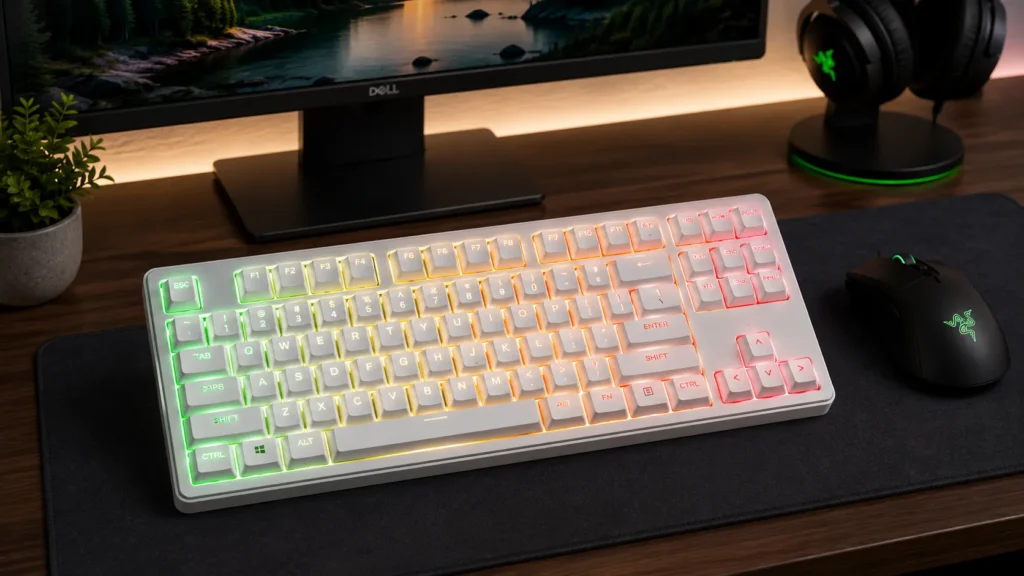
Ducky’s been at this a long time, and the One 3 TKL shows it. The keycaps are double-shot PBT with a Seamless design — the color goes all the way through — and the profile is standard Cherry height, which I still think is the sweet spot for long typing sessions.
What sets this one apart is the stock stabilizers. Ducky pre-lubes and tunes them before shipping, and the difference versus most out-of-box boards is night and day. My space bar sounded good enough that I didn’t touch it. If yours don’t sound this clean out of the box — and most boards won’t — my stabilizer tuning and lubing walkthrough covers the fix step by step. The plate-mounted case has dense EVA foam sandwiched between silicone dampeners, and it gives the board a controlled thock without any hollow ping.
You pick your switches at checkout: Cherry MX Reds, Browns, Blacks, Silent Reds, or Ducky’s own switches. I ran mine with Cherry MX Browns, and it’s easily the most comfortable board I’ve typed 5,000 words on this year.
Pros
- Pre-lubed stabilizers (rare at any price)
- Double-shot PBT with seamless coloring
- Wide switch selection at checkout
- Solid ABS case with excellent internal damping
Cons
- No QMK or VIA — uses Ducky’s DIP switches and macro shortcuts instead
- No wireless option in the standard One 3 TKL
- USB-C port location is awkward
Verdict: For people who write for a living or just want the best typing experience without going custom, this one’s still the benchmark.
4. Akko 5087B Plus — Best Budget TKL Keyboard with PBT Keycaps
Here’s where I get a little contrarian. Akko’s been quietly making some of the best cheap boards for the last two years, and the 5087B Plus is proof that you don’t need $200 to get real PBT and a solid typing experience. For a wider look at the best mechanical keyboards under $100 that don’t feel like garbage, I put together a separate roundup.
At around $90, you get double-shot PBT in Akko’s ASA profile (a taller, spherical-topped design), tri-mode wireless, gasket mount, and Akko’s Cream Yellow switches — which are surprisingly close to Gateron Milky Yellows for a fraction of the price. The build has some flex where a $200 board wouldn’t, but it doesn’t feel cheap. It feels intentional.
The catch: Akko’s software is basic, and the RGB is bright to the point of being distracting on the white variants. You’ll want to tone it down or turn it off.
Pros
- Real double-shot PBT under $100
- Gasket mount at this price is basically unheard of
- Hot-swap sockets included
- Tri-mode wireless connectivity
Cons
- No QMK/VIA — Akko has its own driver
- Case flex is noticeable if you’re used to premium boards
- RGB implementation is either too bright or too dim, with no middle ground
Verdict: If you’re on a budget and you want a real TKL with real PBT, this is the smartest buy under $100. Full stop.
5. Leopold FC750R PD — Best Wired-Only Classic
The Leopold FC750R PD isn’t for everyone. There’s no wireless, no hot-swap, no RGB, and the case is textured plastic that looks like a 2015 office board. But the dye-sub PBT keycaps are legendary. They’re thick, they sound deep, and after seven years of Leopold owners typing on them, nobody’s reporting shine. That’s the test that matters.
Mine has Cherry MX Clears (a rare stock option) and it types like a metronome. The stabilizers are Cherry-style plate-mount, and they need a lube job out of the box — mine had a rattly right-shift that took ten minutes to sort with some 205g0. Once tuned, it’s one of the most satisfying typing experiences you can buy at any price.
This is a keyboard for people who want a tool, not a status symbol.
Pros
- Dye-sub PBT that ages beautifully
- Excellent build quality for the price
- Cherry MX switches, factory-fresh
- Quiet, understated design
Cons
- No wireless
- No hot-swap
- Stabilizers need a lube job to be great
- Looks boring (or timeless — your call)
Verdict: If you want a board you’ll still be using in 2035, this is it.
6. Epomaker Shadow-X — Best for Modders
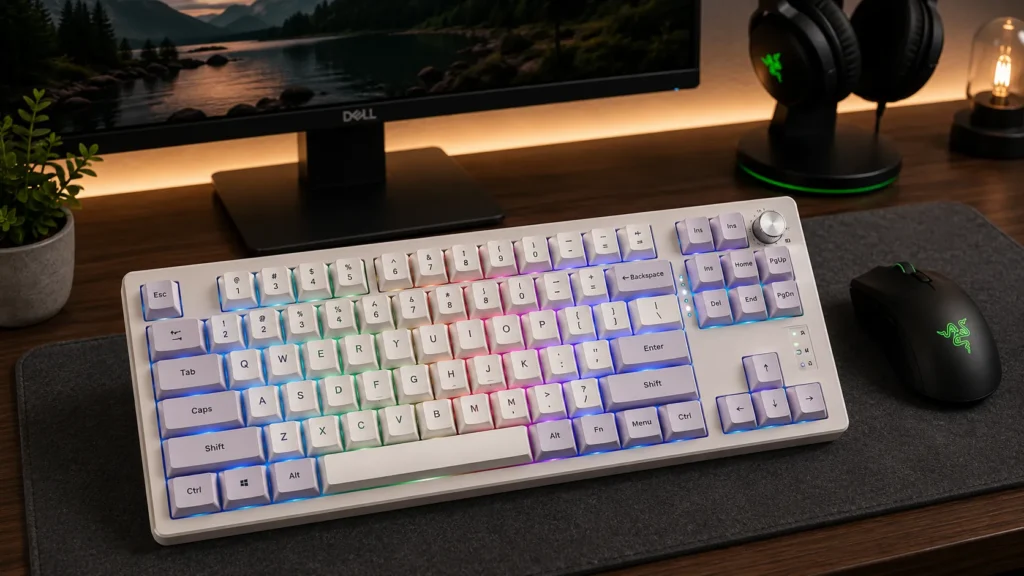
The Shadow-X gets recommended a lot on r/MechanicalKeyboards, and for once, the hype’s earned. It’s a gasket-mounted TKL with real double-shot PBT keycaps, hot-swap sockets, and — critically — screws that don’t strip when you open it up. If you’re the kind of person who buys a board planning to mod it, that matters more than it should.
Out of the box, it’s already tuned better than most of its price bracket. Foam layers, silicone dampener, and pre-lubed screw-in stabilizers. I swapped in Gazzew Boba U4T switches and it became one of my favorite boards to type on. The stock experience is good; the modded experience is genuinely excellent.
Pros
- Modder-friendly construction throughout
- Real PBT keycaps included
- Gasket mount with silicone dampening
- Wireless with USB-C, 2.4GHz, and Bluetooth
Cons
- Not as polished as the Q3 Max at similar prices
- Software is functional but not great
- Colorways are quirky — you’ll love them or you won’t
Verdict: If you want a starting point for a build project, this is where I’d start.
How to Spot Real PBT (So You Don’t Get Fooled Again)
A quick field guide, because you’ll see “PBT” thrown around loosely:
- Weight and thickness. Real PBT is thicker. Pull a keycap and flex it between your fingers. If it feels flimsy or bendy, it’s either paper-thin PBT or ABS masquerading as PBT.
- Legends. Double-shot PBT means the legend is a separate piece of plastic molded into the cap — flip it over and you’ll see the shape. Dye-sub PBT has legends dyed into the surface. If the legends are printed or painted on top, that’s a red flag.
- Texture. PBT has a slight tooth to it, almost like fine sandpaper. ABS feels smooth and slick. If it feels like a cheap TV remote, it’s ABS.
- Sound. ABS is higher-pitched and hollow. PBT is deeper, drier, with a slight “thock” quality. Not always dramatic, but consistent.
What Else I’d Check Before Buying
A few things I’d factor in that don’t fit neatly into a table:
- Layout. TKL means no numpad, but the layouts vary. Some (like the Ducky) run standard bottom rows; others use split spacebars or unusual right-shift widths. Standard bottom rows are easier to swap keycaps on down the road.
- Cable. A detachable USB-C cable isn’t optional in 2026. If a board still uses a fixed cable, walk away.
- Sound test videos. YouTubers with decent mics tell you more in 30 seconds than a spec sheet does in 30 minutes.
- Return policy. Boards feel different in person than in reviews. Buy from a retailer that lets you send it back.
My Pick If You Twist My Arm
If you handed me $220 and told me to pick one board off this list, I’d take the Keychron Q3 Max and never look back. It’s the most complete package — wireless, aluminum, QMK, hot-swap, real PBT — and the value at that price still surprises me a little. The Ducky One 3 TKL is a close second if you type more than you game and don’t need wireless. And if you’re on a strict budget, the Akko 5087B Plus is the honest answer, not a compromise.
The best TKL keyboard with PBT keycaps depends on what you actually do at your desk. But every board on this list ships with the real stuff — thick, textured, long-lasting — and that alone puts them ahead of most of what’s on the market right now. And if wireless matters to you more than layout, my full breakdown of the best wireless mechanical keyboards covers picks outside the TKL space too.
This article contains affiliate links. If you buy through them, I earn a small commission at no extra cost to you. I only recommend keyboards I’ve actually tested. As an Amazon Associate I earn from qualifying purchases.

I’ve torn down, lubed, and rebuilt several hundred keyboards — from $20 membranes to $800 enthusiast boards. I review them honestly, even when “honestly” means telling you to skip the one with the bigger marketing budget.