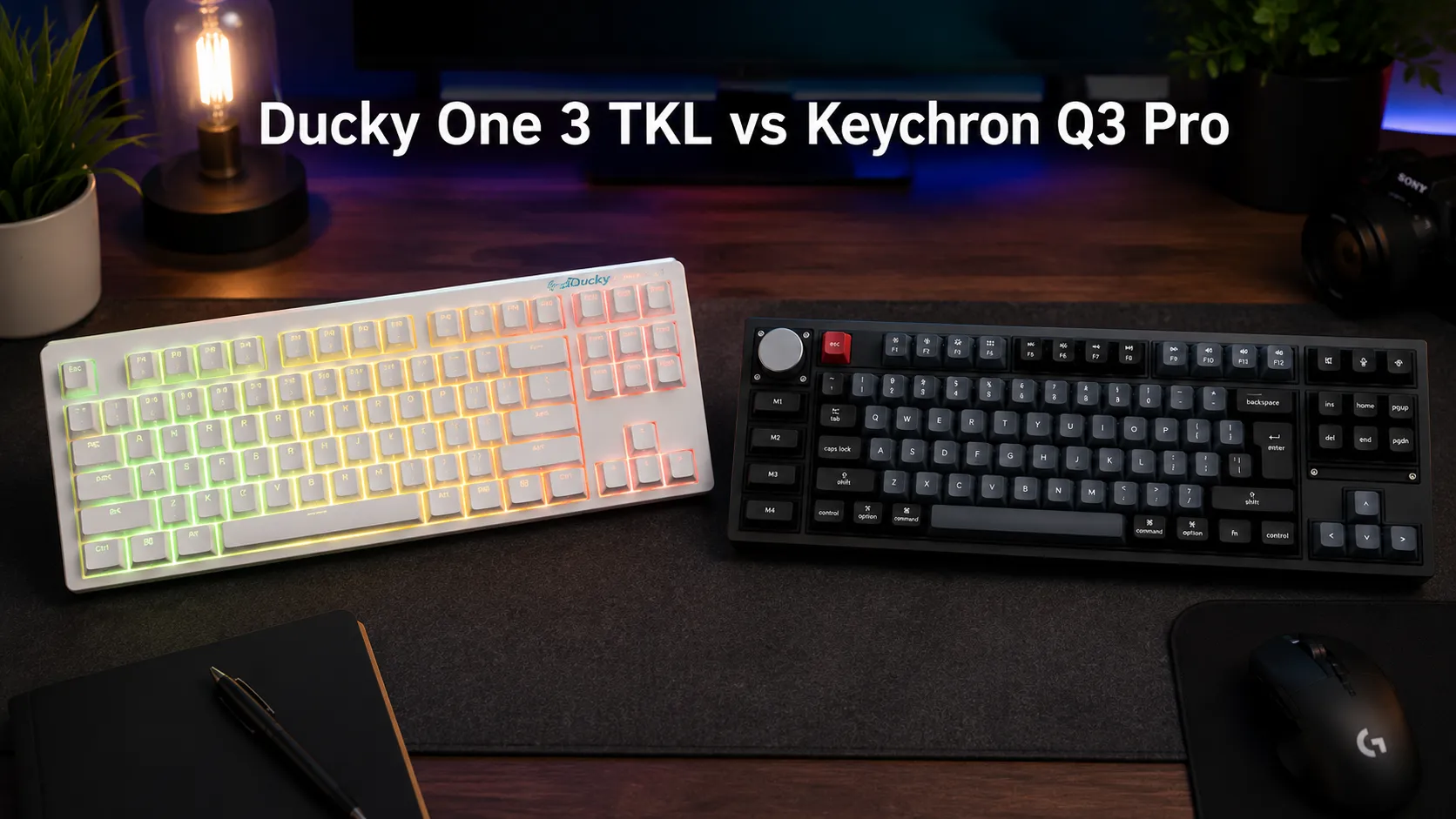
Ducky One 3 TKL vs Keychron Q3 Pro Which TKL Wins?
This article contains affiliate links. If you buy through them, I earn a small commission at no extra cost to you. I only recommend keyboards I’ve actually tested. As an Amazon Associate I earn from qualifying purchases.
Here’s the thing nobody tells you when you’re comparing these two boards: they’re playing completely different games. On paper, the ducky one 3 tkl vs keychron q3 pro matchup looks close — both are 80% TKL layouts, both have hot-swap sockets, both ship with PBT keycaps, both cost more than you probably want to spend. But the second you pick each one up, that illusion falls apart.
I’ve had a Ducky One 3 TKL on my daily rotation for the better part of a year, and I’ve been running a Q3 Pro since shortly after it launched. This isn’t a spec-sheet comparison. It’s what actually happens when you type on both for weeks straight and start noticing the small stuff — the way the stabilizers sound at 11pm, whether the case slides when you shove it, how badly you miss wireless the moment you don’t have it.
The short version, if you’re skimming: this fight mostly comes down to whether you want a well-tuned traditional board that just works, or a heavier, wireless, endlessly customizable slab of aluminum. Neither answer is wrong. But one is probably wrong for you.
Quick Comparison Table (TL;DR)
| Best For | Winner | Why It Wins |
|---|---|---|
| Best overall value under $160 | Ducky One 3 TKL | Refined build, tripleshot PBT, plug-and-play simplicity |
| Best for wireless / multi-device use | Keychron Q3 Pro | BT 5.1 for 3 devices + 2.4GHz dongle |
| Best for power users & remapping | Keychron Q3 Pro | Full QMK/VIA support — remap anything |
| Best sound out of the box | Keychron Q3 Pro | Gasket mount + factory foam do the work |
| Best build feel (weight & rigidity) | Keychron Q3 Pro | CNC aluminum, ~4.6 lb of “it’s not going anywhere” |
| Best for a first “nice” mechanical | Ducky One 3 TKL | No software, no learning curve, just type |
| Best aesthetics / colorways | Ducky One 3 TKL | Cleaner look, better color options |
Build Quality and In-Hand Feel
The first time you lift the Q3 Pro out of the box, you almost drop it. It’s roughly 4.6 pounds of CNC-machined aluminum, and it feels less like a keyboard and more like a small toolbox that happens to have keys on it. That weight matters — not because heavier is automatically better, but because it changes how the board sits on your desk (dead still) and how it sounds when you type (deeper, more resonant, more contained).
The Ducky One 3 TKL, by contrast, is plastic. Yes, it’s good plastic — the shell is stiff, the finish is nice, there’s zero flex or creak — but it’s still plastic. Around 2 pounds. It sits well on a rubber mat and looks genuinely great; the white version I’ve been using is one of the cleaner colorways on the market. But if you shove it hard reaching for a coffee, it moves.
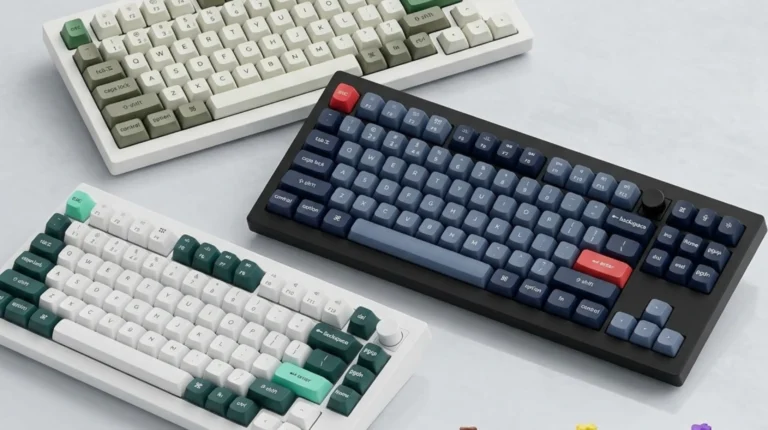
Both have great fit and finish. Neither one feels cheap. But if you care about that “premium slab” feeling — the thing enthusiasts rave about with custom boards — the Q3 Pro is what’s delivering it. The Ducky is delivering something else: a refined, well-thought-out mainstream board that doesn’t try to be a custom, and doesn’t need to.
Switches, Typing Feel, and Why Mounting Matters
This is where the ducky one 3 tkl vs keychron q3 pro conversation stops being about hardware and starts being about typing philosophy.
The Ducky uses a modified tray mount with what they call “Quack Mechanics” — basically their name for the layers of foam and dampening between the plate, PCB, and case. It works. Typing on the One 3 sounds clean and controlled, and there’s very little pinging. But it’s still a fundamentally stiff mount. Your fingers feel the plate.
The Q3 Pro is gasket-mounted. There’s a bit of give when you bottom out — subtle, but real. It’s the kind of thing you don’t notice at first and then can’t unnotice. Softer on your fingertips over a long typing session, and it noticeably deepens the sound.
I tested both with the same switches (dropped Gateron Yellows into both hot-swap PCBs for a fair comparison) and the difference was obvious within about 30 seconds. The Ducky sounded tighter and slightly higher-pitched. The Q3 Pro sounded lower, fuller, more “thocky” — if you’re into that.
Here’s the catch: if you’re new to mechanical keyboards, you might genuinely prefer the Ducky’s feel. The gasket mount can feel a little mushy to people who grew up on stiffer boards, and I’ve watched more than one person tell me the Q3 Pro “feels weird” before falling in love with it a week later. If you want to go deeper on how mounting styles change the typing experience over months of use, this breakdown on keyboard sound and feel is a good next stop.
Sound Out of the Box
Both boards sound good stock, which is rarer than the internet makes it seem. Most boards need at least a stab lube and a foam mod to get where these two already are.
The Q3 Pro is deeper, thockier, and more contained. Plenty of factory foam and gasket work doing their job. If you want that YouTube-review sound without opening the board up, the Q3 Pro gets you closer to it.
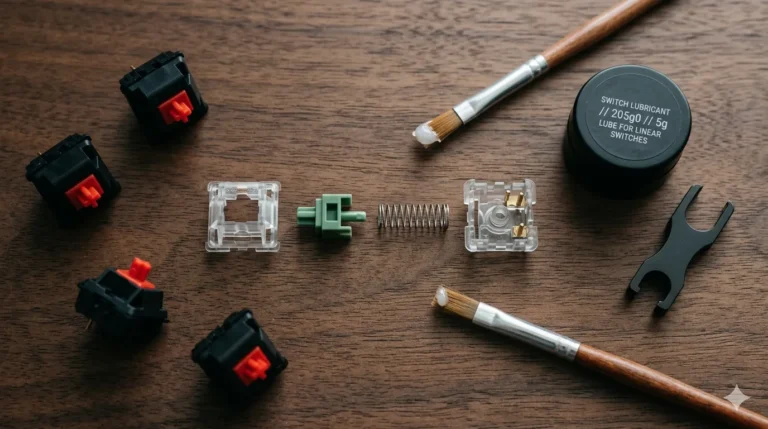
The Ducky One 3 TKL sounds clean but higher-pitched. The stabilizers on my unit had a mild ticking on Space and Shift that I could smooth out in ten minutes with some Krytox 205g0 — but honestly, on a $150 board, I shouldn’t need to. The Q3 Pro’s screw-in stabs are better tuned from the factory, and that’s a real practical win.
Now the mildly contrarian take: a lot of the “sound difference” people obsess over disappears the second you put a decent deskmat under either board. On a bare hard desk, sure, you’ll hear it. On a large mousepad, it evens out more than the reviews admit.
Software and Customization
This is the single biggest practical gap between them.
The Q3 Pro runs QMK/VIA. That means you can remap every key, build layers, program macros, do tap-hold and mod-tap tricks, one-shot layers — the whole deal. VIA is browser-based and dead simple to use. Want your Caps Lock to be Control on tap and Escape on hold? That’s a two-minute job.
The Ducky uses hardware shortcuts. Dip-switch style Fn combos. It works, it’s rock solid, it’s never going to have a driver issue — but it’s rigid. No user-defined layers. No macros beyond what the built-in system allows. If you want to remap something outside of that, you’re either learning Ducky’s proprietary shortcuts or leaning on Windows tools like PowerToys.
For most people, the Ducky’s approach is genuinely fine. You’re going to type on the board, not reprogram it. For power users, developers, remote workers running keyboard-driven workflows, or anyone even mildly curious about custom firmware — the Q3 Pro is in a different league.
Keycaps
Ducky ships tripleshot PBT. Keychron ships doubleshot PBT.
The practical difference is smaller than the marketing suggests. Both are thick (around 1.5mm), both are durable, both will last years without going shiny. The Ducky’s tripleshot process means the legends and sublegends are separately molded plastic — so no shine-through for RGB, which some people prefer.
The Q3 Pro’s OSA-profile caps (Keychron’s slight spin on OEM) are shine-through, so RGB glows up through the legends. Some folks love that look. Some hate it. If you’re anti-RGB in general, both boards let you turn it off, but the Q3 Pro will always have that shine-through appearance to the legends.
Wireless vs Wired
The Q3 Pro is wireless — Bluetooth 5.1 across three paired devices, plus a 2.4 GHz dongle for anyone worried about wireless latency in games. Battery life is solid, easily a couple weeks with backlight off.
The Ducky is wired only. Detachable USB-C, but you’re plugging in.
If you switch between a work laptop and a personal PC, or occasionally type on a tablet, or you just don’t want another cable snaking across your desk — the Q3 Pro solves a problem the Ducky doesn’t. If you sit at one desk all day and don’t care about cables, it’s a non-issue.
Pros and Cons
Ducky One 3 TKL — Pros
- Excellent build quality for a plastic case, zero flex or creak
- Tripleshot PBT keycaps that’ll easily outlast the board
- Solid Cherry MX switches with reliable hot-swap sockets
- Cleaner aesthetic; the colorway options are genuinely well done
- Runs about $50–$70 less than the Q3 Pro depending on config
- No software to mess with — plug in, type, done
Ducky One 3 TKL — Cons
- Wired only
- Stabilizers can rattle straight out of the box
- No real remapping or macro system worth speaking of
- Tray-style mount feels stiffer than a modern gasket board
- RGB isn’t shine-through if that matters to you
Keychron Q3 Pro — Pros
- Full CNC aluminum body, gasket mounted
- QMK/VIA support — remap and layer anything you want
- Wireless (Bluetooth + 2.4 GHz) plus wired
- Better stabilizers out of the box, screw-in from the factory
- Deeper, fuller sound with basically zero modding
- Real enthusiast internals: screw-in plate, PCB foam, IXPE sheet
Keychron Q3 Pro — Cons
- Heavy. Really heavy. Don’t drop it on your foot.
- Costs meaningfully more
- QMK/VIA has a learning curve if you actually want to use it well
- Anodized aluminum shows fingerprints under warm lighting
- If you don’t like gasket-mount softness, you won’t like this board
So, Which One Should You Actually Buy?
If I’m being honest — and this is where a lot of comparisons go squishy — the right answer depends on what you actually need the board to do.
Get the Ducky One 3 TKL if:
- You want a well-tuned, no-fuss mechanical that just works
- You care about a specific colorway or the classic Ducky look
- You don’t need wireless
- You don’t want to touch software
- You want to save money without compromising on build
Get the Keychron Q3 Pro if:
- You want the closest thing to a custom keyboard without building one
- You need wireless or juggle multiple devices
- You care about remapping, layers, and macros
- You want deeper sound and better stabs stock
- You don’t mind that it’s essentially a small brick with keys on top
My personal daily driver? The Q3 Pro, mostly for the wireless and QMK layers I’ve built up over the last year. But the Ducky One 3 stays in the rotation because it’s genuinely a great board, and there are weeks where “plug in, type, don’t think about it” is exactly what I want.
If a friend with a $150 budget asked me point-blank, I’d probably send them to the Ducky One 3 TKL and tell them to spend the leftover money on a decent deskmat and some Krytox 205g0 for the stabilizers. If they had $220 or so? The Q3 Pro, no hesitation.
Both boards represent what a real $150–$220 TKL should actually look like in 2026. Neither is a bad buy. But they’re not the same tool, and pretending they are is how people end up returning a keyboard.
This article contains affiliate links. If you buy through them, I earn a small commission at no extra cost to you. I only recommend keyboards I’ve actually tested. As an Amazon Associate I earn from qualifying purchases.

I’ve torn down, lubed, and rebuilt several hundred keyboards — from $20 membranes to $800 enthusiast boards. I review them honestly, even when “honestly” means telling you to skip the one with the bigger marketing budget.