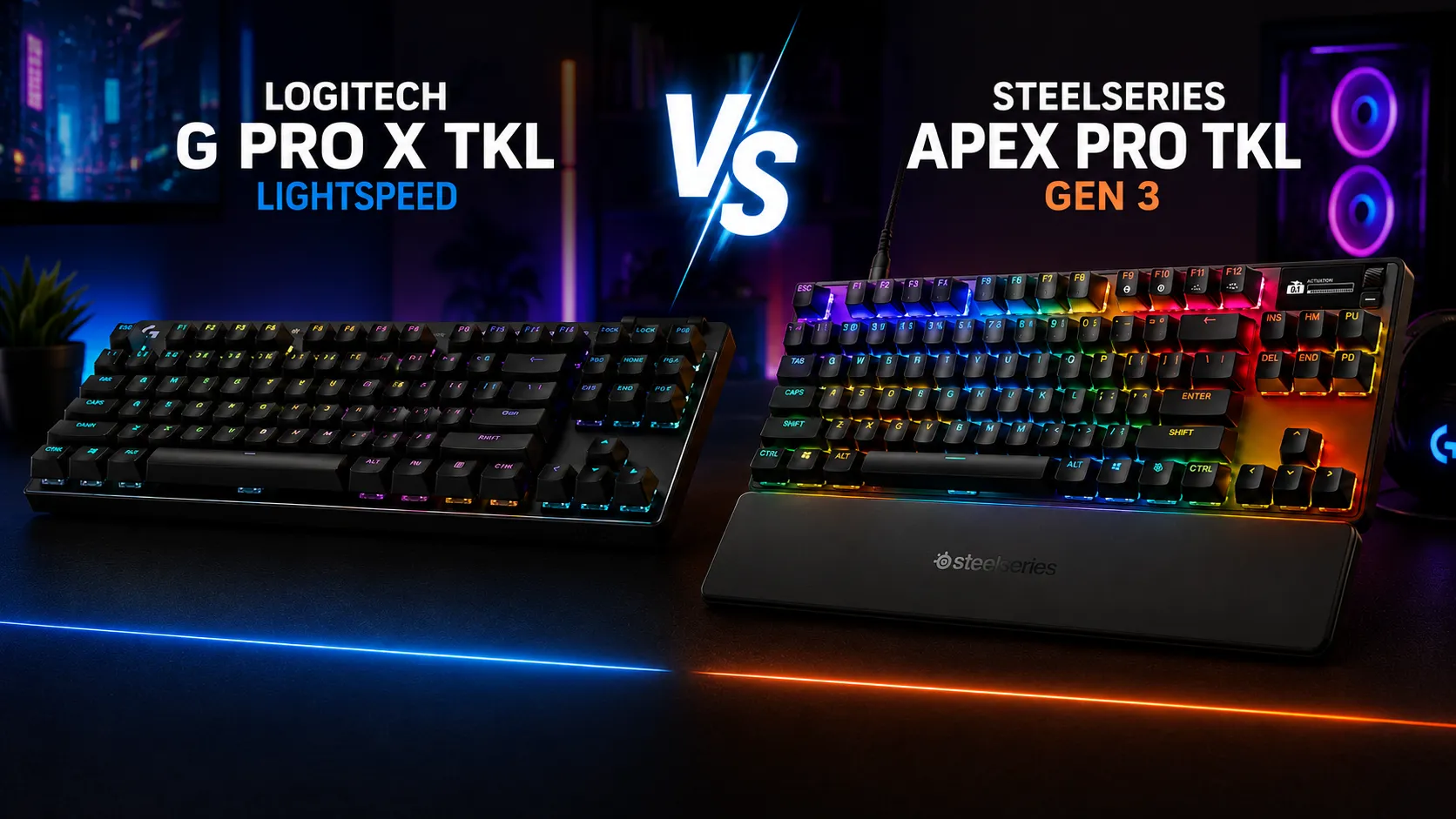
Logitech G Pro X vs Apex Pro TKL The Honest Comparison
This article contains affiliate links. If you buy through them, I earn a small commission at no extra cost to you. I only recommend keyboards I’ve actually tested. As an Amazon Associate I earn from qualifying purchases.
Both of these boards get labeled “pro.” Only one earned that name in my testing.
I’ve had the Logitech G Pro X TKL Lightspeed and the SteelSeries Apex Pro TKL Gen 3 on my desk for the better part of two months — swapping between them daily, using them in CS2, Valorant, long Discord sessions, and a lot of boring typing. They’re both premium TKLs, both sit in the $180–$250 range, and both are marketed at competitive players. But they solve completely different problems, and if you buy the wrong one for your use case, you’ll be annoyed within a week.
Here’s the head-to-head, plus the one I’d quietly pass on for most buyers.
Quick Comparison: Logitech G Pro X vs Apex Pro TKL
Skim this. If your use case is here, that’s your board.
| Your Situation | Best Pick | Why |
|---|---|---|
| Competitive FPS (CS2, Valorant, Apex) | SteelSeries Apex Pro TKL Gen 3 | Rapid Trigger and 0.1mm actuation are legit, not marketing. |
| Tournament travel / LAN player | Logitech G Pro X TKL Lightspeed | Wireless + slim TKL + reliable Lightspeed. Fits in any backpack. |
| Streamer / clean cable-free setup | Logitech G Pro X TKL Lightspeed | No cable clutter, 50+ hour battery, decent PBT caps. |
| Rank grinder who tweaks every setting | SteelSeries Apex Pro TKL Gen 3 | Per-key actuation, SOCD, Protection Mode, OLED. Endless tuning. |
| Best all-around gaming + typing | SteelSeries Apex Pro TKL Gen 3 | The magnetic switches feel great to type on once dialed in. |
| Wireless is non-negotiable | Logitech G Pro X TKL Lightspeed | Apex Pro Gen 3 is wired only. Full stop. |
If you want the deeper reasoning, keep reading. This isn’t a spec sheet — it’s what I actually felt using both.
What You’re Actually Buying
Before the comparison gets into the weeds, the elevator pitch on each:
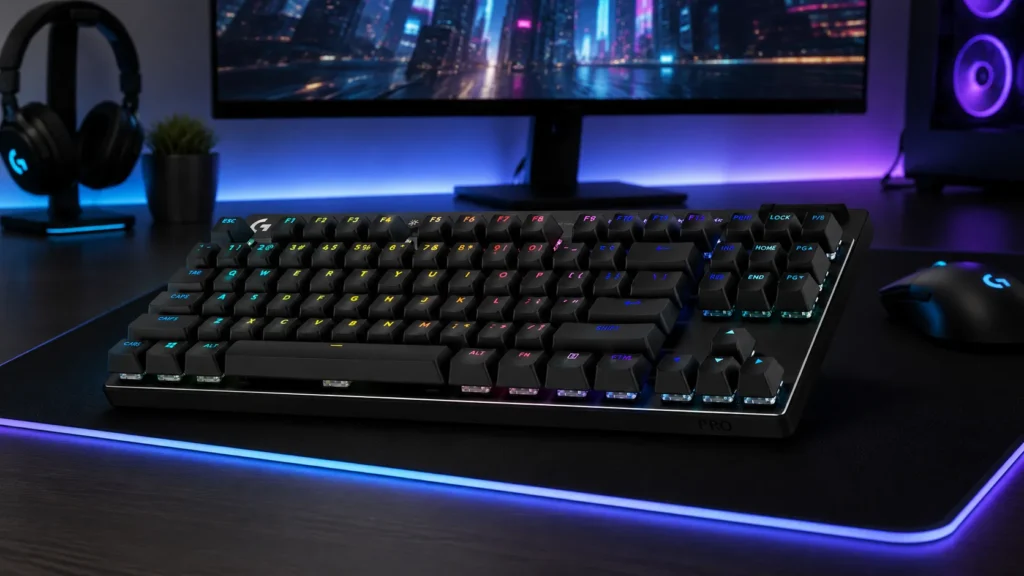
- Logitech G Pro X TKL Lightspeed — Wireless TKL with GX Red linear switches, PBT keycaps, Lightsync RGB, a small media roller, and roughly 50 hours of battery with RGB on. Around $199. Built for pros who travel with their gear.
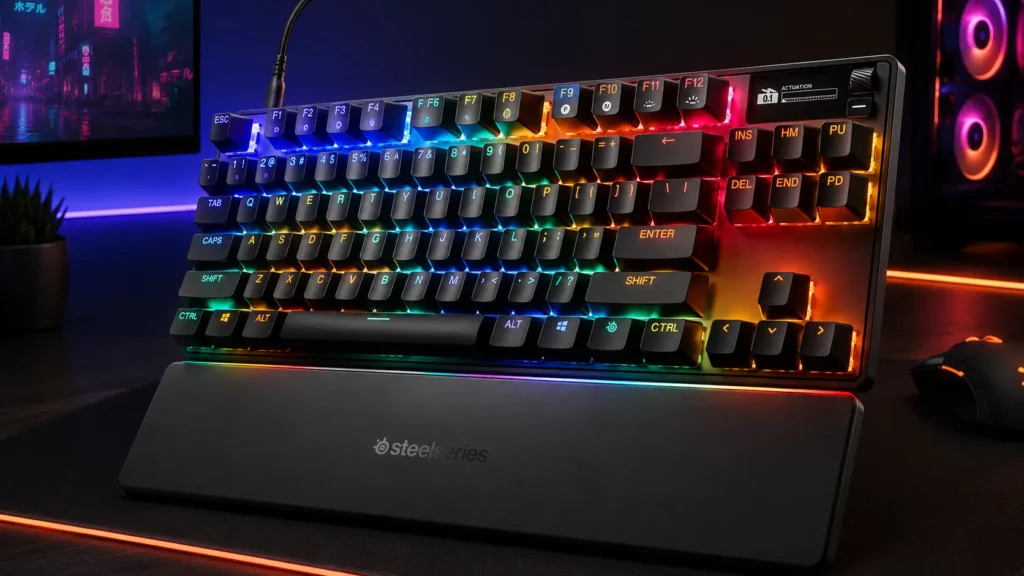
- SteelSeries Apex Pro TKL Gen 3 — Wired TKL with OmniPoint 3.0 analog magnetic (hall effect) switches, adjustable per-key actuation from 0.1mm to 4.0mm, Rapid Trigger, an OLED smart display, and PBT keycaps. Around $249. Built for players who want to squeeze every millisecond out of their inputs.
Same category, wildly different design philosophies. If you’re not sure why gaming keyboards feel the way they do in the first place, that’s worth a read before you drop $200+ on either of these.
Switches: The Real Story
This is where the entire logitech g pro x vs apex pro tkl argument gets decided. Everything else is secondary.
GX Red (Logitech): the safe linear
The GX Reds in the G Pro X TKL are standard linear switches. Roughly 50g actuation, 1.9mm to actuate, 4mm total travel. If you’ve typed on Cherry MX Reds, Gateron Yellows, or Kailh Reds, you basically know what these feel like. Smooth, quiet-ish, no bump. They’re pre-lubed from the factory and honestly not bad — better than the switches on Logitech’s older G Pro line, which felt scratchy to me.
But they’re fixed. What you buy is what you get. No hot-swap on this board.
OmniPoint 3.0 (SteelSeries): the actually different one
The OmniPoint 3.0 switches use magnetic hall effect sensors. Instead of a physical contact point, the board reads the magnet’s position continuously — which means you can set the actuation depth anywhere from 0.1mm (barely breathe on it) to 4.0mm (bottom out required), and you can set it per key.
The two features that matter here:
- Rapid Trigger — the key resets the instant you start releasing it. In counter-strafing games like CS2, this is not a placebo. I felt the difference within an hour on de_mirage.
- Rapid Tap / SOCD — pressing A cancels D and vice versa. Handy for movement in shooters where you’d otherwise get a hitch.
Is this “worth” the upgrade over a normal linear? If you play competitive shooters seriously, yes. If you don’t, you’re paying for a feature you’ll set once and forget. If you want a deeper look at how magnetic hall effect switches actually work compared to traditional mechanicals, I’ve written about that separately.
I’ll be blunt: for typing and non-competitive gaming, the OmniPoint switches feel fine — not magical. Set them around 1.5–2.0mm actuation and they behave like a nice linear. The magic is only visible in fast, precise input scenarios.
Build and Feel
Both boards are aluminum-topped plastic-bottomed, and both punch above their weight in rigidity. But they’re not equal.
The Apex Pro TKL Gen 3 is dense, flat, and feels like a small brick. Not in a bad way — there’s zero flex, and the stabilizers on Gen 3 are noticeably better than the Gen 2 (which had a mushy space bar). The OLED display sits in the top-right corner and shows song titles, Discord notifications, actuation profiles, or a GIF of your dog if you want. It’s a novelty at first, then genuinely useful for switching profiles on the fly.
The G Pro X TKL is slimmer, lighter, and clearly built with travel in mind. There’s a media roller at the top-right (Logitech’s signature move), which I use constantly. The frame flexes very slightly if you torque it, but during normal use you’ll never notice. It feels more like a “premium daily driver” than a “workstation weapon.”
Both use PBT keycaps in Gen 3. This matters. PBT keycaps resist the greasy shine that ABS develops after a few months of gaming sessions, and the legends won’t fade. If you want the full rundown on why PBT keycaps hold up better than ABS over time, that’s a rabbit hole worth going down before your next purchase.
Sound and Typing Experience
The Apex Pro TKL Gen 3 sounds a little higher-pitched, a little clackier. It’s not a “thocc” board — it’s a competitive board, and it sounds like one. Clean, direct, no mushiness. If you record yourself streaming, it doesn’t wash out your mic.
The G Pro X TKL sounds slightly deeper, thanks to some internal foam and dampening. Not by a huge margin, but noticeable. It’s the friendlier of the two for shared spaces. Neither is a “creamy” custom-board sound — you’re not getting Zoom65 territory out of a pre-built gaming keyboard, and anyone telling you otherwise is selling something.
For typing all day, I honestly preferred the Apex Pro once I set actuation to 2.0mm. It feels crisp and consistent. The G Pro X is fine, but the GX Reds feel a touch generic to me after using them for a while.
Gaming Performance
Here’s where I’ll get in trouble with the Logitech faithful.
In pure gaming feel, the Apex Pro TKL Gen 3 is the more capable board. Rapid Trigger, in CS2 specifically, changed how tight my counter-strafes felt. I’m not going to pretend it turned me into s1mple — I’m a mid-tier player and I’ll stay one — but the input felt more responsive in a way I could measure by how many peeks I won that I’d normally lose. That’s not marketing copy. That’s the switch doing what it says.
The G Pro X TKL performs great too — Lightspeed wireless is basically indistinguishable from wired at this point (1ms polling in wireless mode, and I couldn’t feel a difference in blind swaps). But the switches are standard linears. No rapid reset. No adjustable actuation. It’s a fantastic feeling keyboard that doesn’t try to give you a competitive edge beyond low latency.
If you play mostly single-player games, MMOs, or you’re a Rocket League/League player, the difference between them in-game is negligible. If you play tactical shooters at a level where you’ll actually retrain your muscle memory to exploit Rapid Trigger, the Apex is the better tool. If you’re specifically comparing this against other high-end competitive boards, my breakdown of what actually matters in a tournament-tier gaming keyboard covers the criteria I use.
Features That Actually Matter
Cutting the marketing bullet points down to what you’ll use:
Logitech G Pro X TKL Lightspeed:
- Lightspeed wireless (excellent, near-zero latency)
- Bluetooth as a secondary mode (useful for a work laptop)
- Around 50 hours battery with RGB, longer with RGB off
- Media roller (I use this constantly)
- USB-C charging
- G HUB software (which is fine, not great)
SteelSeries Apex Pro TKL Gen 3:
- OmniPoint 3.0 magnetic switches with 0.1–4.0mm adjustable actuation
- Rapid Trigger
- Rapid Tap / SOCD
- Protection Mode (locks the board so you can wipe it during a match)
- OLED display for profile switching and notifications
- USB-C wired
- SteelSeries GG software (better than G HUB, still not perfect)
The Apex Pro’s Quickset Auto-Presets deserve a mention. You can pick a preset for CS2, Valorant, Fortnite, etc., and it’ll set your actuation and rapid trigger to reasonable defaults for that game. It’s a genuinely helpful feature for people who don’t want to hand-tune every key.
Software: The Boring but Important Part
Neither company has perfect software. Both are functional.
- Logitech G HUB — clunky, slow to open on Windows sometimes, but reliable once running. Handles macros, RGB, profile switching, and battery status.
- SteelSeries GG — feels heavier than it needs to be but the actuation tuning UI is well-designed. You’ll spend real time in here if you own the Apex Pro. That’s the point.
If you hate configuring things and want to plug in and play, the G Pro X TKL demands less of you.
Pros and Cons
Logitech G Pro X TKL Lightspeed
Pros:
- True wireless with imperceptible latency
- Excellent build quality for travel
- PBT keycaps out of the box
- Long battery life
- Media roller is a small joy
- Compact TKL layout with clean lines
Cons:
- No hot-swap, so you’re locked into GX Reds (or the Blue/Brown variants)
- No adjustable actuation — you get what you get
- Around $199 is a lot for a fixed-switch board in 2026
- No display, no smart features
- G HUB is fine but not fun
SteelSeries Apex Pro TKL Gen 3
Pros:
- OmniPoint 3.0 magnetic switches are genuinely better for competitive gaming
- Per-key adjustable actuation (0.1–4.0mm)
- Rapid Trigger and SOCD are real features, not marketing
- OLED display is useful, not just cool
- Stab quality is much improved over Gen 2
- PBT keycaps in Gen 3 (upgrade over Gen 2)
Cons:
- Wired only — no wireless option at all
- $249 is a serious price for a TKL
- Software has a learning curve
- If you don’t play competitive shooters, most of what you’re paying for is wasted
- Slightly higher-pitched sound may not suit everyone
The One I’d Quietly Pass On
For most buyers, I’d pass on the Logitech G Pro X TKL Lightspeed — with one big asterisk.
If you specifically need wireless, buy it. There’s no real competition at this price with this level of wireless polish. Lightspeed is the real deal and the G Pro X TKL is a lovely board to use.
But if you’re a desktop gamer who was going to plug it in anyway, spending $199 on a keyboard with fixed GX Red linears and no hot-swap is a weird value proposition in 2026. For $50 more, the Apex Pro Gen 3 gives you switches that materially change how the board plays, plus features you can grow into. For $80 less, you can get a great hot-swap TKL from a smaller brand and mod it to sound better than either of these — and if you’re curious how much sound and feel you can actually get out of a modded budget board, I’ve covered that route too.
Here’s the catch: the Apex Pro’s advantages only matter if you’ll use them. If you’re going to set it to 2.0mm actuation and never touch the software again, you overpaid.
Final Verdict
The Logitech G Pro X vs Apex Pro TKL question really comes down to two questions:
- Do you need wireless? If yes, get the G Pro X TKL. Nothing else in this comparison matters.
- Do you play competitive shooters seriously? If yes and you’re wired at your desk, get the Apex Pro TKL Gen 3. The switches actually help.
For everyone else — casual gamers, work-from-home typists, streamers who want something clean on camera — either board will make you happy, but you’re probably overpaying for features you don’t need. Look at the cheaper hot-swap TKLs from Keychron, Epomaker, or NuPhy first.
For me personally? The Apex Pro TKL Gen 3 stayed on my desk. The G Pro X TKL went into the bag for LAN nights.
This article contains affiliate links. If you buy through them, I earn a small commission at no extra cost to you. I only recommend keyboards I’ve actually tested. As an Amazon Associate I earn from qualifying purchases.

I’ve torn down, lubed, and rebuilt several hundred keyboards — from $20 membranes to $800 enthusiast boards. I review them honestly, even when “honestly” means telling you to skip the one with the bigger marketing budget.